SharpConsoleUI Examples
This document provides an overview of all example applications demonstrating SharpConsoleUI capabilities.
Videos
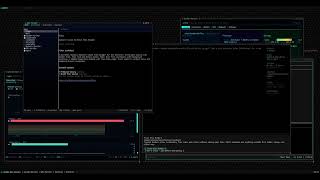 cxshell — a desktop in the terminal A full desktop environment: Start menu, taskbar, app manager, and other TUI applications running live inside its windows. |
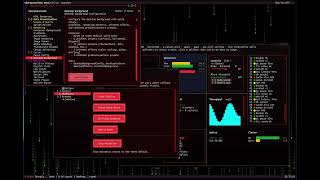 DemoApp showcase A tour of the bundled DemoApp — windows, controls, markup, compositor effects and dialogs. |
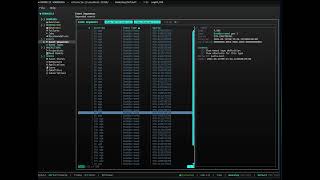 Cratis Chronicle Workbench A third-party product built on SharpConsoleUI — live event-store browsing for the Chronicle platform. |
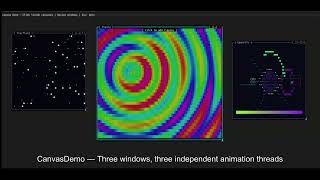 Examples in action The original walkthrough of the example projects. |
Quick Start
Run any example with:
dotnet run --project Examples/<ExampleName>
Real-World Applications
Production applications built with SharpConsoleUI.
cxagent
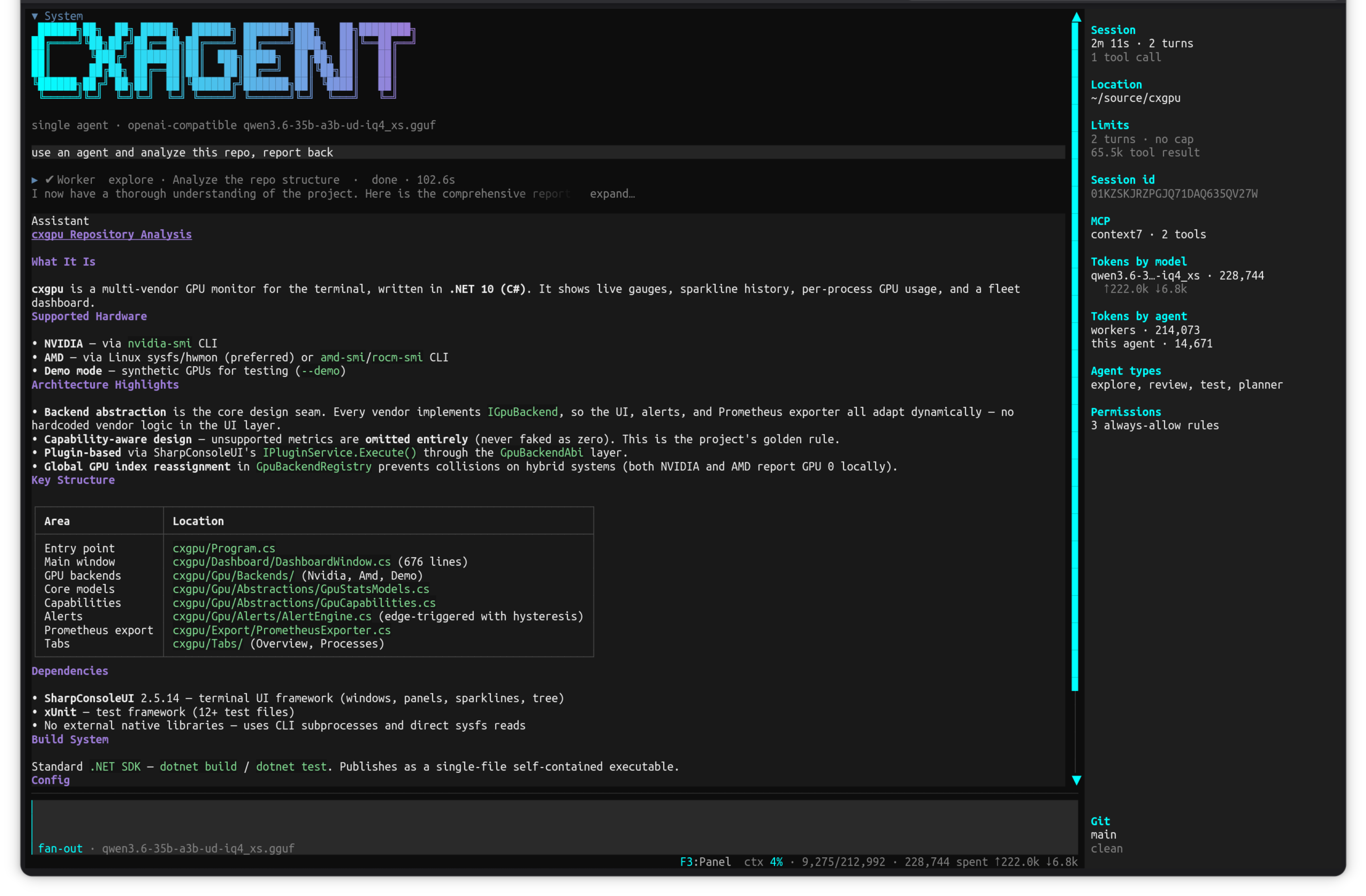
A terminal AI coding agent — say what you want, watch it work.
Project: github.com/nickprotop/cxagent
Give it a goal in plain language and it reads your files, works out what to change, and changes them — in one context, with the real bytes in front of it. Anything outside the working folder asks permission first. Bring your own model: Ollama, any OpenAI-compatible endpoint, or Anthropic.
Key Features:
- Single-agent loop with permission-gated file, shell and HTTP tools
- Sub-agents (explore, review, test, planner) that report back into the parent transcript
- Live session panel: turns, tool calls, per-model and per-agent token accounting, git state
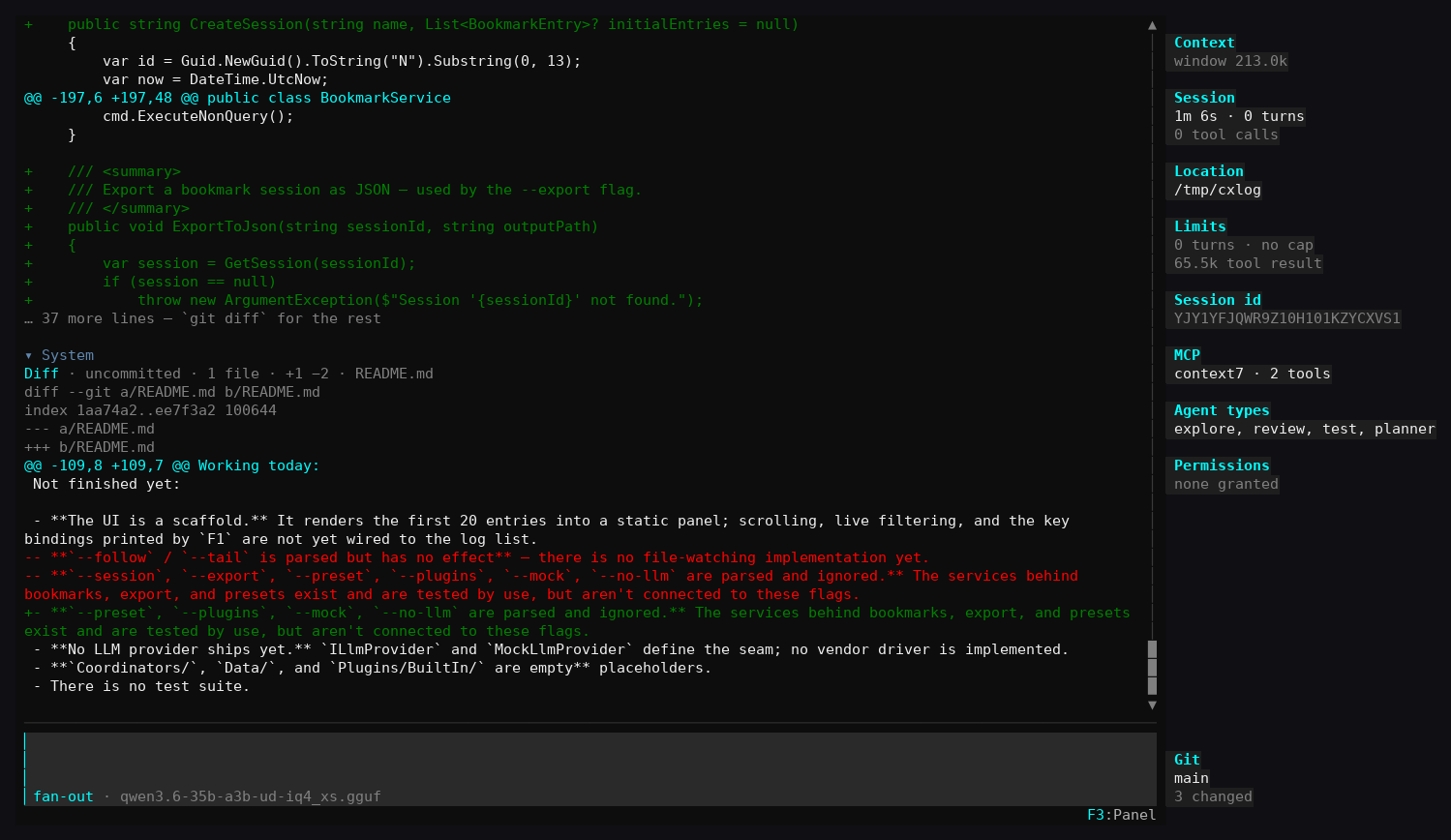
- Built-in diff view for uncommitted and untracked changes
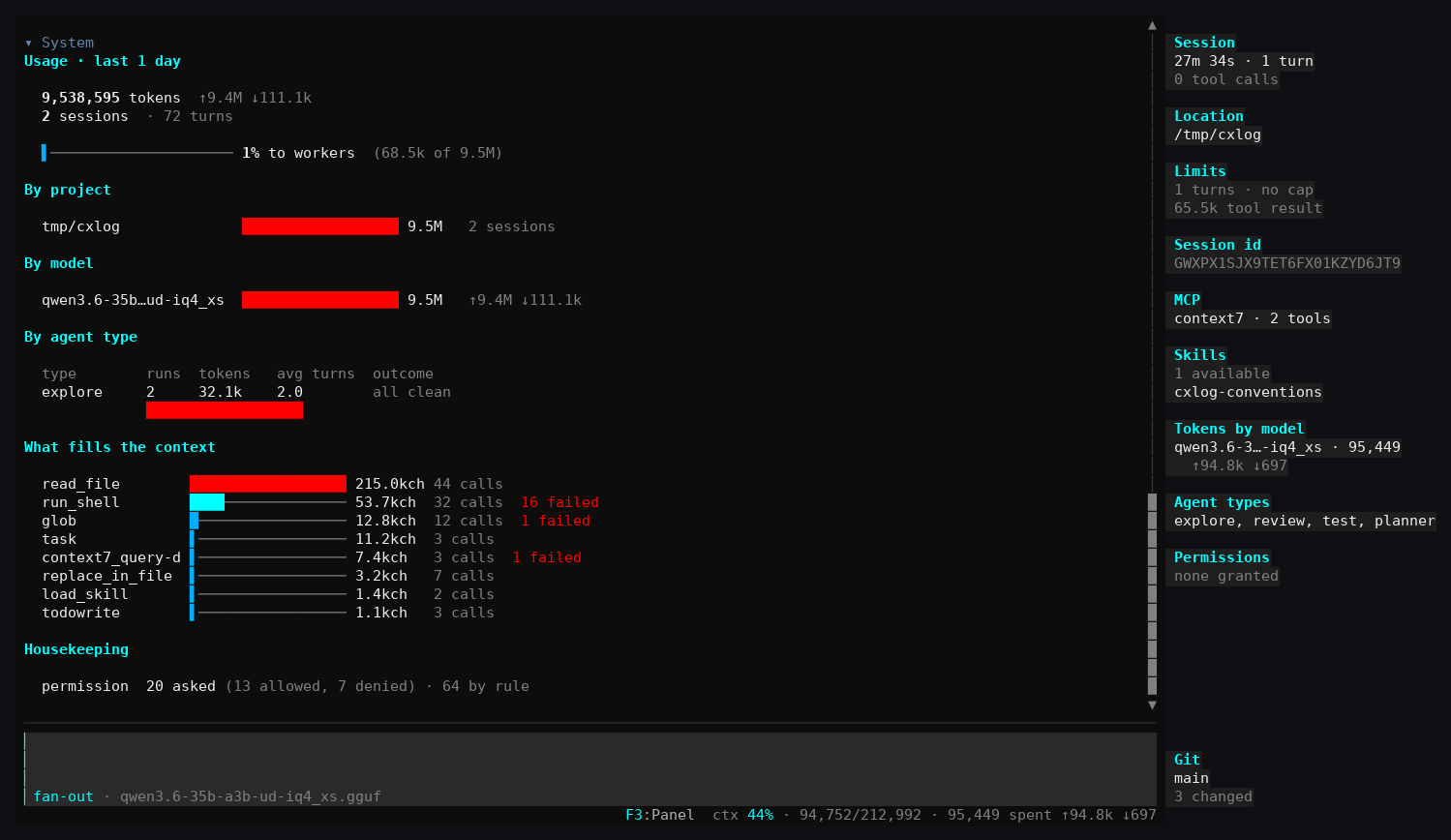
- Usage stats broken down by project, model, agent type, and what filled the context
- MCP tool support and loadable skills
SharpConsoleUI features on show:
- A transcript of collapsible tool-call rows (
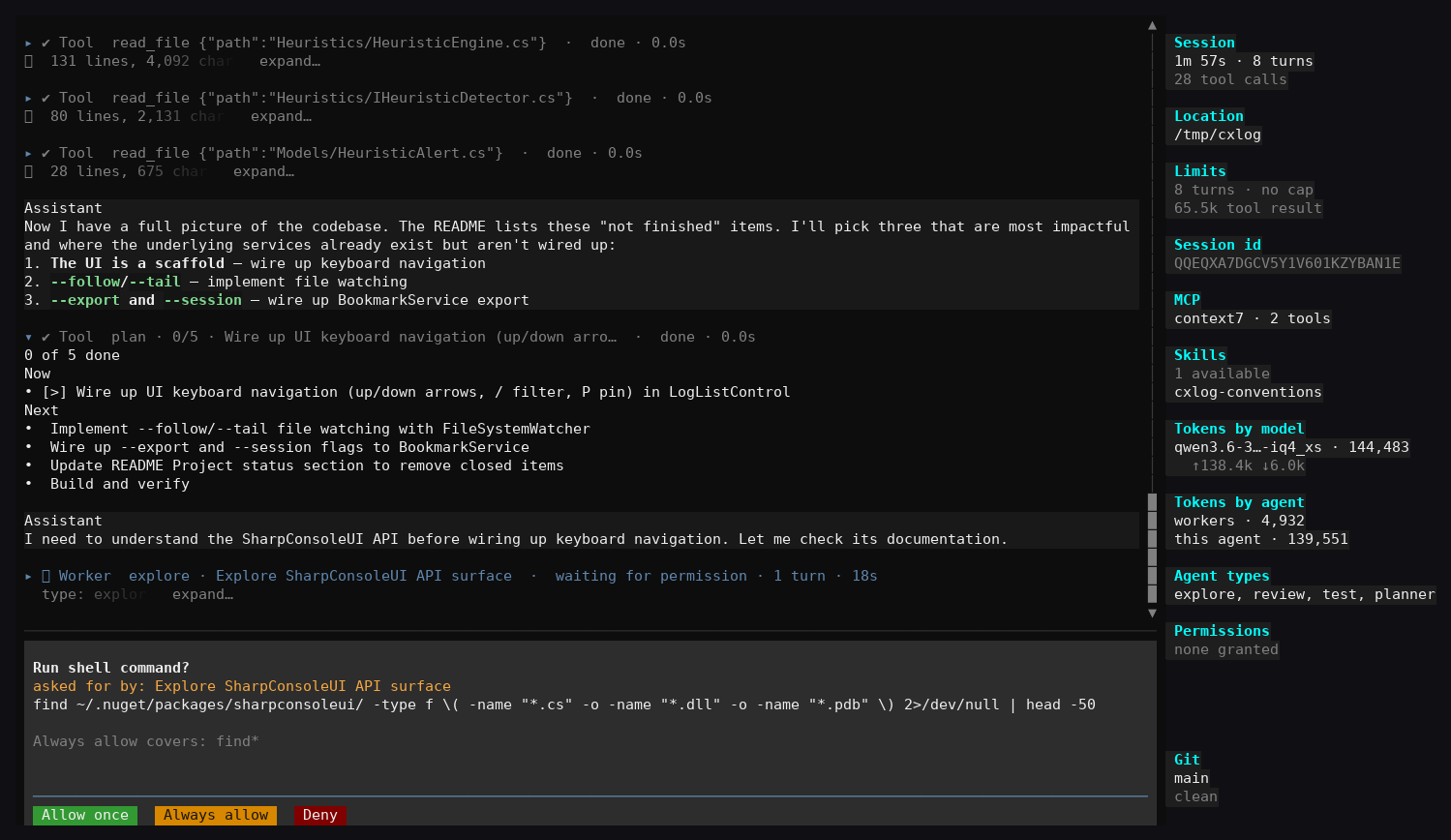
expand…) beside a sticky live status panel - Modal permission prompts with
Allow once/Always allow/Denybuttons over the running transcript - Markdown rendered inline in the transcript — headings, bullet lists, tables and syntax-coloured code
FigletControlbanner, horizontal bar charts, and a status bar carrying live context percentage
| Permission prompt | Diff view | Usage stats |
|---|---|---|
 |
 |
 |
cxshell
A complete desktop environment, running in a terminal.
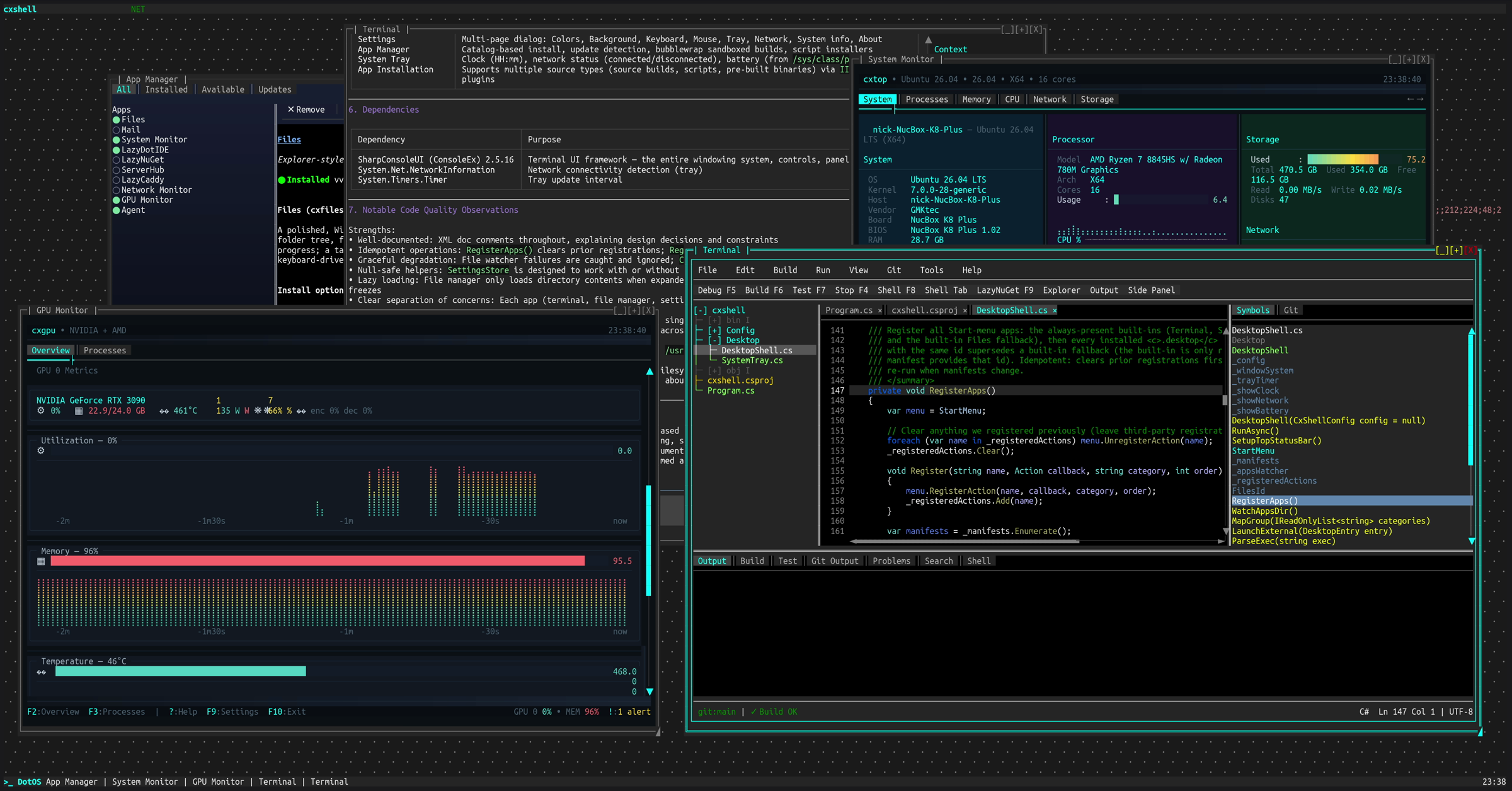
Project: github.com/nickprotop/cxshell
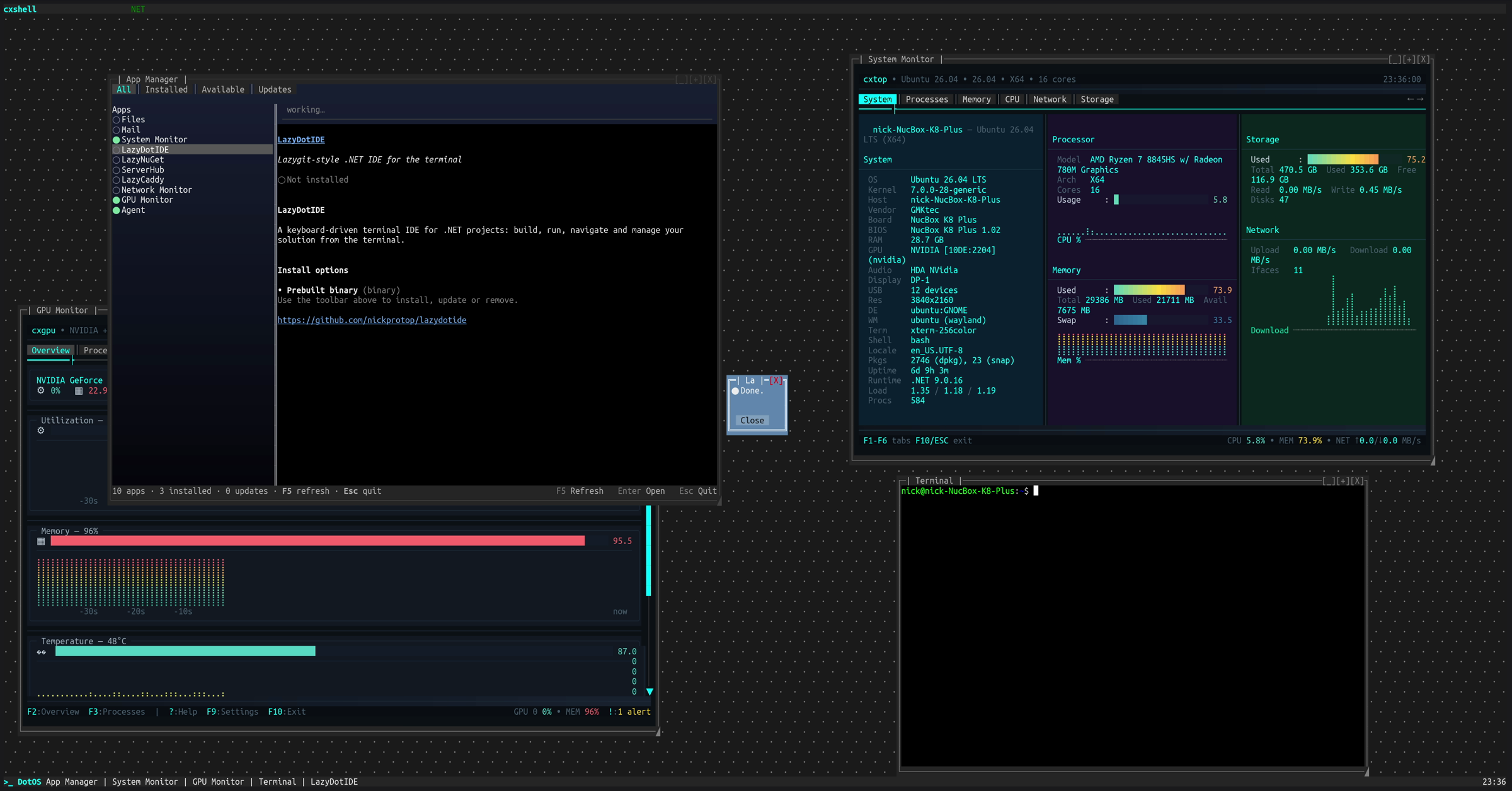
A Start menu, taskbar, system tray and movable windows, with an app manager that installs and updates terminal applications. Other TUI apps run inside its windows — the screenshot above has LazyDotIDE, cxtop and cxgpu each hosted in their own draggable window, live at the same time. Made for SSH: a real desktop on a remote machine without a single pixel of X11.
Key Features:
- Start menu, taskbar with window list, system tray with clock, network and battery
- App Manager: catalog-based install, update detection, sandboxed builds, script installers
- Built-in apps for files, settings and a terminal
- Multi-page settings dialog (colors, background, keyboard, mouse, tray, network)
- Runs over SSH; no browser, no X11
SharpConsoleUI features on show:
- The window manager itself: overlapping windows with drag, resize, minimize, maximize and z-order
TerminalControlhosting full external TUI applications inside a window, each with its own PTY- Independent async render loops per window — several live monitors updating at once without blocking each other
- Portal flyouts for the Start menu and tray, and modal dialogs over the running desktop
| Desktop with hosted apps | App Manager |
|---|---|
|
 |
cxnet
Real-time network throughput monitor for the terminal.
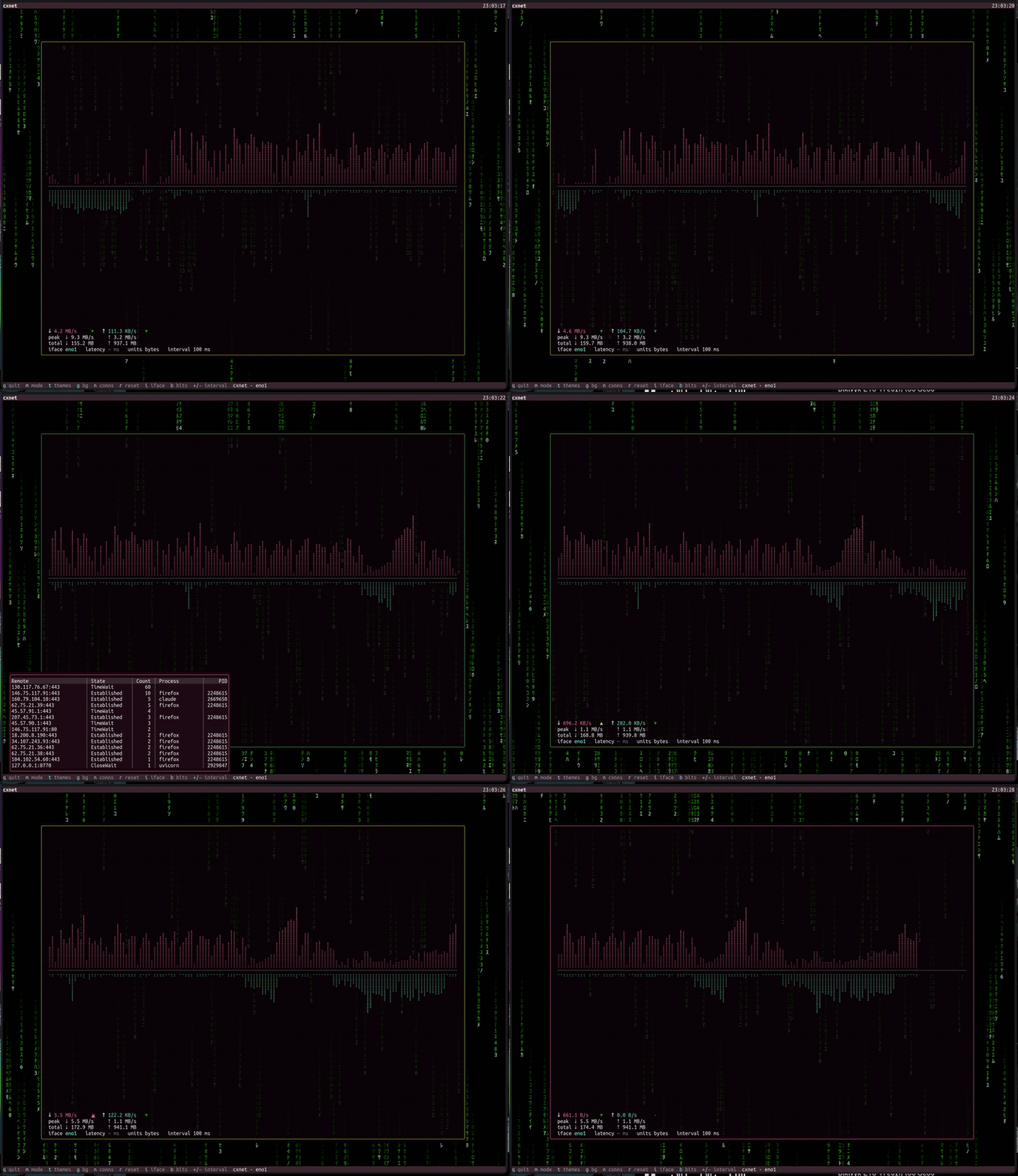
Project: github.com/nickprotop/cxnet
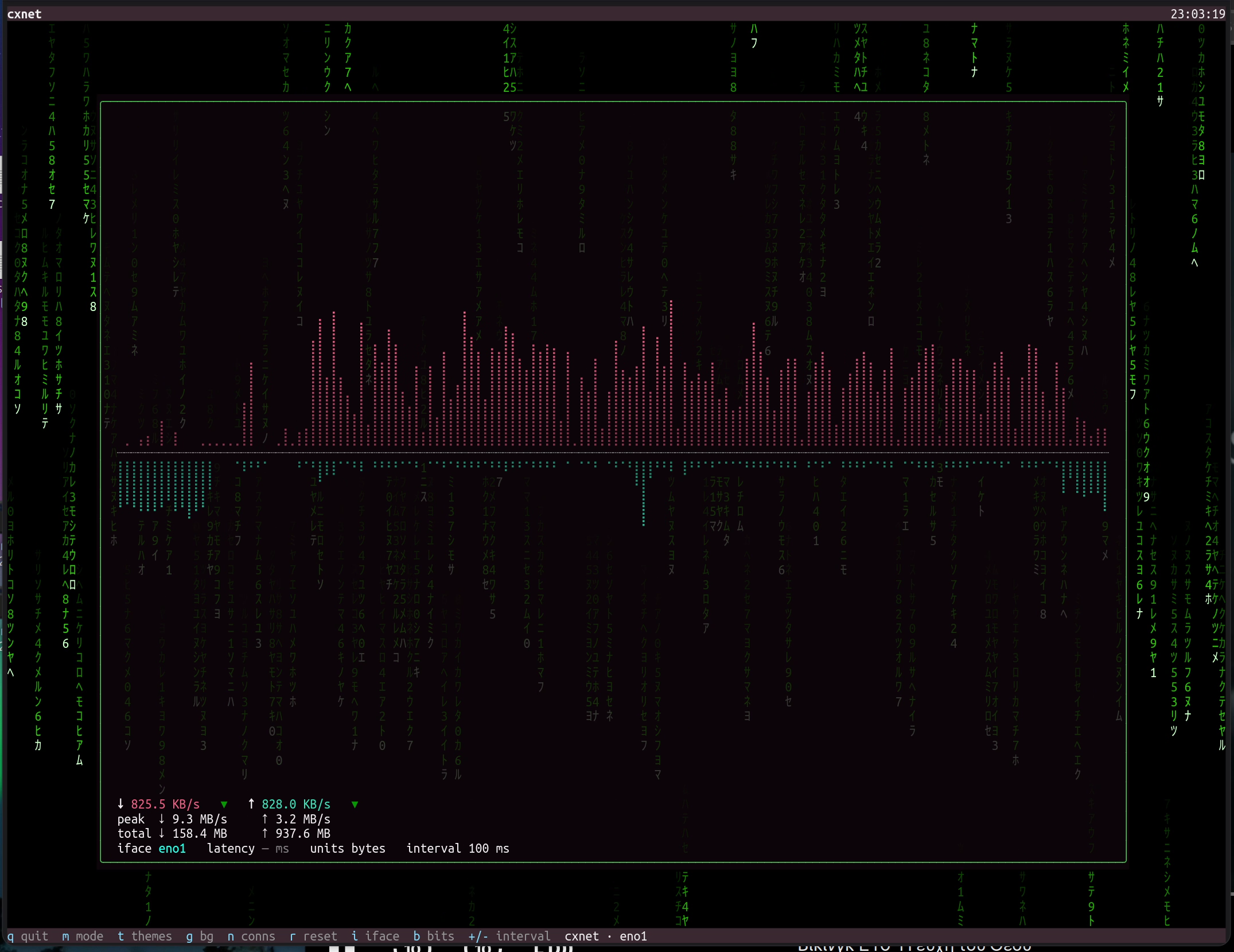
Live download/upload throughput rendered as Braille waveforms, with session peaks, daily totals, per-interface selection, and a border that pulses with your transfer speed — over an alpha-blended, animated desktop background.
SharpConsoleUI features on show:
- Overlapping windows with a real compositor and a per-cell alpha-blended desktop background (the Matrix rain shows through the translucent monitor window)
- Bordered pop-over pickers (portals) for themes, connections, and interfaces
- A per-interface
TableControlwith columns, separators, and a scrollbar - A live sparkline/waveform driven by an async per-window render loop
cxgpu
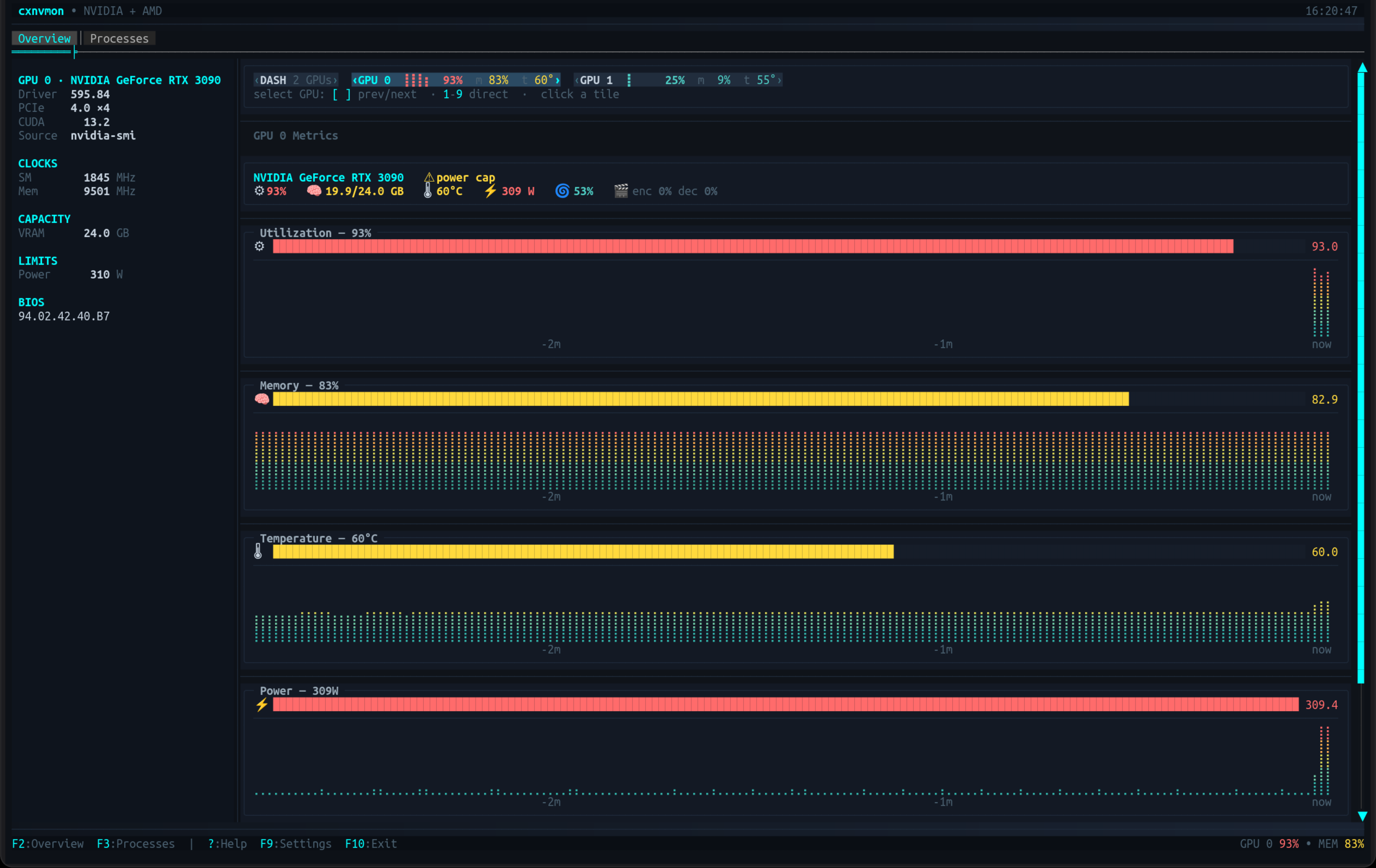
Multi-vendor GPU monitor for the terminal — NVIDIA and AMD in one view.
Project: github.com/nickprotop/cxgpu
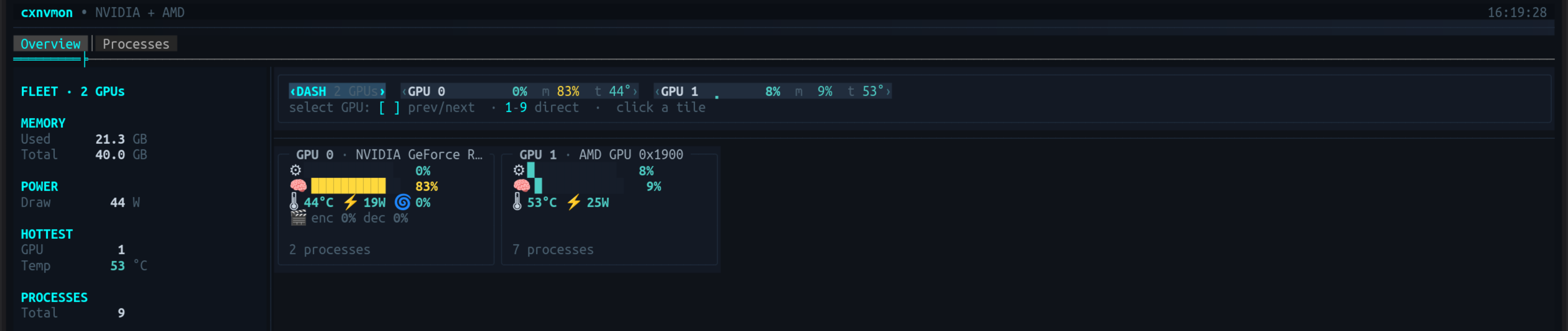
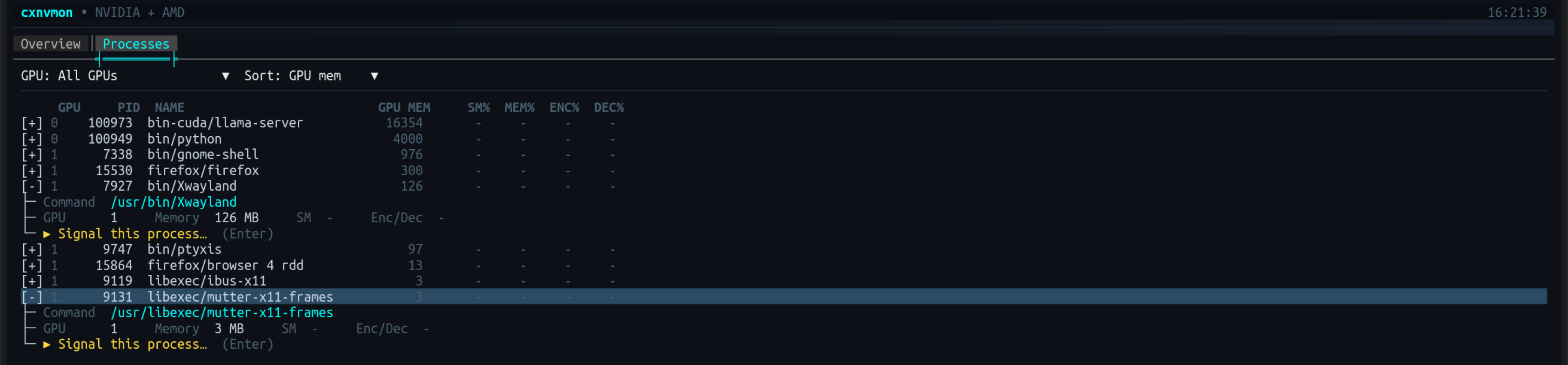
Live gauges and Braille sparkline history for utilization, memory, temperature, power and fan; a fleet dashboard for multi-GPU boxes; and a per-process tree with signal actions. Each backend declares what it can measure, so unsupported metrics are omitted rather than faked as zero.
Key Features:
- NVIDIA (
nvidia-smi) and AMD (sysfs/hwmon,amd-smi/rocm-smi) side by side, each through its own backend - Overview with gauges, sparkline history, a vitals line, and a full device spec-sheet
- Fleet dashboard with aggregate totals plus a hero panel per GPU
- Process tree with GPU filter, sorting, per-process engine usage, SIGTERM/SIGKILL
- Throttle detection, threshold alerts, session stats, and Prometheus
/metrics --demo[=N]simulates up to 9 GPUs — no hardware required
SharpConsoleUI features on show:
BarGraphControlgauges and Braille sparkline history driven by an async per-window render loopTreeControlwith expandable rows for per-process detail, plus a filter/sort toolbar- A responsive panel grid that reflows side-by-side or stacked with terminal width
- Toasts, a status-bar badge, and a portal flyout for alert history
- A paged settings dialog (F9) and a keyboard help overlay
| Overview | Fleet Dashboard | Processes |
|---|---|---|
|
 |
 |
cxtop
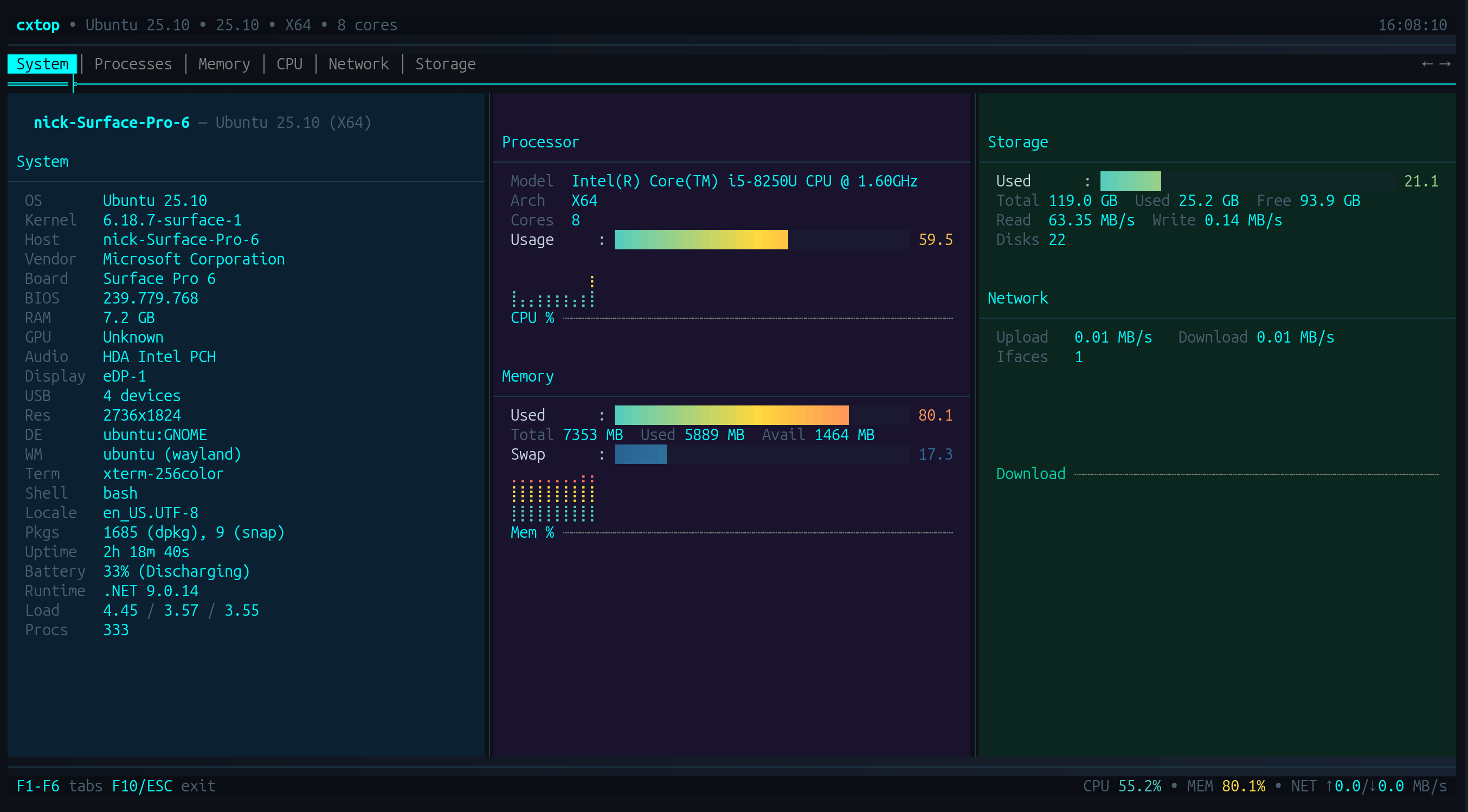
ntop/btop-inspired system monitor for the terminal.
Project: github.com/nickprotop/cxtop
Live CPU, memory, network and storage metrics with a hardware identity dashboard, sparkline history, and a sortable process list with per-process actions. Cross-platform.
SharpConsoleUI features on show:
- Tabbed views (Processes, Memory, CPU, Network, Storage) over a shared header of live gauges
- A sortable, mouse-selectable process table with a detail pane beside it
- Sparkline history driven by an async per-window render loop
- Double-click actions and a status bar carrying live system totals
CXFiles
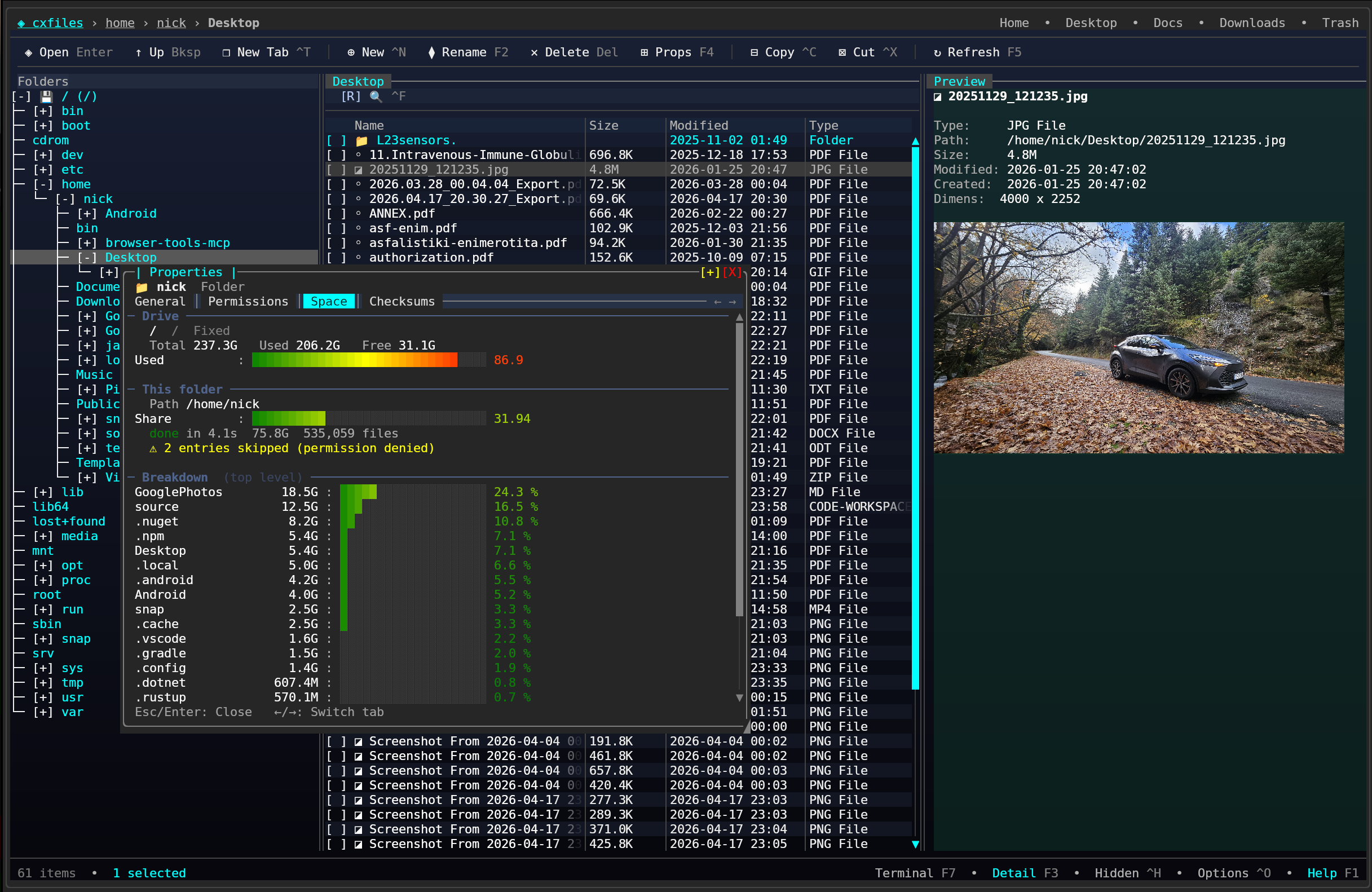
Explorer-style terminal file manager.
Project: github.com/nickprotop/cxfiles
Three-pane layout with a folder tree, file list and detail panel, plus tabs, image preview through the Kitty graphics protocol, a properties dialog and trash support.
SharpConsoleUI features on show:
TreeControlfolder tree beside aTableControlfile list, split by draggable splitters- Tabs for multiple locations open at once
- Inline image preview via the Kitty graphics protocol
- Modal properties and confirmation dialogs
CXPost
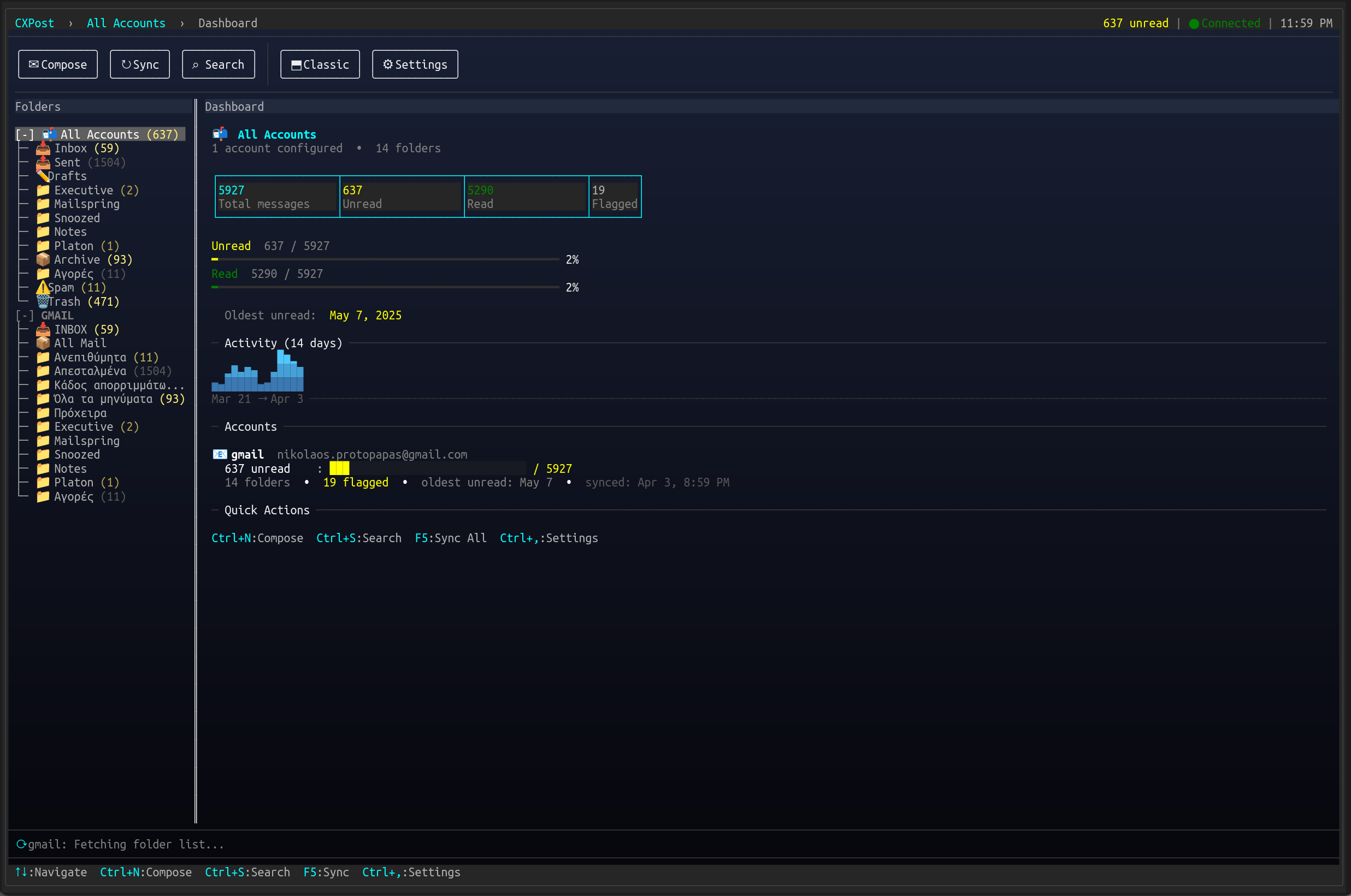
Terminal email client.
Project: github.com/nickprotop/cxpost
Multi-account IMAP/SMTP with conversation threading, HTML message rendering, attachment handling and an offline cache.
SharpConsoleUI features on show:
- Threaded conversation view built on
TreeControl, beside a scrollable message pane - HTML email rendered into terminal cells
- Multi-account switching through portal flyouts
- Compose and attachment dialogs over the running mailbox
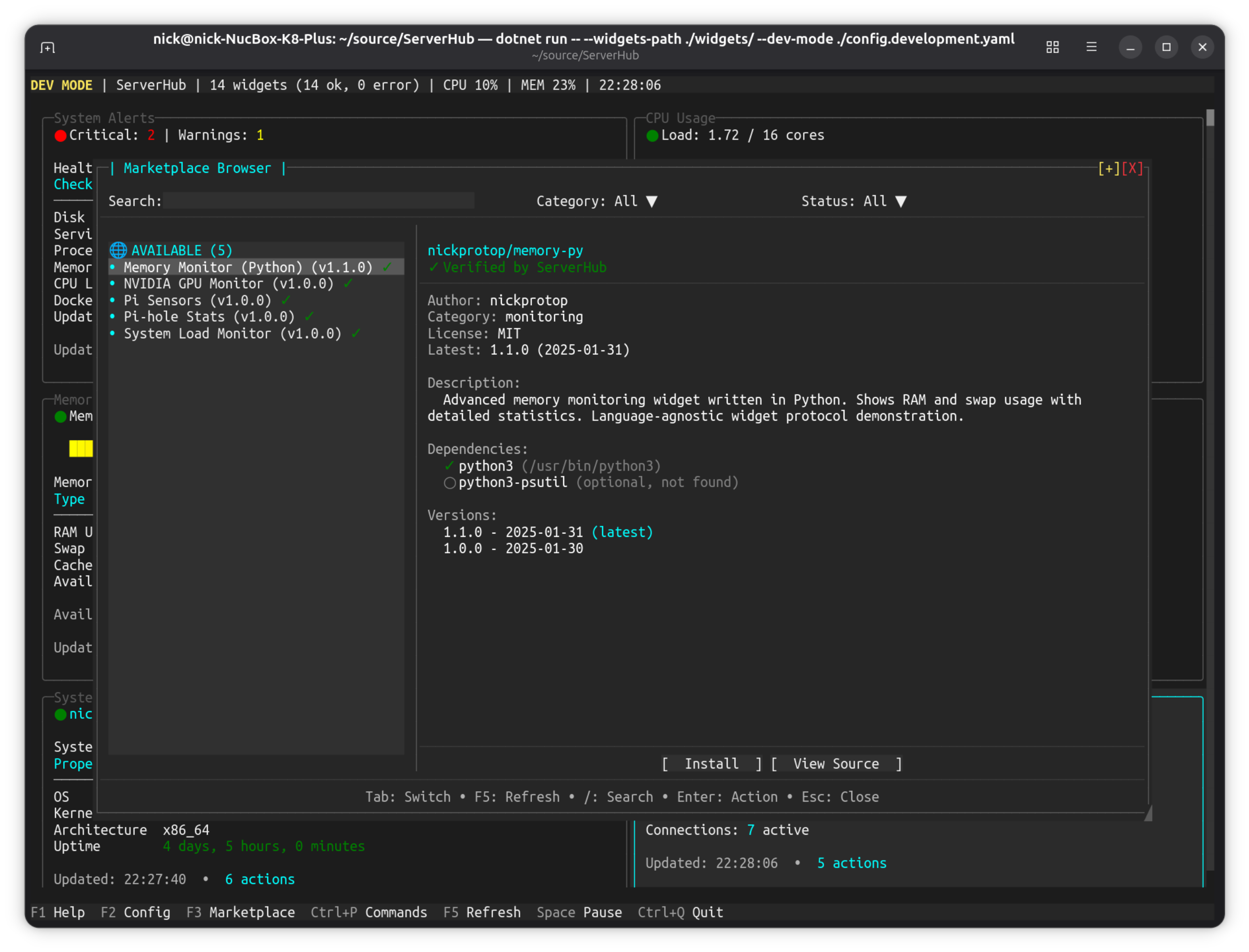
ServerHub
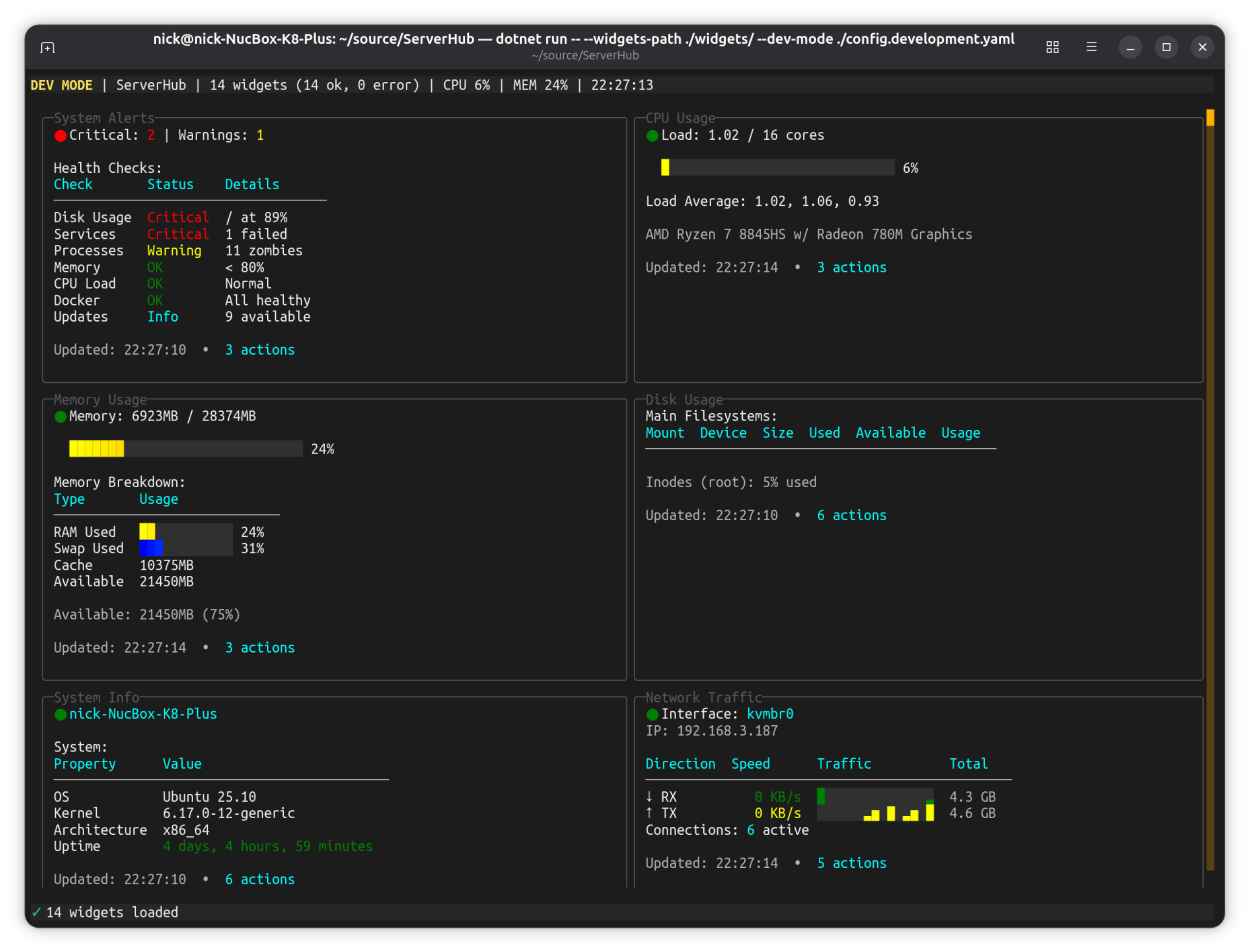
Production-ready Linux server control panel.
Project: github.com/nickprotop/ServerHub
Terminal-based control panel for Linux servers and homelabs with 14 bundled widgets for monitoring CPU, memory, disk, network, Docker containers, systemd services, and more.
Key Features:
- Real-time system monitoring dashboard
- Widget-based architecture with 14 built-in widgets
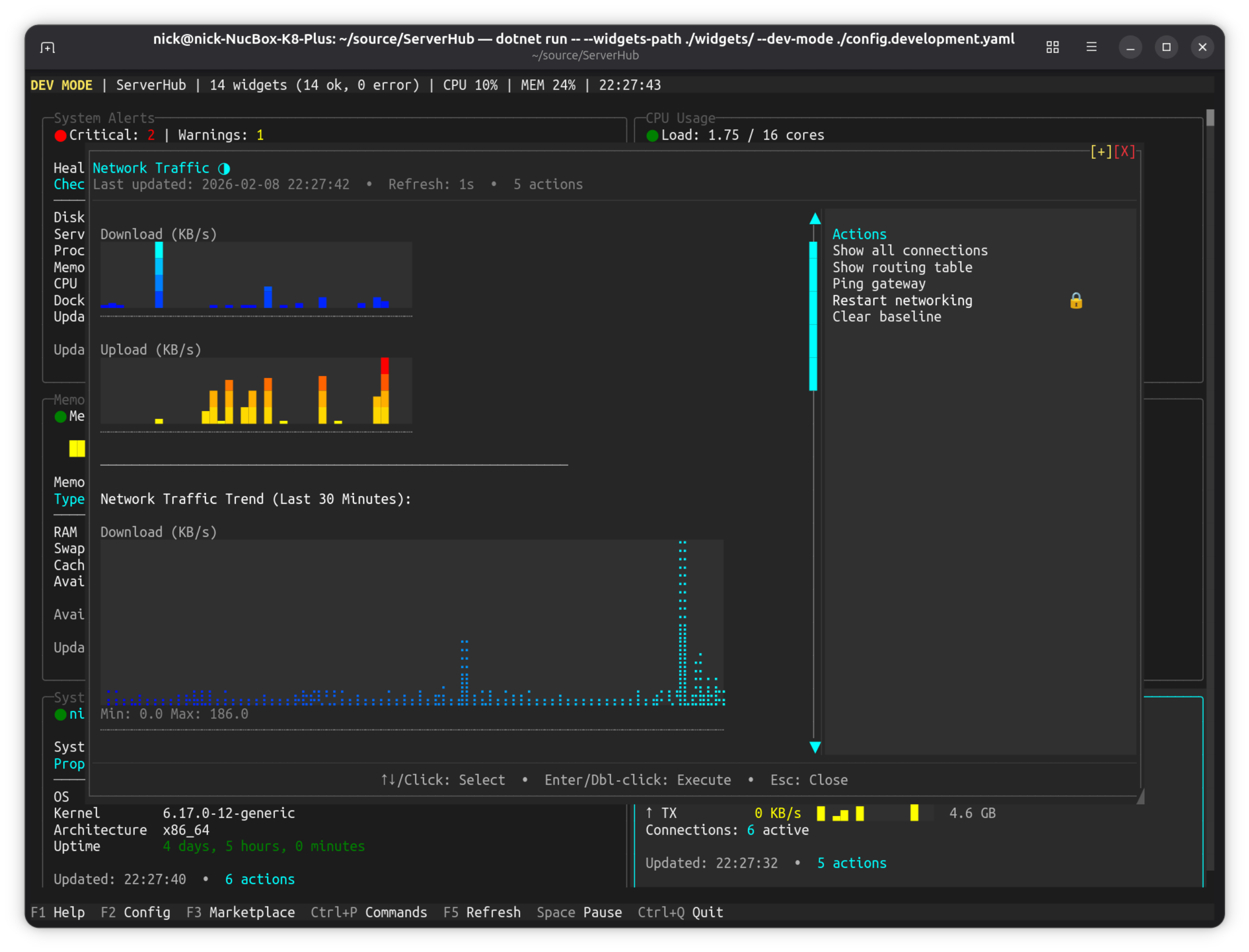
- Network traffic visualization with historical trends
- Widget browser with search and filtering
- Custom widget support (any language)
- Context-aware actions system
SharpConsoleUI features on show:
SparklineControlandLineGraphControlhistory across the monitoring widgets- A widget grid that reflows with terminal width, each widget its own composed panel
- Modal dialogs throughout (
AsModalin 12 files) for widget config, actions and confirmations PromptControlandDropdownControlinputs in the widget browser's search and filters- Live metric polling on an async window thread, with toast notifications for threshold alerts
| Main Dashboard | Network Traffic | Widget Browser |
|---|---|---|
|
 |
 |
LazyNuGet
A lazygit-inspired terminal UI for managing NuGet packages across .NET solutions.
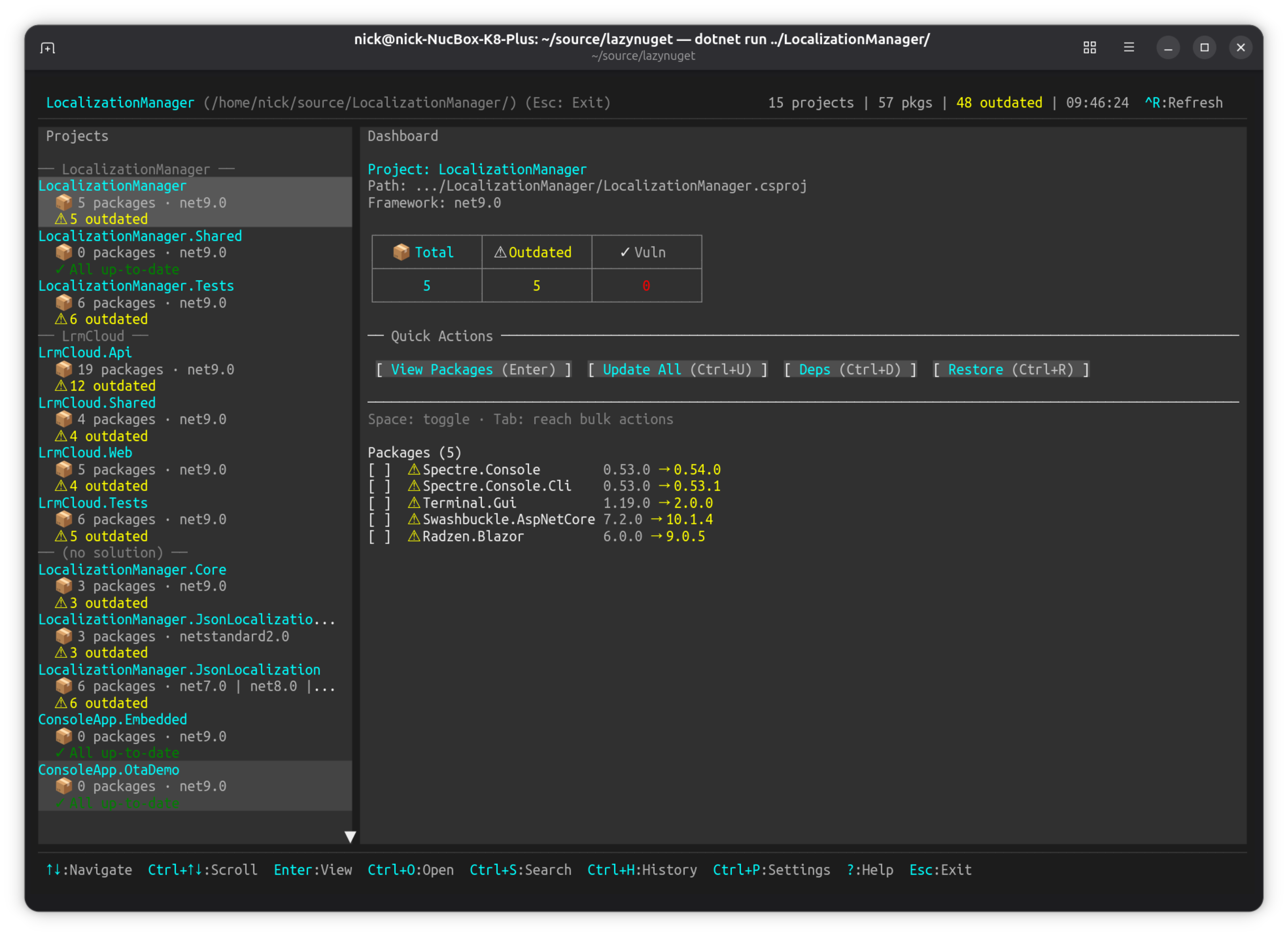
Project: github.com/nickprotop/lazynuget
Keyboard-driven TUI for browsing projects, checking for updates, installing/removing/updating packages, searching NuGet.org, and managing multiple package sources. Cross-platform (Windows, Linux, macOS).
Key Features:
- Interactive dashboard with project and package browsing
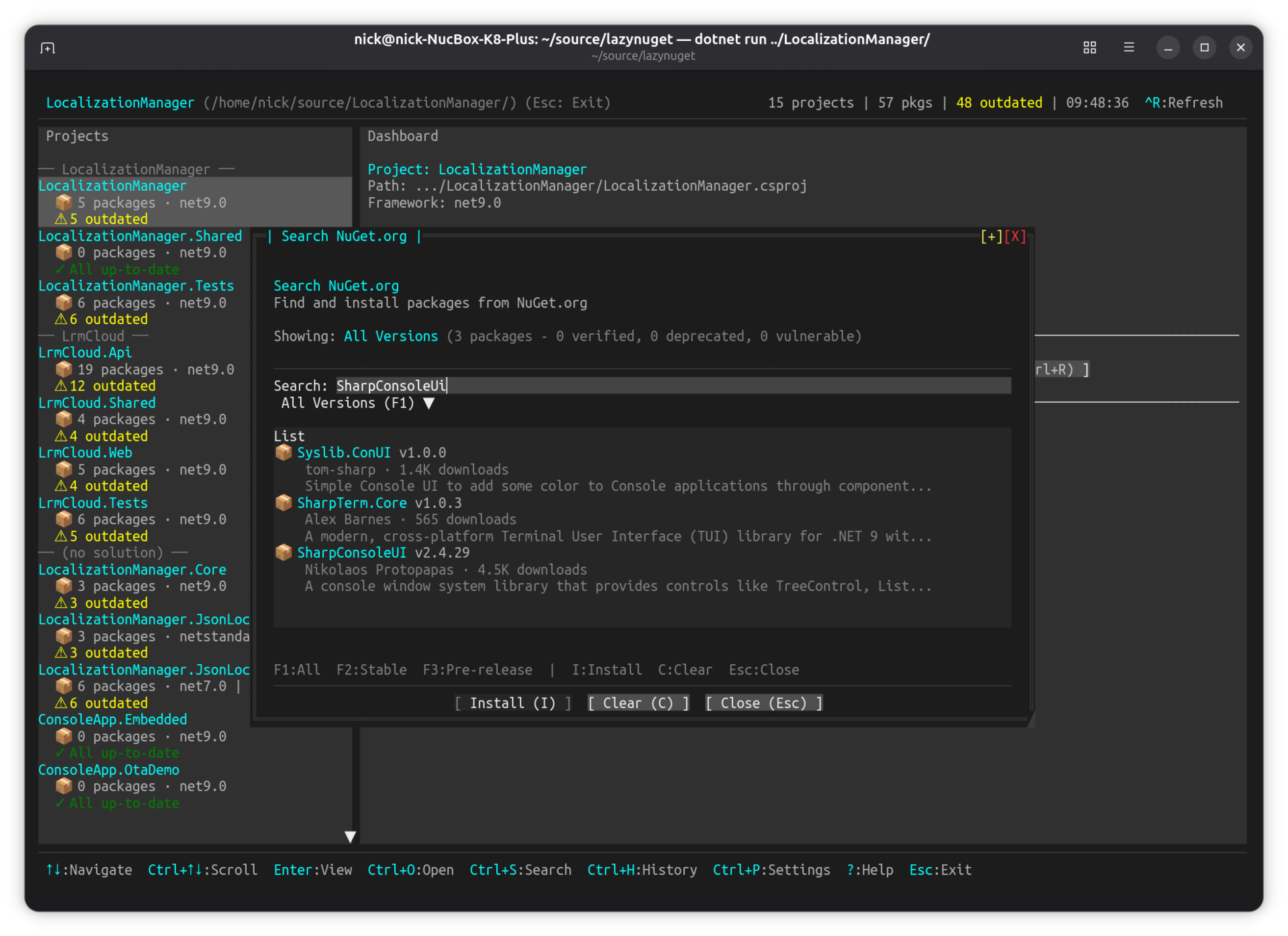
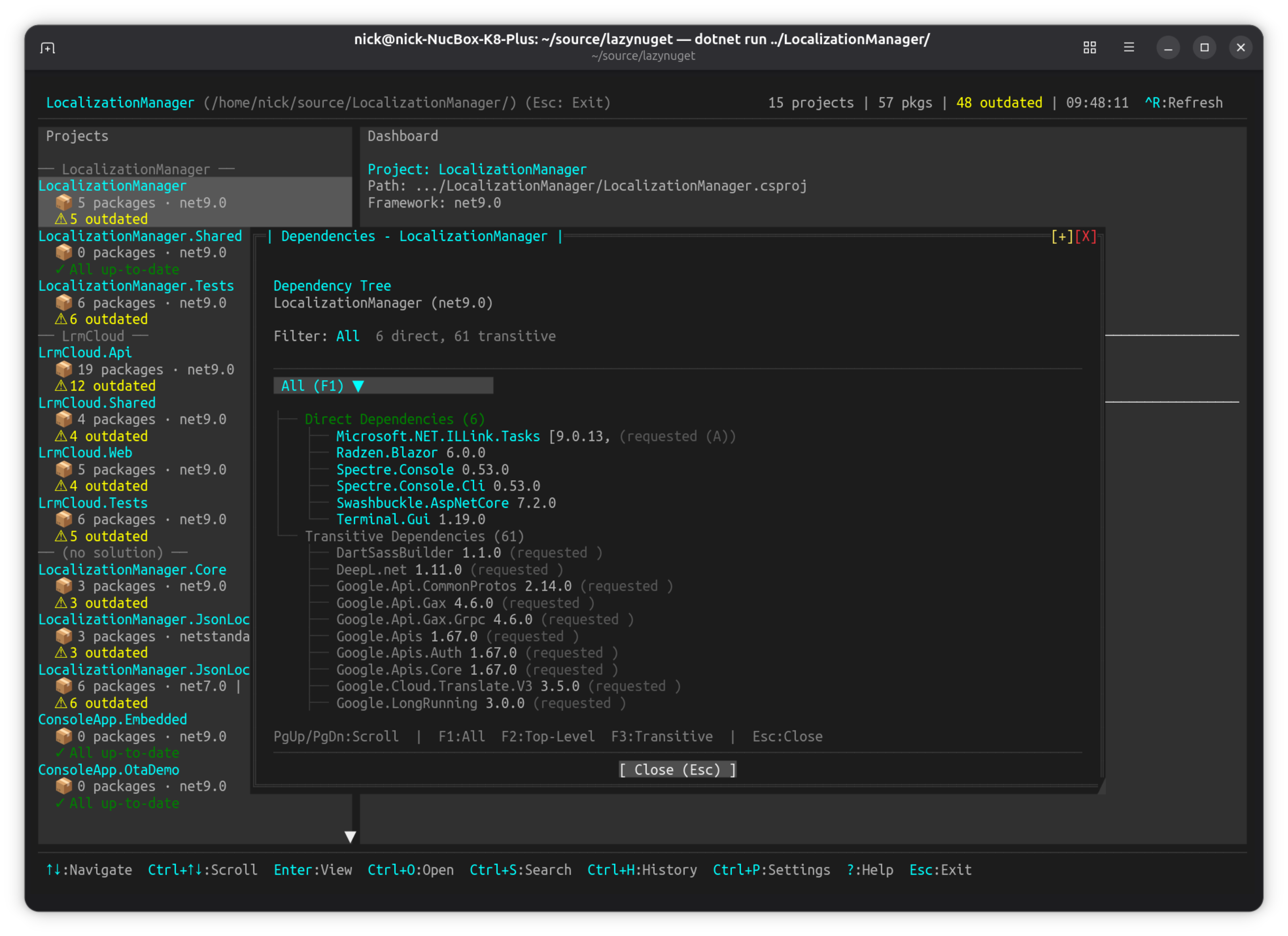
- NuGet.org search with package details and dependency trees
- Update strategies (latest stable, latest including prerelease, by constraint)
- Multi-source support with credential management
- CPM (Central Package Management) migration wizard
- Operation history with undo support
SharpConsoleUI features on show:
TabControlviews over aScrollablePanelControlpackage list, with aToolbarControland a status barDropdownControlpickers for sources and update strategies, in portal flyouts- Modal dialogs (
AsModal) for confirmations and the CPM wizard, plus the built-in folder picker - Toast notifications and a
ProgressBarControlfor restore/update operations - A long-running package scan on an async window thread, leaving the UI responsive
| Dashboard | Search NuGet.org | Dependency Tree |
|---|---|---|
|
 |
 |
LazyDotIDE
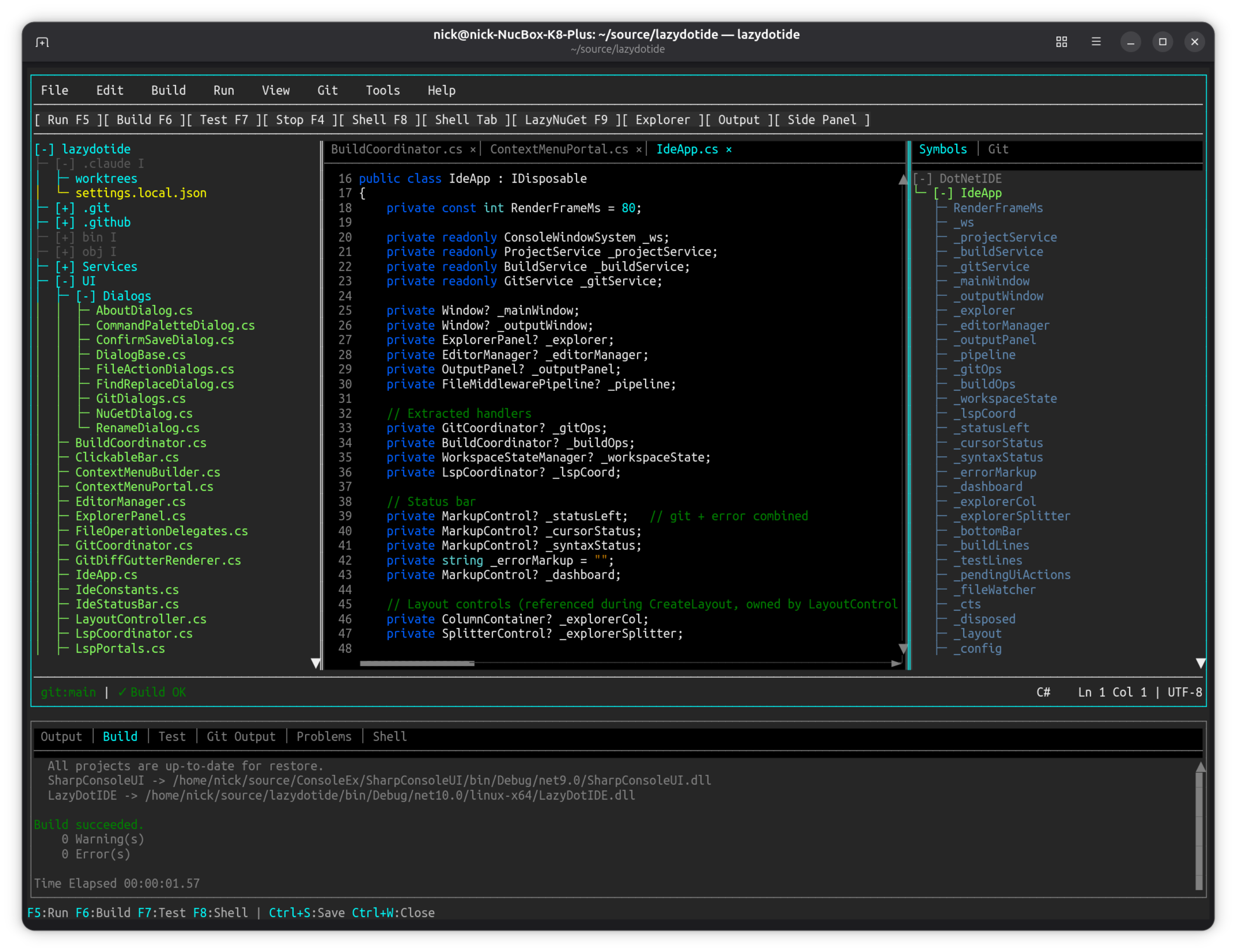
A lightweight console-based .NET IDE with LSP IntelliSense.
Project: github.com/nickprotop/lazydotide
Console-based .NET IDE with LSP-powered IntelliSense, built-in terminal, and git integration. Works over SSH, in containers, anywhere you have a console.
Key Features:
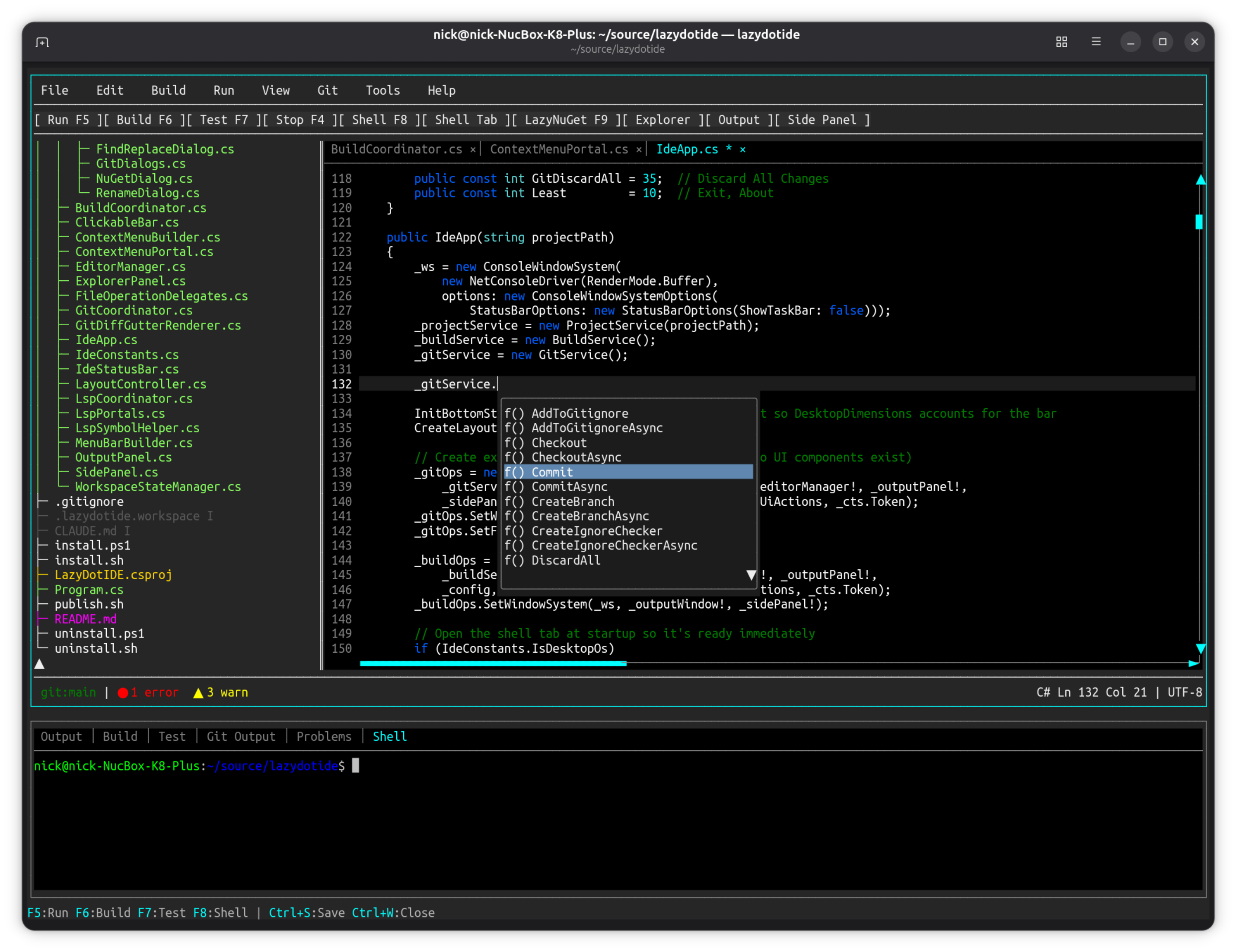
- LSP IntelliSense with code completion and diagnostics
- Built-in terminal emulator (PTY-based)
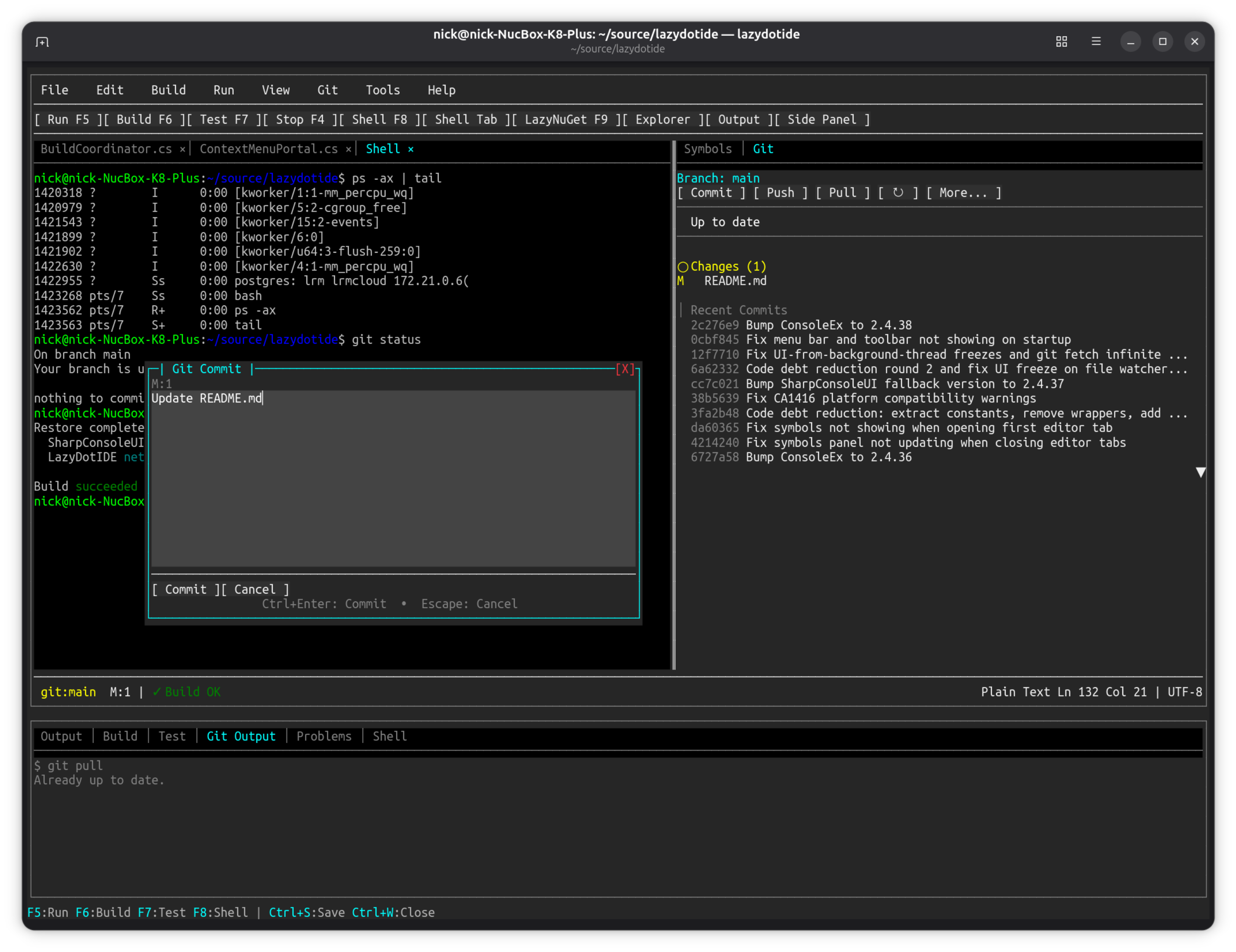
- Git integration with commit dialog and change tracking
- Multi-file editing with tab navigation
- Works over SSH and in containers
SharpConsoleUI features on show:
MultilineEditControldriven byISyntaxHighlighterimplementations — the framework's syntax-highlighting seamTerminalControl, the PTY-backed terminal emulator, hosted as a panel inside the IDETreeControlfile explorer beside the editor, split by draggableSplitterControls- LSP completion surfaced through portal overlays;
TabControlfor open files - Modal git dialogs (commit, discard-confirm) over the running editor
| Editor + IntelliSense | Git Integration |
|---|---|
 |
 |
Showcase Examples
The best visual demonstrations of SharpConsoleUI capabilities, ordered by impact.
DemoApp
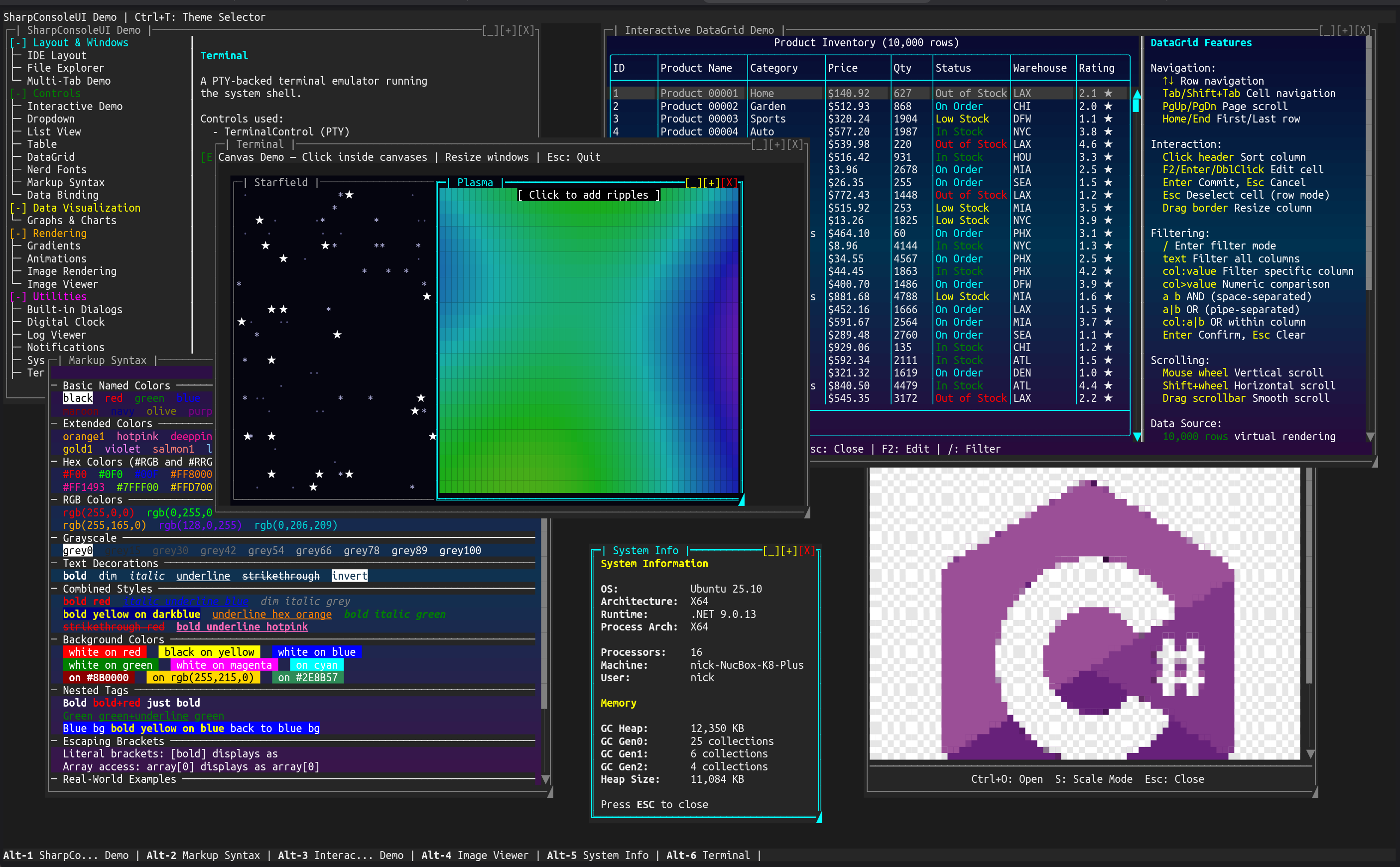
The flagship demo — six independent windows running simultaneously.
dotnet run --project Examples/DemoApp
Key Features:
- Six independent windows running simultaneously (Terminal, Canvas, DataGrid, System Info, Image Viewer, and the launcher)
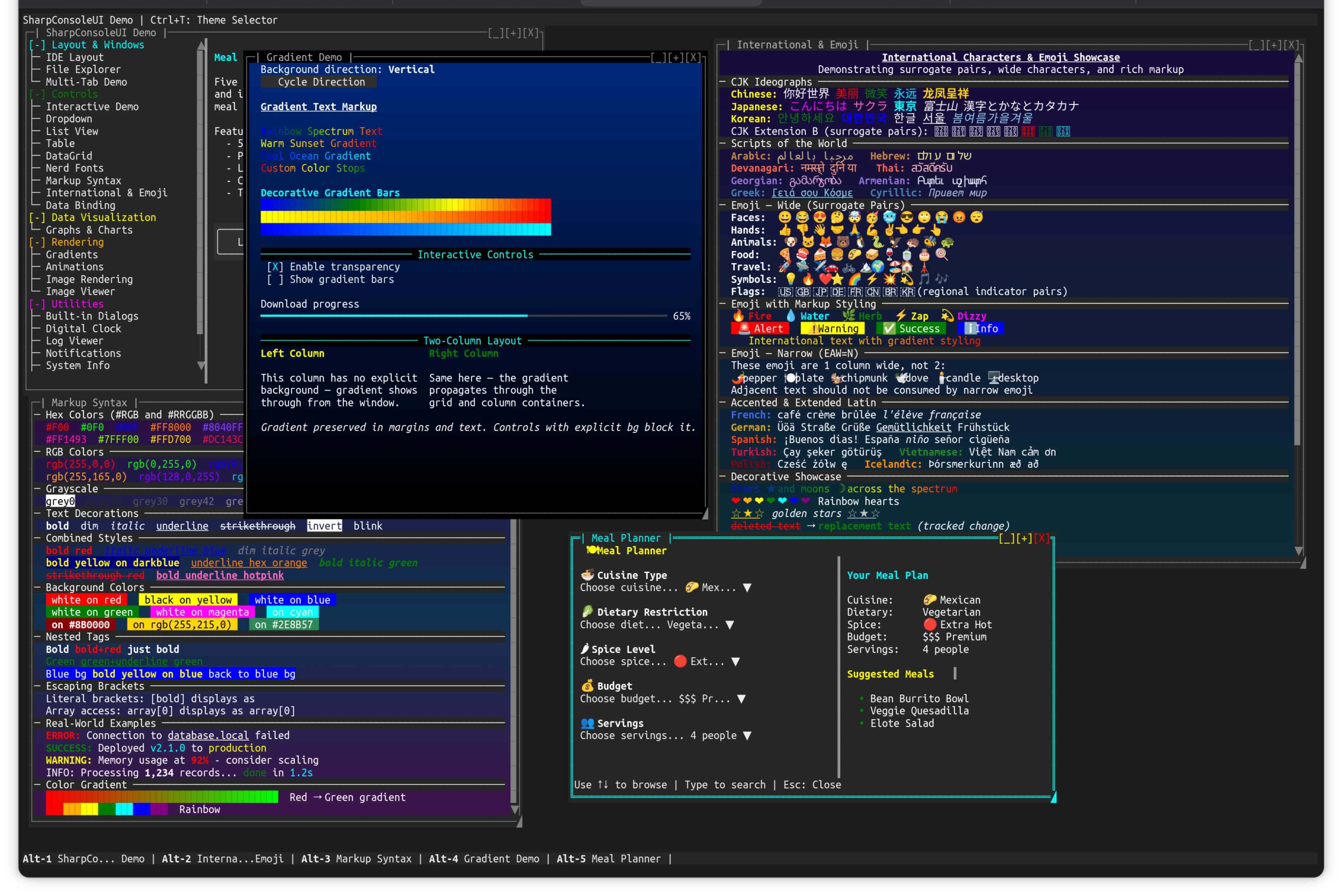
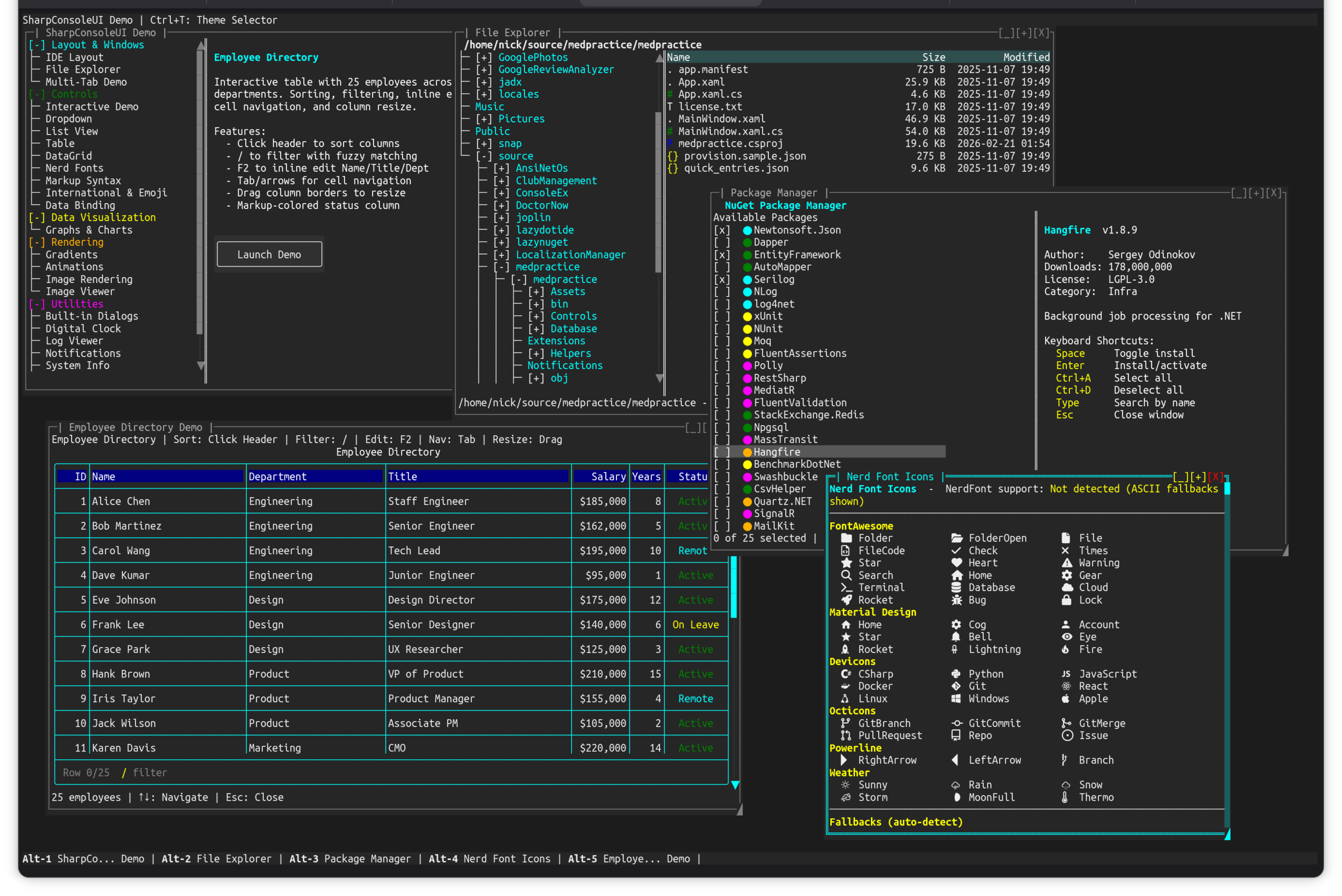
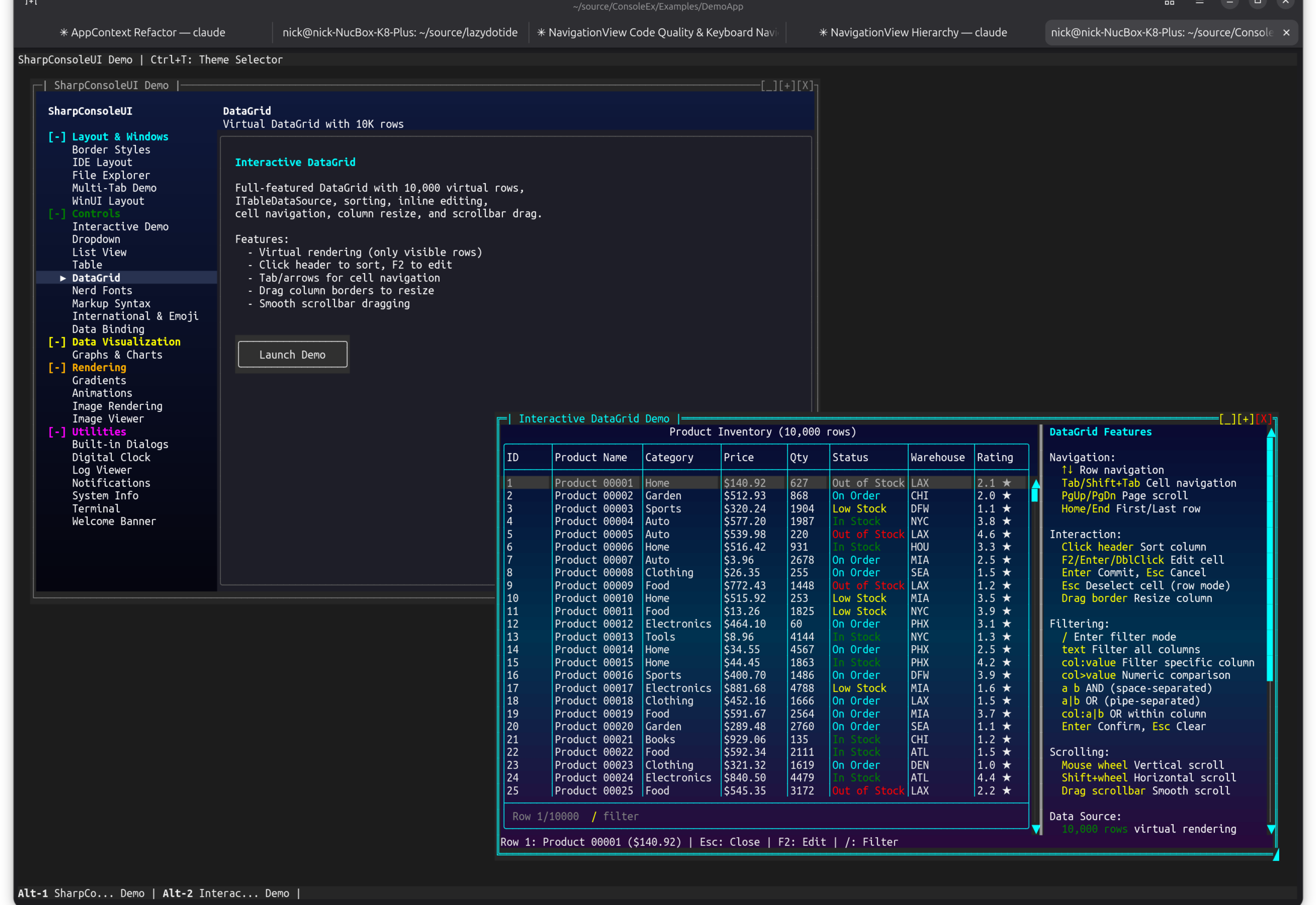
TerminalControlwith PTY-backed shellCanvasControlwith interactive starfield and plasma effectsTableControl(DataGrid) with 10,000 virtual rows, sorting, filtering, and cell editingImageControlrendering images directly in the terminal- Full markup syntax showcase with colors, decorations, and gradients
- Markdown page — the
[markdown]tag rendering headings, lists, tables, blockquotes, and syntax-highlighted code blocks as native markup - IDE Layout page —
MultilineEditControlwith syntax highlighting (SyntaxHighlighters.For("csharp")/"markdown") - Async window threads with
CancellationToken - Theme switching and window taskbar navigation
Controls: Ctrl+O to open demo windows, Alt+1-6 to switch
| Markup, Gradients & International Text | File Explorer, DataGrid & Package Manager | NavigationView Launcher |
|---|---|---|
 |
 |
 |
NavigationViewDemo
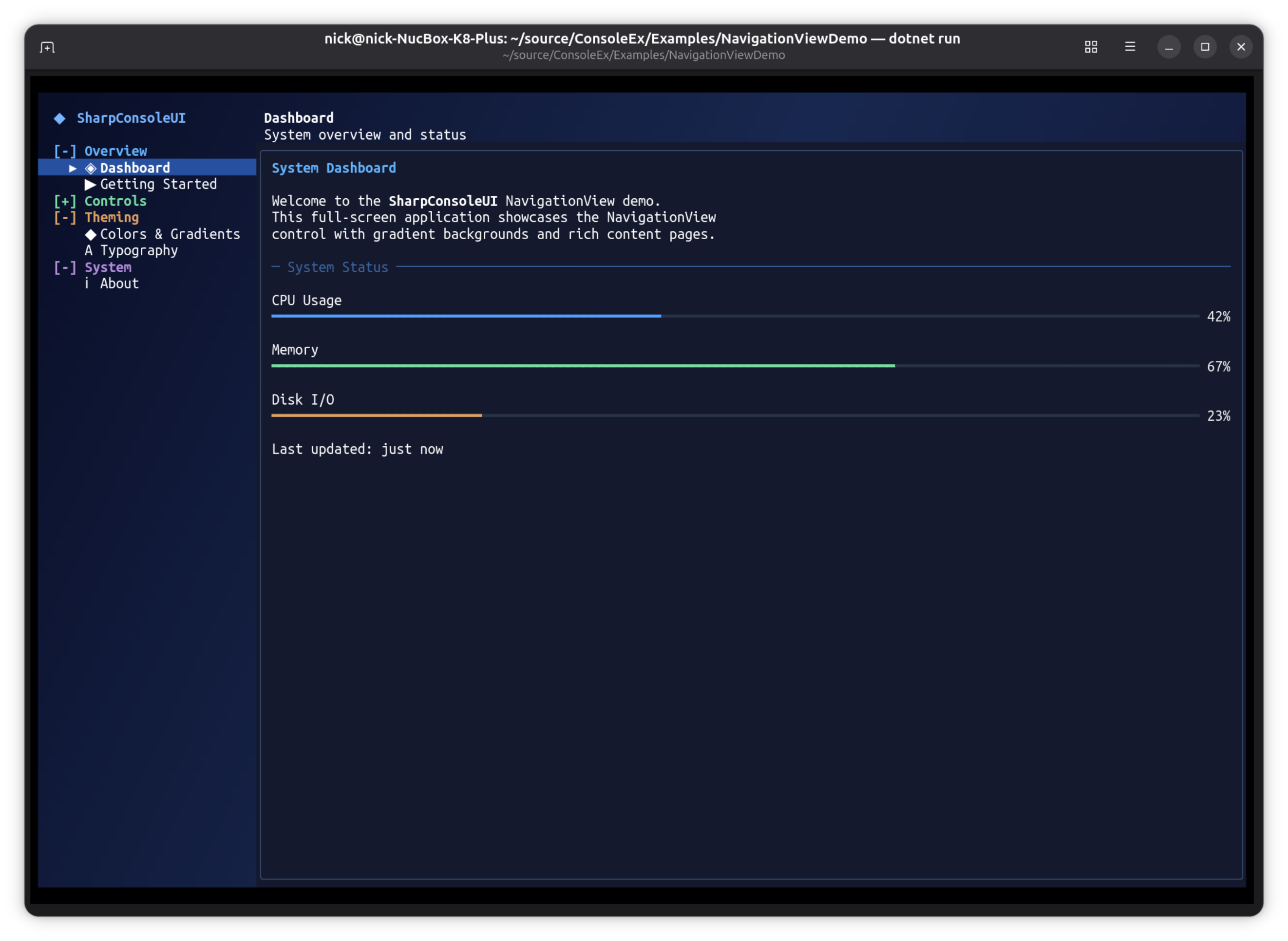
Full-screen desktop-style application using the NavigationView pattern — the same sidebar + content layout found in native GUI frameworks like WinUI, GTK, and Qt.
dotnet run --project Examples/NavigationViewDemo
This example demonstrates that SharpConsoleUI applications aren't limited to traditional terminal utilities. The NavigationView pattern produces applications that look and behave like native desktop software — with a navigation sidebar, content switching, gradient backgrounds, and rich interactive controls — the only difference is that every pixel is a character cell rendered in the terminal.
Key Features:
- Full-screen borderless window with diagonal gradient background
- Responsive NavigationView with WinUI-inspired display modes (Expanded, Compact, Minimal)
- NavigationView with collapsible header groups and content switching
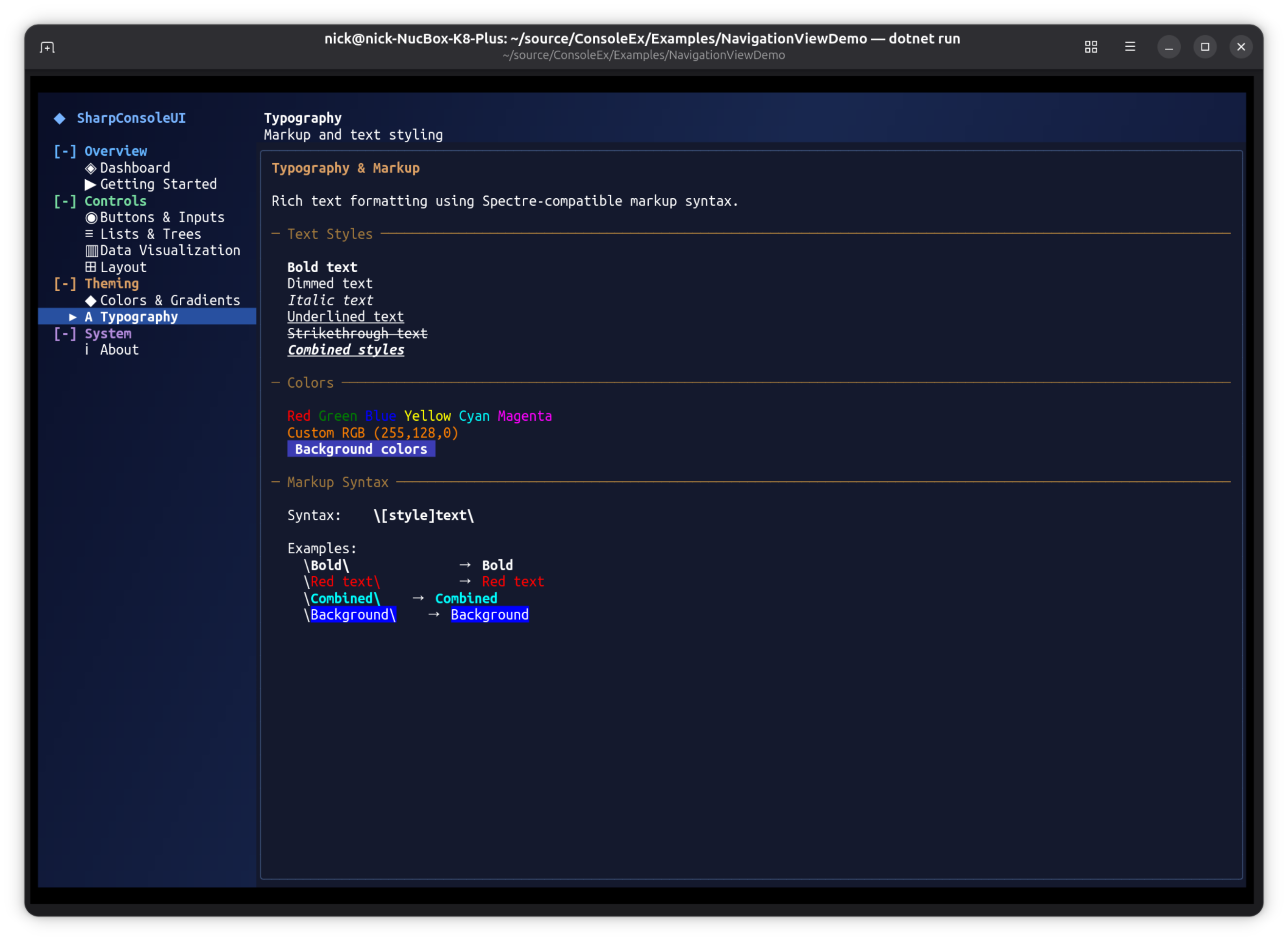
- 9 content pages: Dashboard, Getting Started, Buttons & Inputs, Lists & Trees, Data Visualization, Layout, Colors & Gradients, Typography, About
- Interactive controls: progress bars, sparklines, bar graphs, checkboxes, buttons, lists, trees, text input
- Keyboard-driven navigation (Tab, arrows, Enter) and mouse support
- Works on Windows, Linux, and macOS — anywhere you have a terminal
Responsive Navigation
The NavigationView automatically adapts to the terminal width — full nav pane at wide sizes, icon-only with hamburger at medium, and hidden with overlay at narrow:
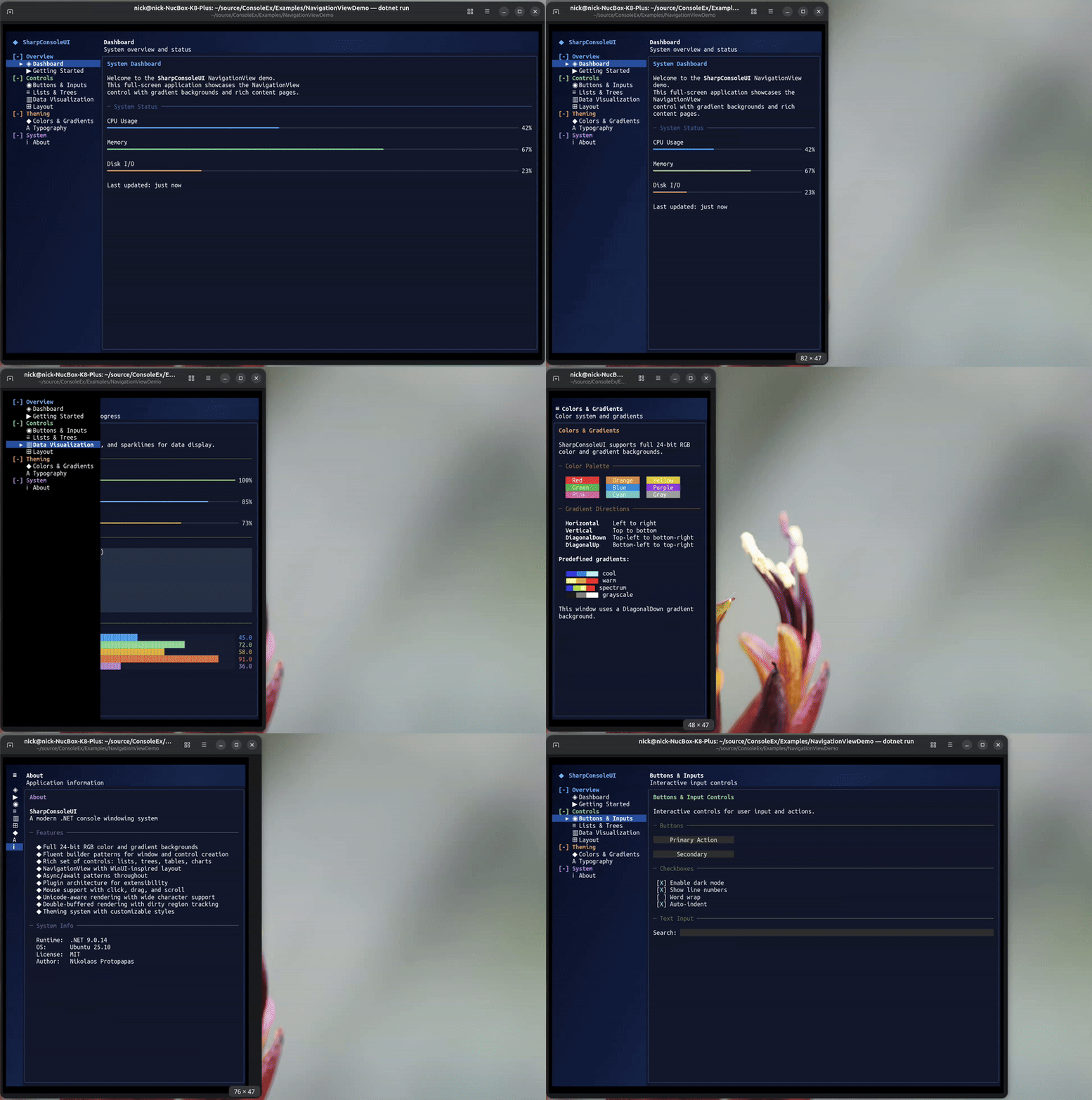
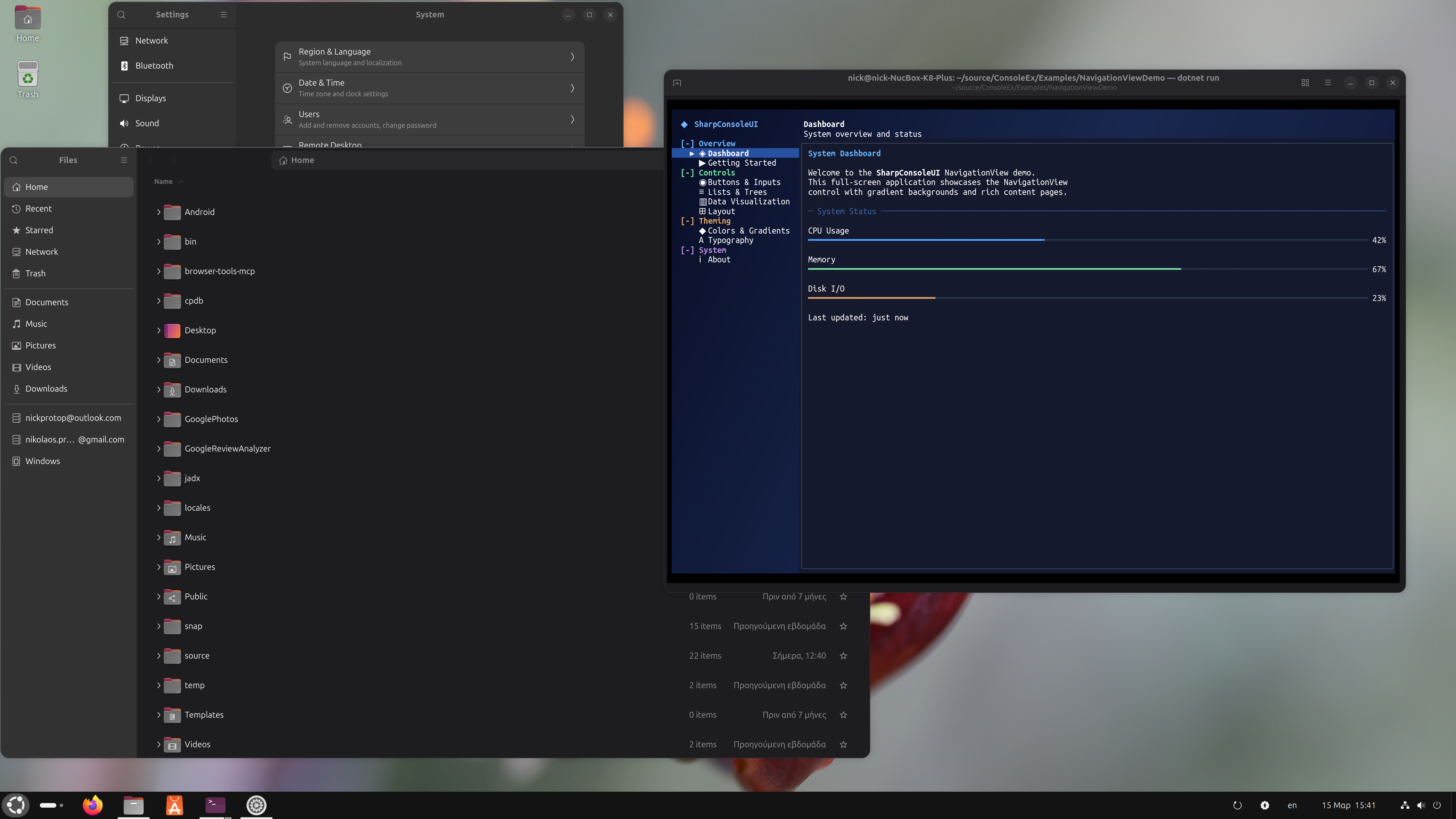 The same NavigationView pattern used by GNOME Settings, rendered entirely in the terminal.
| Dashboard | Typography |
|---|---|
|
 |
CanvasDemo
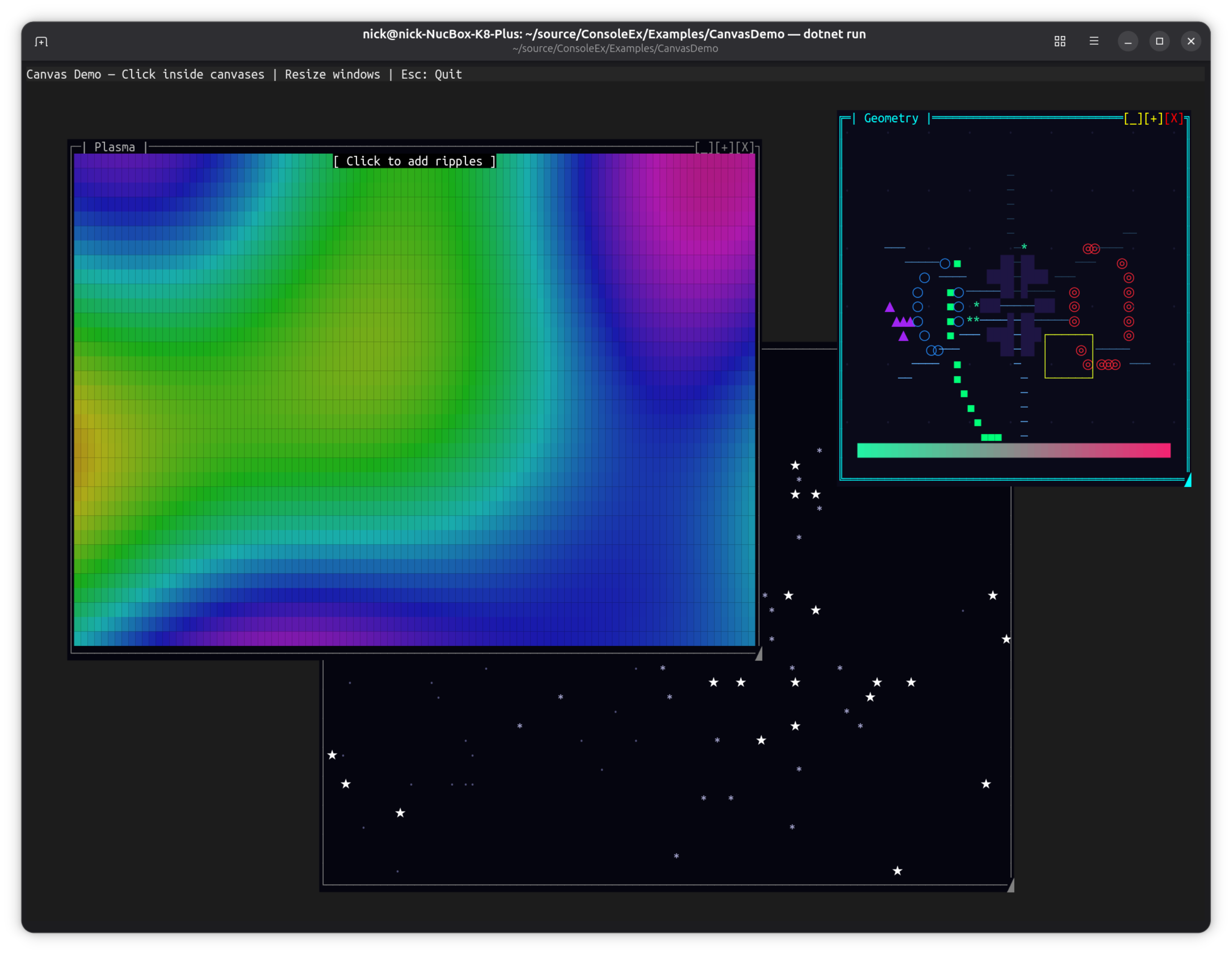
Three animated windows showcasing the CanvasControl drawing surface with real-time graphics.
dotnet run --project Examples/CanvasDemo
Key Features:
- Starfield: 120 stars in 3 parallax layers with particle bursts on click
- Plasma: Per-cell HSV sine plasma with expanding ripple effects on click, combined retained + event-driven painting
- Geometry: Rotating polygon, orbiting triangle, pulsing circles, breathing ellipse, sweeping arc, radiating lines, bouncing box, gradient bar, expanding ring effects on click
APIs Demonstrated:
CanvasControlwithBeginPaint()/EndPaint()(retained mode)Paintevent withCanvasGraphics(immediate mode)- Combined retained + event overlay painting
AutoSizewithStretch/Fillfor responsive canvases- Canvas-local mouse click events (
CanvasMouseClick) - Full
CanvasGraphicsAPI: circles, polygons, gradients, ellipses, arcs, lines, text
Controls: Click inside canvases for interactive effects, resize windows, Esc to quit
Alpha Blending Demo
Real-time Porter-Duff alpha compositing showcase with a live cycling gradient background.
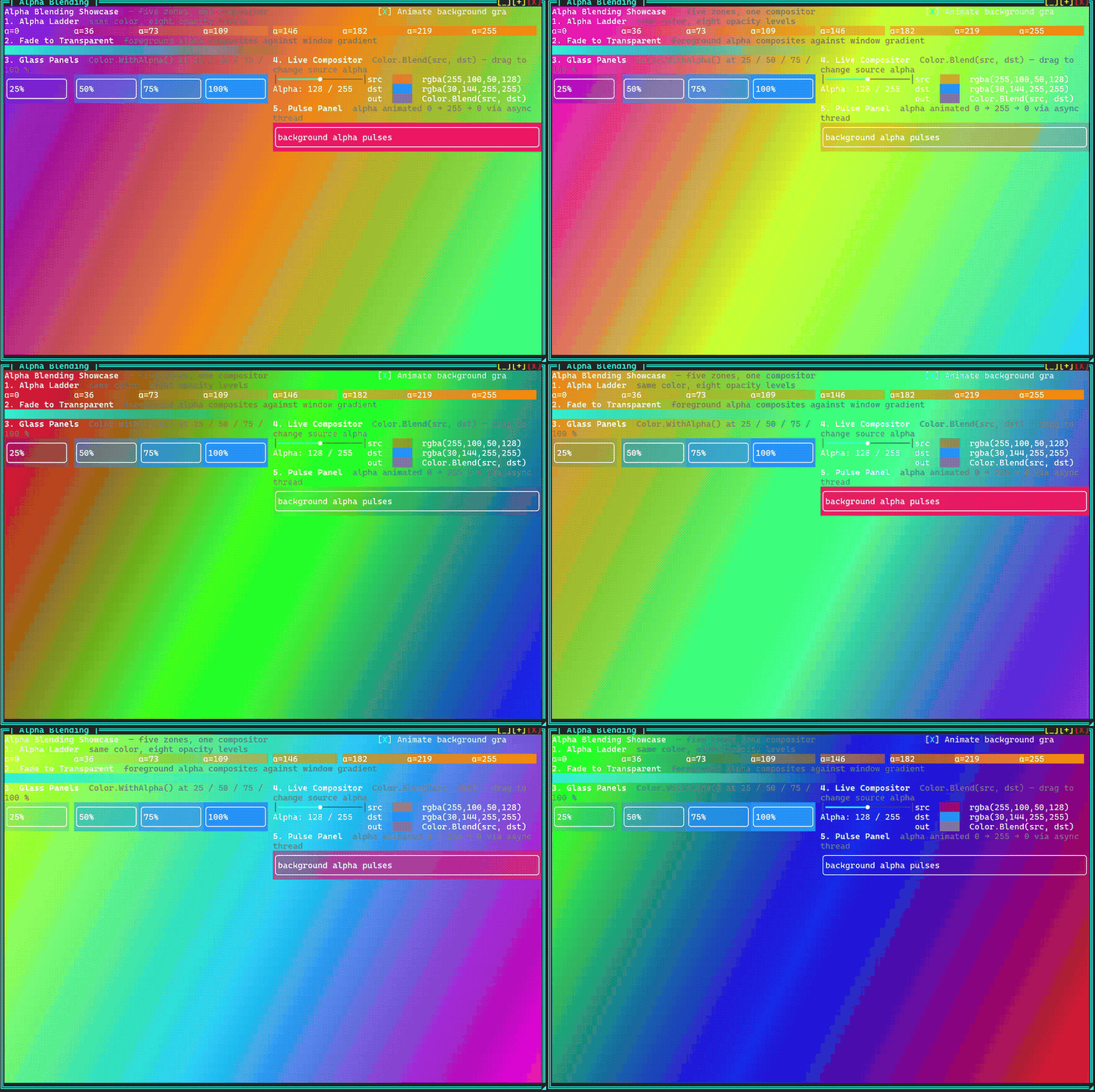
dotnet run --project Examples/DemoApp
# Navigate to Rendering → Alpha Blending
Five zones demonstrate every level of the alpha pipeline against a continuously cycling full-spectrum gradient (three hues 120° apart rotating through the colour wheel every ~12 s):
| Zone | What it shows |
|---|---|
| Alpha Ladder | Eight panels, same orange hue, alpha 0 → 255. Each panel background composites over the live gradient — fully transparent at α=0, fully opaque at α=255. |
| Fade to Transparent | 60 █ block characters with foreground alpha stepping 255 → 0. Foreground blends against the resolved background, so the blocks dissolve into the gradient rather than fading to white. |
| Glass Panels | Four bordered panels at 25 / 50 / 75 / 100 % opacity. The gradient shows through each panel proportionally. |
| Live Compositor | Interactive Color.Blend(src, dst) visualiser — drag the slider to change source alpha and watch the blended swatch update in real time. |
| Pulse Panel | Background alpha animated 0 → 255 → 0 via a sine wave in an async window thread. |
APIs Demonstrated:
Color.Blend()— Porter-Duff "over" compositingColorGradient.FromColors()with time-varying hues for a smooth colour-wheel cycleScrollablePanelwith semi-transparentBackgroundColor(glass effect)SliderControlwired to a liveMarkupControlpreview- Markup inline alpha:
[#RRGGBBAA]text[/] WithAsyncWindowThreaddriving animation at 20 fps
HighFreqDemo
Multi-frequency update showcase with various control update rates.
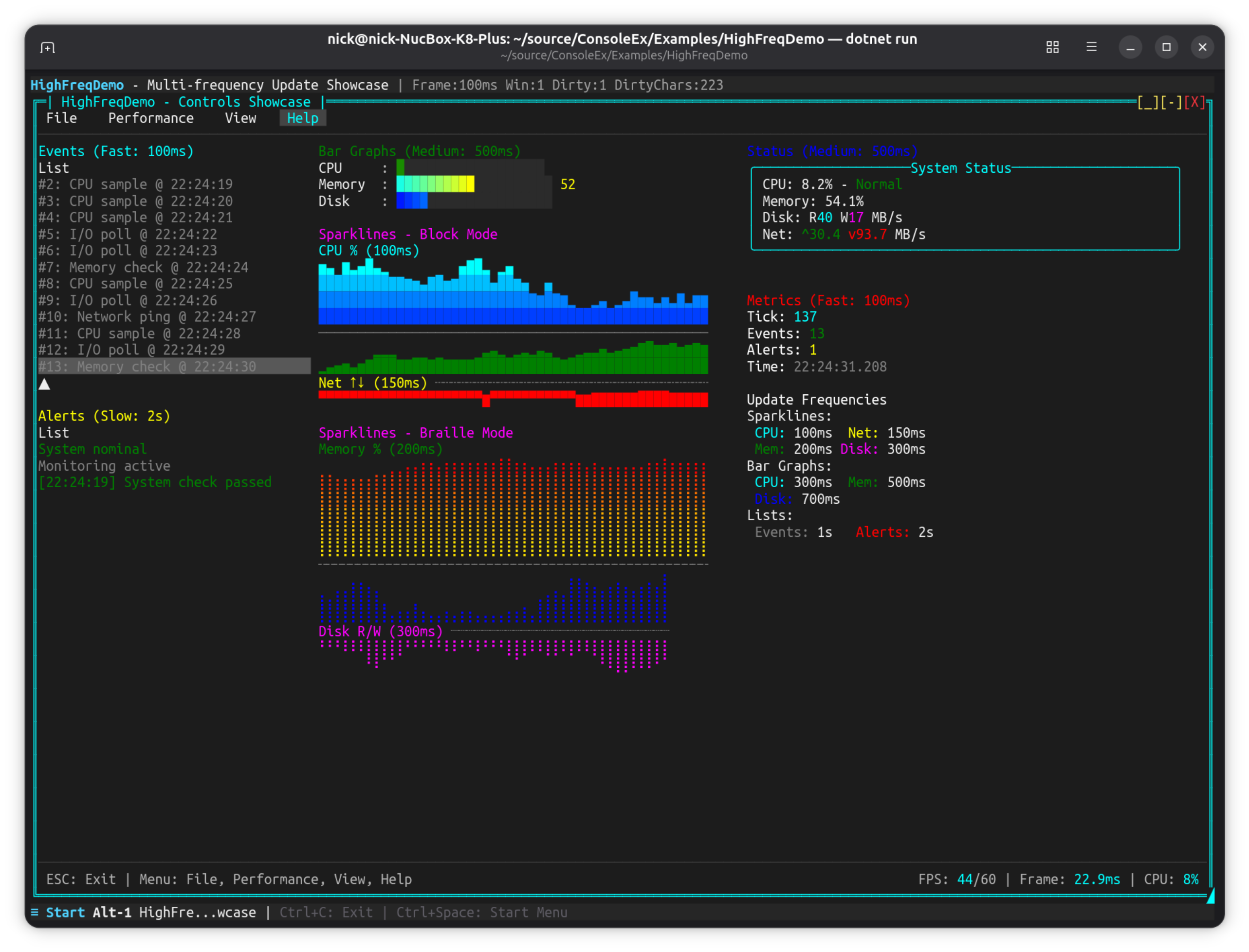
dotnet run --project Examples/HighFreqDemo
Key Features:
- Controls updating at different frequencies (100ms to 2s)
- Sparkline controls (Block, Braille, Bidirectional modes)
- Bar graph controls with smooth gradients
- ListControl for events and alerts
- Performance metrics overlay
- Menu system with frame rate controls
CompositorEffectsExample
Compositor-style buffer manipulation — fractals, blur, particles, and wipe transitions.
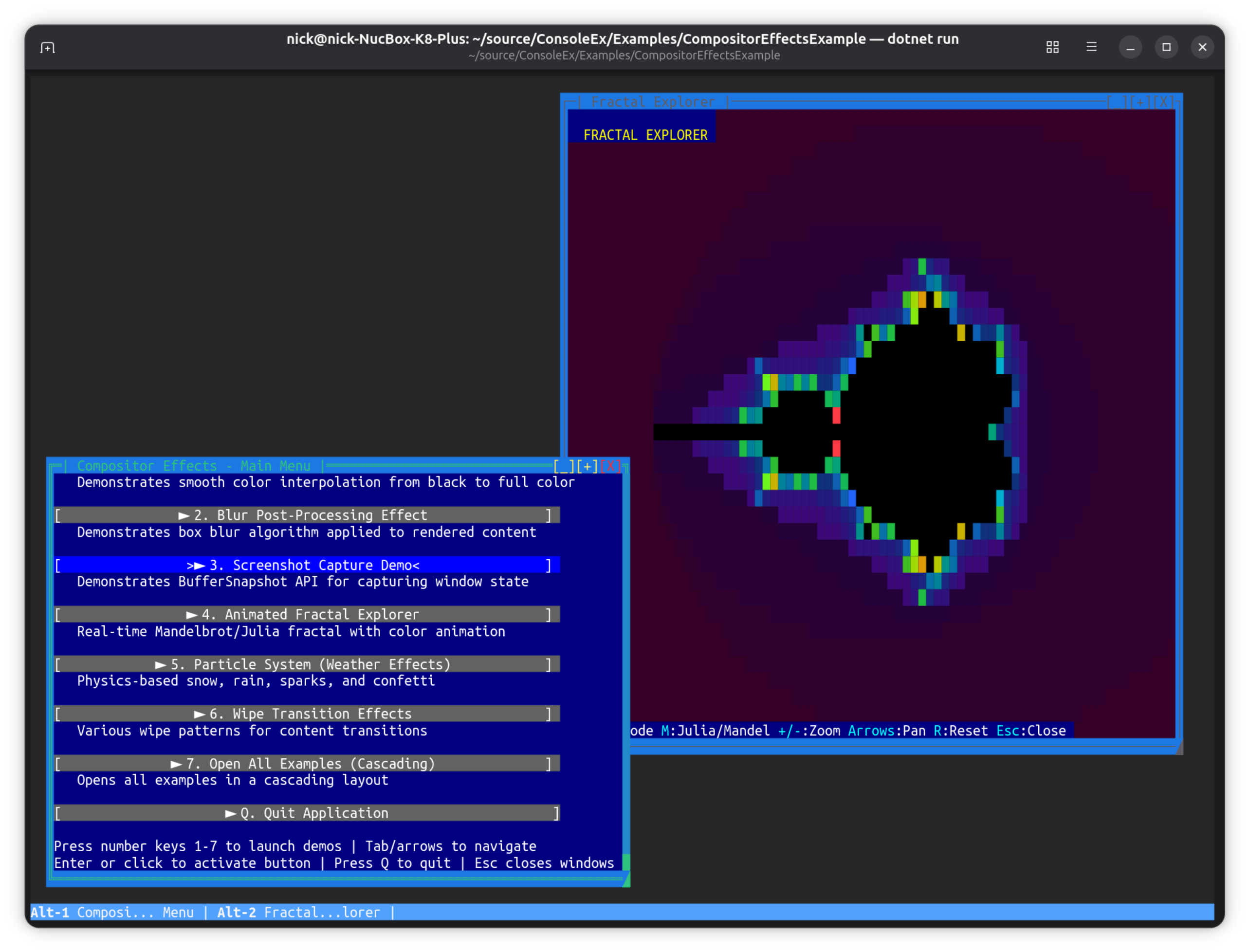
dotnet run --project Examples/CompositorEffectsExample
Key Features:
- Fade-In Effect: Smooth color interpolation using
PostBufferPaint - Blur Effect: Box blur post-processing algorithm
- Screenshot Capture:
BufferSnapshotAPI for capturing window state - Fractal Explorer: Animated Mandelbrot/Julia fractals using
PreBufferPaint
APIs Demonstrated:
PreBufferPaint- Custom backgrounds rendered before controlsPostBufferPaint- Post-processing effects after controlsBufferSnapshot- Immutable buffer captures
AgentStudio
OpenCode-inspired TUI showcase demonstrating an AI coding agent interface aesthetic.
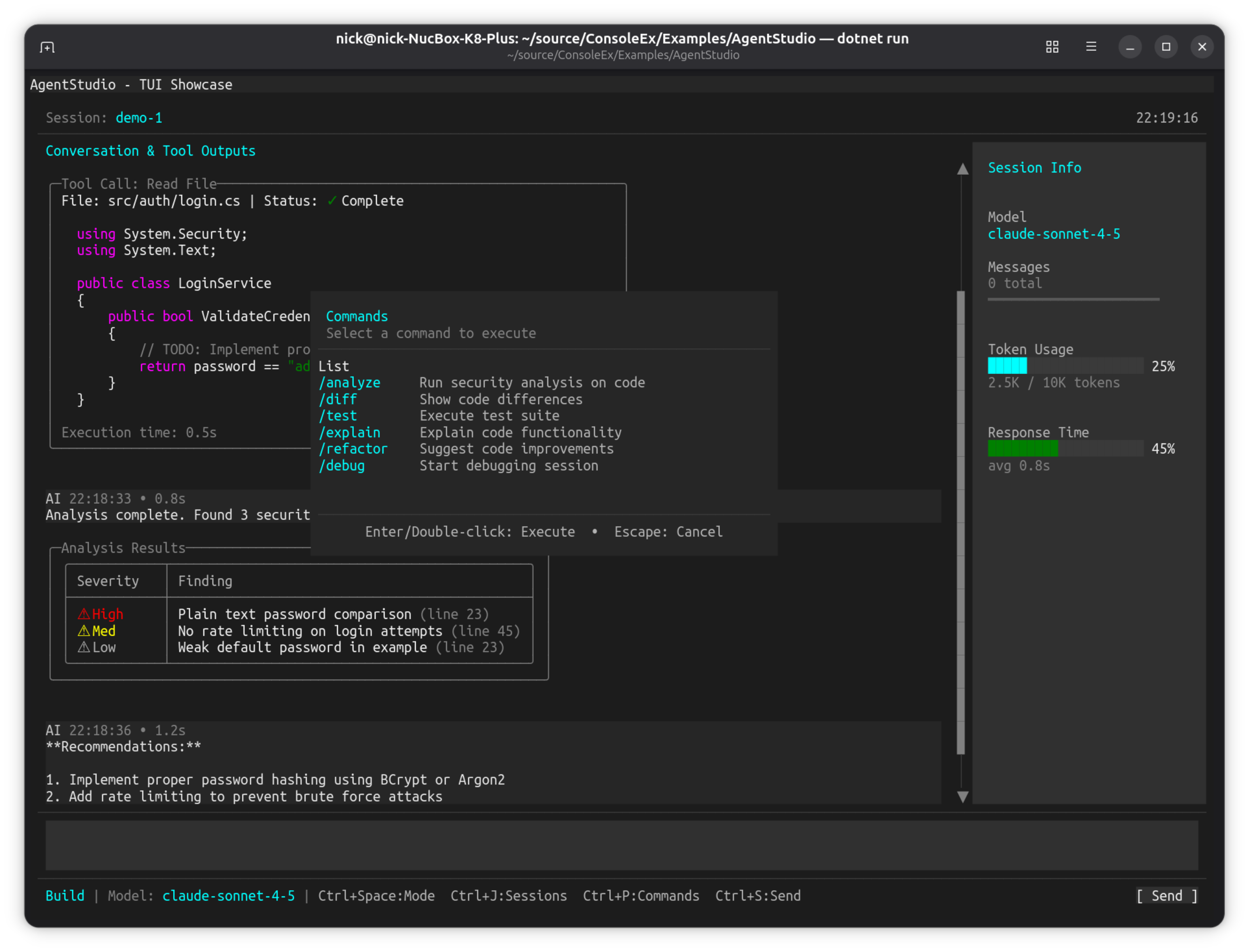
dotnet run --project Examples/AgentStudio
Key Features:
ChatTranscriptControltranscript of prompts, tool calls and streamed replies- Command palette modal (Ctrl+P) with a searchable command list
- Session Info sidebar with live
ProgressBarControltoken and latency meters - Session manager modal (Ctrl+J) built with
AsModal() - Advanced
NetConsoleDriverOptionsconfiguration and a custom window class
SharpConsoleUI features on show:
ChatTranscriptControl— a composite control that arranges markup, wrapping and scroll for a message log- Modal overlays floating above the live transcript, dismissed with Escape
- Markdown and syntax-coloured code rendered inline in transcript messages, with bordered result tables
- A status bar carrying model and keybinding hints while the driver hides the chrome
SnakeGame
Classic Snake game demonstrating direct frame buffer manipulation.
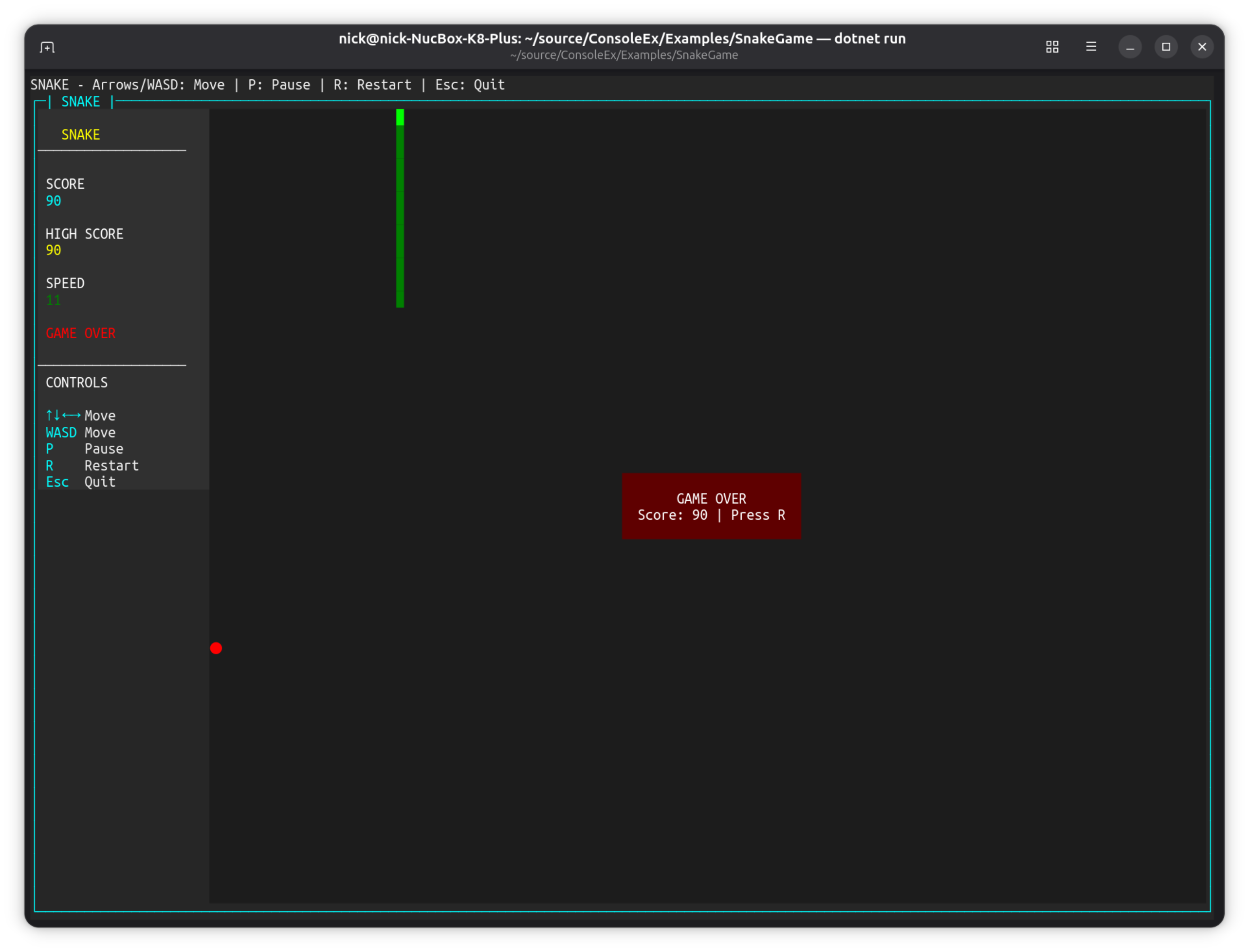
dotnet run --project Examples/SnakeGame
Key Features:
- Direct
CharacterBuffermanipulation viaPostBufferPaint - Real-time game loop with
System.Timers.Timer - Sidebar layout using
HorizontalGridControl - Keyboard input handling (arrows/WASD)
- Game state management (playing, paused, game over)
Controls: Arrow keys or WASD to move, P to pause, R to restart, Esc to quit
TextEditorExample
Multiline text editor with syntax highlighting and file browser.
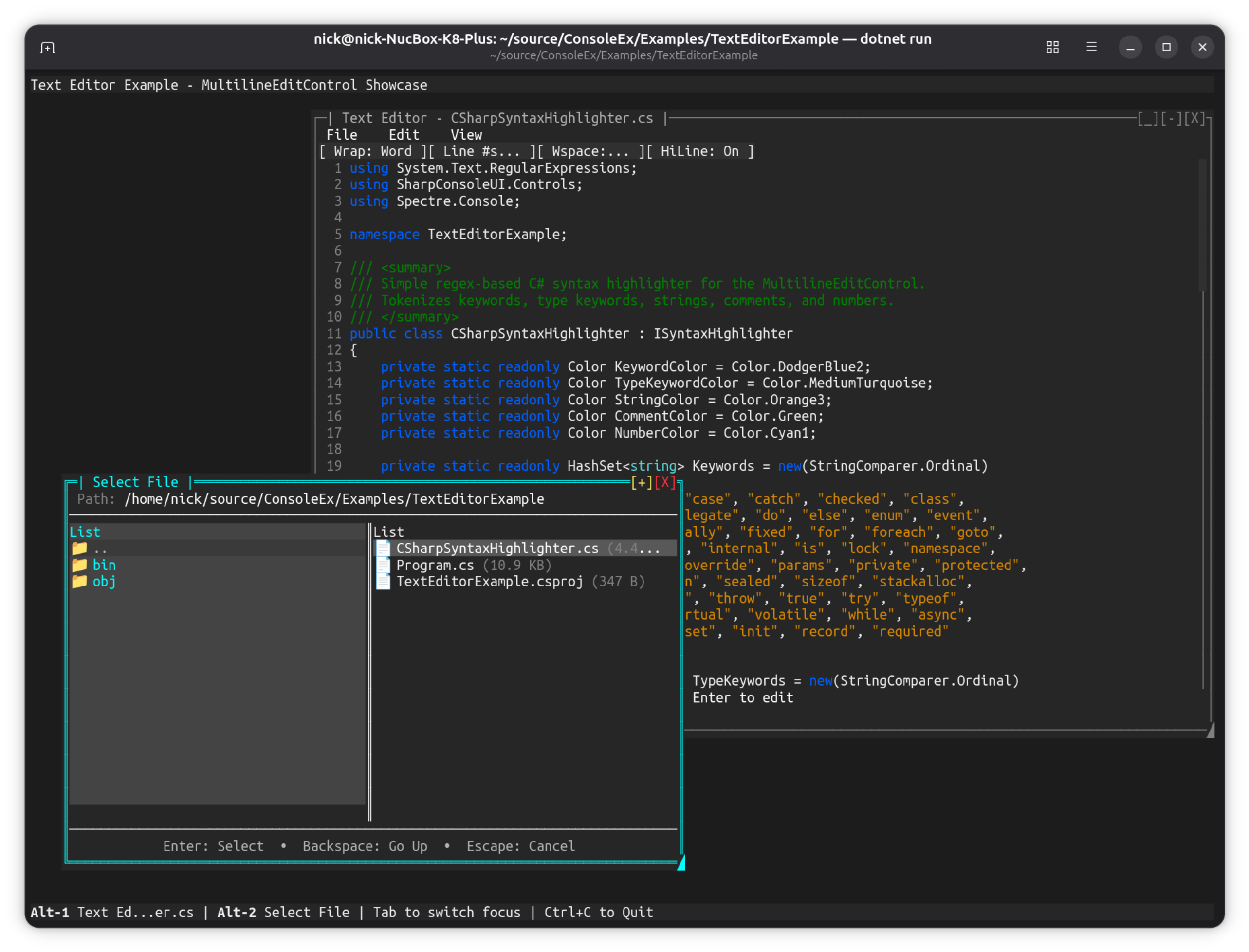
dotnet run --project Examples/TextEditorExample
Key Features:
- Multiline edit control with scrolling
- File browser dialog integration
- Syntax highlighting via TextMate grammars (
SyntaxHighlighters.For(...)— ~64 languages, themed by the app) - Save/load functionality
- Line numbers and cursor position
Controls: Ctrl+O to open file, Ctrl+S to save, arrow keys to navigate
See the Syntax Highlighting guide for the full list of built-in languages and how to register your own.
Image Viewer (DemoApp)
Load and display real image files in the terminal using half-block Unicode rendering.
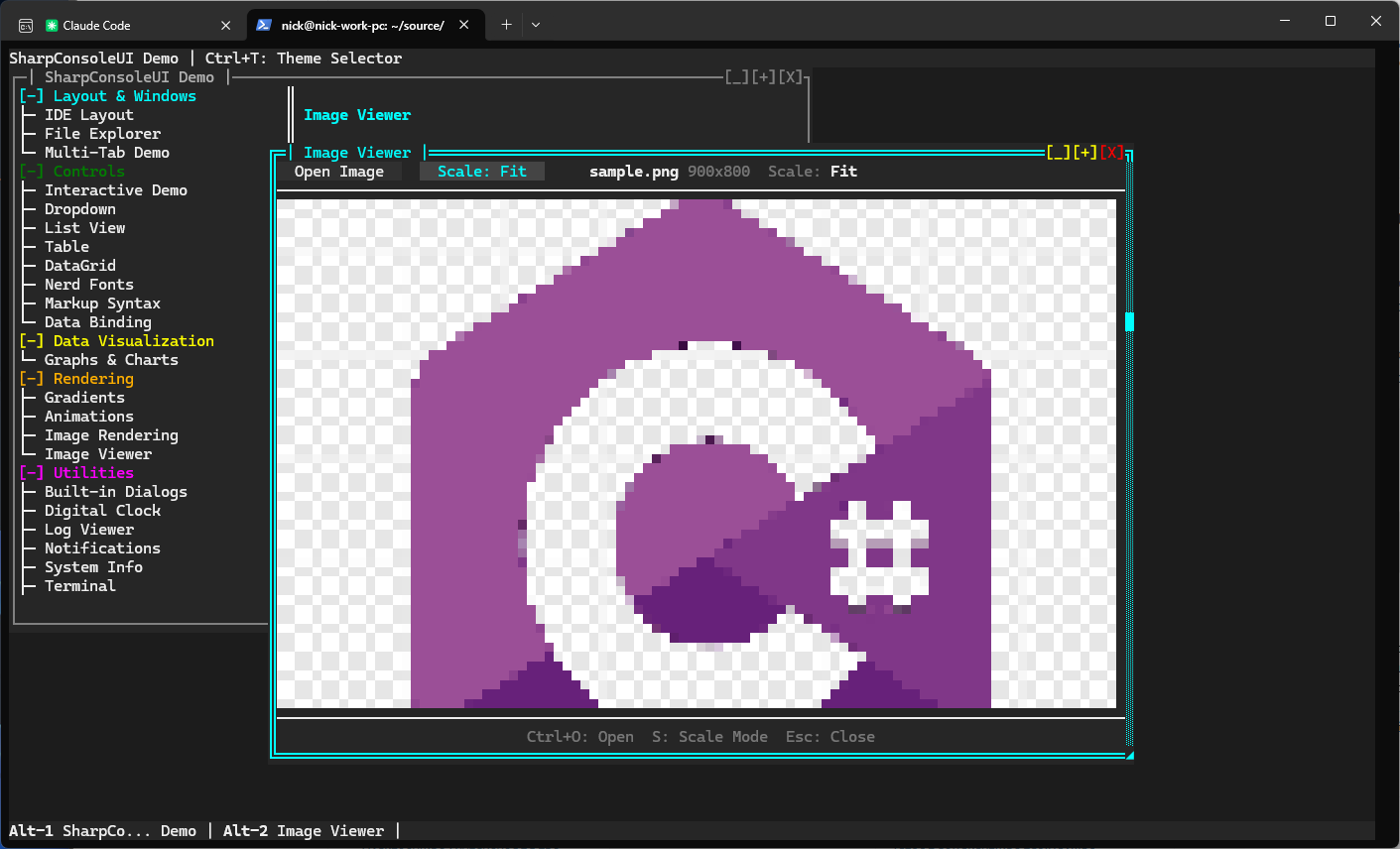
dotnet run --project Examples/DemoApp
# Navigate to Rendering → Image Viewer
Key Features:
- Load PNG, JPEG, BMP, GIF, WebP, TIFF files via file picker dialog
- Half-block rendering (2 vertical pixels per character cell)
- Four scale modes: Fit, Fill, Stretch, None
- Resizable window with live image rescaling
- Keyboard shortcuts: Ctrl+O to open, S to cycle scale, Esc to close
APIs Demonstrated:
PixelBuffer.FromFile()— decode image files via SixLabors.ImageSharpImageControlwithScaleModeswitchingFileDialogs.ShowFilePickerAsync()with format filterHorizontalGridControlfor toolbar layout
Video Player (DemoApp)
Play video files directly in the terminal. Kitty graphics for pixel-accurate playback on supporting terminals, with automatic fallback to cell-based rendering elsewhere.
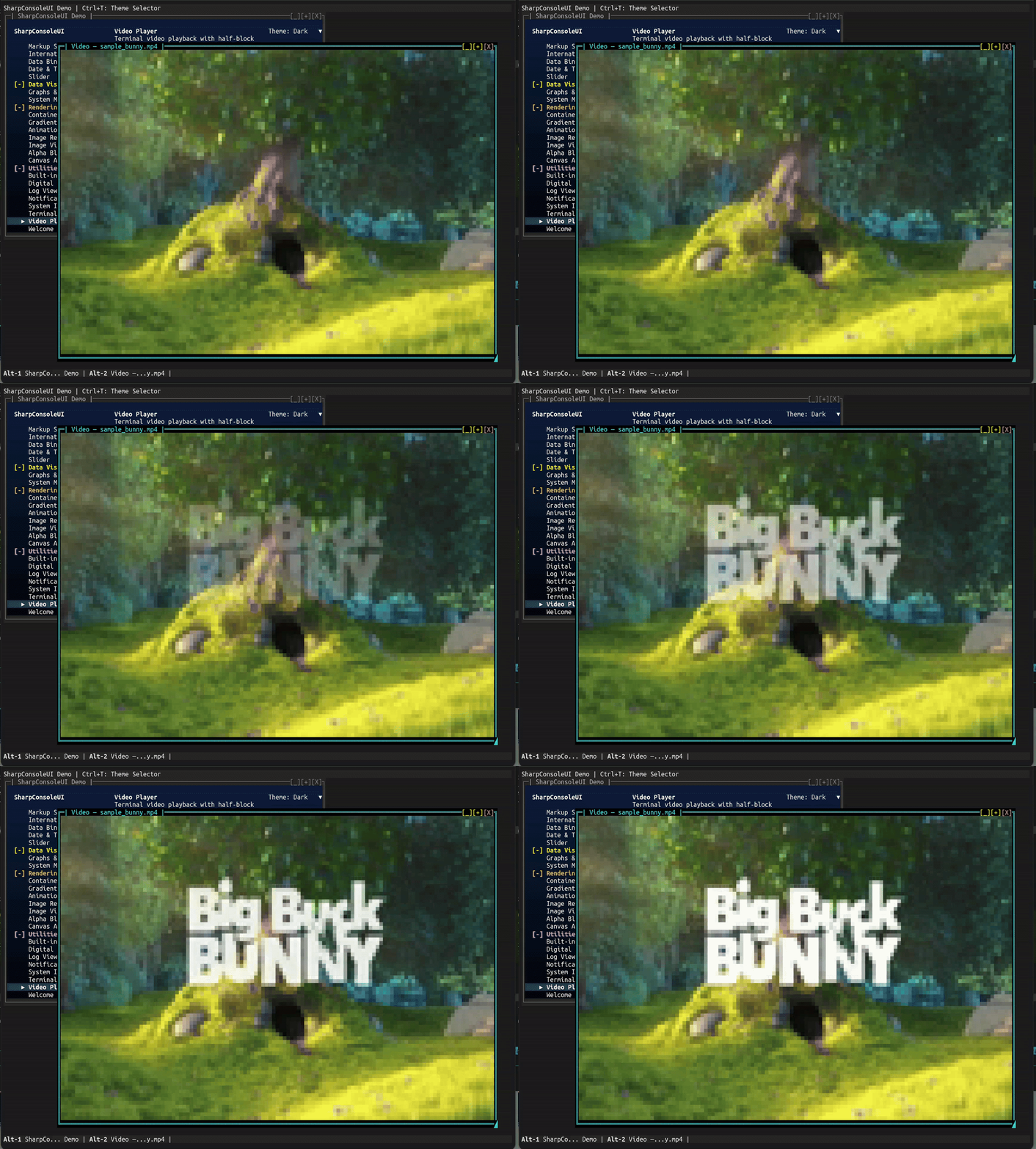
dotnet run --project Examples/DemoApp
# Navigate to Utilities → Video Player
Key Features:
- Four render modes — Kitty graphics (Kitty/WezTerm/Ghostty), half-block, ASCII, braille
Autois the default — picks Kitty when supported, half-block otherwise- Press M to cycle concrete modes live; the overlay shows the effective mode
- Press R in Kitty mode to manually refresh the image if the terminal ever gets stuck on black (recovery escape hatch — the Kitty virtual-placement protocol has no native "redraw" primitive)
- Kitty path uses zlib-compressed raw RGB frame updates (
a=f,r=1,o=z) for smooth in-place playback - FFmpeg subprocess decoding — no extra NuGet dependencies
- Dynamic resize — restarts at new resolution when window is dragged
- Overlay status bar — appears on keypress, auto-hides after 3 seconds
- Looping, pause/resume, frame skipping when behind
- Graceful FFmpeg-not-found message with install instructions
APIs Demonstrated:
Controls.Video()fluent builder with.WithOverlay(),.WithLooping()VideoControl.PlayFile(),CycleRenderMode(),TogglePlayPause()FileDialogs.ShowFilePickerAsync()with video format filterWithAsyncWindowThreadfor non-blocking file picker
Desktop Background (DemoApp)
Configurable desktop backgrounds with solid colors, gradients, patterns, and animated effects.
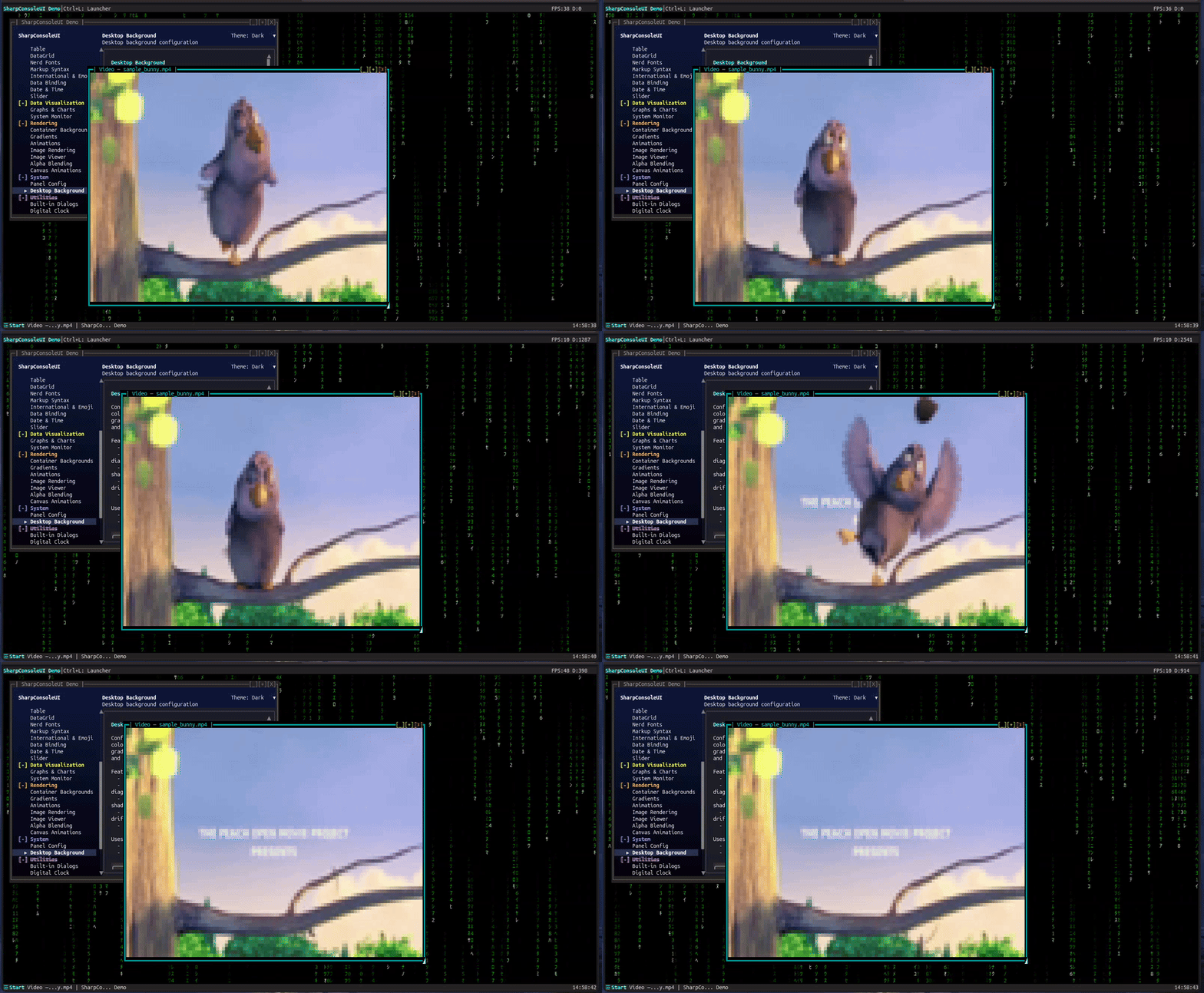
dotnet run --project Examples/DemoApp
# Navigate to System → Desktop Background
Key Features:
- Four background types: solid color, gradient, pattern, and animated effects
- Built-in pattern presets and animated effect presets (Matrix Rain, plasma, starfield, rain)
- Layer animated effects on top of any background type
- Cached buffer architecture — zero impact on window performance
- Configurable via Desktop Background dialog or API
APIs Demonstrated:
DesktopBackgroundServicewith cached buffer renderingDesktopBackground,DesktopPattern,DesktopEffectPresetsDesktopBackgroundGradienttheme integration
MultiDashboard
A flagship multi-window desktop: a Control Center hub that opens live dashboard windows on a gradient "Ocean Dots" desktop, each fed by its own async update thread.
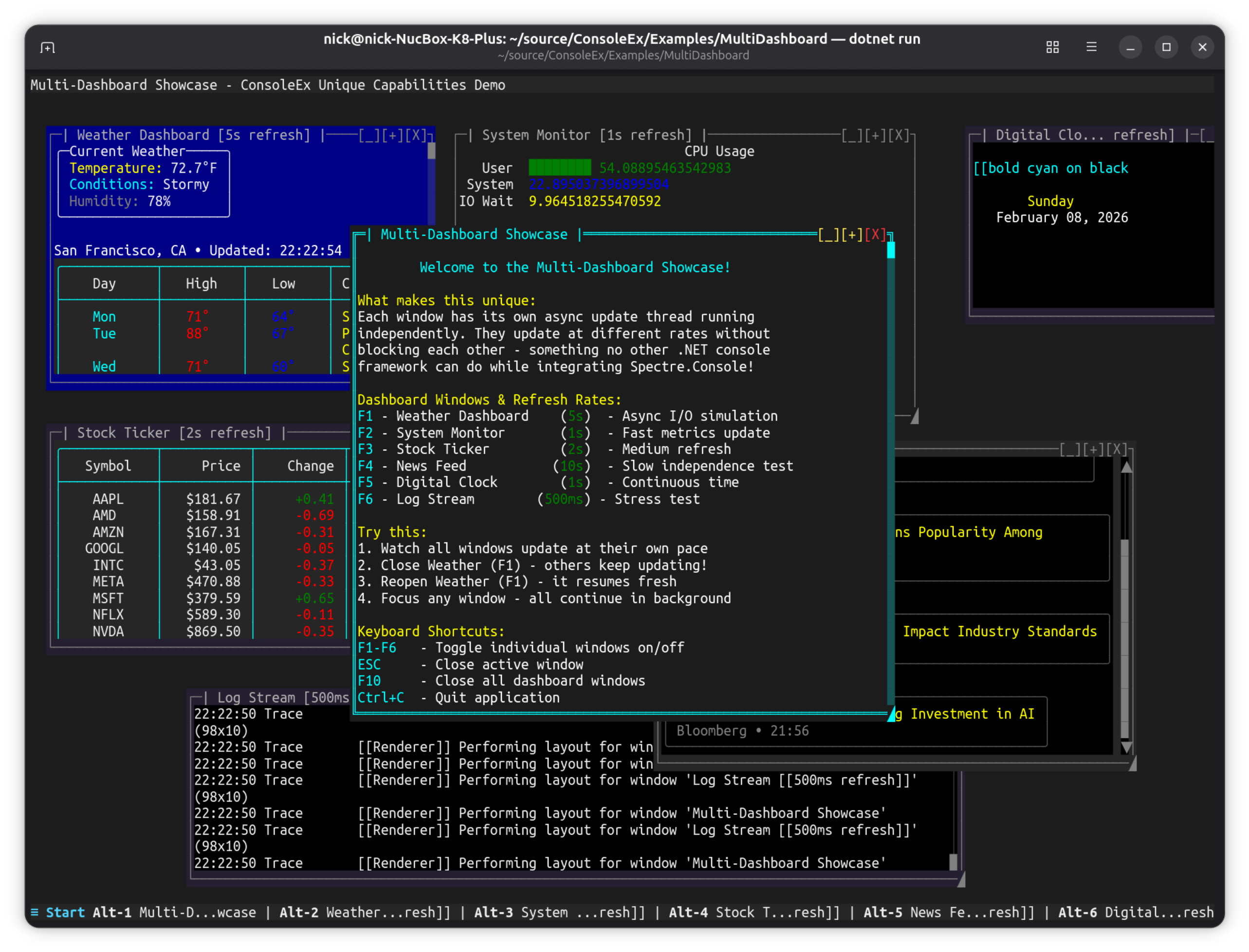
dotnet run --project Examples/MultiDashboard
Key Features:
- Control Center — a
NavigationViewhub (a normal, movable window) that opens / focuses the dashboard windows; the window state manager tracks liveness (no cached references), so windows are closable yet always reopenable. - Metrics — real-time
SparklineControl(CPU / memory / network), per-coreBarGraphControlbars, and a BrailleLineGraphControllatency chart with Y-axis rulers. - Markets — a virtualized
ITableDataSourcedata grid of live, sortable tickers beside a multi-series priceLineGraphControl. - Log Stream — a live, filterable, searchable
LogViewerControl(Time / Level / Category / Message) streaming color-coded entries. - App shell — a top-bar clock, a Start menu + TaskBar window pager (bottom), and a global F1 shortcut that reopens the Control Center. Quit with Ctrl+Q.
- Each window updates on its own
WithAsyncWindowThreadloop; the whole app is Spectre-free.
What makes it unique: a genuine multi-window terminal application — not a demo of a single control — showcasing the compositor, real-time charts, a virtualized data grid, and per-window async threads together on one polished desktop.
FigletShowcaseExample
ASCII art font showcase demonstrating Figlet font rendering.
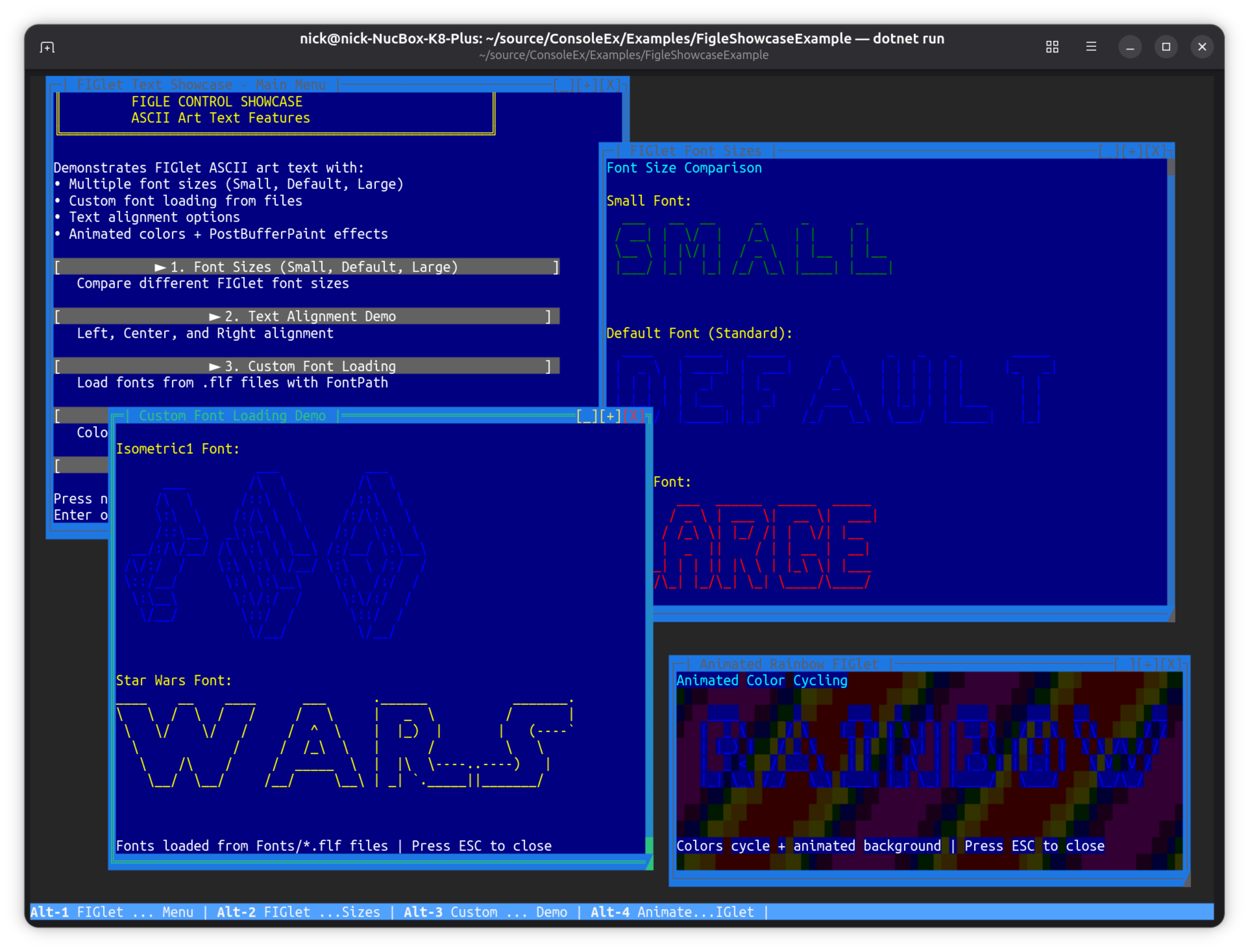
dotnet run --project Examples/FigleShowcaseExample
Key Features:
- Multiple Figlet ASCII art fonts (Star Wars, Graffiti, etc.)
- Font size comparison demo
- Color cycling with animated background
- Direct font loading from FLF (FigletFont) files
- Text alignment and positioning options
Controls: Number keys to switch examples, Esc to close
MenuDemo
Full-featured horizontal menu bar with keyboard and mouse support.
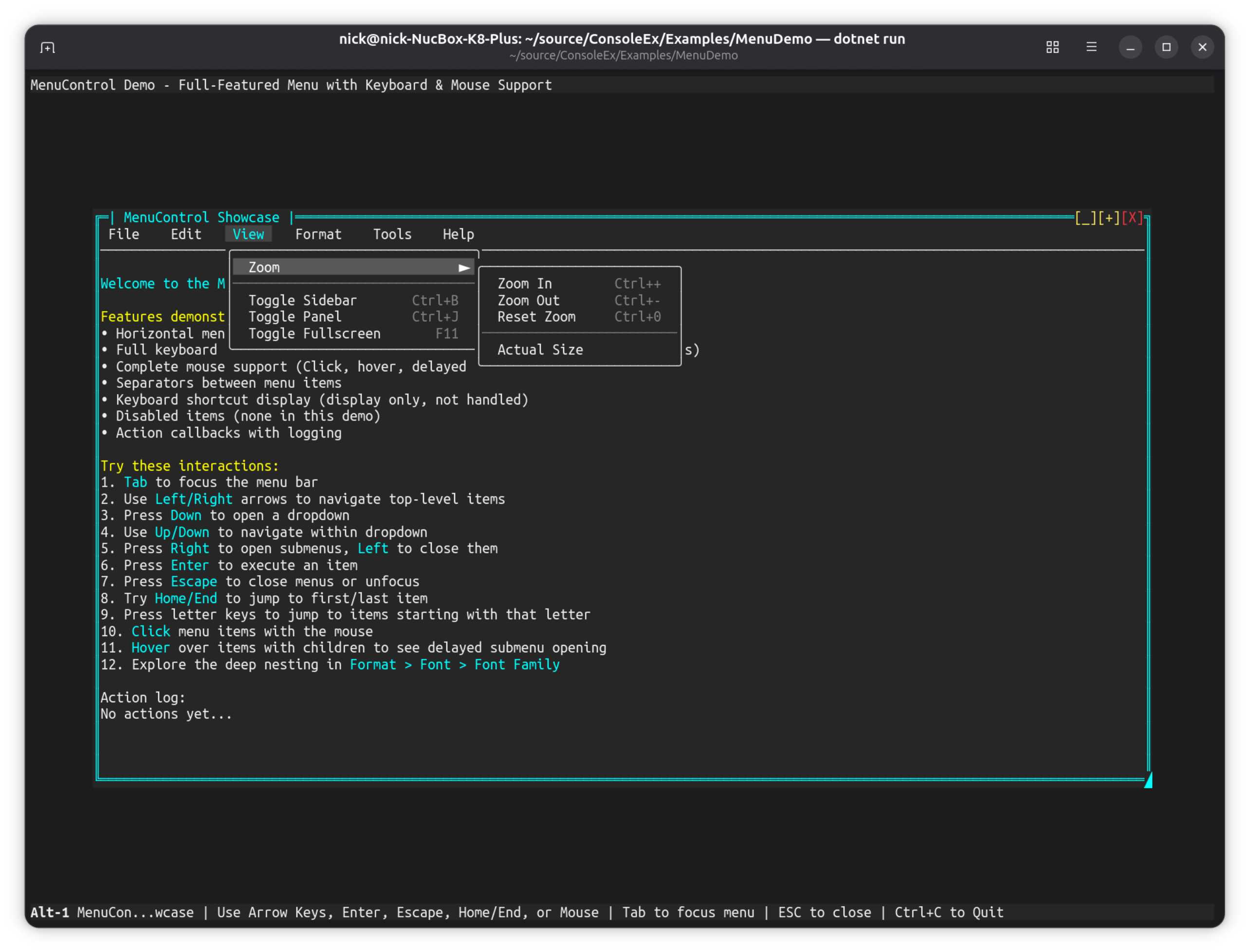
dotnet run --project Examples/MenuDemo
Key Features:
- Horizontal menu bar with unlimited nesting depth
- Full keyboard navigation (arrows, Enter, Escape, Home/End, letter keys)
- Complete mouse support (click, hover, delayed submenu opening)
- Separators and keyboard shortcut display
- Fluent
Controls.Menu()builder API
More Examples
These examples demonstrate specific features without full screenshots.
| Example | What it shows | Run command |
|---|---|---|
| BenchmarkApp | Render/throughput benchmark — runs a fixed frame budget and reports timing/FPS | dotnet run --project Examples/BenchmarkApp |
| ClinicFlow | Patient-management dashboard: sidebar list + per-patient detail panel, async data updates | dotnet run --project Examples/ClinicFlow |
| FrameRateDemo | Adjustable FPS (15-144), frame rate limiting, performance metrics | dotnet run --project Examples/FrameRateDemo |
| FullScreenExample | Kiosk-style maximized window, hidden taskbar, disabled chrome | dotnet run --project Examples/FullScreenExample |
| StartMenuDemo | Windows-like Start menu, plugin integration, categorized items | dotnet run --project Examples/StartMenuDemo |
| TabControlDemo | Multi-page tabs, Ctrl+Tab switching, ScrollablePanel integration | dotnet run --project Examples/TabControlDemo |
| TableDemo | TableControl with theme switching (F1-F3), markup in cells, rounded borders | dotnet run --project Examples/TableDemo |
| PanelDemo | Panel mouse events (click, double-click, enter, leave, move) | dotnet run --project Examples/PanelDemo |
| BorderStyleDemo | DoubleLine vs None border styles, runtime toggling | dotnet run --project Examples/BorderStyleDemo |
| SpectreMouseExample | Mouse events on SpectreRenderableControl, event counters | dotnet run --project Examples/SpectreMouseExample |
| PluginShowcaseExample | Plugin loading, DevDark theme, Debug Console, agnostic services | dotnet run --project Examples/PluginShowcaseExample |
Feature Matrix
| Example | Async Windows | Buffer Paint | Mouse Events | Themes | Plugins | Games |
|---|---|---|---|---|---|---|
| DemoApp | ✅ | ✅ | ✅ | |||
| NavigationViewDemo | ✅ | |||||
| CanvasDemo | ✅ | ✅ | ✅ | |||
| Alpha Blending Demo | ✅ | ✅ | ||||
| HighFreqDemo | ✅ | ✅ | ||||
| CompositorEffectsExample | ✅ | ✅ | ✅ | |||
| AgentStudio | ✅ | ✅ | ||||
| SnakeGame | ✅ | ✅ | ||||
| TextEditorExample | ||||||
| MultiDashboard | ✅ | |||||
| FigletShowcaseExample | ||||||
| MenuDemo | ✅ | |||||
| FrameRateDemo | ||||||
| FullScreenExample | ✅ | |||||
| StartMenuDemo | ✅ | ✅ | ||||
| TabControlDemo | ✅ | |||||
| TableDemo | ✅ | |||||
| PanelDemo | ✅ | |||||
| BorderStyleDemo | ||||||
| SpectreMouseExample | ✅ | |||||
| PluginShowcaseExample | ✅ | ✅ |
Controls Demonstrated
| Control | Examples |
|---|---|
MarkupControl |
All examples |
ButtonControl |
DemoApp, FullScreenExample, CompositorEffectsExample |
ListControl |
DemoApp, HighFreqDemo |
TreeControl |
DemoApp (File Explorer), NavigationViewDemo |
DropdownControl |
DemoApp, PluginShowcaseExample |
MenuControl |
MenuDemo, HighFreqDemo |
TableControl |
DemoApp, TableDemo |
PanelControl |
StartMenuDemo, PanelDemo, HighFreqDemo |
SparklineControl |
HighFreqDemo, NavigationViewDemo |
LineGraphControl |
DemoApp |
BarGraphControl |
HighFreqDemo, NavigationViewDemo |
NavigationView |
DemoApp, NavigationViewDemo |
ProgressBarControl |
DemoApp, NavigationViewDemo |
PromptControl |
DemoApp (Command Window) |
MultilineEditControl |
DemoApp, TextEditorExample |
LogViewerControl |
DemoApp |
TabControl |
TabControlDemo |
ImageControl |
DemoApp (Image Rendering, Image Viewer) |
CanvasControl |
CanvasDemo, DemoApp |
HorizontalGridControl |
Most examples |
SliderControl |
DemoApp, Alpha Blending Demo |
RangeSliderControl |
DemoApp |
SpectreRenderableControl |
SpectreMouseExample |
API Patterns Demonstrated
Fluent Builders
// WindowBuilder
new WindowBuilder(windowSystem)
    .WithTitle("My Window")
    .WithSize(80, 25)
    .Centered()
    .Closable(true)
    .Build();

// Controls fluent API
Controls.Menu().Horizontal().AddItem("File", ...).Build();
Controls.Markup().AddLine("[bold]Hello[/]").Build();
Controls.List().MaxVisibleItems(10).Build();
Async Window Threads
new WindowBuilder(windowSystem)
    .WithAsyncWindowThread(async (window, ct) => {
        while (!ct.IsCancellationRequested) {
            // Update window content
            await Task.Delay(1000, ct);
        }
    })
    .Build();
Canvas Drawing
// Retained mode — draw from any thread, content persists
var canvas = new CanvasControl { AutoSize = true };
var g = canvas.BeginPaint();
g.DrawCircle(30, 10, 8, '*', Color.Cyan, Color.Black);
g.GradientFillRect(0, 0, 60, 20, Color.DarkBlue, Color.Black, horizontal: false);
canvas.EndPaint();

// Immediate mode — redraw each frame
canvas.Paint += (sender, e) => {
    e.Graphics.WriteStringCentered(10, "Hello!", Color.White, Color.Black);
};

// Interactive — canvas-local mouse coordinates
canvas.CanvasMouseClick += (sender, e) => {
    var g2 = canvas.BeginPaint();
    g2.FillCircle(e.CanvasX, e.CanvasY, 2, '*', Color.Red, Color.Black);
    canvas.EndPaint();
};
Buffer Paint Hooks
// PreBufferPaint - Custom backgrounds
window.Renderer.PreBufferPaint += (buffer, dirty, clip) => {
    // Render background before controls
};

// PostBufferPaint - Post-processing effects
window.Renderer.PostBufferPaint += (buffer, dirty, clip) => {
    // Apply effects after controls render
};
Plugin Services
// Load plugin (example uses ShowcasePlugin from Examples/PluginShowcaseExample)
windowSystem.PluginStateService.LoadPlugin<ShowcasePlugin>();

// Create window from plugin
var window = windowSystem.PluginStateService.CreateWindow("DebugConsole");

// Use service (agnostic pattern)
var service = windowSystem.PluginStateService.GetService("Diagnostics");
var result = service.Execute("GetDiagnosticsReport");
Running All Examples
To build and verify all examples compile:
dotnet build ConsoleEx.sln
Each example is a standalone project that can be run independently.