SharpConsoleUI Examples
This document provides an overview of all example applications demonstrating SharpConsoleUI capabilities.
Videos#
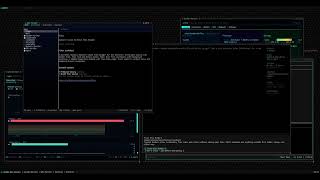 cxshell — a desktop in the terminal A full desktop environment: Start menu, taskbar, app manager, and other TUI applications running live inside its windows. |
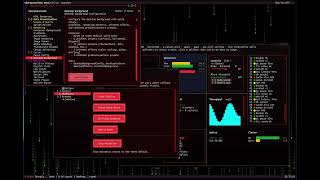 DemoApp showcase A tour of the bundled DemoApp — windows, controls, markup, compositor effects and dialogs. |
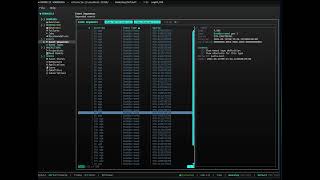 Cratis Chronicle Workbench A third-party product built on SharpConsoleUI — live event-store browsing for the Chronicle platform. |
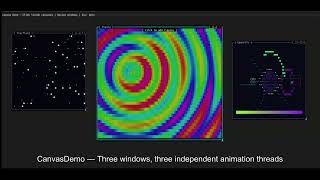 Examples in action The original walkthrough of the example projects. |
Quick Start#
Run any example with:
dotnet run --project Examples/<ExampleName>
Real-World Applications#
Production applications built with SharpConsoleUI.
cxagent#
A terminal AI coding agent — say what you want, watch it work.
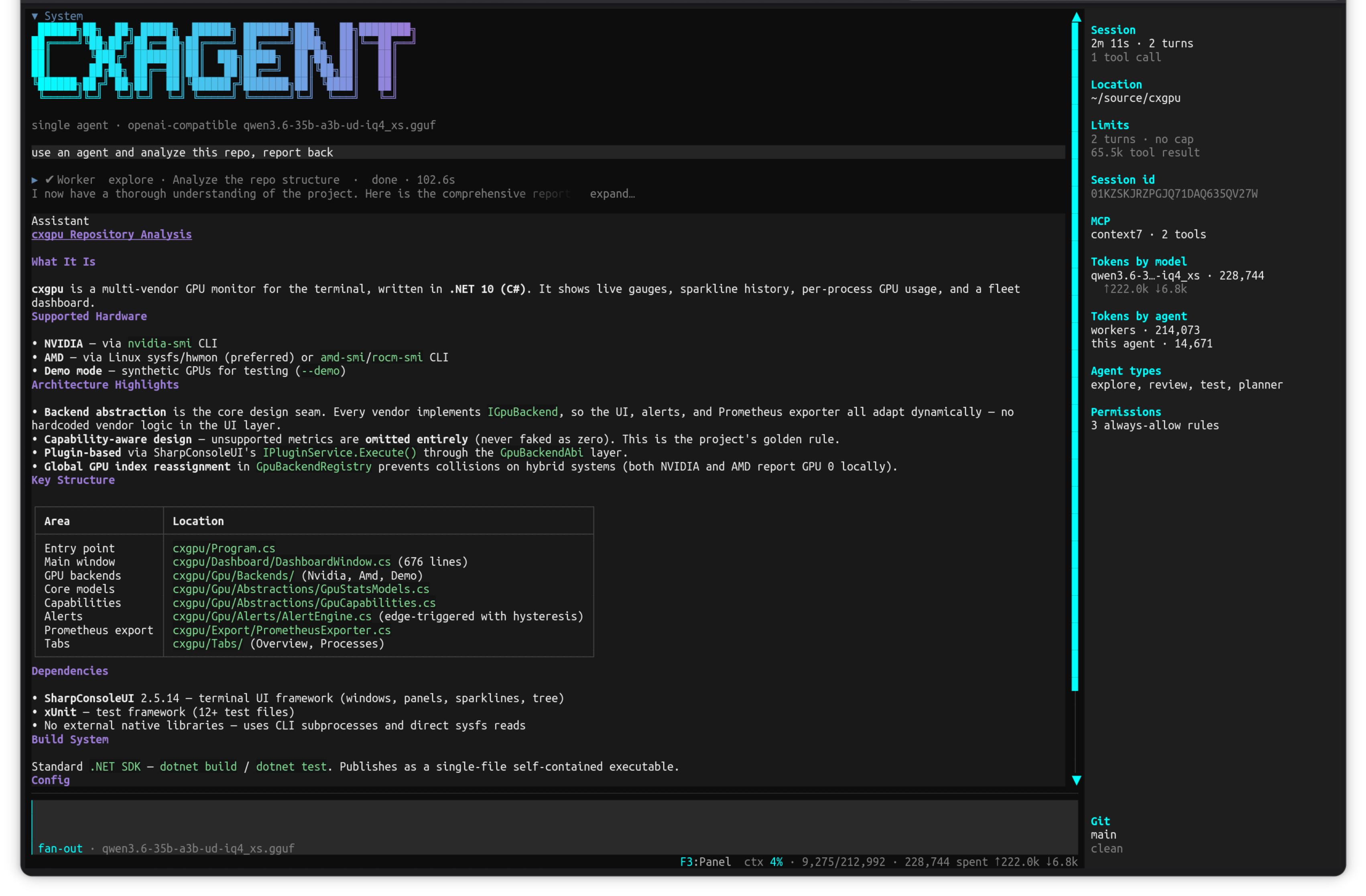
Project: github.com/nickprotop/cxagent
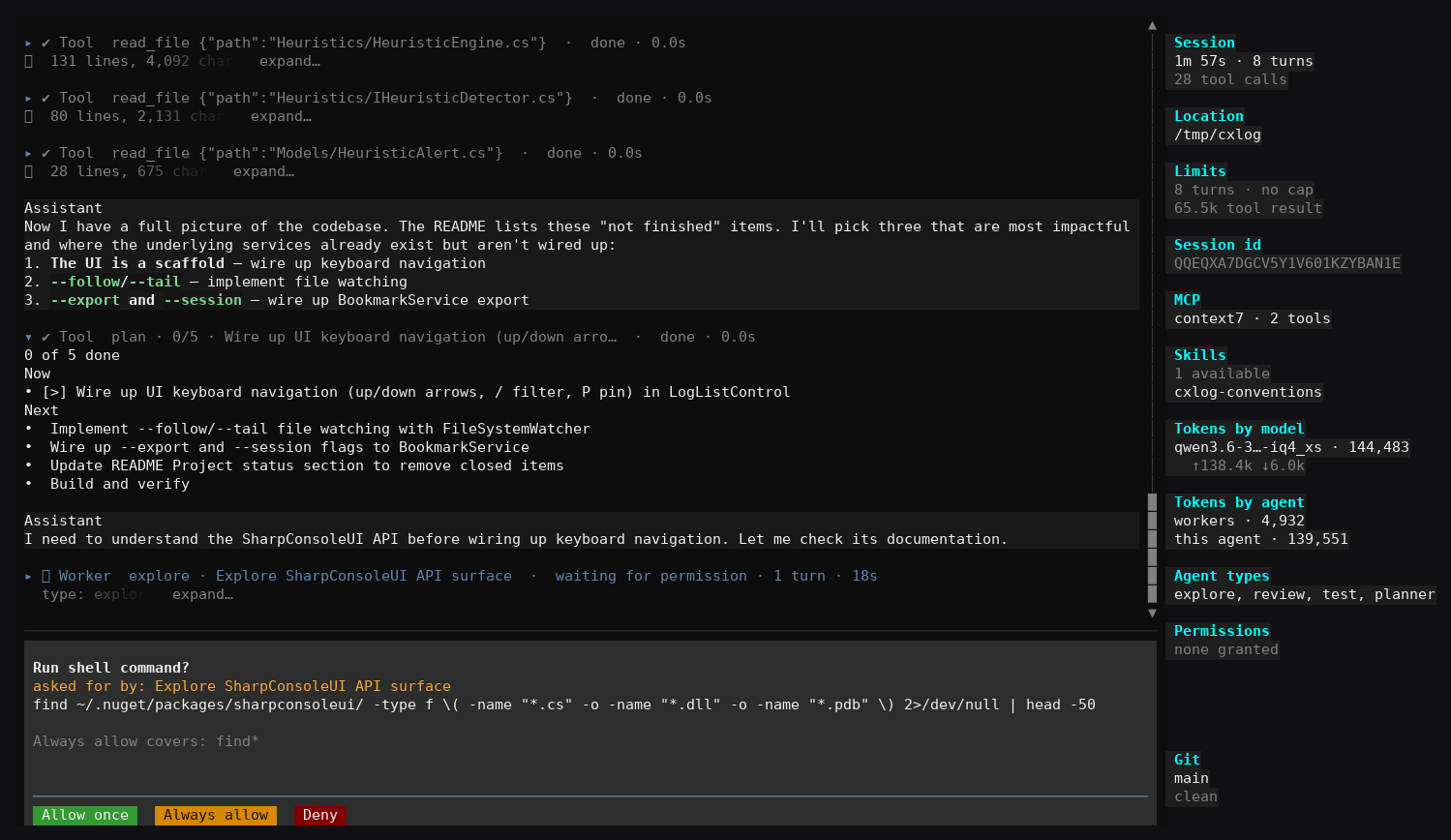
Give it a goal in plain language and it reads your files, works out what to change, and changes them — in one context, with the real bytes in front of it. Anything outside the working folder asks permission first. Bring your own model: Ollama, any OpenAI-compatible endpoint, or Anthropic.
Key Features:
- Single-agent loop with permission-gated file, shell and HTTP tools
- Sub-agents (explore, review, test, planner) that report back into the parent transcript
- Live session panel: turns, tool calls, per-model and per-agent token accounting, git state
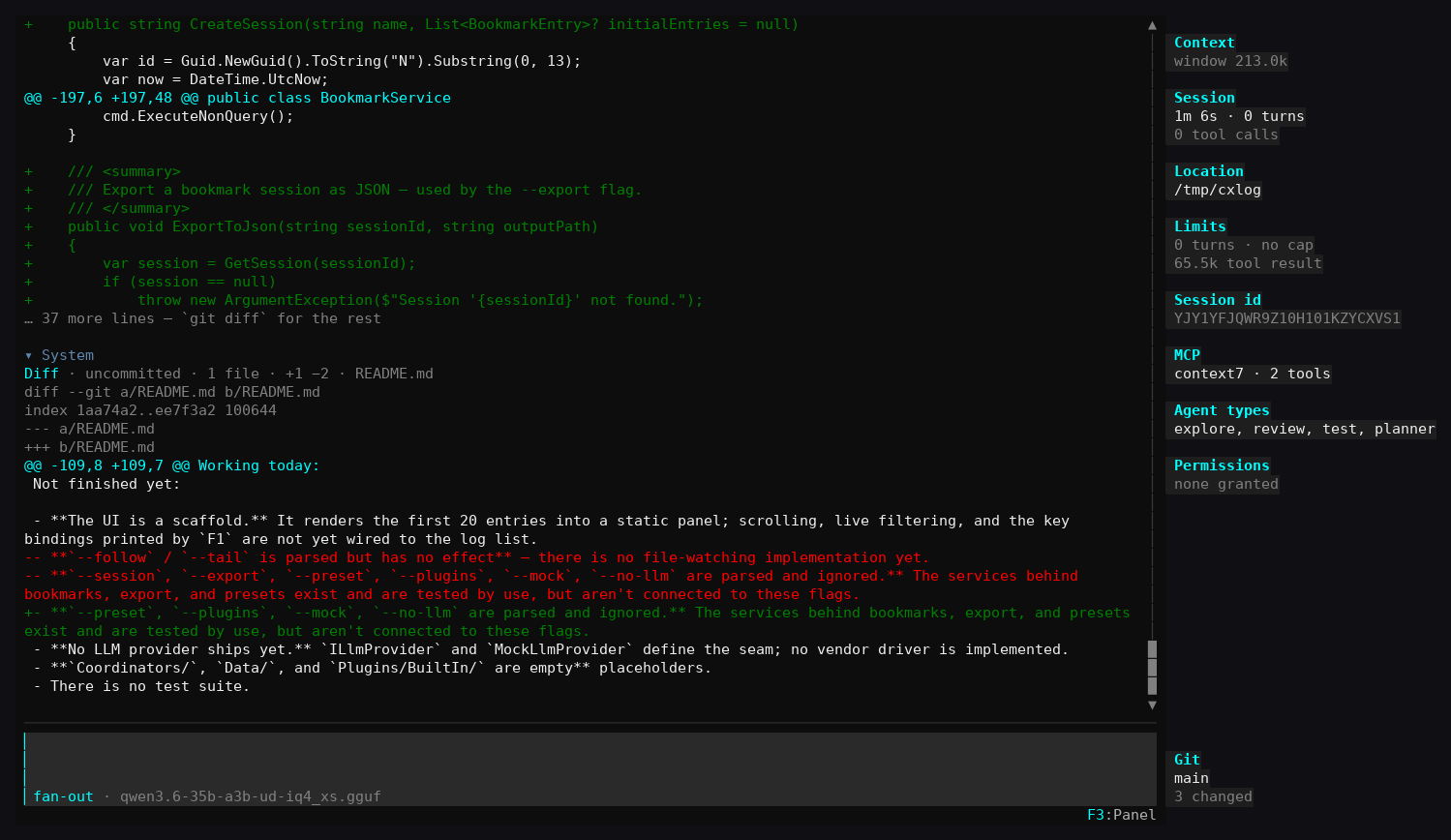
- Built-in diff view for uncommitted and untracked changes
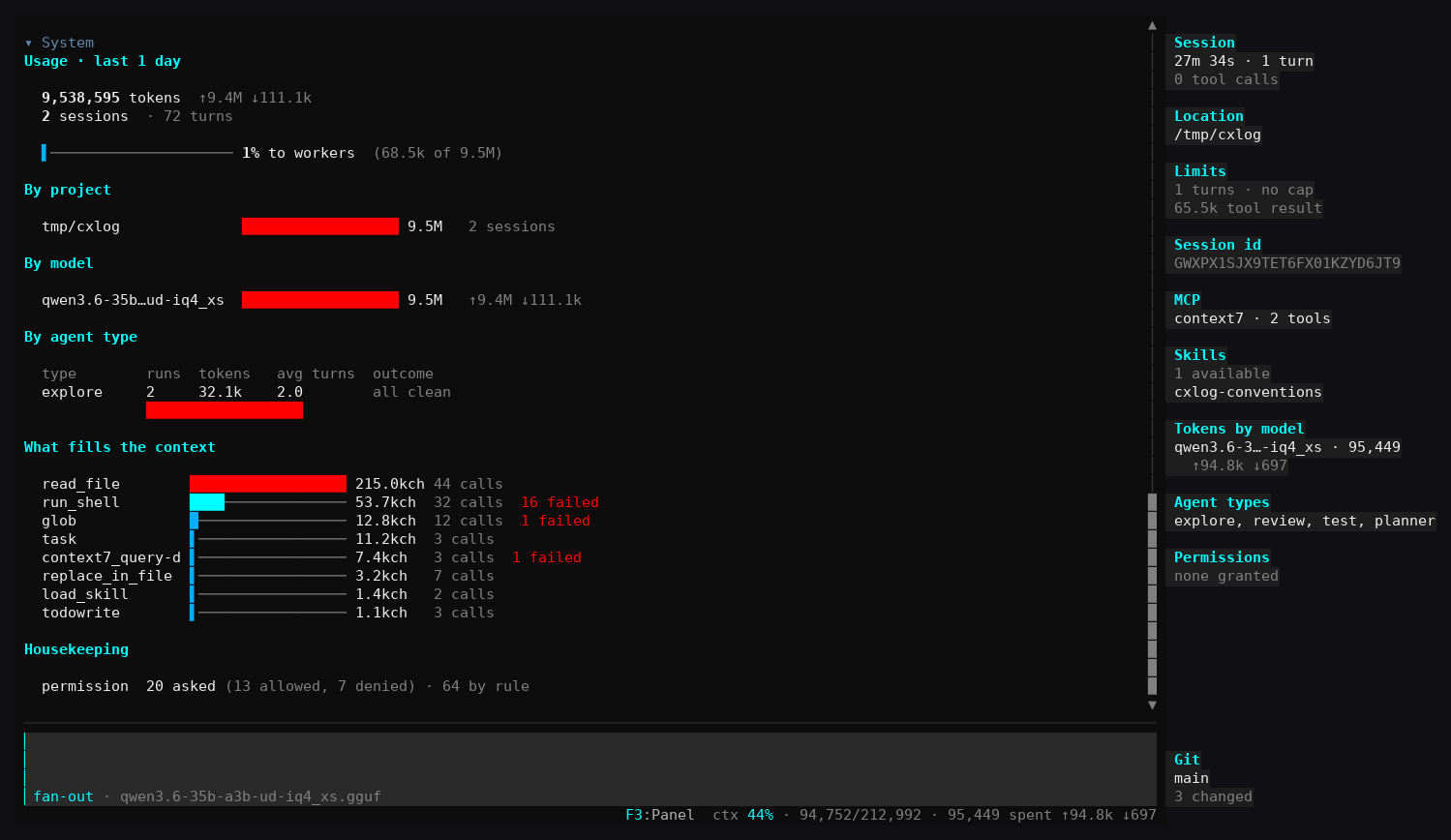
- Usage stats broken down by project, model, agent type, and what filled the context
- MCP tool support and loadable skills
SharpConsoleUI features on show:
- A transcript of collapsible tool-call rows (
expand…) beside a sticky live status panel - Modal permission prompts with
Allow once/Always allow/Denybuttons over the running transcript - Markdown rendered inline in the transcript — headings, bullet lists, tables and syntax-colored code
FigletControlbanner, horizontal bar charts, and a status bar carrying live context percentage
| Permission prompt | Diff view | Usage stats |
|---|---|---|
 |
 |
 |
cxshell#
A complete desktop environment, running in a terminal.
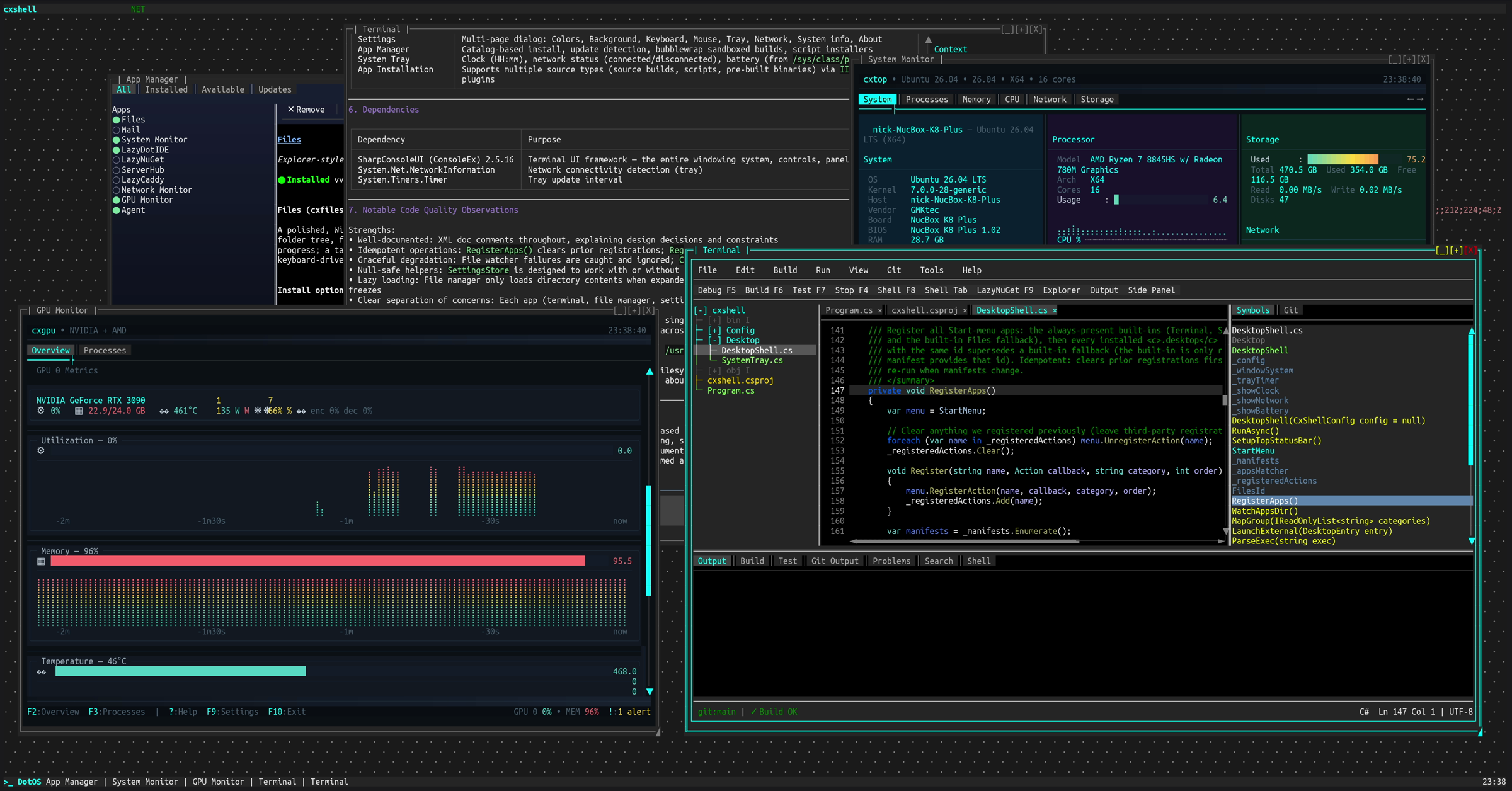
Project: github.com/nickprotop/cxshell
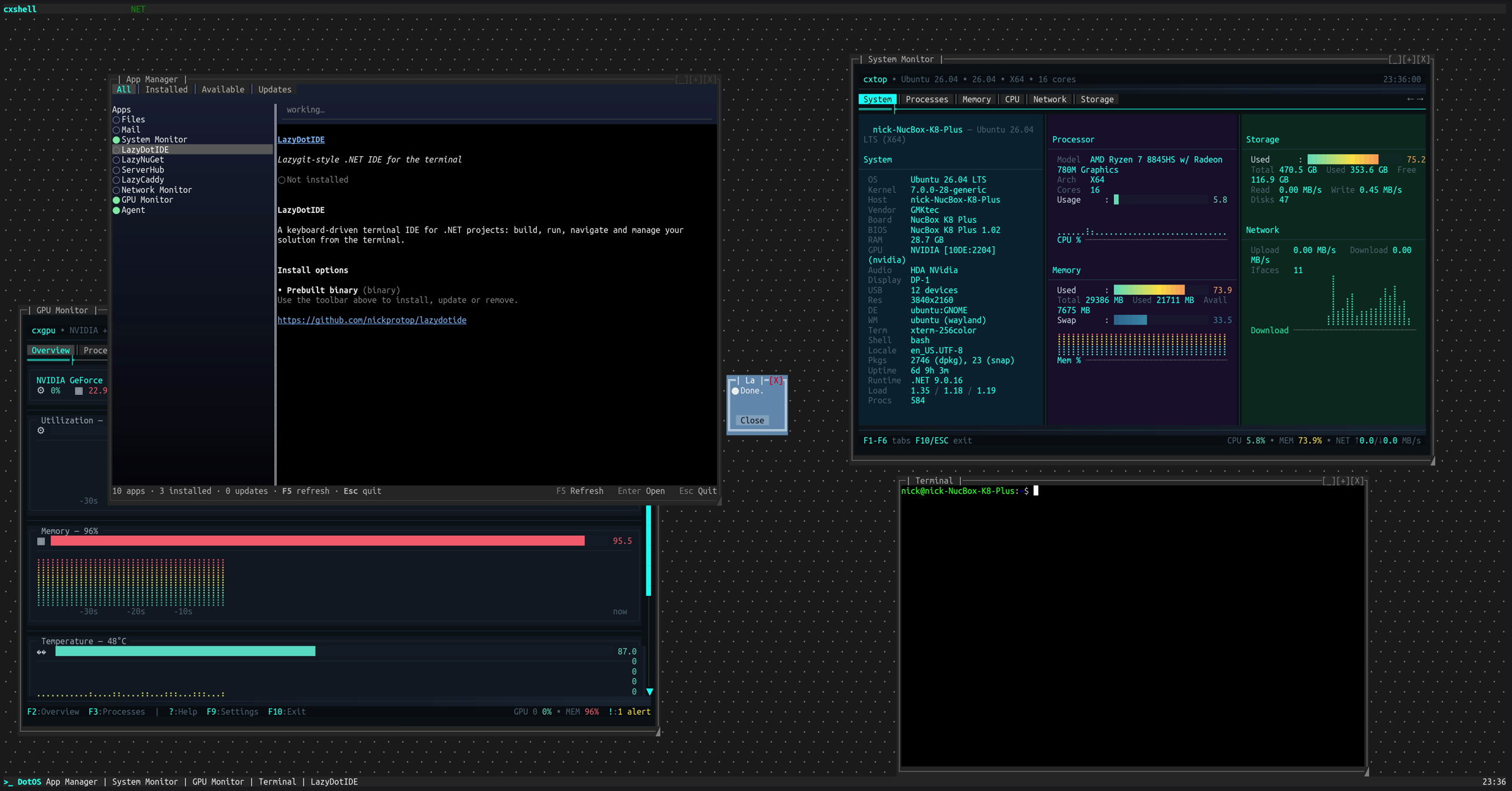
A Start menu, taskbar, system tray and movable windows, with an app manager that installs and updates terminal applications. Other TUI apps run inside its windows — the screenshot above has LazyDotIDE, cxtop and cxgpu each hosted in their own draggable window, live at the same time. Made for SSH: a real desktop on a remote machine without a single pixel of X11.
Key Features:
- Start menu, taskbar with window list, system tray with clock, network and battery
- App Manager: catalog-based install, update detection, sandboxed builds, script installers
- Built-in apps for files, settings and a terminal
- Multi-page settings dialog (colors, background, keyboard, mouse, tray, network)
- Runs over SSH; no browser, no X11
SharpConsoleUI features on show:
- The window manager itself: overlapping windows with drag, resize, minimize, maximize and z-order
TerminalControlhosting full external TUI applications inside a window, each with its own PTY- Independent async render loops per window — several live monitors updating at once without blocking each other
- Portal flyouts for the Start menu and tray, and modal dialogs over the running desktop
| Desktop with hosted apps | App Manager |
|---|---|
|
 |
cxnet#
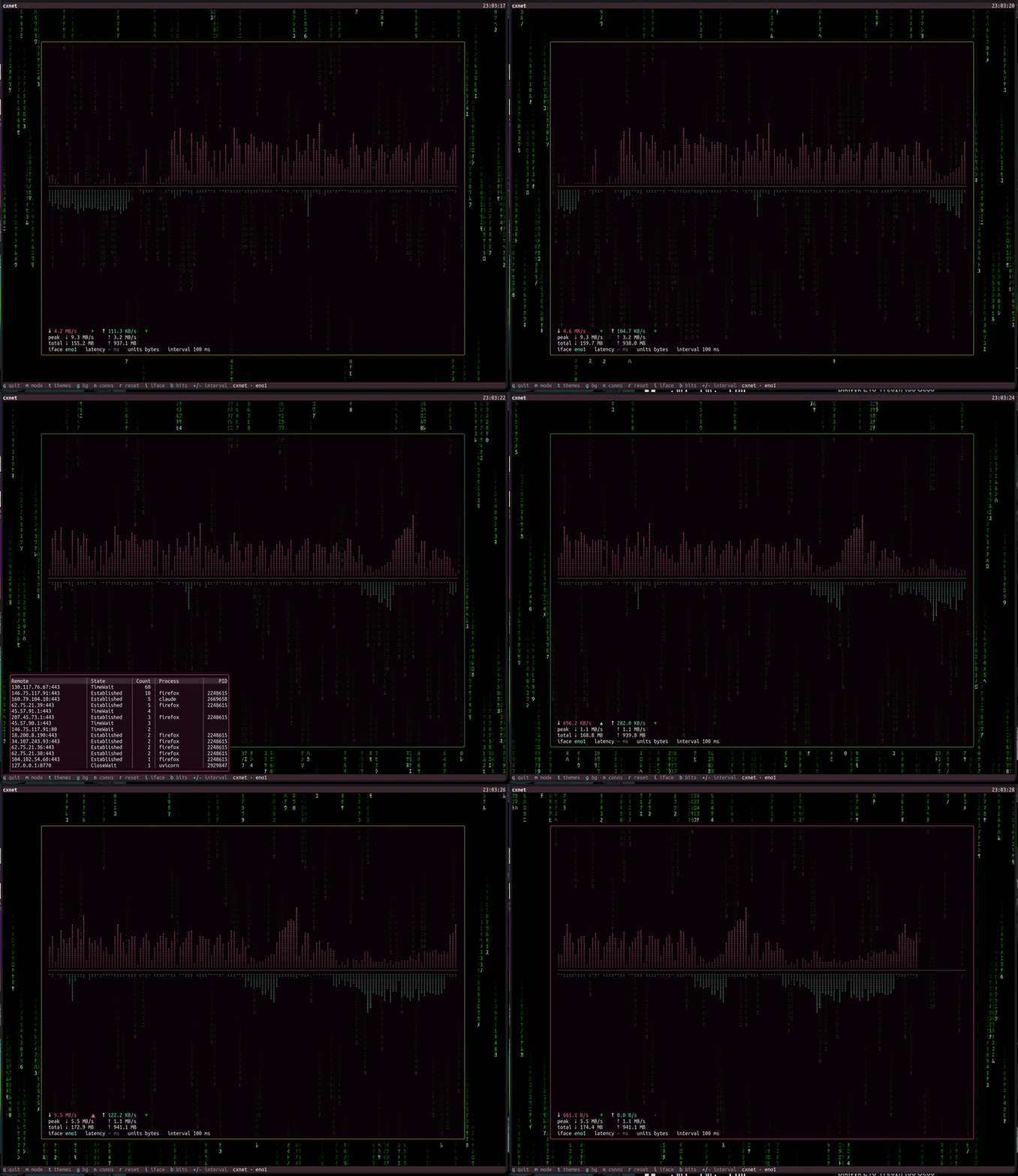
Real-time network throughput monitor for the terminal.
Project: github.com/nickprotop/cxnet
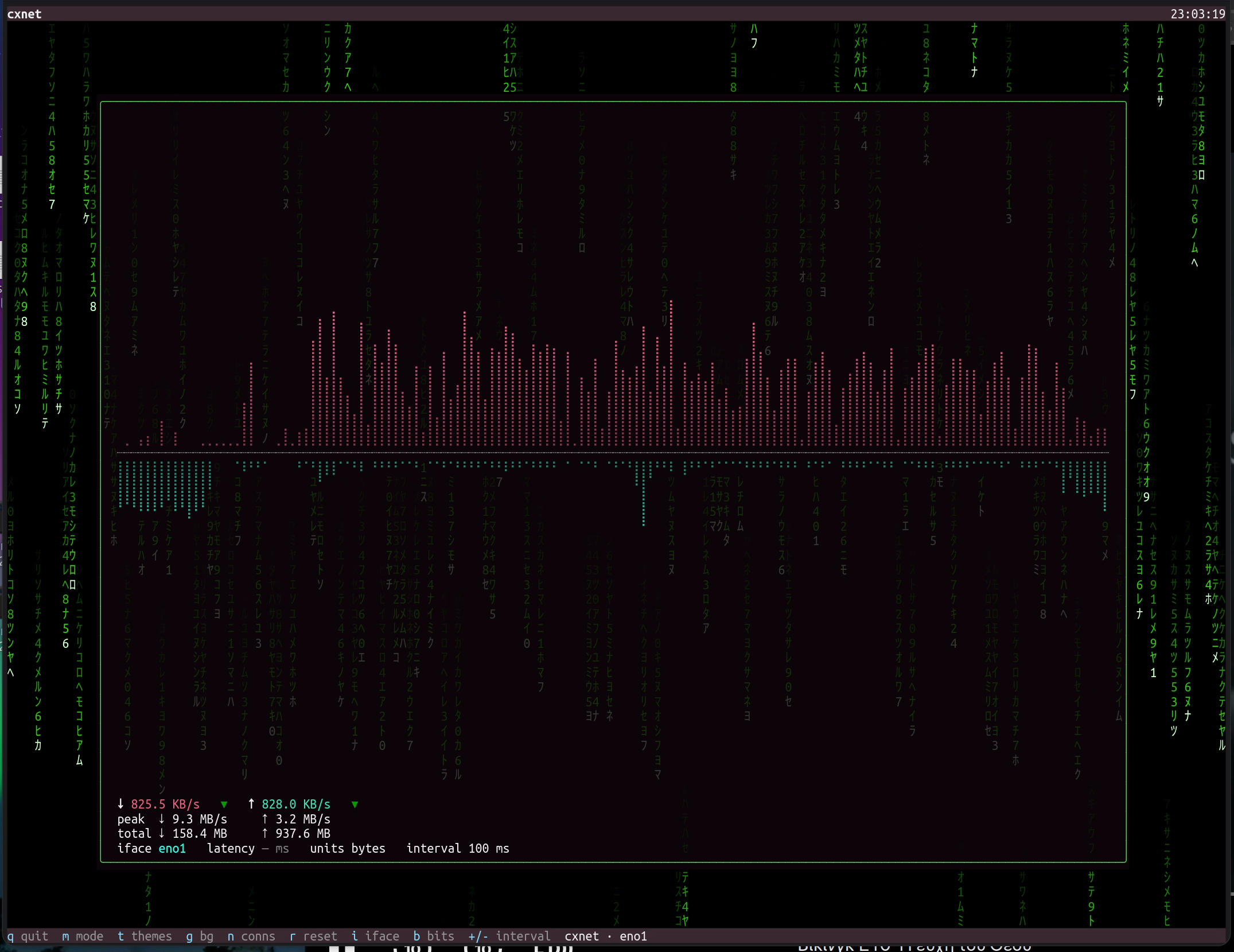
Live download/upload throughput rendered as Braille waveforms, with session peaks, daily totals, per-interface selection, and a border that pulses with your transfer speed — over an alpha-blended, animated desktop background.
SharpConsoleUI features on show:
- Overlapping windows with a real compositor and a per-cell alpha-blended desktop background (the Matrix rain shows through the translucent monitor window)
- Bordered pop-over pickers (portals) for themes, connections, and interfaces
- A per-interface
TableControlwith columns, separators, and a scrollbar - A live sparkline/waveform driven by an async per-window render loop
cxgpu#
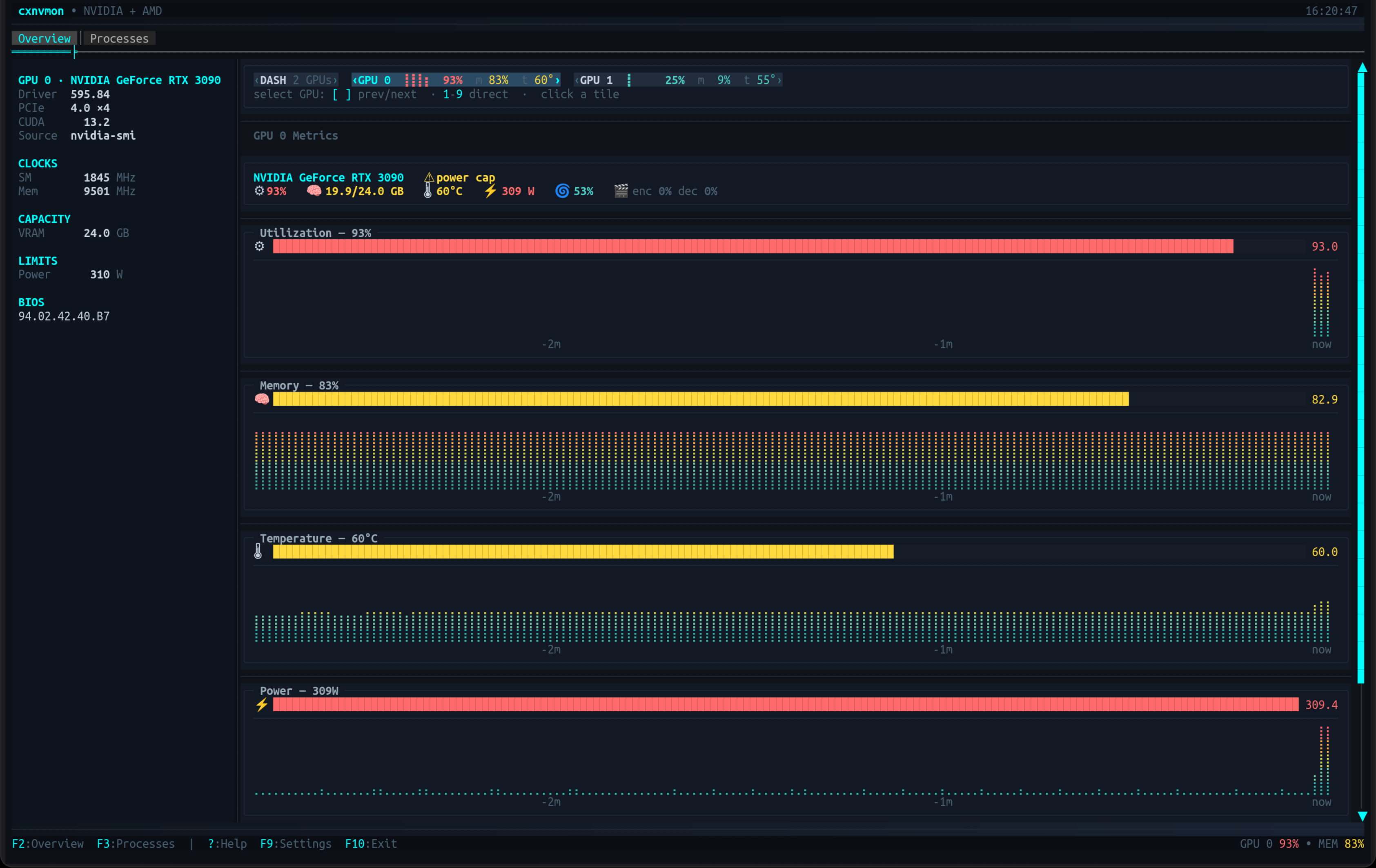
Multi-vendor GPU monitor for the terminal — NVIDIA and AMD in one view.
Project: github.com/nickprotop/cxgpu
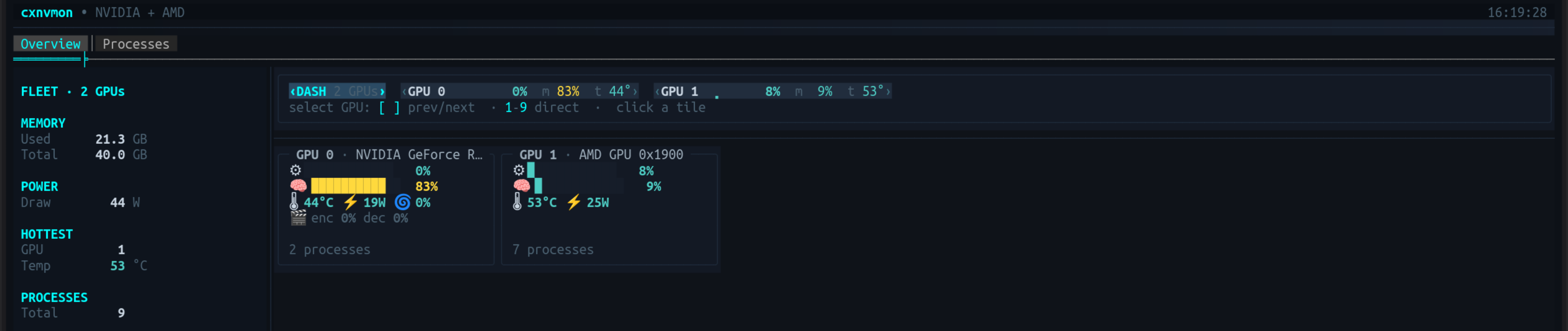
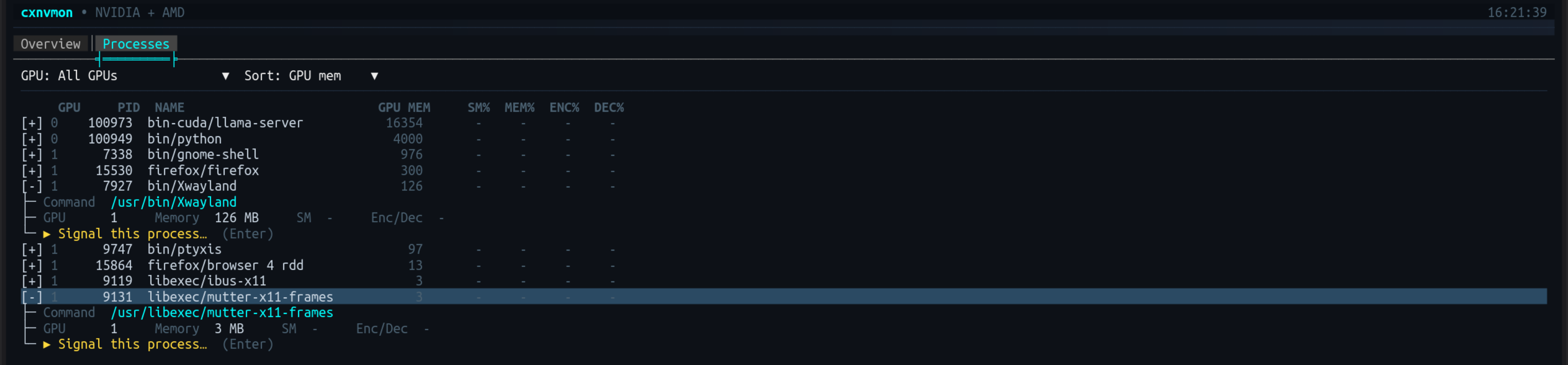
Live gauges and Braille sparkline history for utilization, memory, temperature, power and fan; a fleet dashboard for multi-GPU boxes; and a per-process tree with signal actions. Each backend declares what it can measure, so unsupported metrics are omitted rather than faked as zero.
Key Features:
- NVIDIA (
nvidia-smi) and AMD (sysfs/hwmon,amd-smi/rocm-smi) side by side, each through its own backend - Overview with gauges, sparkline history, a vitals line, and a full device spec-sheet
- Fleet dashboard with aggregate totals plus a hero panel per GPU
- Process tree with GPU filter, sorting, per-process engine usage, SIGTERM/SIGKILL
- Throttle detection, threshold alerts, session stats, and Prometheus
/metrics --demo[=N]simulates up to 9 GPUs — no hardware required
SharpConsoleUI features on show:
BarGraphControlgauges and Braille sparkline history driven by an async per-window render loopTreeControlwith expandable rows for per-process detail, plus a filter/sort toolbar- A responsive panel grid that reflows side-by-side or stacked with terminal width
- Toasts, a status-bar badge, and a portal flyout for alert history
- A paged settings dialog (F9) and a keyboard help overlay
| Overview | Fleet Dashboard | Processes |
|---|---|---|
|
 |
 |
cxtop#
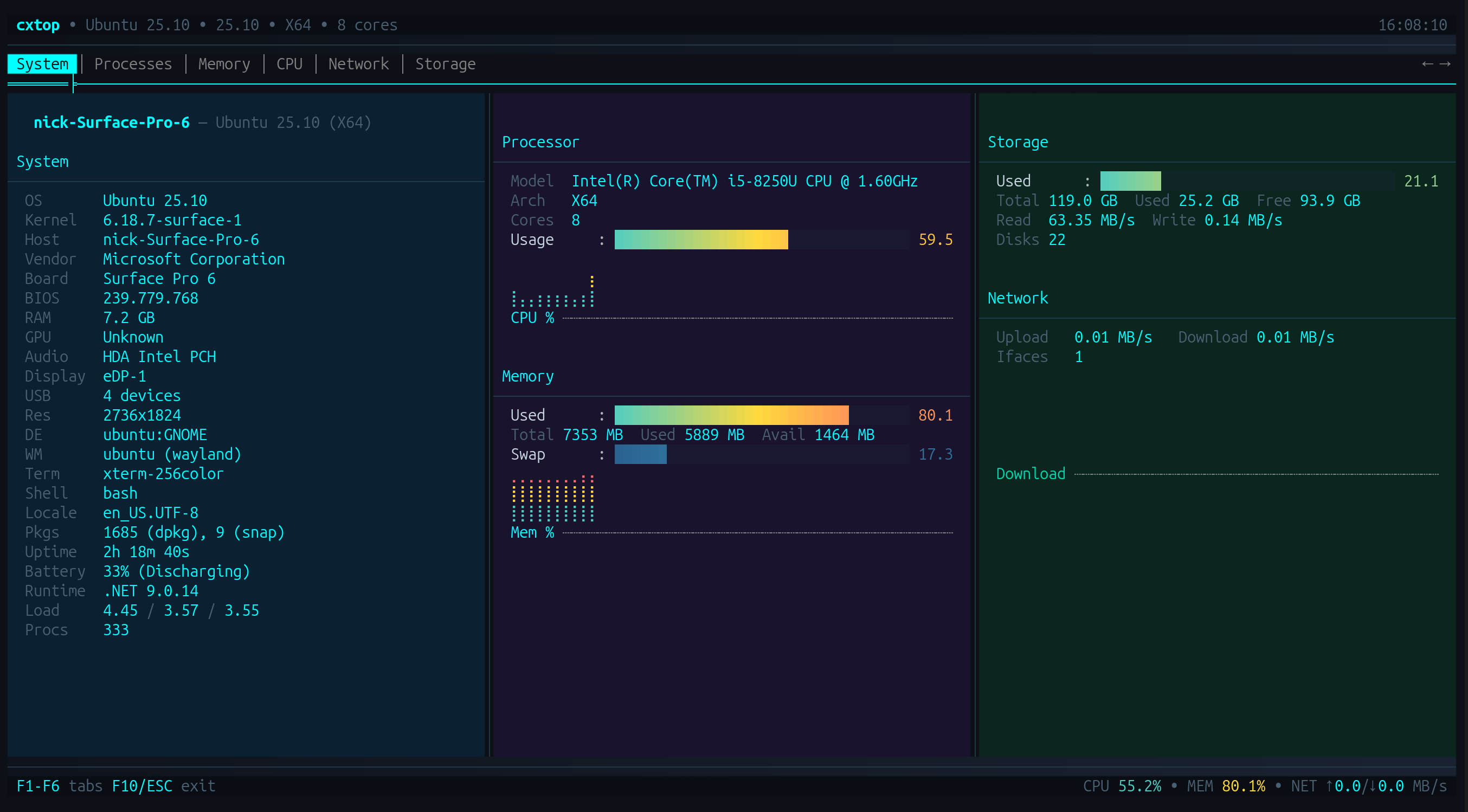
htop/btop-inspired system monitor for the terminal.
Project: github.com/nickprotop/cxtop
Live CPU, memory, network and storage metrics with a hardware identity dashboard, sparkline history, and a sortable process list with per-process actions. Cross-platform.
SharpConsoleUI features on show:
- Tabbed views (Processes, Memory, CPU, Network, Storage) over a shared header of live gauges
- A sortable, mouse-selectable process table with a detail pane beside it
- Sparkline history driven by an async per-window render loop
- Double-click actions and a status bar carrying live system totals
CXFiles#
Explorer-style terminal file manager.
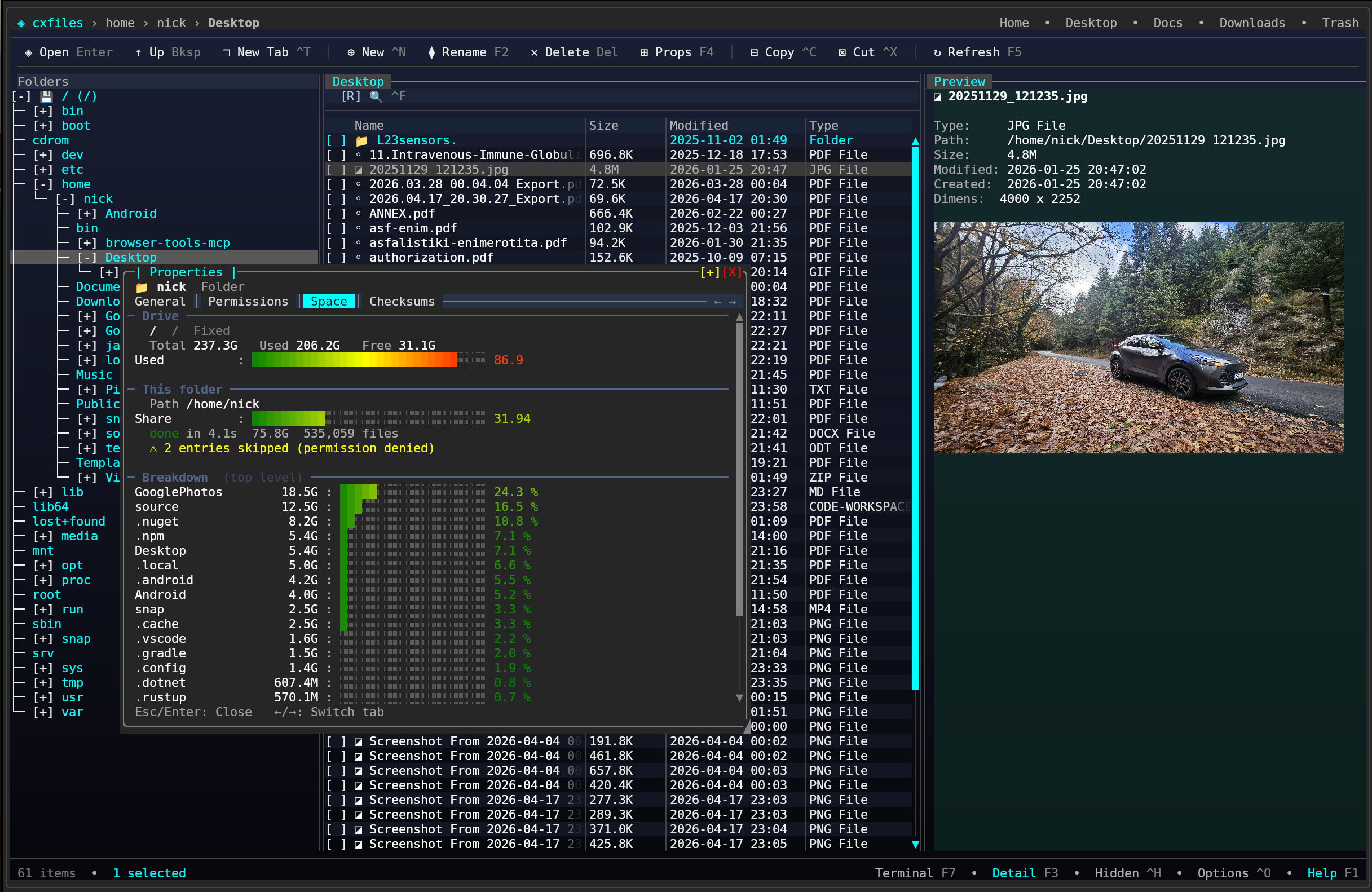
Project: github.com/nickprotop/cxfiles
Three-pane layout with a folder tree, file list and detail panel, plus tabs, image preview through the Kitty graphics protocol, a properties dialog and trash support.
SharpConsoleUI features on show:
TreeControlfolder tree beside aTableControlfile list, split by draggable splitters- Tabs for multiple locations open at once
- Inline image preview via the Kitty graphics protocol
- Modal properties and confirmation dialogs
CXPost#
Terminal email client.
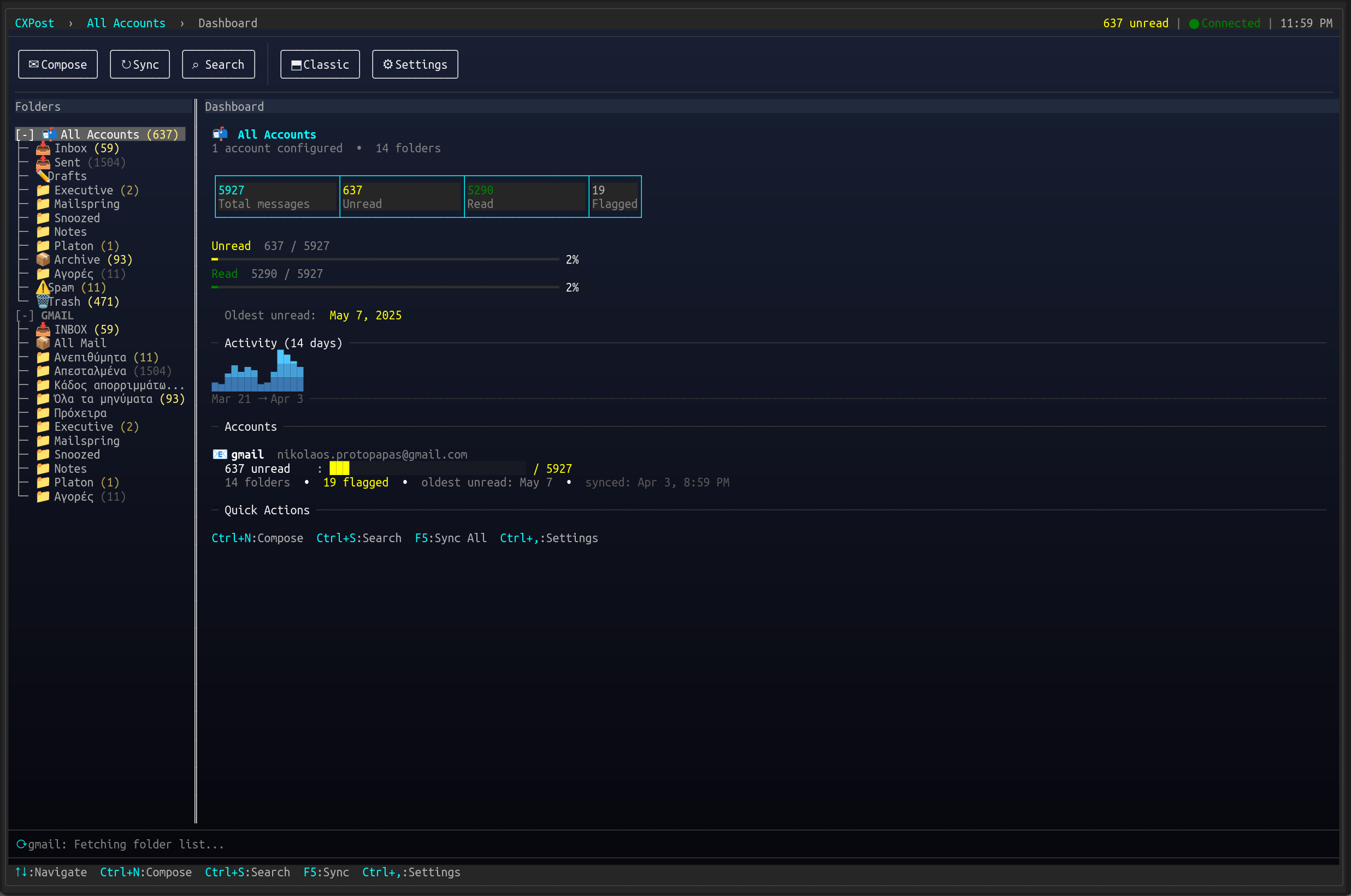
Project: github.com/nickprotop/cxpost
Multi-account IMAP/SMTP with conversation threading, HTML message rendering, attachment handling and an offline cache.
SharpConsoleUI features on show:
- Threaded conversation view built on
TreeControl, beside a scrollable message pane - HTML email rendered into terminal cells
- Multi-account switching through portal flyouts
- Compose and attachment dialogs over the running mailbox
ServerHub#
Production-ready Linux server control panel.
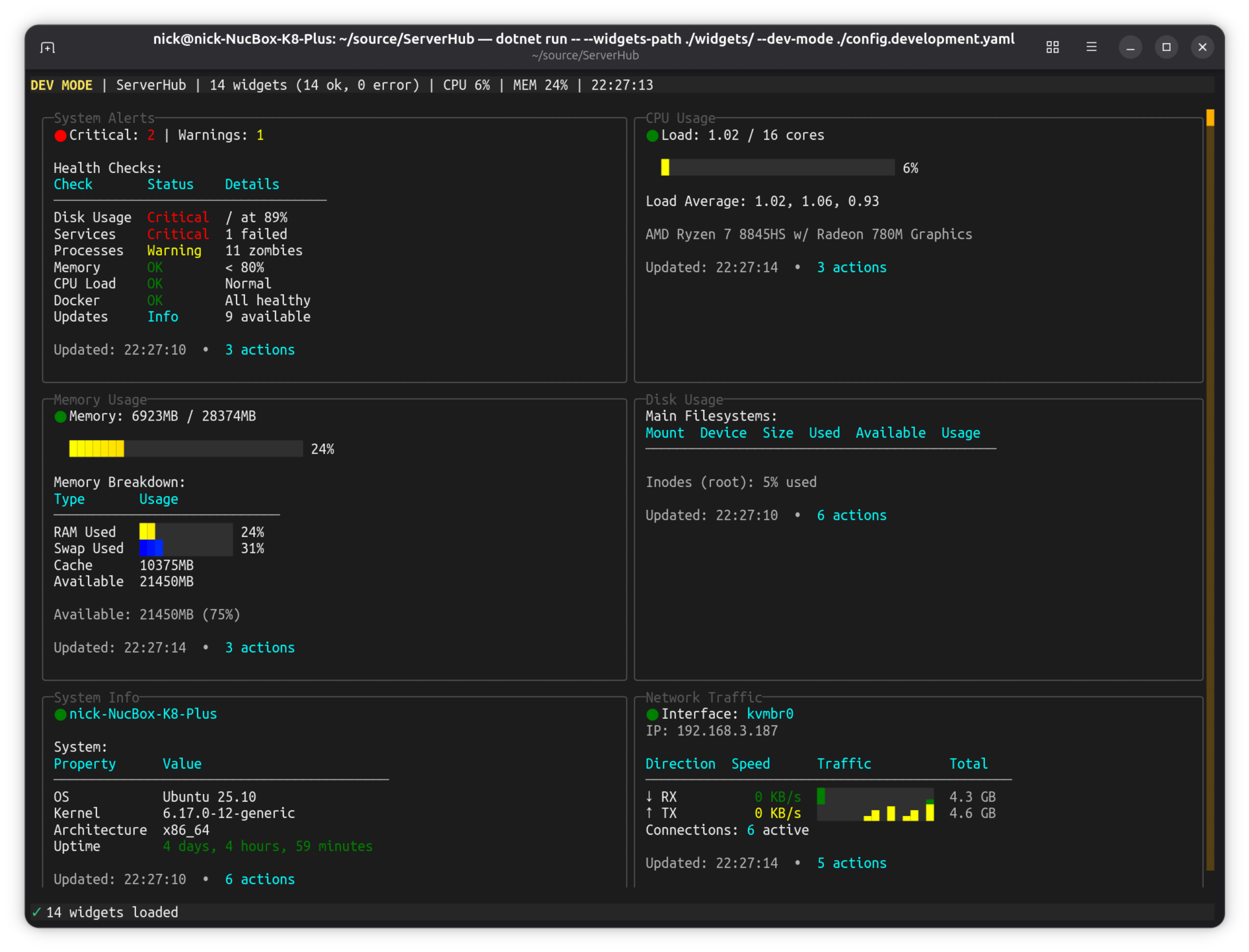
Project: github.com/nickprotop/ServerHub
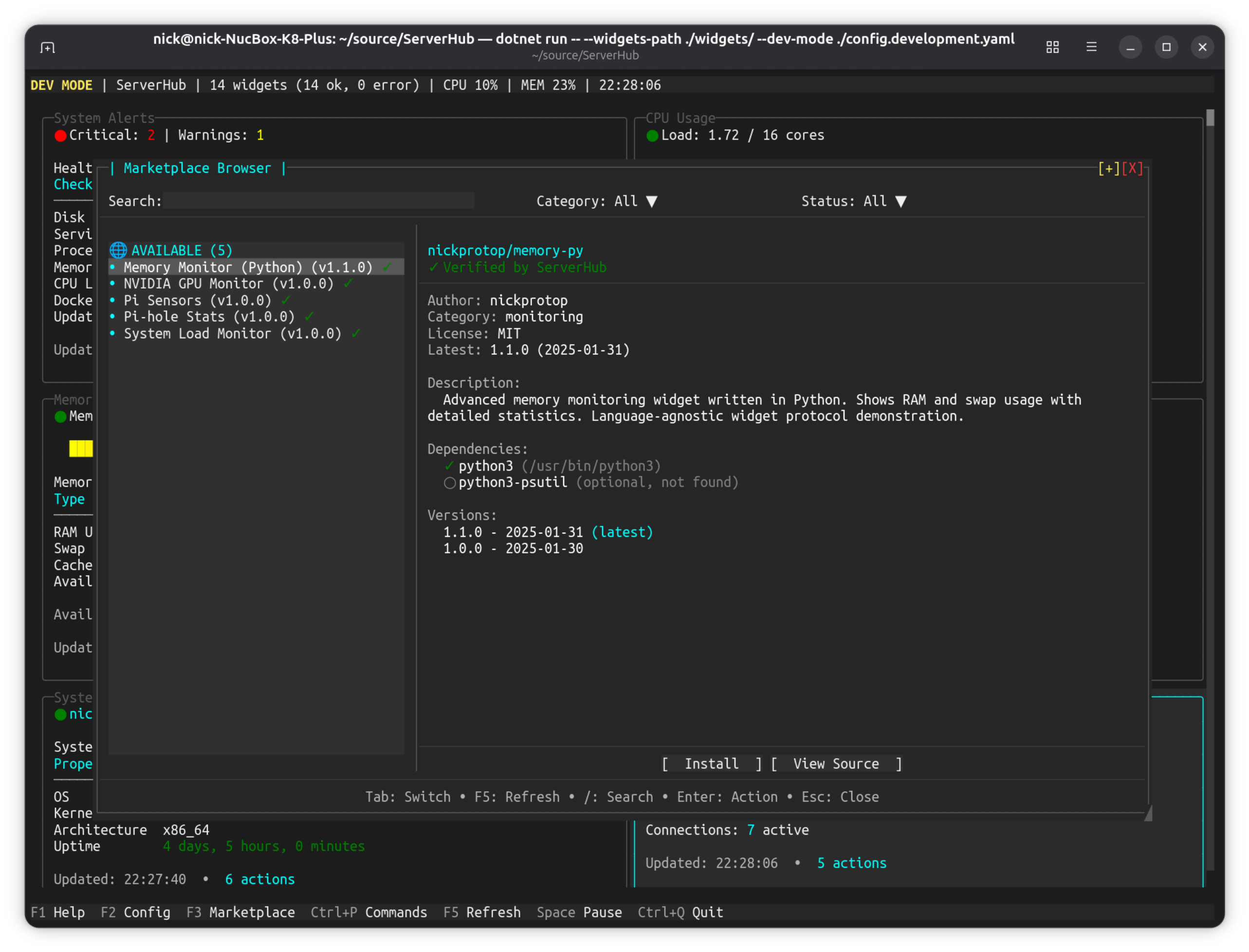
Terminal-based control panel for Linux servers and homelabs with 14 bundled widgets for monitoring CPU, memory, disk, network, Docker containers, systemd services, and more.
Key Features:
- Real-time system monitoring dashboard
- Widget-based architecture with 14 built-in widgets
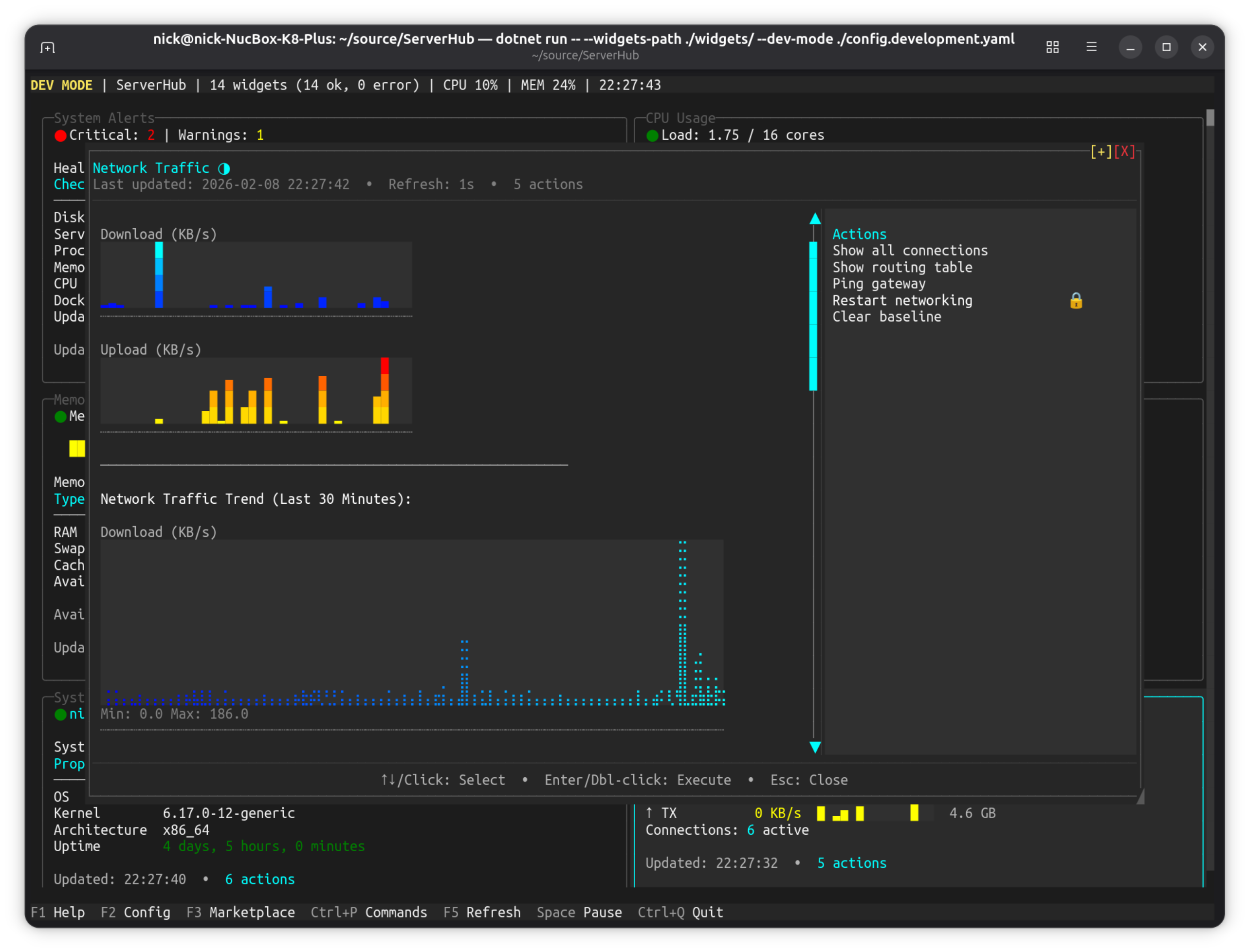
- Network traffic visualization with historical trends
- Widget browser with search and filtering
- Custom widget support (any language)
- Context-aware actions system
SharpConsoleUI features on show:
SparklineControlandLineGraphControlhistory across the monitoring widgets- A widget grid that reflows with terminal width, each widget its own composed panel
- Modal dialogs throughout, for widget config, actions and confirmations
PromptControlandDropdownControlinputs in the widget browser's search and filters- Live metric polling on an async window thread, with toast notifications for threshold alerts
| Main Dashboard | Network Traffic | Widget Browser |
|---|---|---|
|
 |
 |
LazyNuGet#
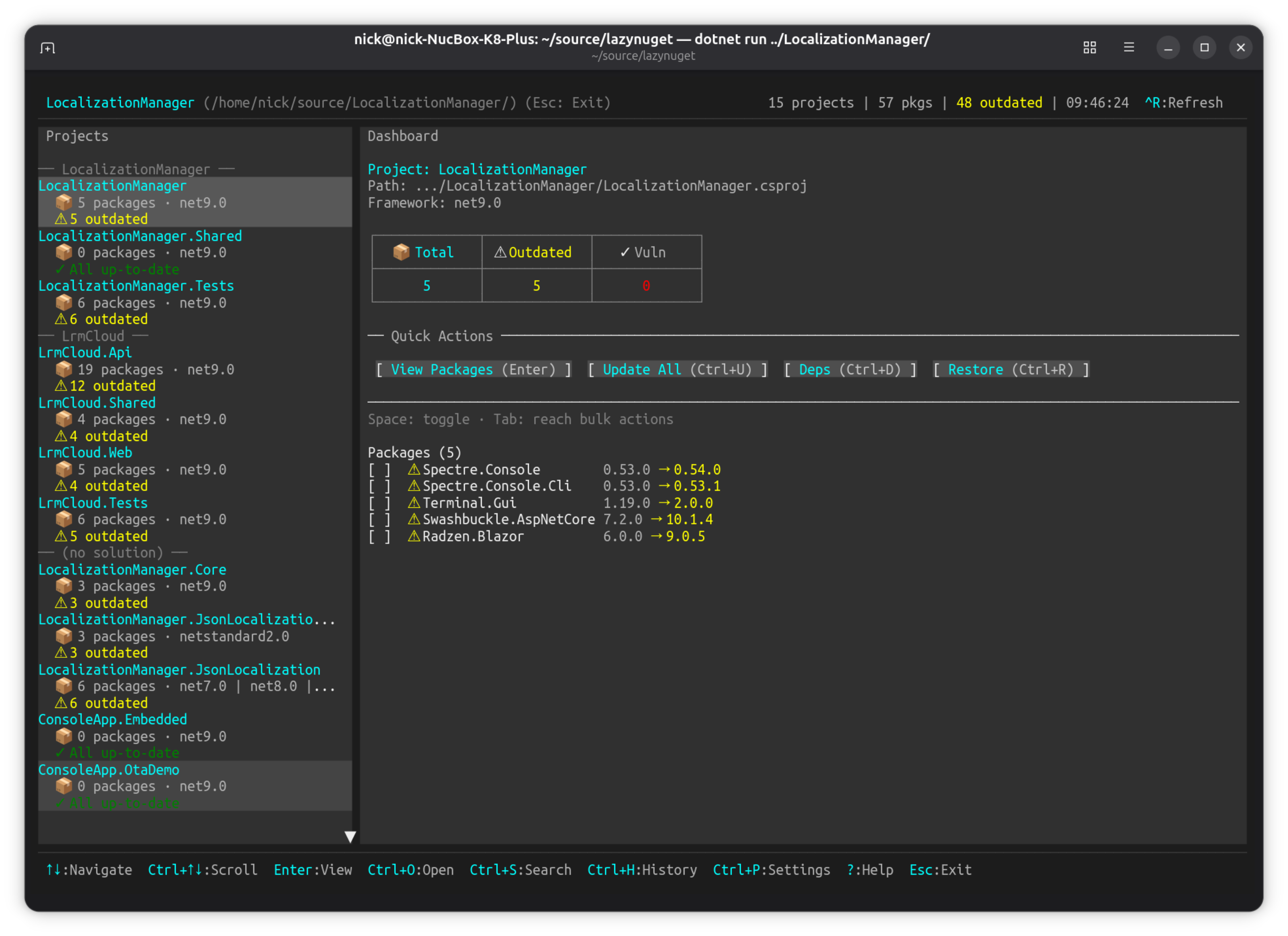
A lazygit-inspired terminal UI for managing NuGet packages across .NET solutions.
Project: github.com/nickprotop/lazynuget
Keyboard-driven TUI for browsing projects, checking for updates, installing/removing/updating packages, searching NuGet.org, and managing multiple package sources. Cross-platform (Windows, Linux, macOS).
Key Features:
- Interactive dashboard with project and package browsing
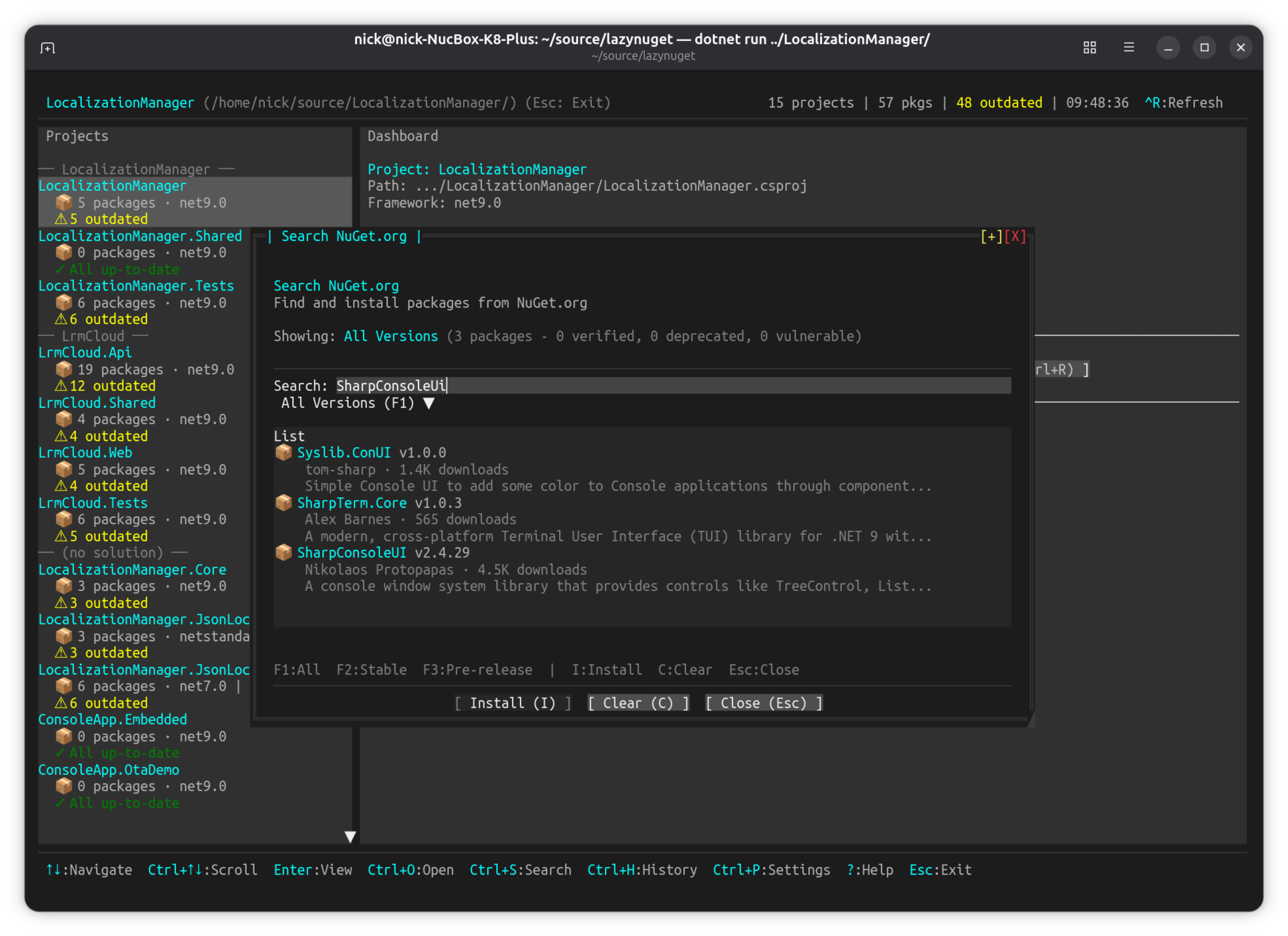
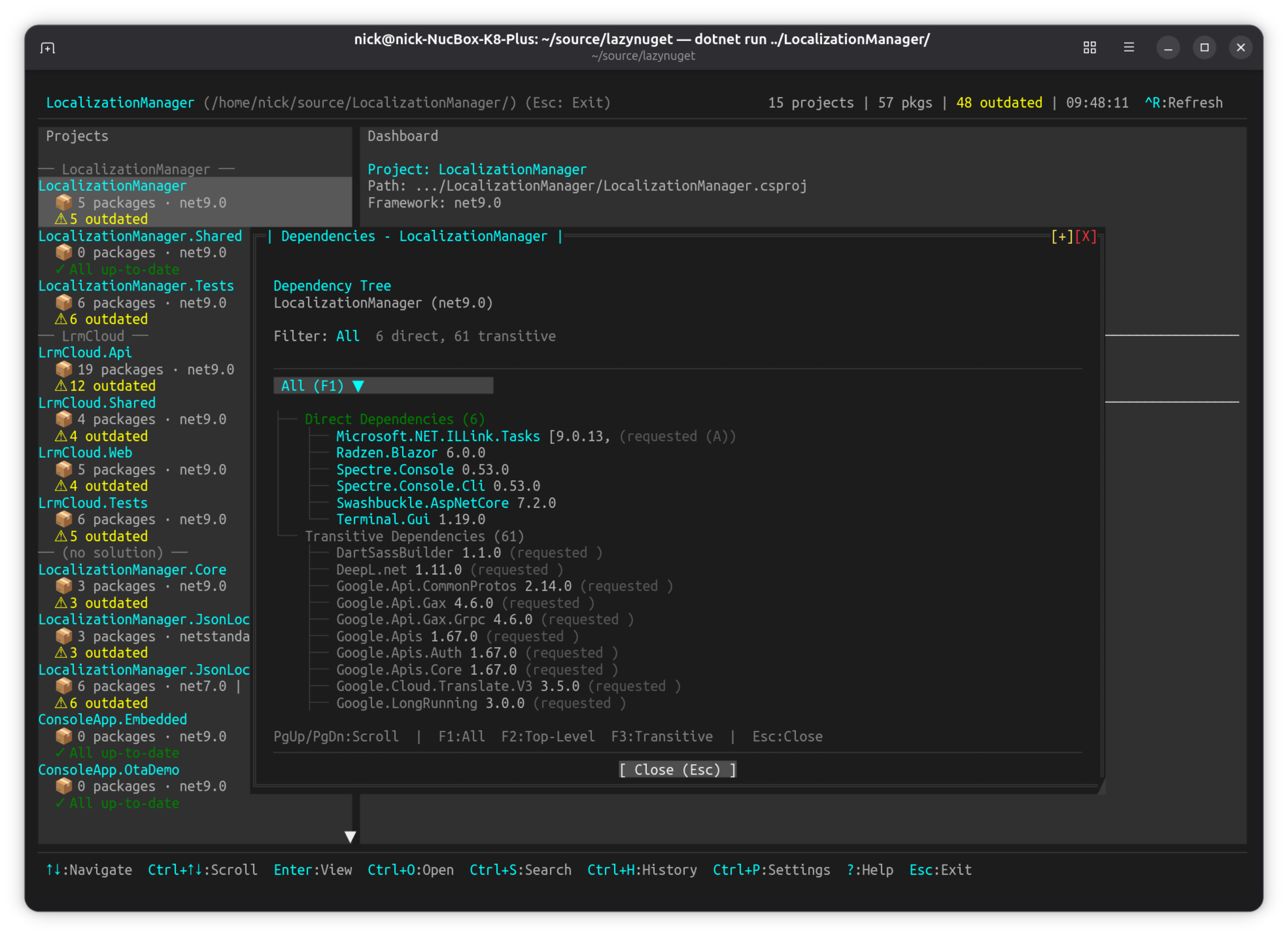
- NuGet.org search with package details and dependency trees
- Update strategies (latest stable, latest including prerelease, by constraint)
- Multi-source support with credential management
- CPM (Central Package Management) migration wizard
- Operation history with undo support
SharpConsoleUI features on show:
TabControlviews over aScrollablePanelControlpackage list, with aToolbarControland a status barDropdownControlpickers for sources and update strategies, in portal flyouts- Modal dialogs (
AsModal) for confirmations and the CPM wizard, plus the built-in folder picker - Toast notifications and a
ProgressBarControlfor restore/update operations - A long-running package scan on an async window thread, leaving the UI responsive
| Dashboard | Search NuGet.org | Dependency Tree |
|---|---|---|
|
 |
 |
LazyDotIDE#
A lightweight console-based .NET IDE with LSP IntelliSense.
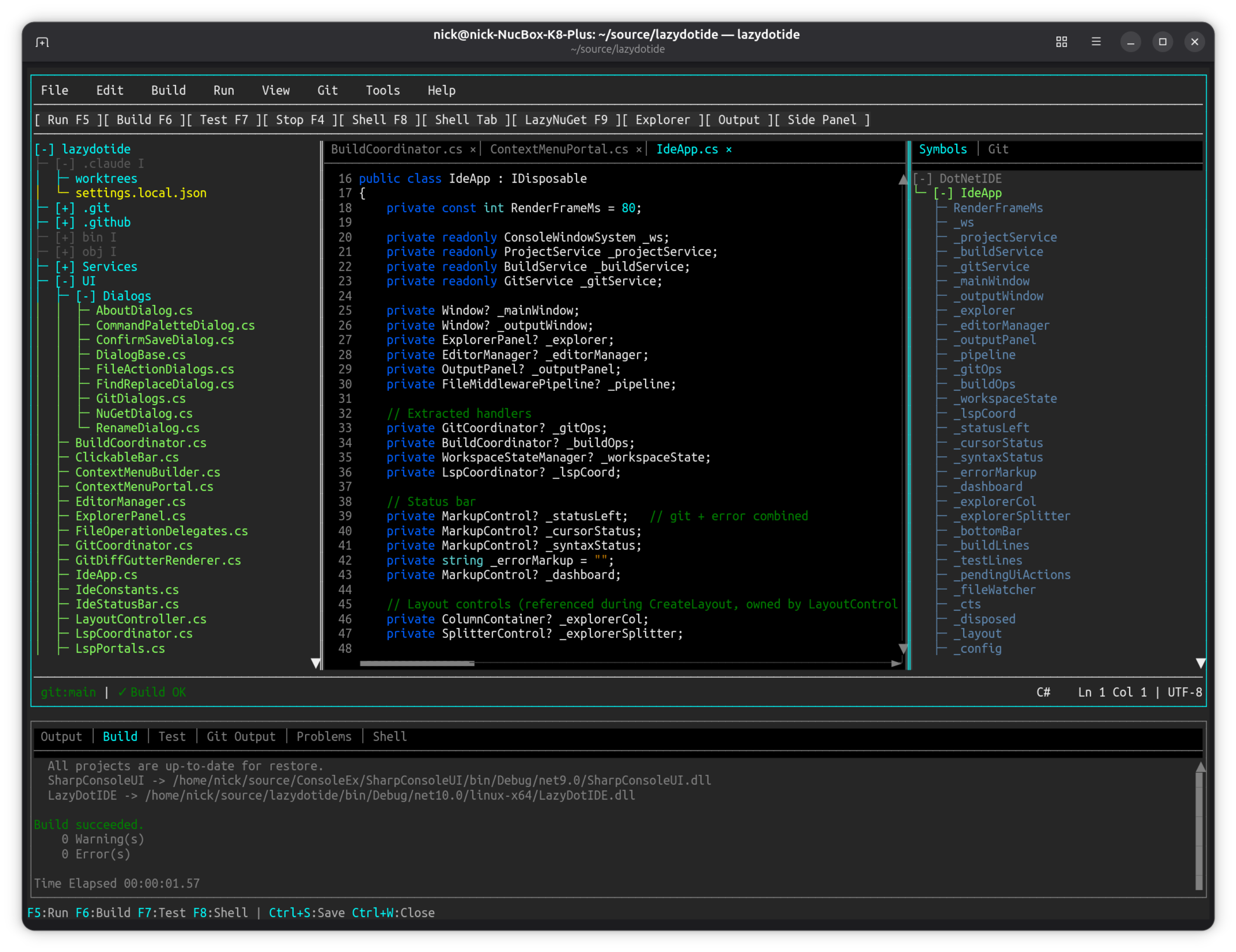
Project: github.com/nickprotop/lazydotide
Console-based .NET IDE with LSP-powered IntelliSense, built-in terminal, and git integration. Works over SSH, in containers, anywhere you have a console.
Key Features:
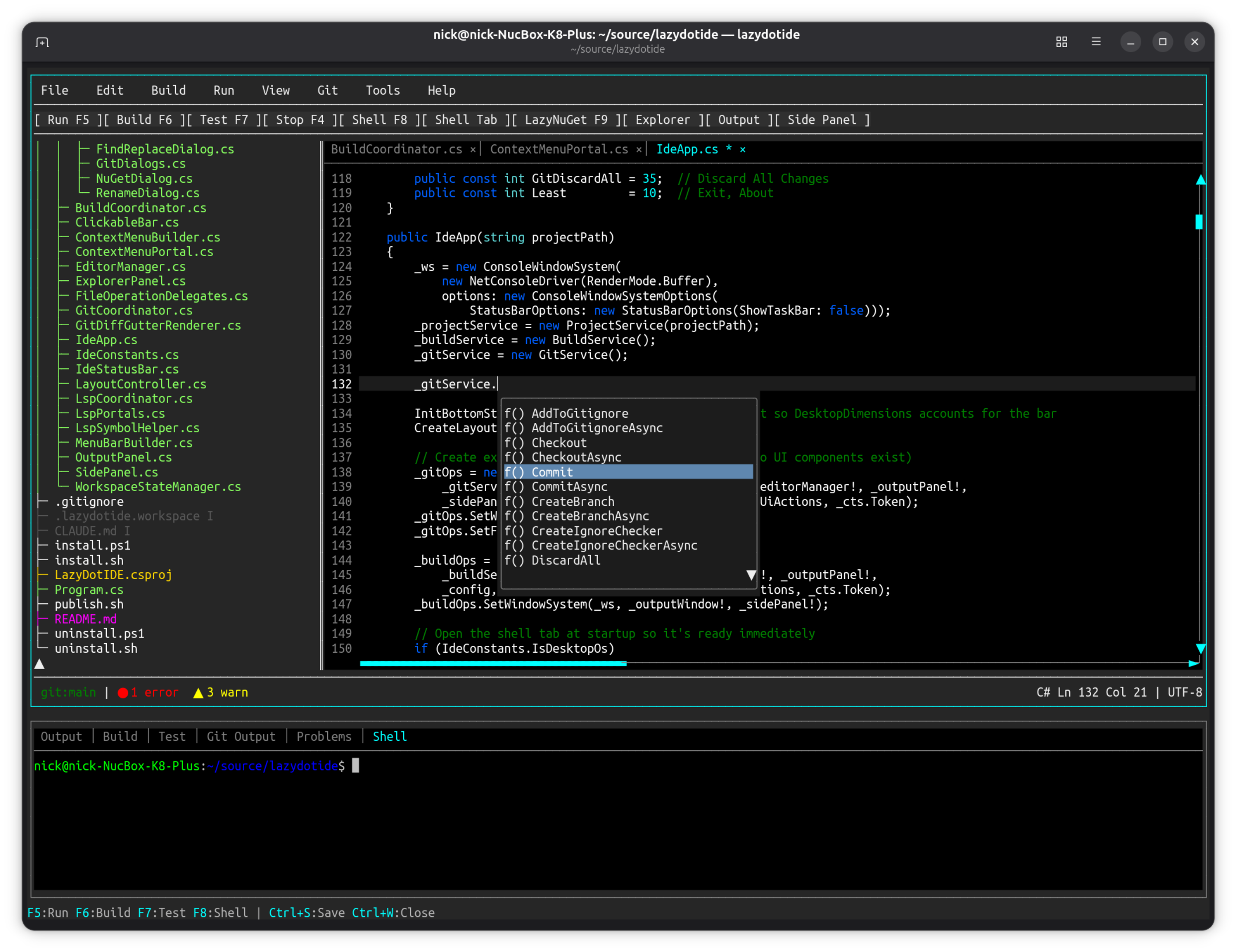
- LSP IntelliSense with code completion and diagnostics
- Built-in terminal emulator (PTY-based)
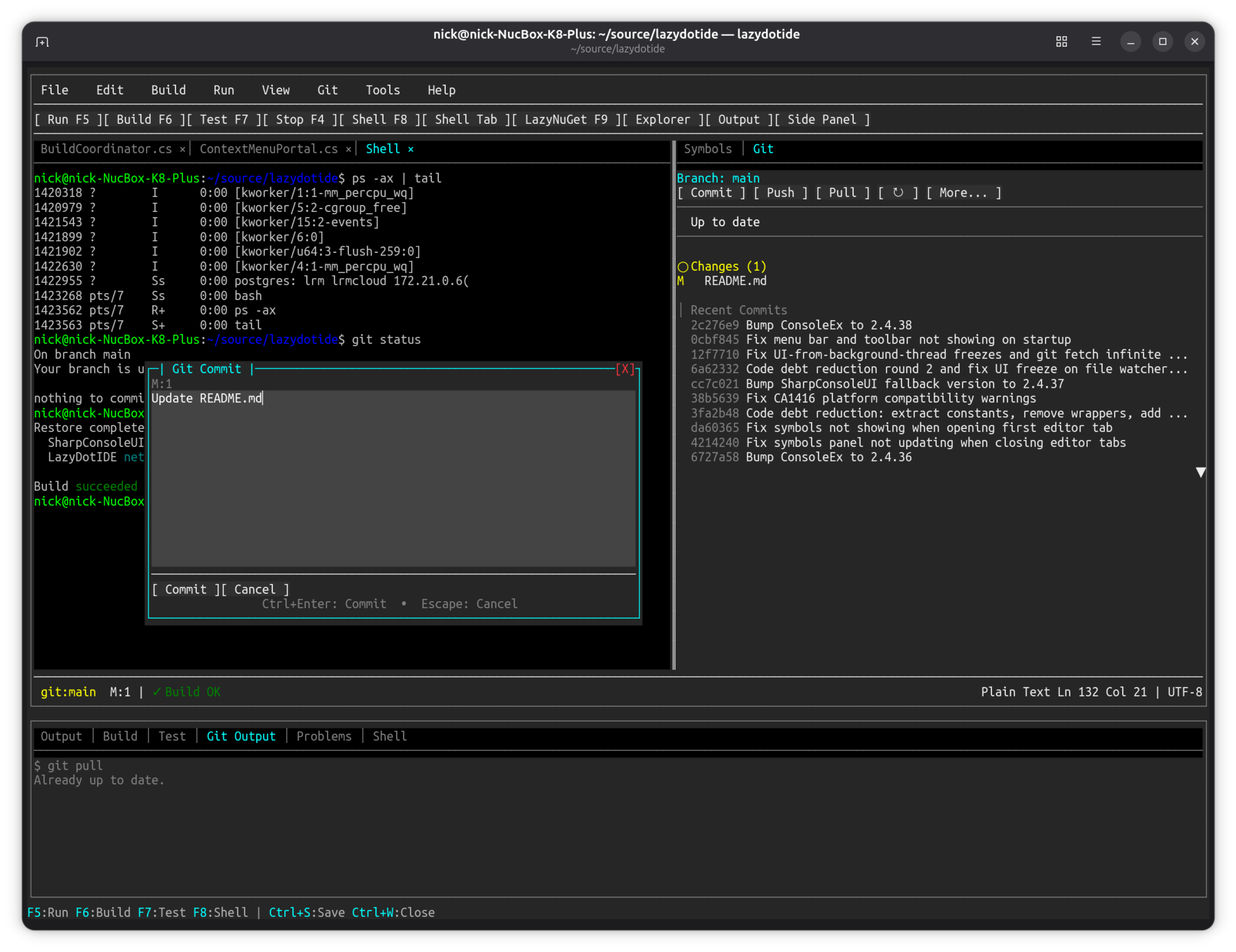
- Git integration with commit dialog and change tracking
- Multi-file editing with tab navigation
- Works over SSH and in containers
SharpConsoleUI features on show:
MultilineEditControldriven byISyntaxHighlighterimplementations — the framework's syntax-highlighting seamTerminalControl, the PTY-backed terminal emulator, hosted as a panel inside the IDETreeControlfile explorer beside the editor, split by draggableSplitterControls- LSP completion surfaced through portal overlays;
TabControlfor open files - Modal git dialogs (commit, discard-confirm) over the running editor
| Editor + IntelliSense | Git Integration |
|---|---|
 |
 |
Showcase Examples#
The best visual demonstrations of SharpConsoleUI capabilities, ordered by impact.
WebHost — a terminal UI in a browser, with no terminal#
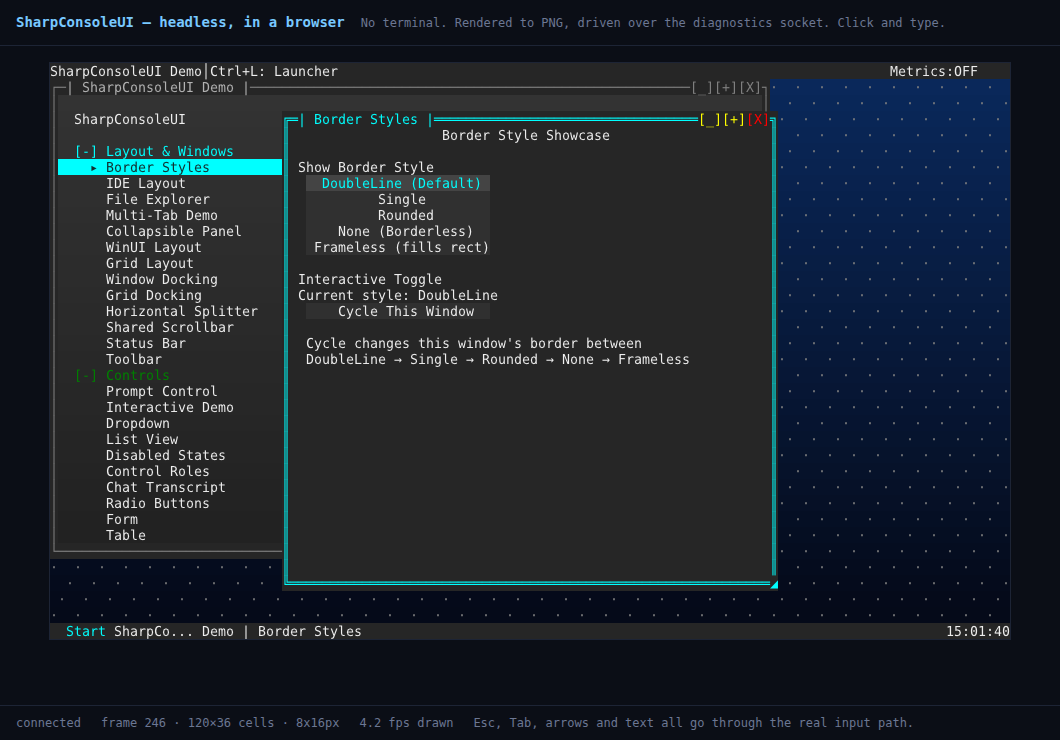
dotnet run --project Examples/WebHost # then http://127.0.0.1:5088
That screenshot is a web browser. The application inside it is DemoApp —
the same one below, unmodified — running on HeadlessConsoleDriver with no
terminal anywhere. Each frame is rendered to PNG and served over HTTP; clicks and keystrokes
go back through the same input dispatch a real keypress takes.
Both windows in the shot were opened by clicking in the browser. Window management, focus, hit-testing and the taskbar all behave exactly as they do on a tty, because they are the same code reaching the same decisions — only the final surface changed.
Key Features:
- DemoApp is not adapted: the host calls the same two methods
DemoApp.Maincalls - The web layer reaches the application only through its diagnostics socket, so it would work unchanged against an app in another process that someone else started
- Browser clicks translated to cell coordinates, keys to tmux notation (
Down,C-c,S-Tab) - The browser window can resize the application, which a real terminal driver cannot allow
- Unchanged frames cost ~29 bytes instead of 34 KB, so polling an idle UI is nearly free
Loopback only. It grants full control of the application, not a read-only view. See the example's README and Drivers for the driver story behind it.
DemoApp#
The flagship demo — six independent windows running simultaneously.
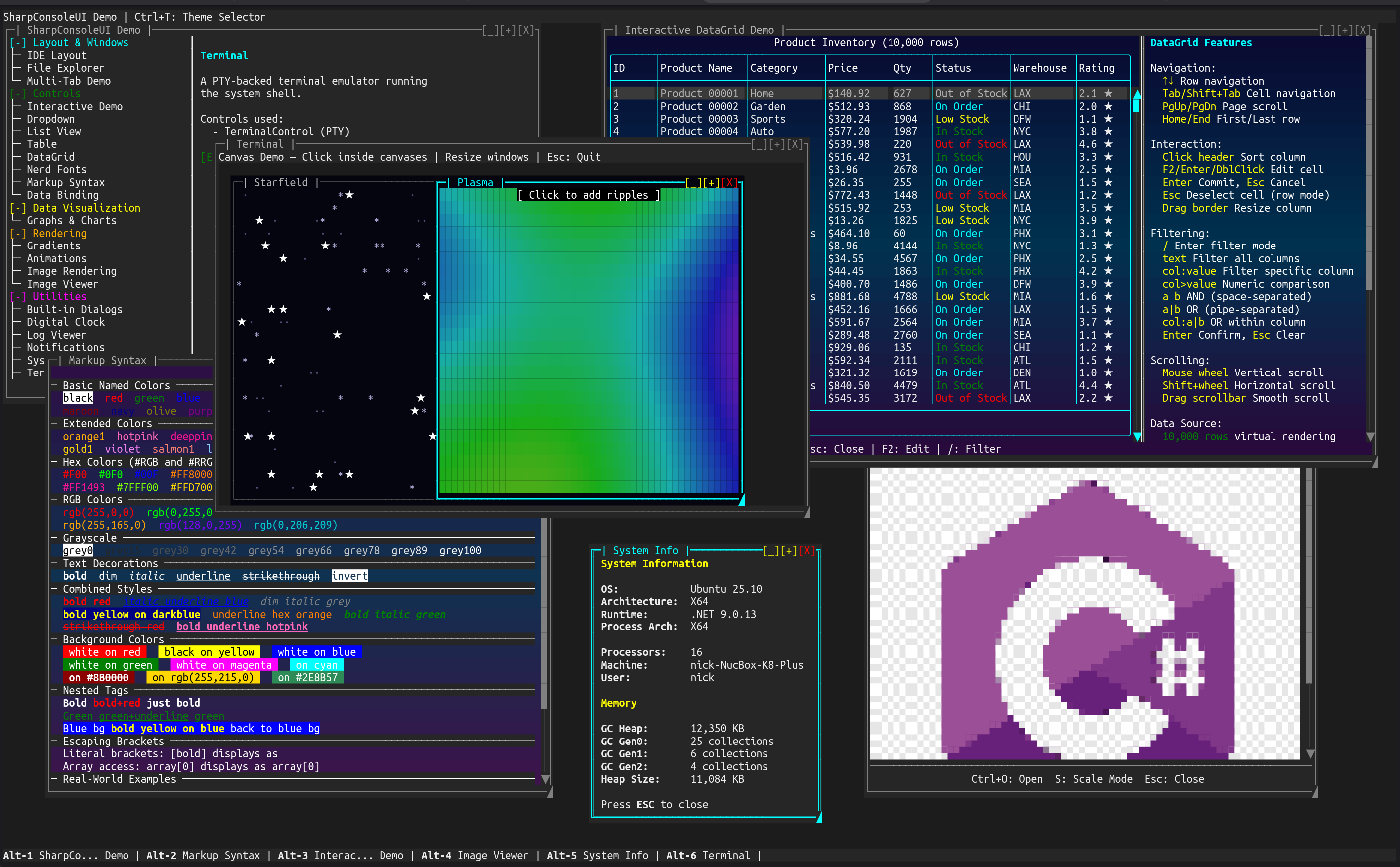
dotnet run --project Examples/DemoApp
Key Features:
- Six independent windows running simultaneously (Terminal, Canvas, DataGrid, System Info, Image Viewer, and the launcher)
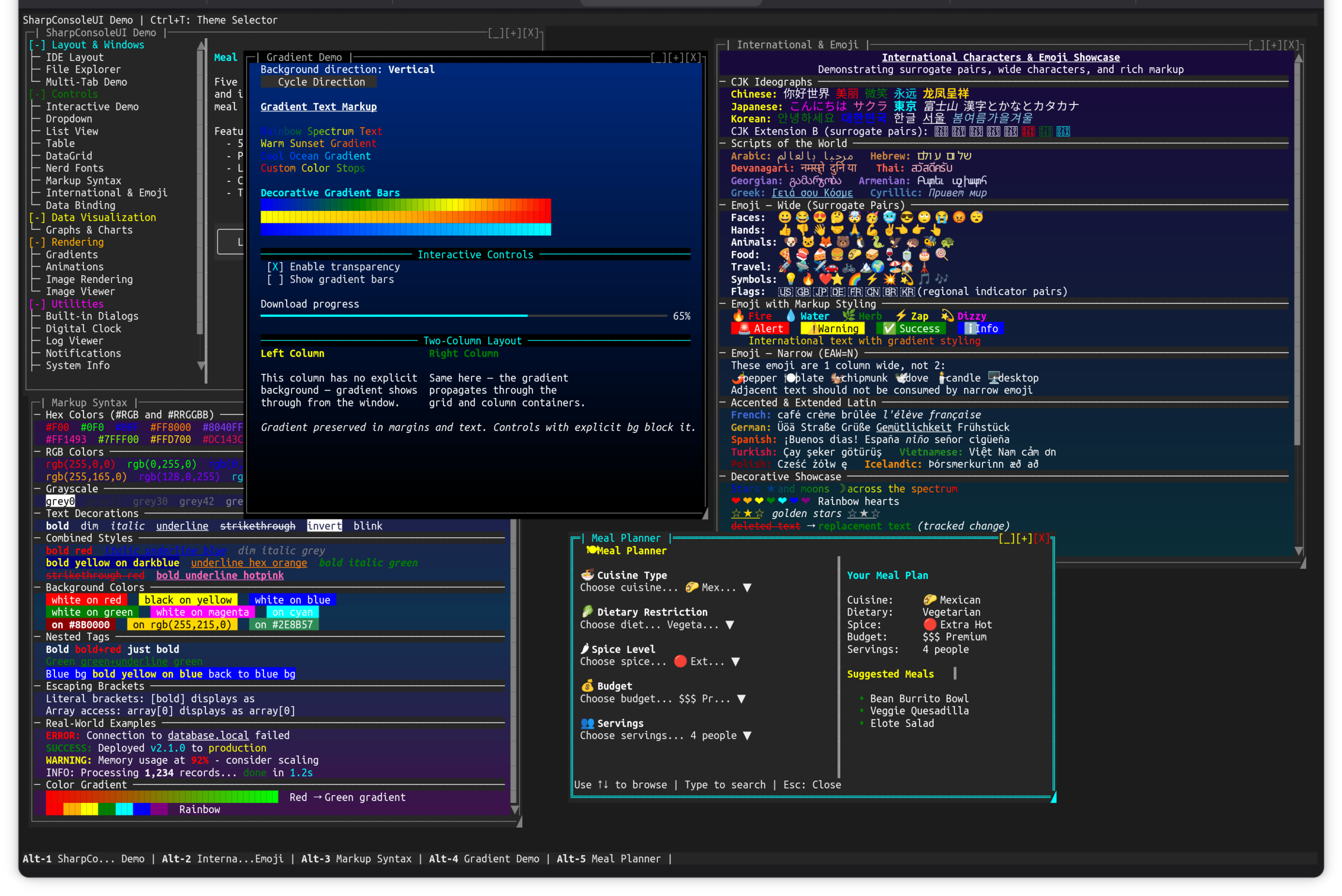
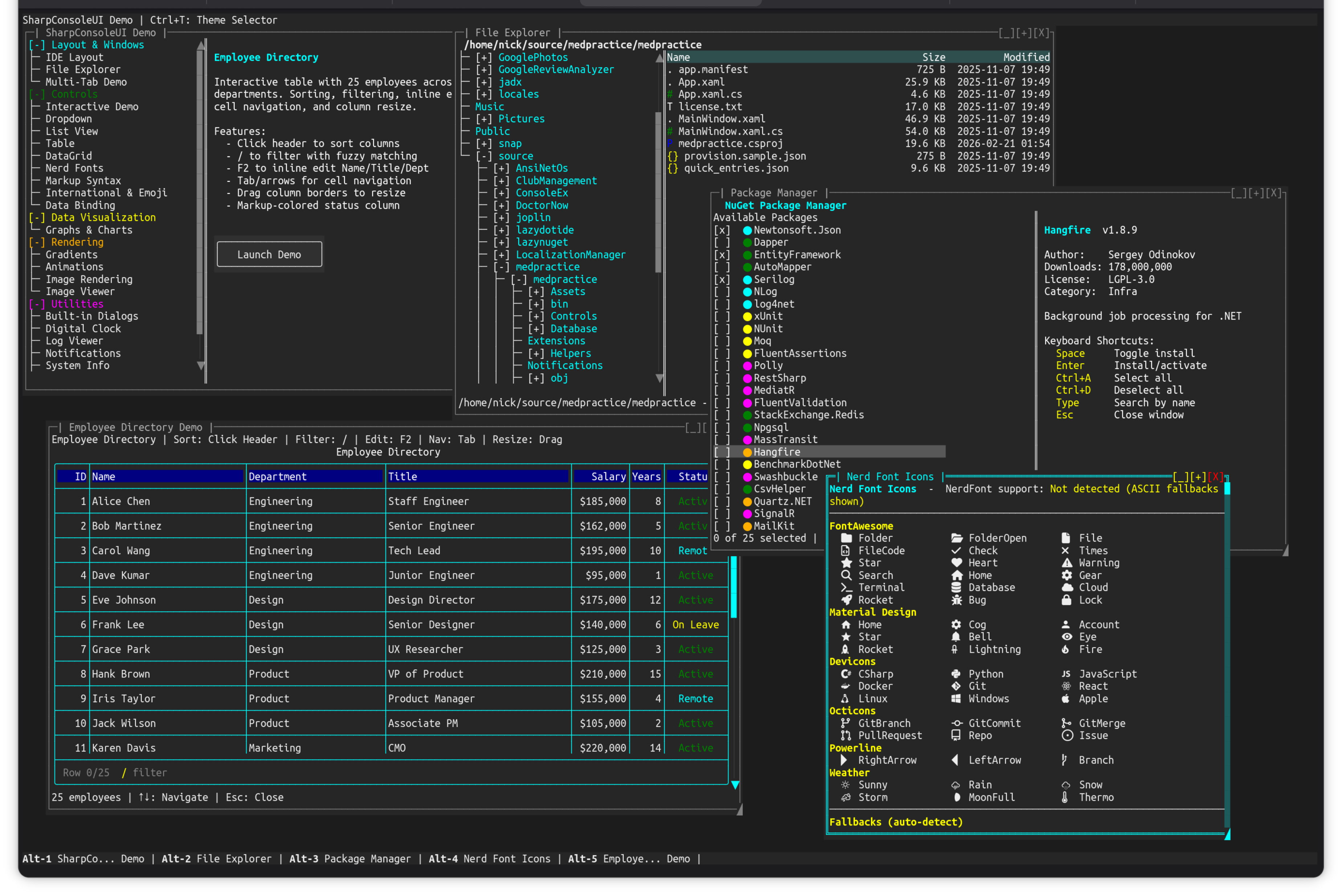
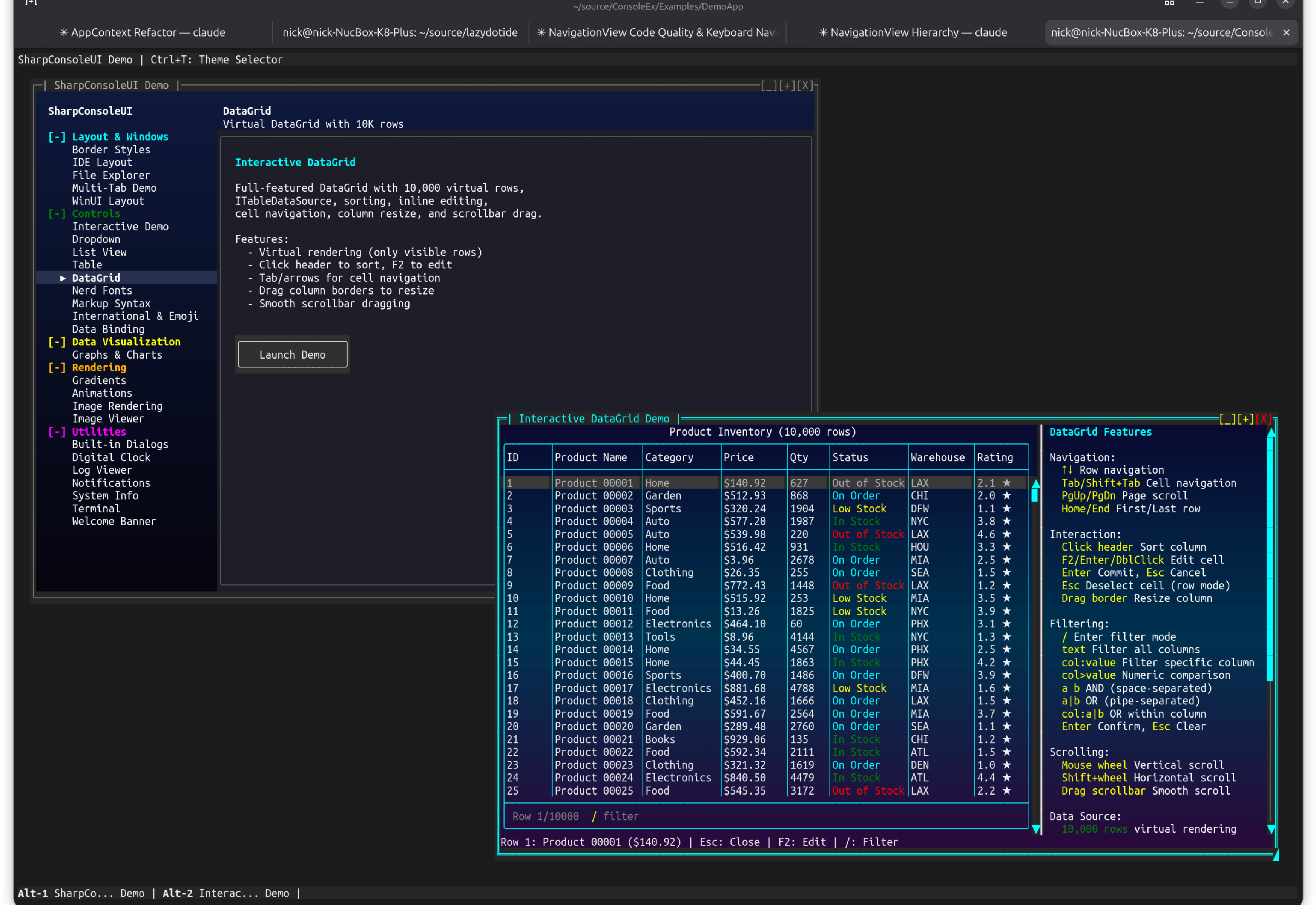
TerminalControlwith PTY-backed shellCanvasControlwith interactive starfield and plasma effectsTableControl(DataGrid) with 10,000 virtual rows, sorting, filtering, and cell editingImageControlrendering images directly in the terminal- Full markup syntax showcase with colors, decorations, and gradients
- Markdown page — the
[markdown]tag rendering headings, lists, tables, blockquotes, and syntax-highlighted code blocks as native markup - IDE Layout page —
MultilineEditControlwith syntax highlighting (SyntaxHighlighters.For("csharp")/"markdown") - Async window threads with
CancellationToken - Theme switching and window taskbar navigation
Controls: Ctrl+O to open demo windows, Alt+1-6 to switch
| Markup, Gradients & International Text | File Explorer, DataGrid & Package Manager | NavigationView Launcher |
|---|---|---|
 |
 |
 |
NavigationViewDemo#
Full-screen desktop-style application using the NavigationView pattern — the same sidebar + content layout found in native GUI frameworks like WinUI, GTK, and Qt.
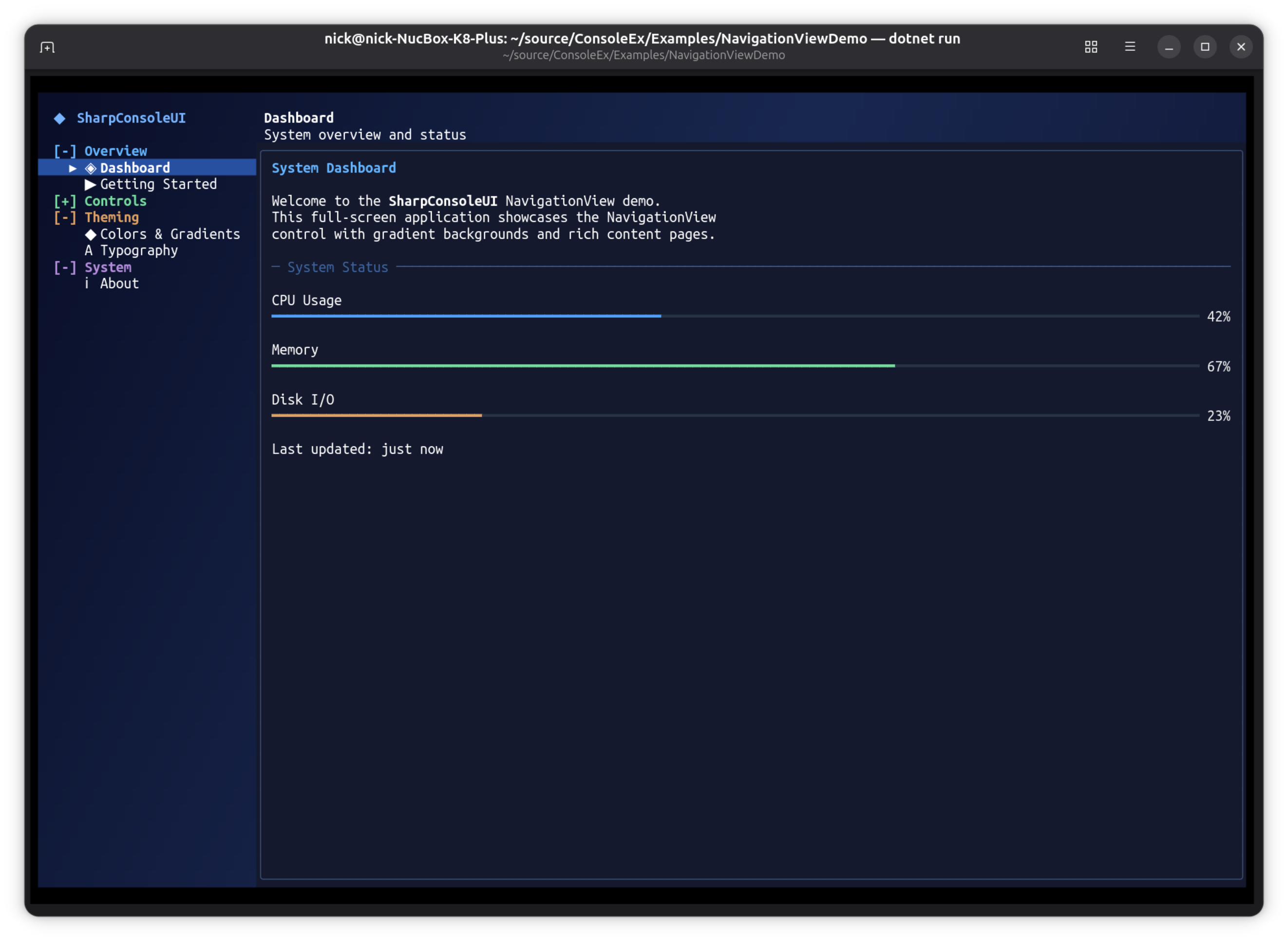
dotnet run --project Examples/NavigationViewDemo
This example demonstrates that SharpConsoleUI applications aren't limited to traditional terminal utilities. The NavigationView pattern produces applications that look and behave like native desktop software — with a navigation sidebar, content switching, gradient backgrounds, and rich interactive controls — the only difference is that every pixel is a character cell rendered in the terminal.
Key Features:
- Full-screen borderless window with diagonal gradient background
- Responsive NavigationView with WinUI-inspired display modes (Expanded, Compact, Minimal)
- NavigationView with collapsible header groups and content switching
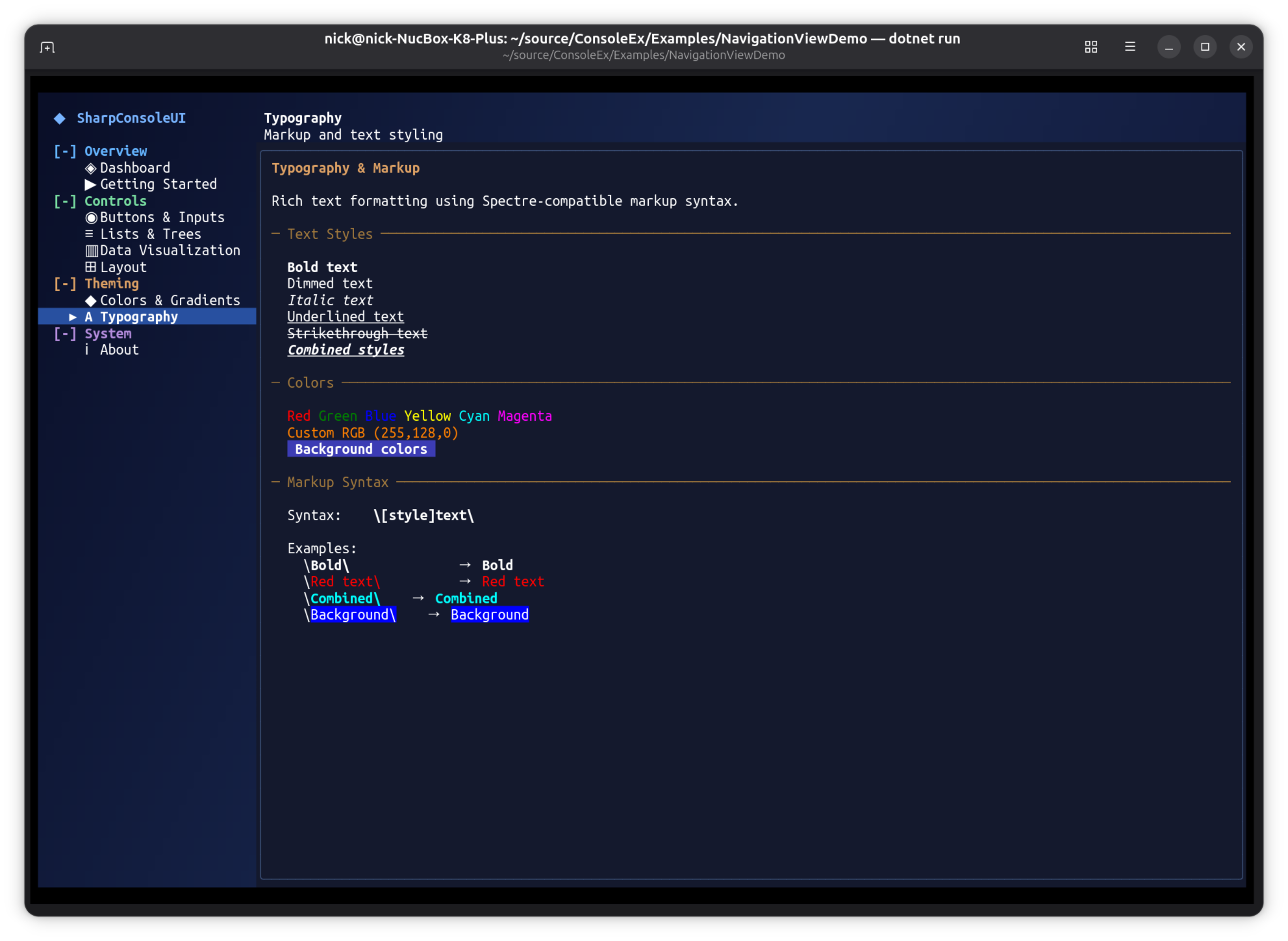
- 9 content pages: Dashboard, Getting Started, Buttons & Inputs, Lists & Trees, Data Visualization, Layout, Colors & Gradients, Typography, About
- Interactive controls: progress bars, sparklines, bar graphs, checkboxes, buttons, lists, trees, text input
- Keyboard-driven navigation (Tab, arrows, Enter) and mouse support
- Works on Windows, Linux, and macOS — anywhere you have a terminal
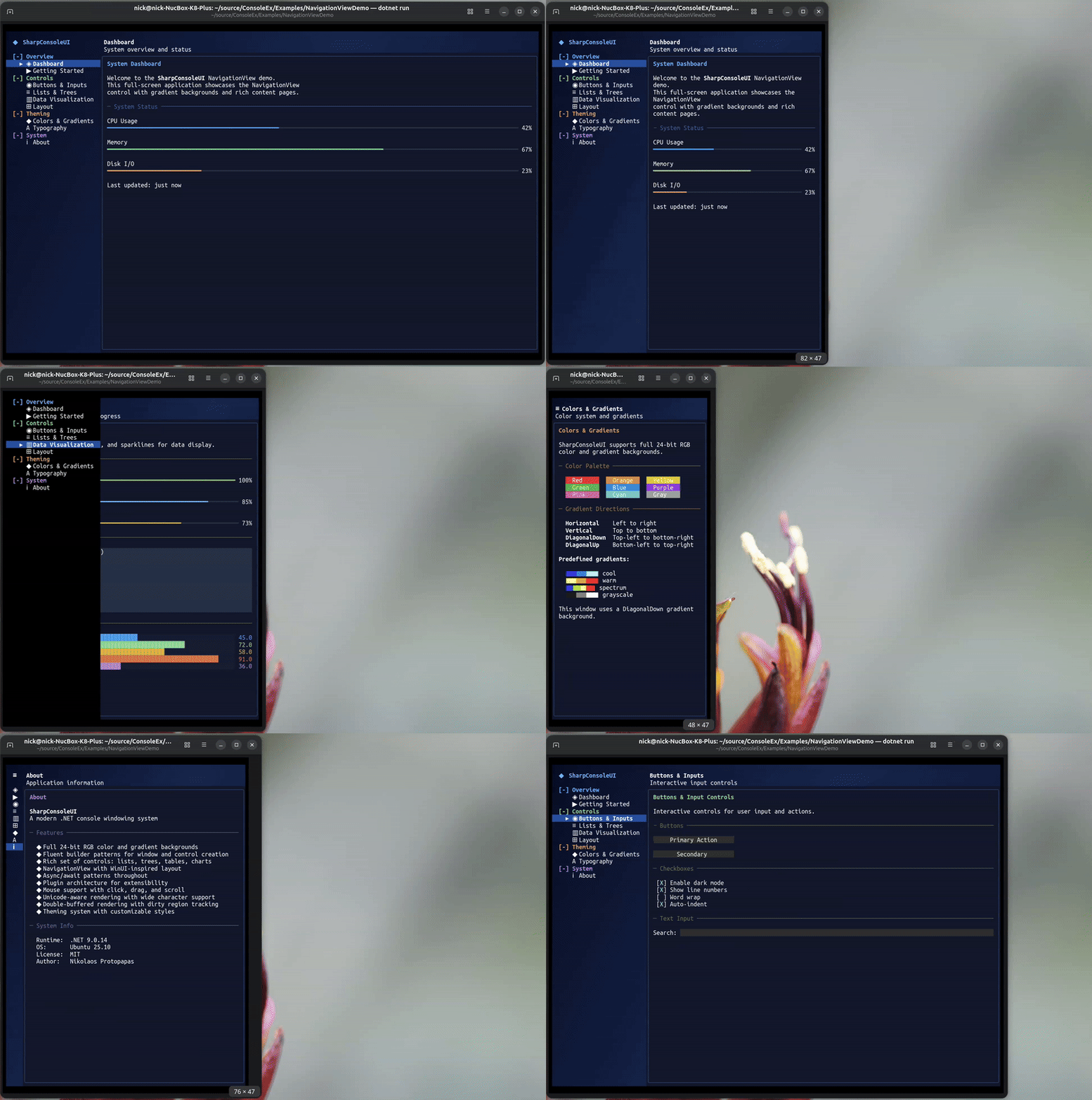
Responsive Navigation
The NavigationView automatically adapts to the terminal width — full nav pane at wide sizes, icon-only with hamburger at medium, and hidden with overlay at narrow:
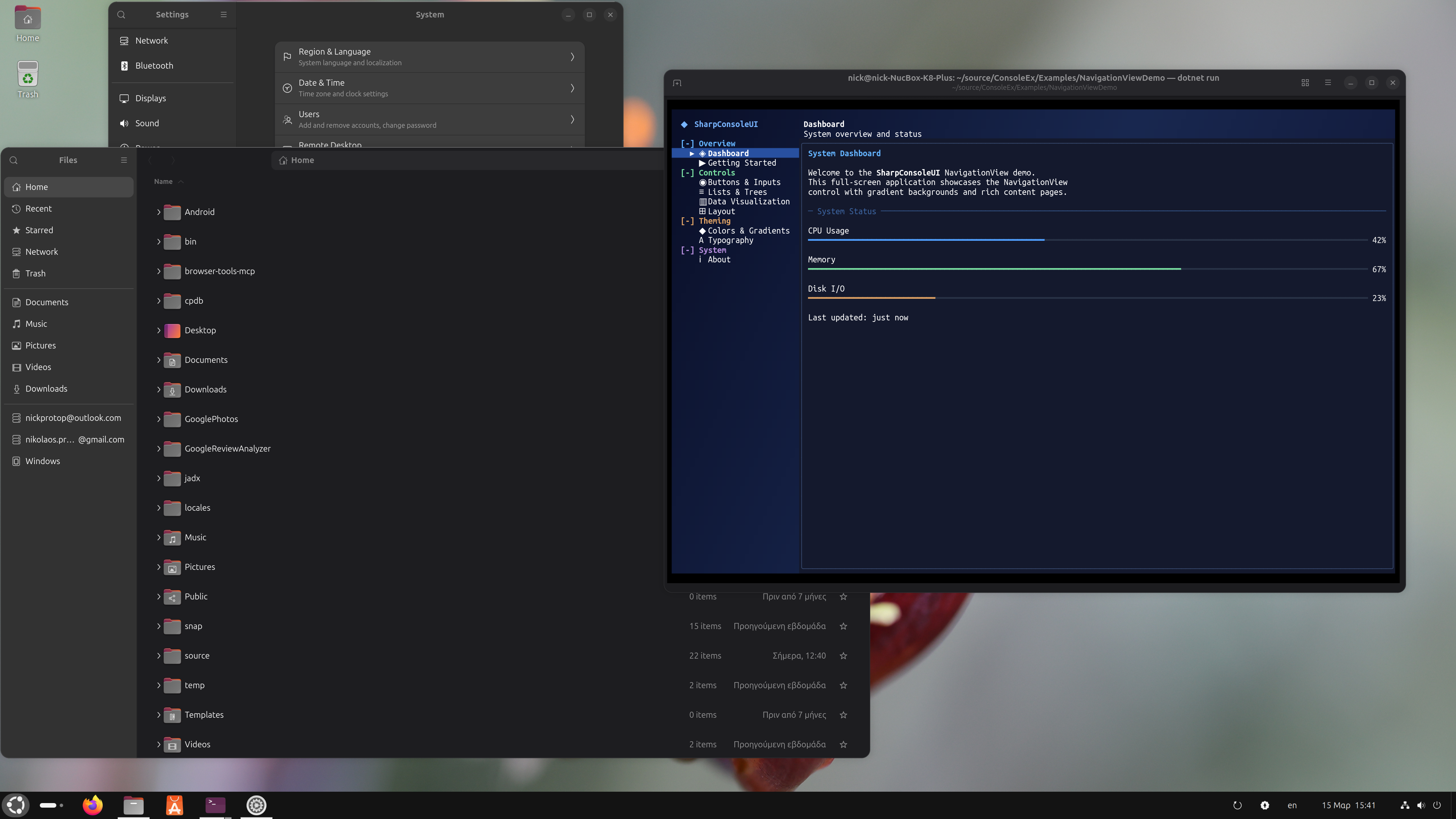 The same NavigationView pattern used by GNOME Settings, rendered entirely in the terminal.
| Dashboard | Typography |
|---|---|
|
 |
CanvasDemo#
Three animated windows showcasing the CanvasControl drawing surface with real-time graphics.
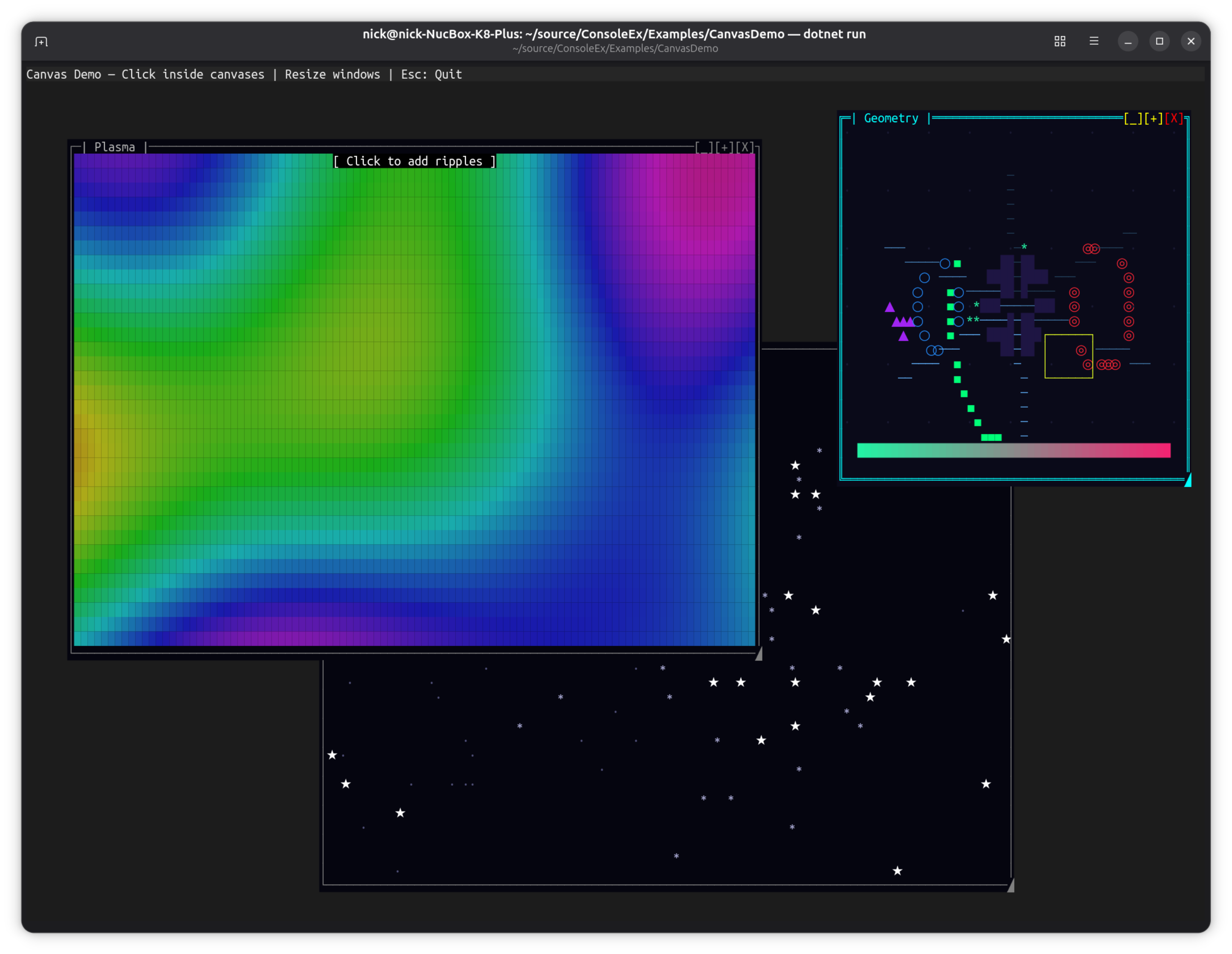
dotnet run --project Examples/CanvasDemo
Key Features:
- Starfield: 120 stars in 3 parallax layers with particle bursts on click
- Plasma: Per-cell HSV sine plasma with expanding ripple effects on click, combined retained + event-driven painting
- Geometry: Rotating polygon, orbiting triangle, pulsing circles, breathing ellipse, sweeping arc, radiating lines, bouncing box, gradient bar, expanding ring effects on click
APIs Demonstrated:
CanvasControlwithBeginPaint()/EndPaint()(retained mode)Paintevent withCanvasGraphics(immediate mode)- Combined retained + event overlay painting
AutoSizewithStretch/Fillfor responsive canvases- Canvas-local mouse click events (
CanvasMouseClick) - Full
CanvasGraphicsAPI: circles, polygons, gradients, ellipses, arcs, lines, text
Controls: Click inside canvases for interactive effects, resize windows, Esc to quit
Alpha Blending Demo#
Real-time Porter-Duff alpha compositing showcase with a live cycling gradient background.
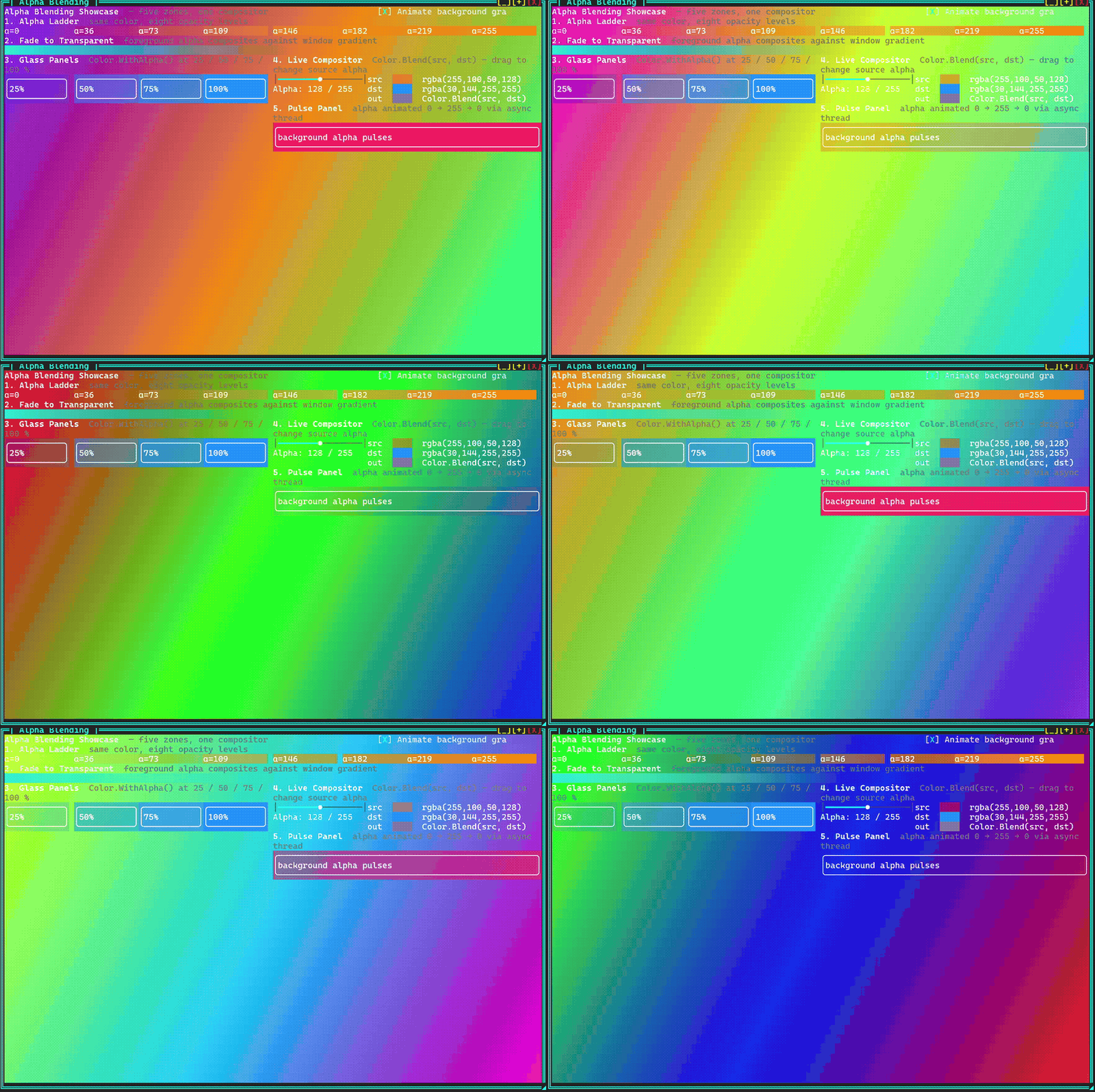
dotnet run --project Examples/DemoApp
# Navigate to Rendering → Alpha Blending
Five zones demonstrate every level of the alpha pipeline against a continuously cycling full-spectrum gradient (three hues 120° apart rotating through the color wheel every ~12 s):
| Zone | What it shows |
|---|---|
| Alpha Ladder | Eight panels, same orange hue, alpha 0 → 255. Each panel background composites over the live gradient — fully transparent at α=0, fully opaque at α=255. |
| Fade to Transparent | 60 █ block characters with foreground alpha stepping 255 → 0. Foreground blends against the resolved background, so the blocks dissolve into the gradient rather than fading to white. |
| Glass Panels | Four bordered panels at 25 / 50 / 75 / 100 % opacity. The gradient shows through each panel proportionally. |
| Live Compositor | Interactive Color.Blend(src, dst) visualiser — drag the slider to change source alpha and watch the blended swatch update in real time. |
| Pulse Panel | Background alpha animated 0 → 255 → 0 via a sine wave in an async window thread. |
APIs Demonstrated:
Color.Blend()— Porter-Duff "over" compositingColorGradient.FromColors()with time-varying hues for a smooth color-wheel cycleScrollablePanelwith semi-transparentBackgroundColor(glass effect)SliderControlwired to a liveMarkupControlpreview- Markup inline alpha:
[#RRGGBBAA]text[/] WithAsyncWindowThreaddriving animation at 20 fps
HighFreqDemo#
Multi-frequency update showcase with various control update rates.
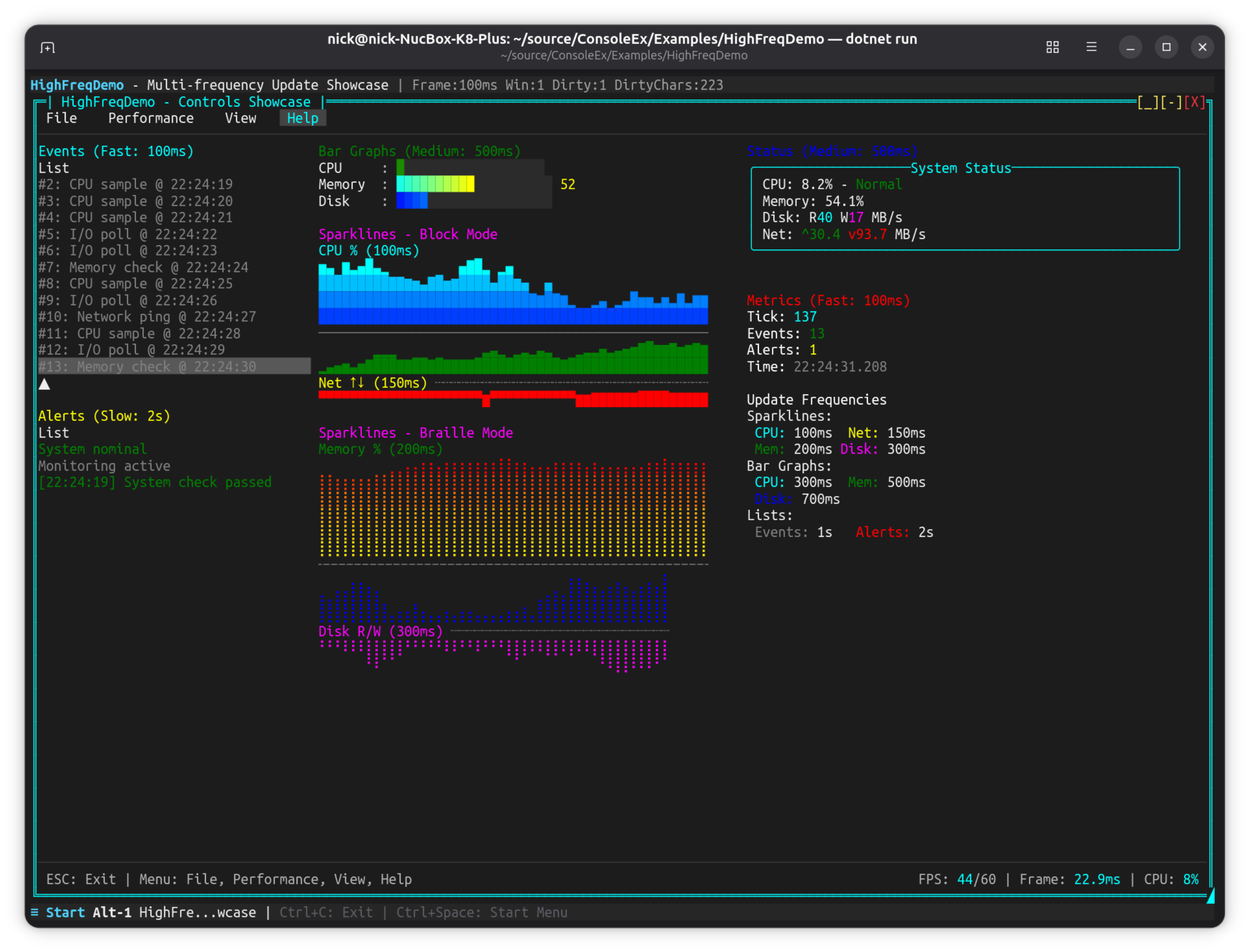
dotnet run --project Examples/HighFreqDemo
Key Features:
- Controls updating at different frequencies (100ms to 2s)
- Sparkline controls (Block, Braille, Bidirectional modes)
- Bar graph controls with smooth gradients
- ListControl for events and alerts
- Performance metrics overlay
- Menu system with frame rate controls
CompositorEffectsExample#
Compositor-style buffer manipulation — fractals, blur, particles, and wipe transitions.
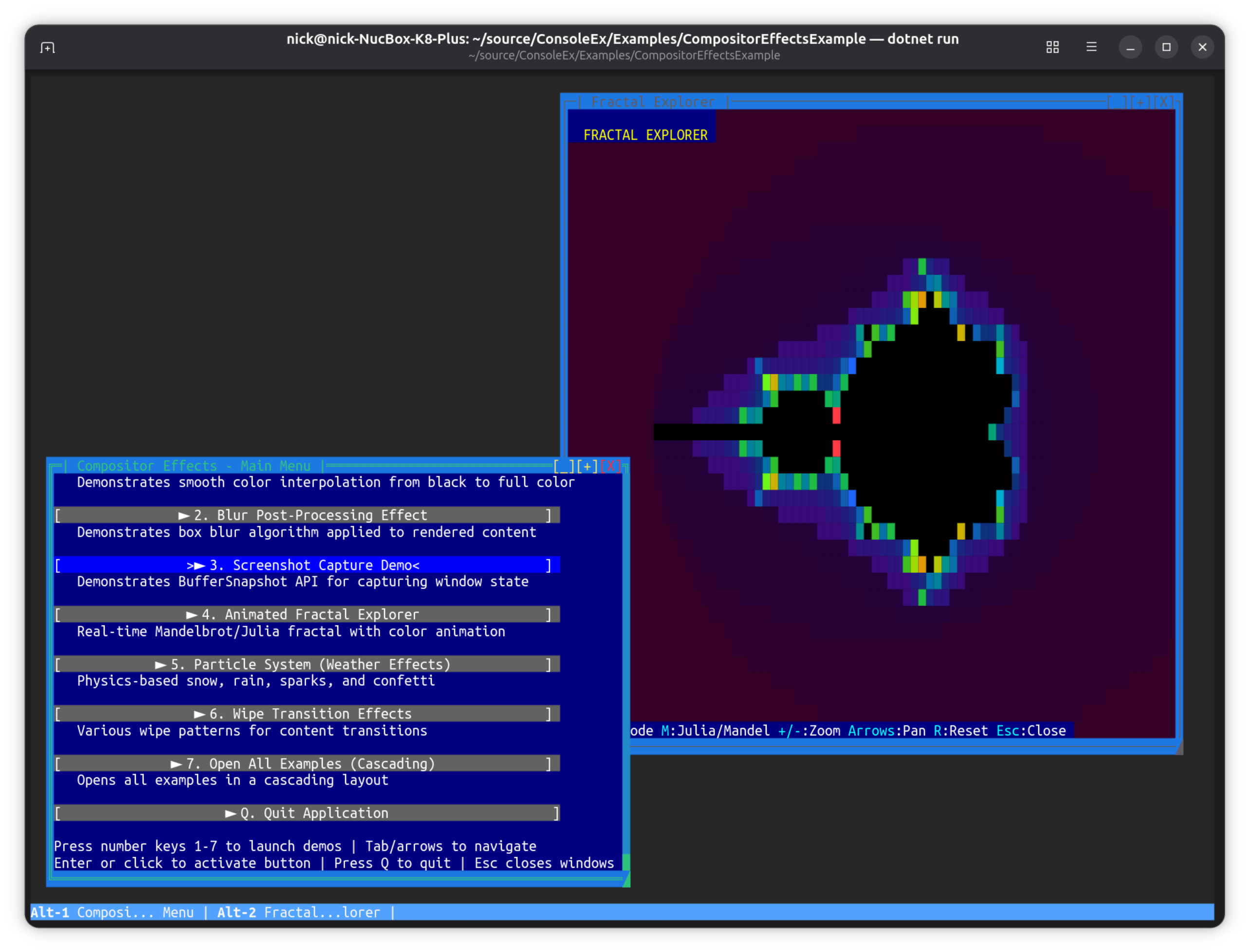
dotnet run --project Examples/CompositorEffectsExample
Key Features:
- Fade-In Effect: Smooth color interpolation using
PostBufferPaint - Blur Effect: Box blur post-processing algorithm
- Screenshot Capture:
BufferSnapshotAPI for capturing window state - Fractal Explorer: Animated Mandelbrot/Julia fractals using
PreBufferPaint
APIs Demonstrated:
PreBufferPaint- Custom backgrounds rendered before controlsPostBufferPaint- Post-processing effects after controlsBufferSnapshot- Immutable buffer captures
AgentStudio#
OpenCode-inspired TUI showcase demonstrating an AI coding agent interface aesthetic.
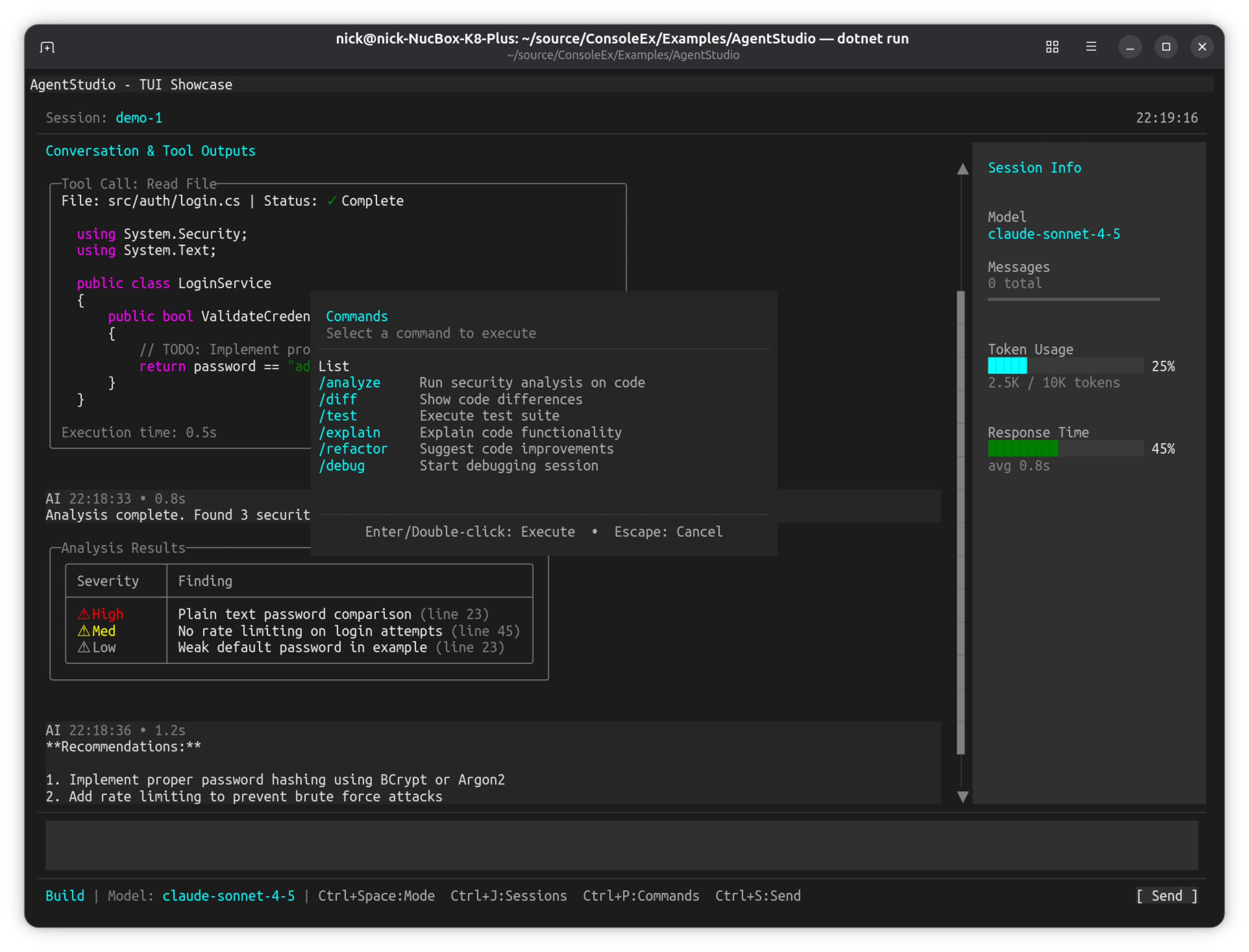
dotnet run --project Examples/AgentStudio
Key Features:
ChatTranscriptControltranscript of prompts, tool calls and streamed replies- Command palette modal (Ctrl+P) with a searchable command list
- Session Info sidebar with live
ProgressBarControltoken and latency meters - Session manager modal (Ctrl+J) built with
AsModal() - Advanced
NetConsoleDriverOptionsconfiguration and a custom window class
SharpConsoleUI features on show:
ChatTranscriptControl— a composite control that arranges markup, wrapping and scroll for a message log- Modal overlays floating above the live transcript, dismissed with Escape
- Markdown and syntax-colored code rendered inline in transcript messages, with bordered result tables
- A status bar carrying model and keybinding hints while the driver hides the chrome
SpaceInvaders#
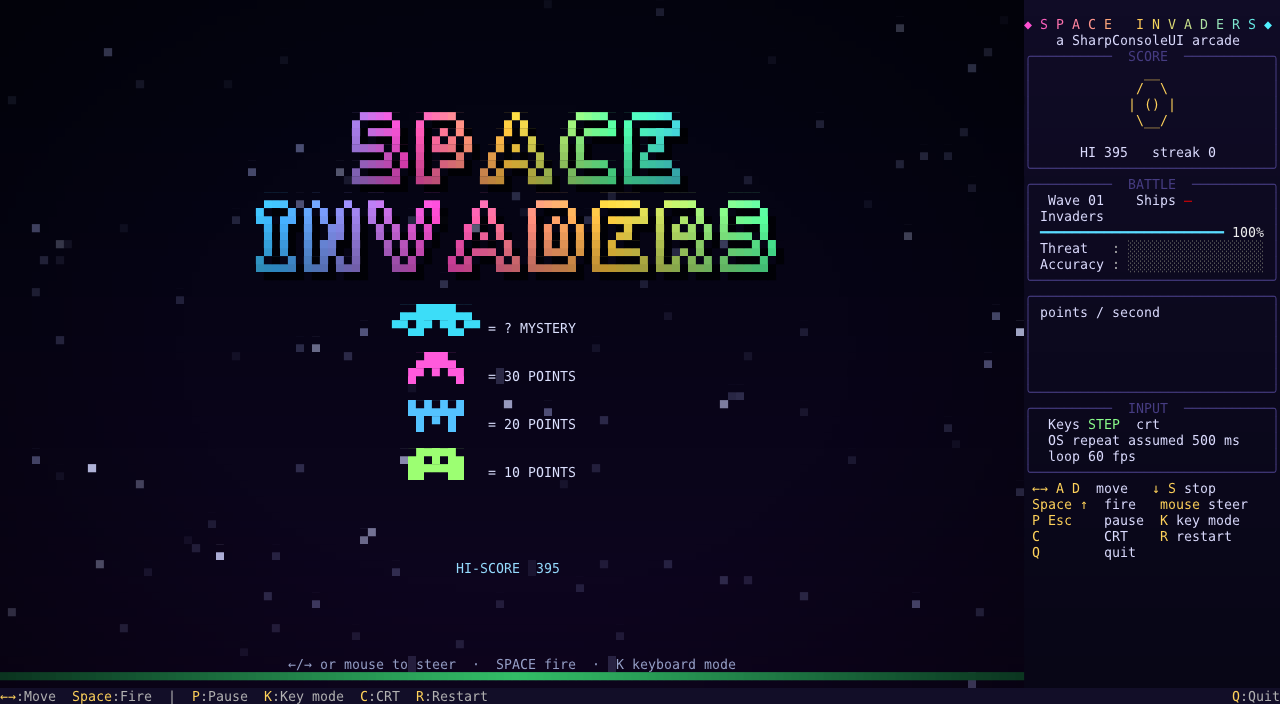
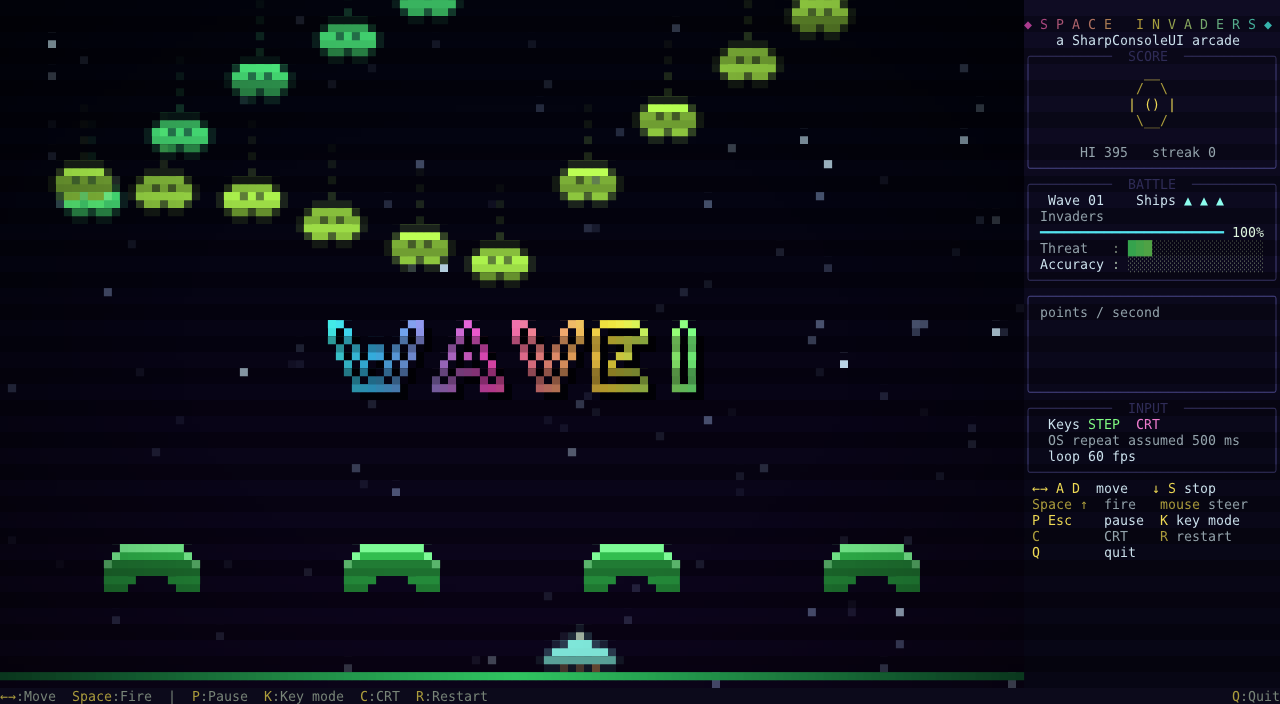
A polished arcade remake built only from SharpConsoleUI parts: half-block pixel art, particles, screen shake and a data-bound HUD.
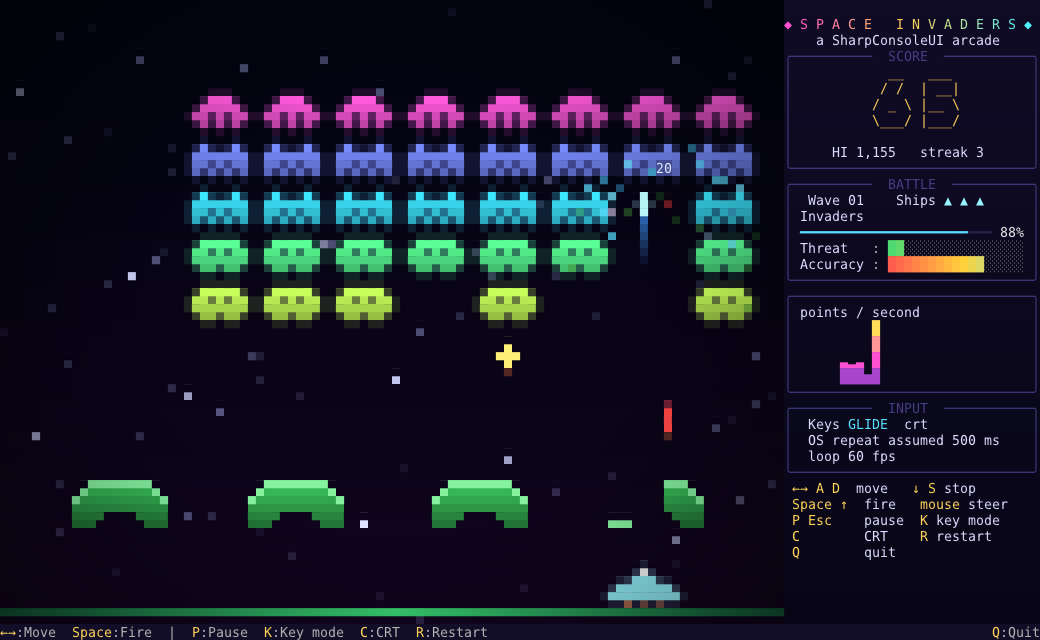
| Title screen | Wave transition (CRT on) | Pause overlay |
|---|---|---|
 |
 |
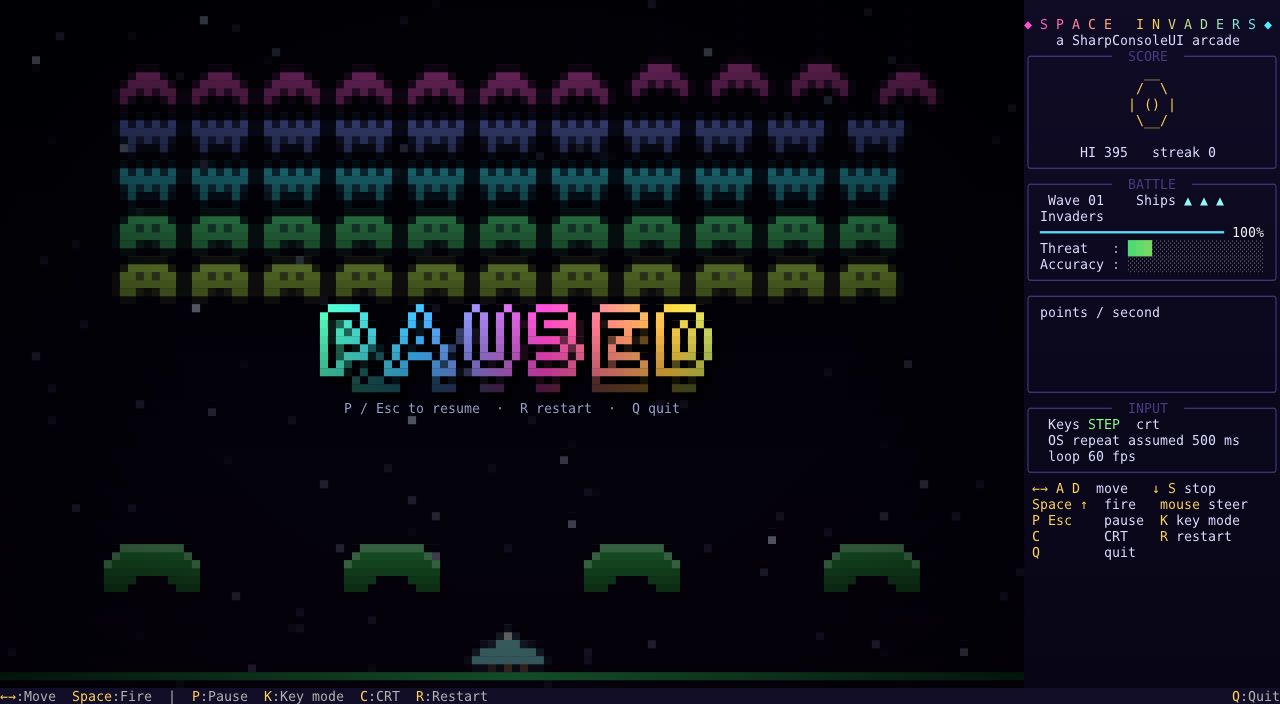 |
Gradient FIGlet lettering rasterised into pixels, invaders flying in on an easing curve, and
the PostBufferPaint CRT filter and pause desaturation applied to the composed frame.
dotnet run --project Examples/SpaceInvaders
Key Features:
- Half-block pixel rendering: each terminal cell shows two near-square pixels, giving real sprites and shields that erode pixel by pixel
- Classic marching formation that speeds up as it thins out, a mystery UFO, three bomb types, and a combo multiplier
- Particle shatter explosions, floating score pop-ups, screen shake, hit-stop slow motion, a warp starfield between waves, and a game-over desaturation
- A keyboard model that works around the OS auto-repeat delay (terminals report no key releases). K cycles three modes: STEP (the default: one press moves one step, holding keeps moving), GLIDE (no pause while holding) and LATCH. The game learns the OS repeat delay as you play
- Mouse steering with no lag, and fire on button press (not release)
- High score saved between runs
SharpConsoleUI features on show:
CanvasControlsubclass (AutoSize,BeginPaint/EndPaint) that re-implementsIMouseAwareControlto catchButton1Pressed- Game loop on
WithWindowThreadOnUI: game state, key handlers and bindings share the UI thread with no locks, and every await wakes the render loop PreviewKeyPressedkey capture,TargetFPS: 120frame cap,Frameless()maximised window with a gradient background- FIGlet fonts (
FigletFont/FigletRenderer) rasterised into gradient pixel lettering;EasingFunctions.Bouncefly-ins PostBufferPaintcompositor hook for the damage flash (ColorBlendHelper.ApplyColorOverlay) and an optional CRT scanline filter- HUD made of
FigletControl,ProgressBarControl,BarGraphControl(animated, smooth gradients) andSparklineControl, all updated through.Bind()from anINotifyPropertyChangedmodel ToastServiceannouncements,WindowAnimations.FadeIn, clickableStatusBarControlitems
Controls: ←/→ or A/D to move, ↓/S to stop, Space/↑ to fire, mouse to steer and click to fire, P/Esc to pause, K for keyboard mode, C for CRT, R to restart, Q to quit
SnakeGame#
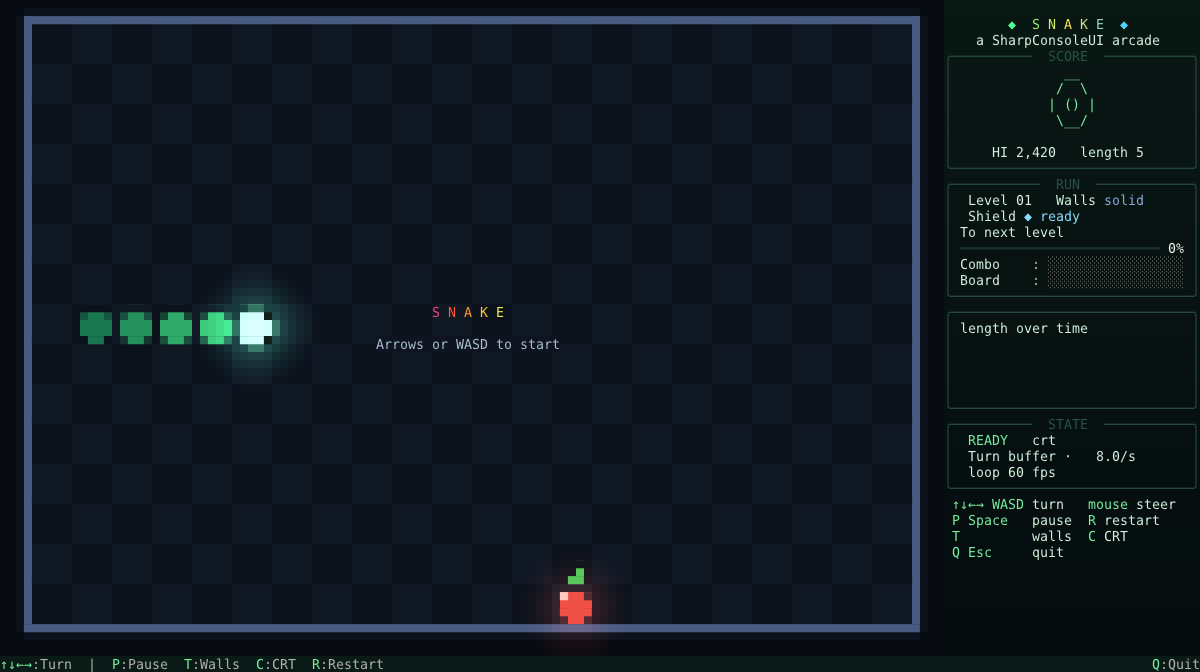
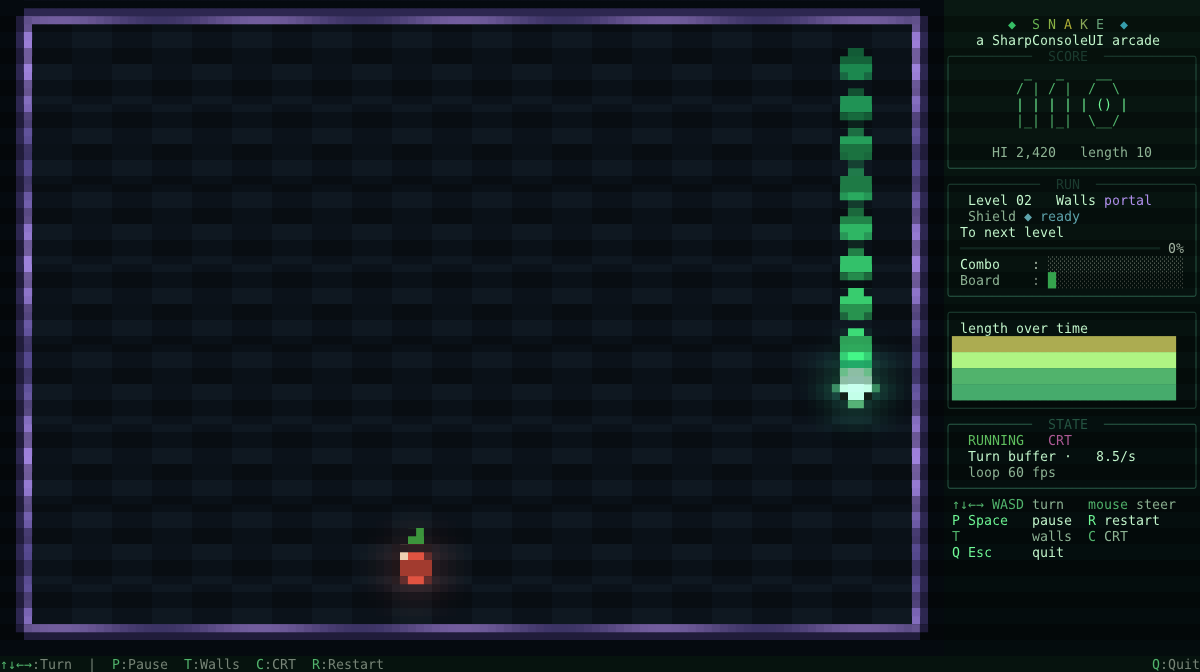
Snake rebuilt the way SpaceInvaders is: half-block pixel art, interpolated motion, particles and a data-bound HUD.
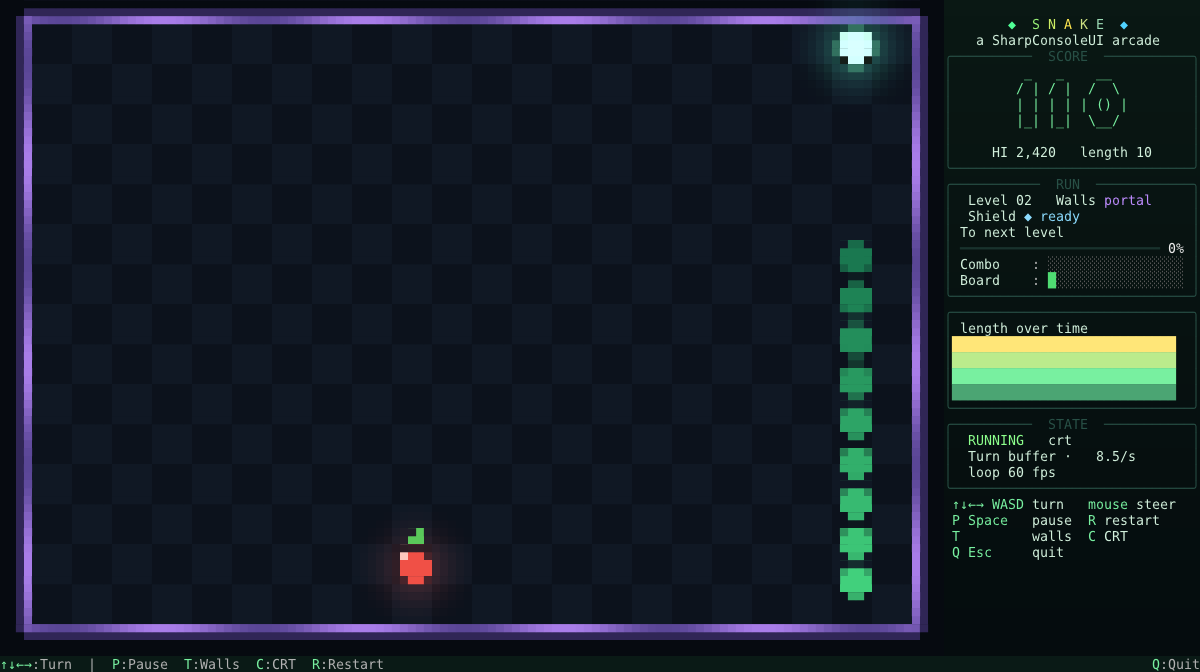
| Title screen | CRT filter on | Pause overlay |
|---|---|---|
 |
 |
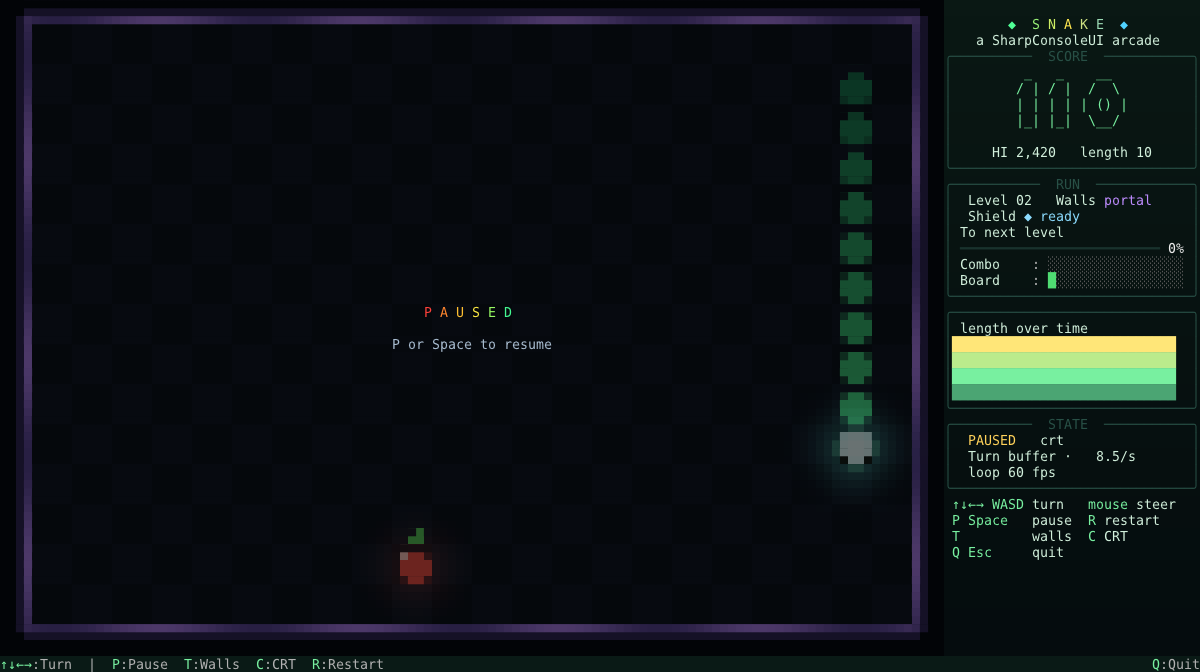 |
The snake slides between grid cells instead of teleporting a cell at a time, fruit pops in on an
easing curve, and the PostBufferPaint hook carries the eat flash and the optional CRT filter.
dotnet run --project Examples/SnakeGame

# Drive it from outside: open a diagnostics socket, or run with no terminal at all
dotnet run --project Examples/SnakeGame -- --socket
dotnet run --project Examples/SnakeGame -- --headless --socket --width 120 --height 36
Key Features:
- Half-block pixel rendering: each terminal cell shows two near-square pixels, so segments are round and the arena has a visible checkerboard
- Interpolated motion — the snake lives on a grid but is drawn between ticks, which is the single biggest difference from classic terminal Snake
- A buffered turn queue — two presses inside one tick both land, instead of the second silently overwriting the first. That lost press is the most common complaint about terminal Snake, and it is an input bug rather than a timing one
- A combo multiplier that decays on a visible timer, timed bonus fruit, and a one-per-run shield that turns the snake to a survivable heading rather than merely postponing the same death
- Portal or solid walls, switchable mid-run; portal walls shimmer so the rule is readable off the board
- Particle bursts, floating score pop-ups, screen shake, hit-stop slow motion, and a death animation that dissolves the body and leaves a skull
- High score saved between runs
SharpConsoleUI features on show:
CanvasControlsubclass (AutoSize,BeginPaint/EndPaint) that re-implementsIMouseAwareControlto catchButton1Pressed- Game loop on
WithWindowThreadOnUI: game state, key handlers and bindings share the UI thread with no locks, and every await wakes the render loop PreviewKeyPressedkey capture,TargetFPS: 120frame cap,Frameless()maximised window with a gradient backgroundEasingFunctions.Elasticfruit pop-in;ColorGradientparticle palettesPostBufferPaintcompositor hook for the eat flash (ColorBlendHelper.ApplyColorOverlay) and an optional CRT scanline filter- HUD made of
FigletControl,ProgressBarControl,BarGraphControl(animated, smooth gradients) andSparklineControl, all updated through.Bind()from anINotifyPropertyChangedmodel ToastServiceannouncements,WindowAnimations.FadeIn, clickableStatusBarControlitems--socket/--headless: the diagnostics socket andHeadlessConsoleDriver, so the game can be played and screenshotted by another process with no terminal involved
Controls: Arrows or WASD to turn, mouse to steer, P/Space to pause, T for walls, C for CRT, R to restart, Q/Esc to quit
TextEditorExample#
Multiline text editor with syntax highlighting and file browser.
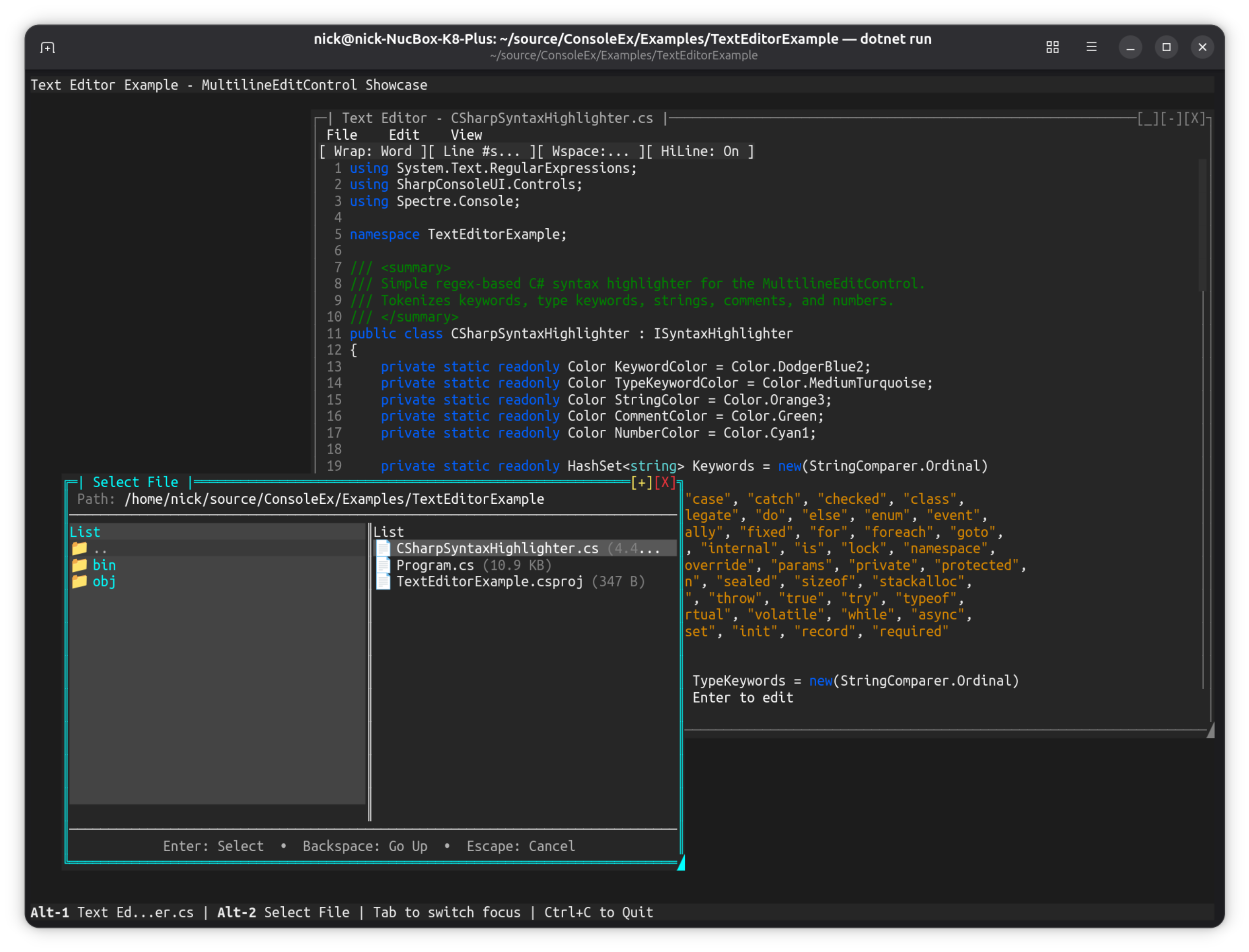
dotnet run --project Examples/TextEditorExample
Key Features:
- Multiline edit control with scrolling
- File browser dialog integration
- Syntax highlighting via TextMate grammars (
SyntaxHighlighters.For(...)— ~64 languages, themed by the app) - Save/load functionality
- Line numbers and cursor position
Controls: Ctrl+O to open file, Ctrl+S to save, arrow keys to navigate
See the Syntax Highlighting guide for the full list of built-in languages and how to register your own.
Image Viewer (DemoApp)#
Load and display real image files in the terminal using half-block Unicode rendering.
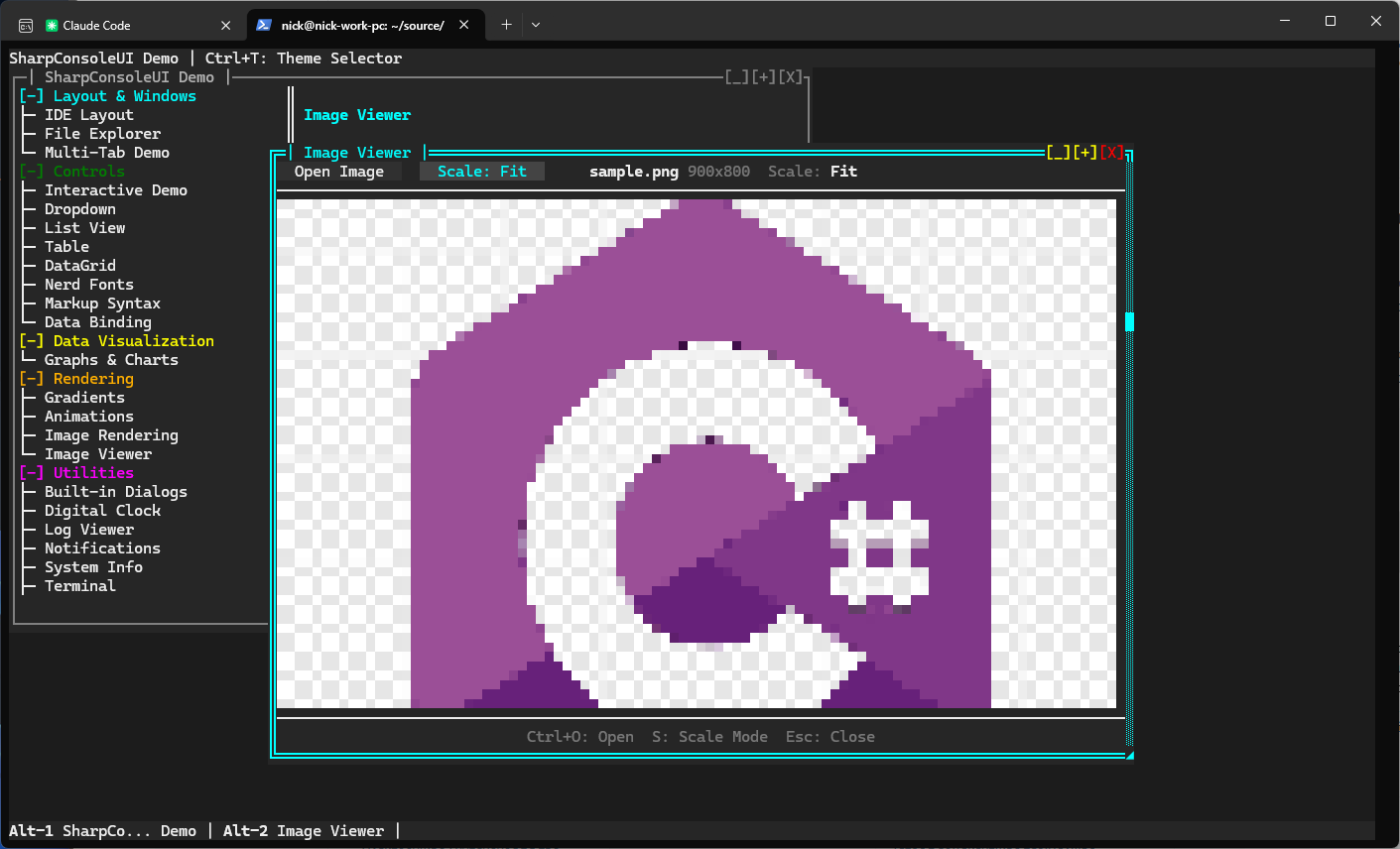
dotnet run --project Examples/DemoApp
# Navigate to Rendering → Image Viewer
Key Features:
- Load PNG, JPEG, BMP, GIF, TGA files via file picker dialog
- Half-block rendering (2 vertical pixels per character cell)
- Four scale modes: Fit, Fill, Stretch, None
- Resizable window with live image rescaling
- Keyboard shortcuts: Ctrl+O to open, S to cycle scale, Esc to close
APIs Demonstrated:
PixelBuffer.FromFile()— decode image files via StbImageSharpImageControlwithScaleModeswitchingFileDialogs.ShowFilePickerAsync()with format filterHorizontalGridControlfor toolbar layout
Video Player (DemoApp)#
Play video files directly in the terminal. Kitty graphics for pixel-accurate playback on supporting terminals, with automatic fallback to cell-based rendering elsewhere.
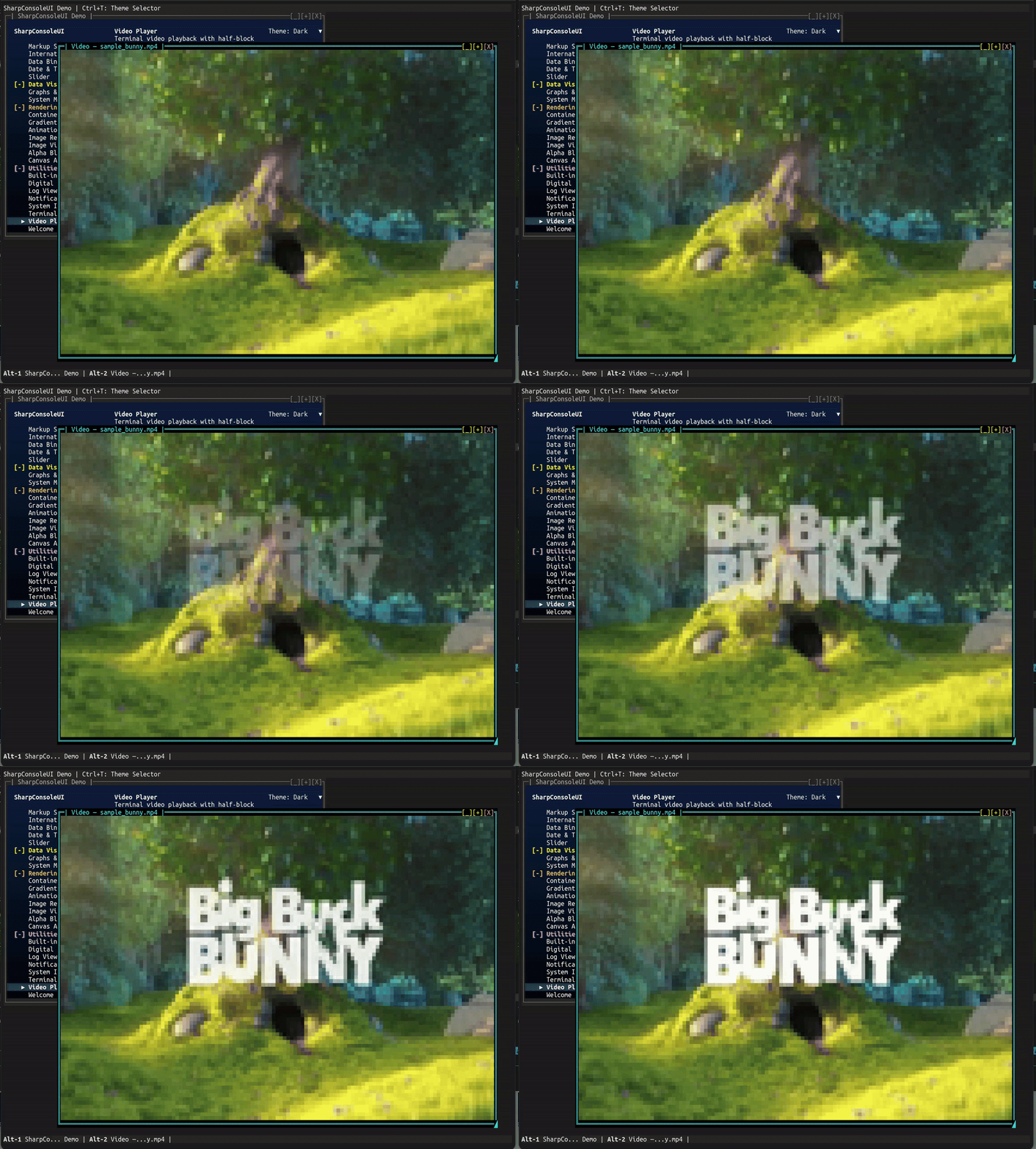
dotnet run --project Examples/DemoApp
# Navigate to Utilities → Video Player
Key Features:
- Four render modes — Kitty graphics (Kitty/WezTerm/Ghostty), half-block, ASCII, braille
Autois the default — picks Kitty when supported, half-block otherwise- Press M to cycle concrete modes live; the overlay shows the effective mode
- Press R in Kitty mode to manually refresh the image if the terminal ever gets stuck on black (recovery escape hatch — the Kitty virtual-placement protocol has no native "redraw" primitive)
- Kitty path uses zlib-compressed raw RGB frame updates (
a=f,r=1,o=z) for smooth in-place playback - FFmpeg subprocess decoding — no extra NuGet dependencies
- Dynamic resize — restarts at new resolution when window is dragged
- Overlay status bar — appears on keypress, auto-hides after 3 seconds
- Looping, pause/resume, frame skipping when behind
- Graceful FFmpeg-not-found message with install instructions
APIs Demonstrated:
Controls.Video()fluent builder with.WithOverlay(),.WithLooping()VideoControl.PlayFile(),CycleRenderMode(),TogglePlayPause()FileDialogs.ShowFilePickerAsync()with video format filterWithAsyncWindowThreadfor non-blocking file picker
Desktop Background (DemoApp)#
Configurable desktop backgrounds with solid colors, gradients, patterns, and animated effects.
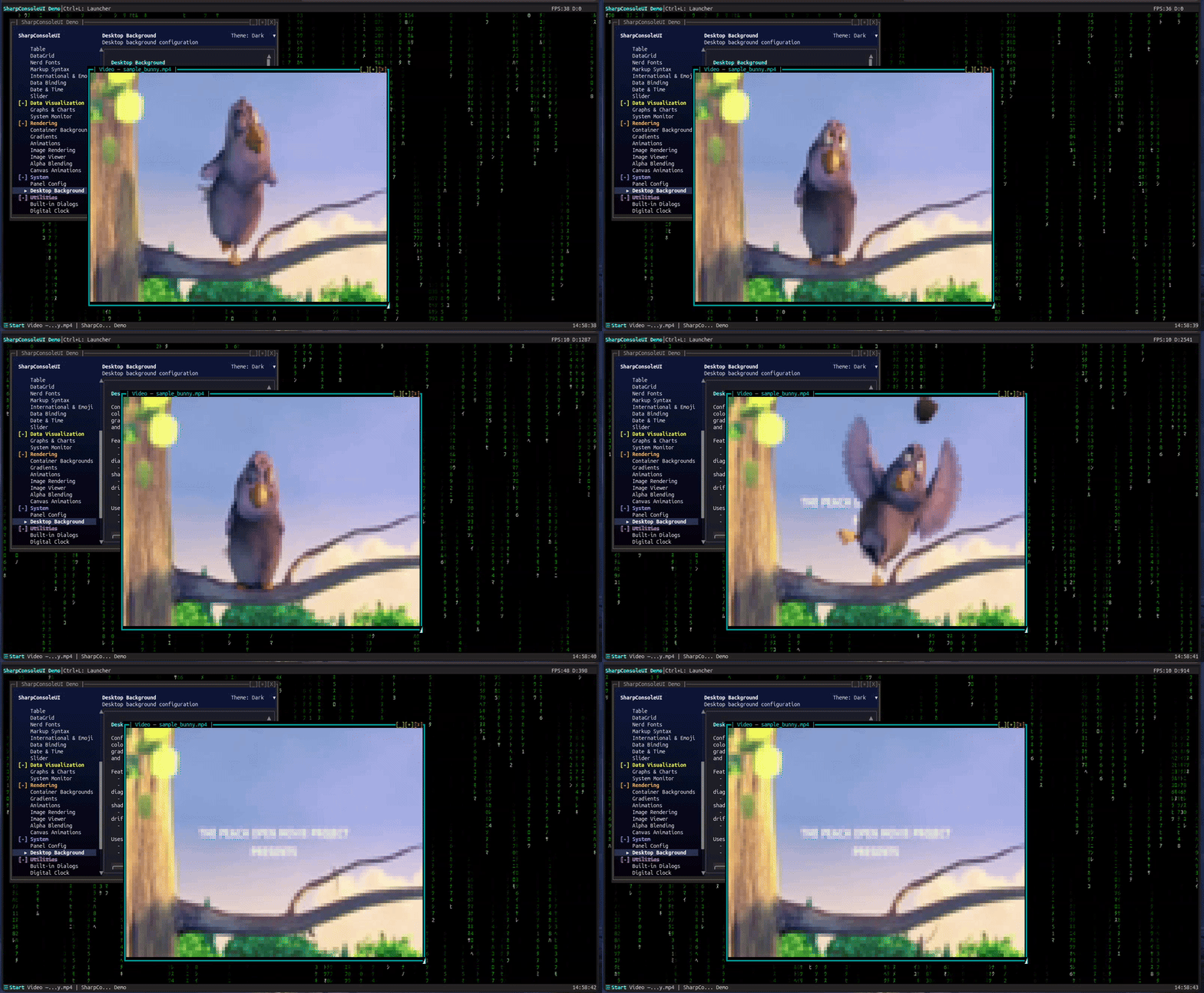
dotnet run --project Examples/DemoApp
# Navigate to System → Desktop Background
Key Features:
- Four background types: solid color, gradient, pattern, and animated effects
- Built-in pattern presets and animated effect presets (Matrix Rain, plasma, starfield, rain)
- Layer animated effects on top of any background type
- Cached buffer architecture — zero impact on window performance
- Configurable via Desktop Background dialog or API
APIs Demonstrated:
DesktopBackgroundServicewith cached buffer renderingDesktopBackground,DesktopPattern,DesktopEffectPresetsDesktopBackgroundGradienttheme integration
MultiDashboard#
A flagship multi-window desktop: a Control Center hub that opens live dashboard windows on a gradient "Ocean Dots" desktop, each fed by its own async update thread.
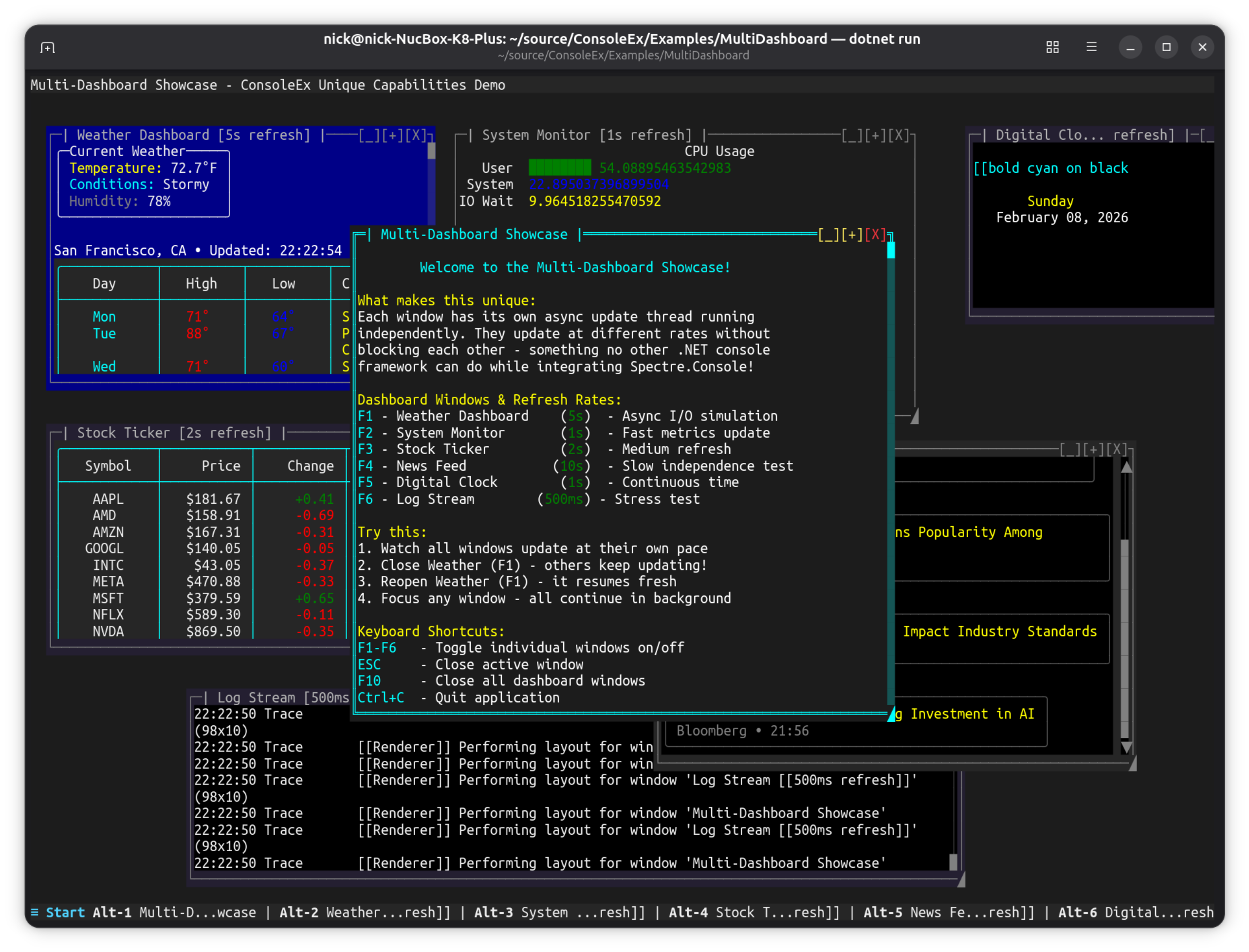
dotnet run --project Examples/MultiDashboard
Key Features:
- Control Center — a
NavigationViewhub (a normal, movable window) that opens / focuses the dashboard windows; the window state manager tracks liveness (no cached references), so windows are closable yet always reopenable. - Metrics — real-time
SparklineControl(CPU / memory / network), per-coreBarGraphControlbars, and a BrailleLineGraphControllatency chart with Y-axis rulers. - Markets — a virtualized
ITableDataSourcedata grid of live, sortable tickers beside a multi-series priceLineGraphControl. - Log Stream — a live, filterable, searchable
LogViewerControl(Time / Level / Category / Message) streaming color-coded entries. - App shell — a top-bar clock, a Start menu + TaskBar window pager (bottom), and a global F1 shortcut that reopens the Control Center. Quit with Ctrl+Q.
- Each window updates on its own
WithAsyncWindowThreadloop; the whole app is Spectre-free.
What makes it unique: a genuine multi-window terminal application — not a demo of a single control — showcasing the compositor, real-time charts, a virtualized data grid, and per-window async threads together on one polished desktop.
FigletShowcaseExample#
ASCII art font showcase demonstrating Figlet font rendering.
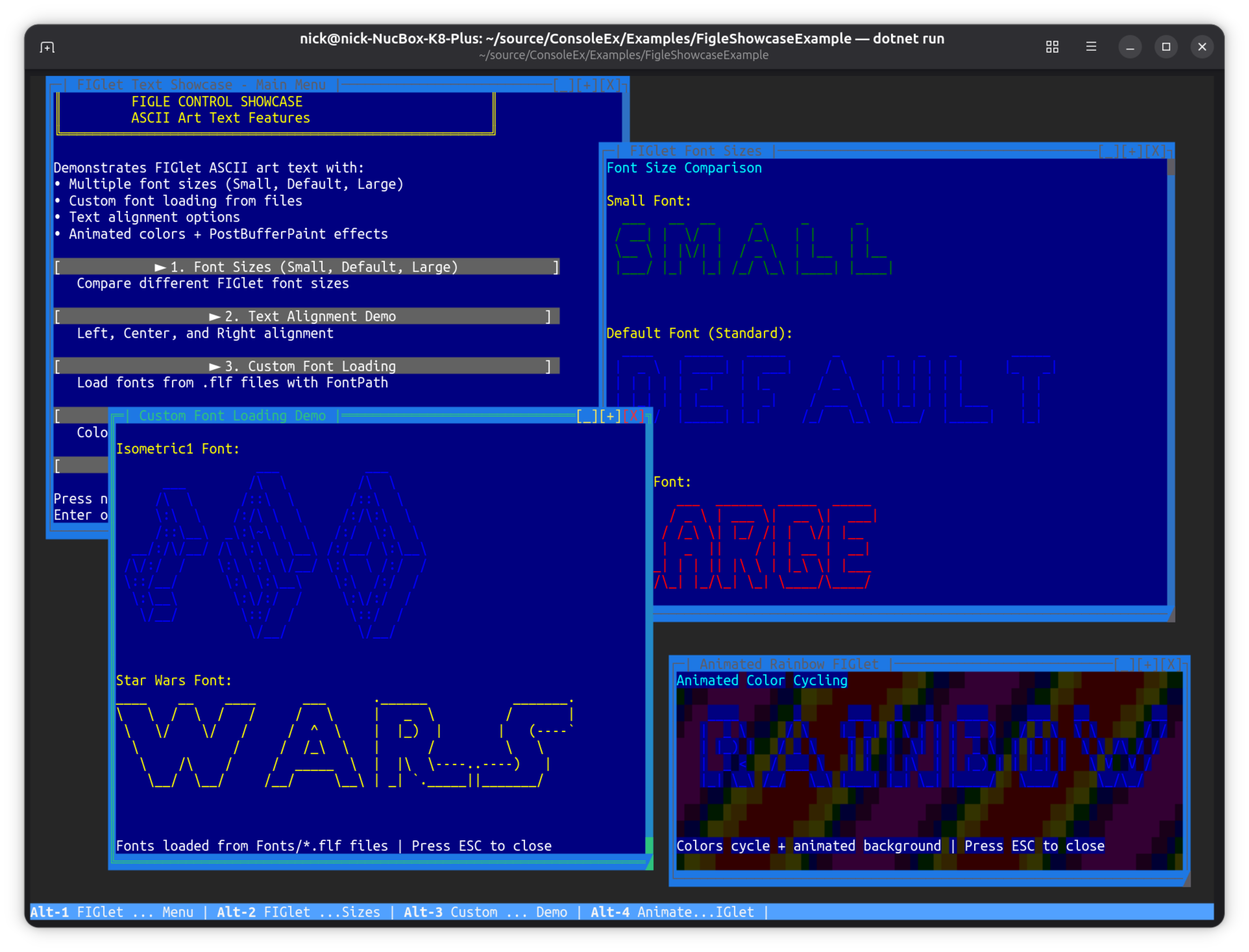
dotnet run --project Examples/FigletShowcaseExample
Key Features:
- Multiple Figlet ASCII art fonts (Star Wars, Graffiti, etc.)
- Font size comparison demo
- Color cycling with animated background
- Direct font loading from FLF (FigletFont) files
- Text alignment and positioning options
Controls: Number keys to switch examples, Esc to close
MenuDemo#
Full-featured horizontal menu bar with keyboard and mouse support.
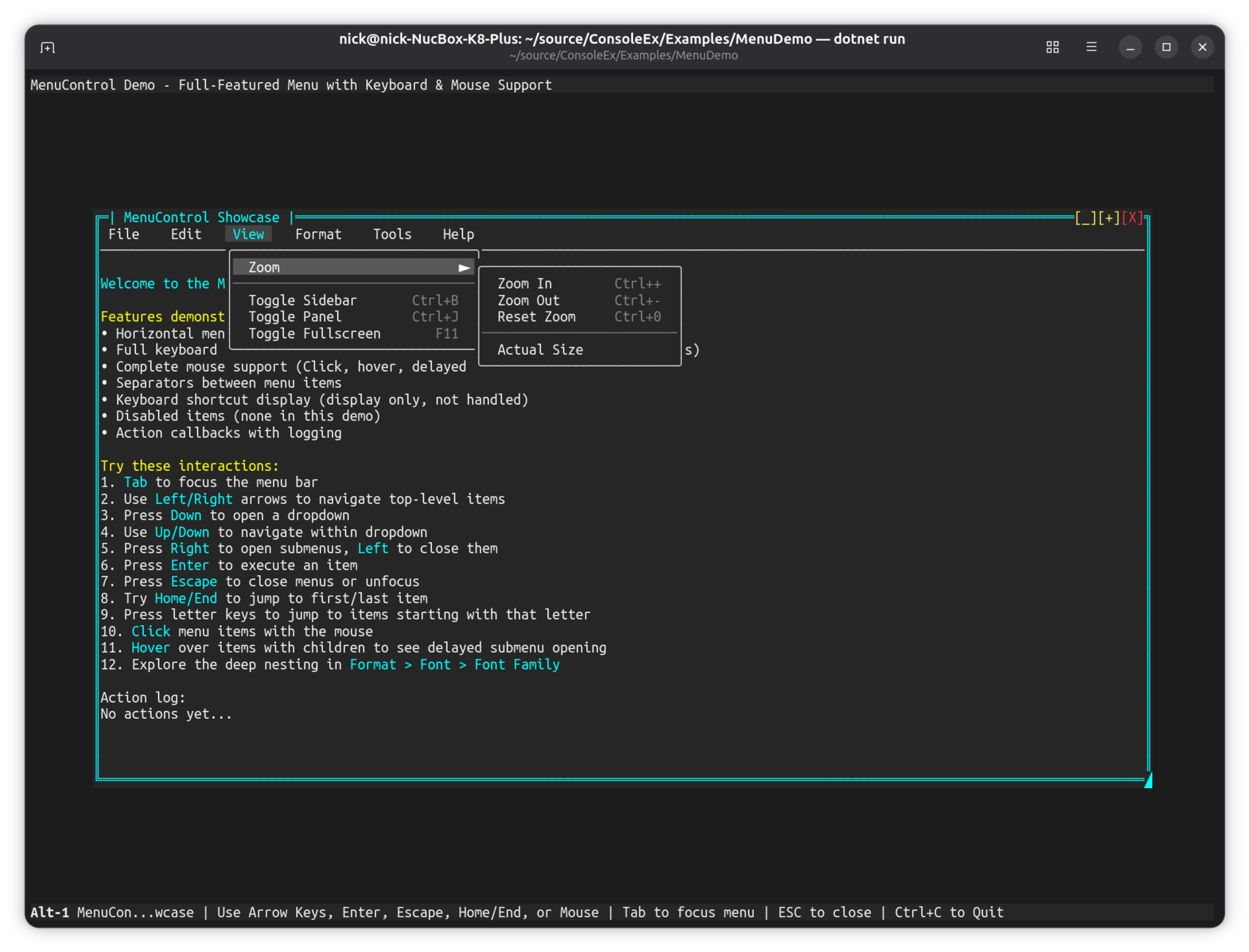
dotnet run --project Examples/MenuDemo
Key Features:
- Horizontal menu bar with unlimited nesting depth
- Full keyboard navigation (arrows, Enter, Escape, Home/End, letter keys)
- Complete mouse support (click, hover, delayed submenu opening)
- Separators and keyboard shortcut display
- Fluent
Controls.Menu()builder API
More Examples#
These examples demonstrate specific features without full screenshots.
| Example | What it shows | Run command |
|---|---|---|
| BenchmarkApp | Render/throughput benchmark — runs a fixed frame budget and reports timing/FPS | dotnet run --project Examples/BenchmarkApp |
| ClinicFlow | Patient-management dashboard: sidebar list + per-patient detail panel, async data updates | dotnet run --project Examples/ClinicFlow |
| FrameRateDemo | Adjustable FPS (15-144), frame rate limiting, performance metrics | dotnet run --project Examples/FrameRateDemo |
| FullScreenExample | Kiosk-style maximized window, hidden taskbar, disabled chrome | dotnet run --project Examples/FullScreenExample |
| StartMenuDemo | Windows-like Start menu, plugin integration, categorized items | dotnet run --project Examples/StartMenuDemo |
| TabControlDemo | Multi-page tabs, Ctrl+Tab switching, ScrollablePanel integration | dotnet run --project Examples/TabControlDemo |
| TableDemo | TableControl with theme switching (F1-F3), markup in cells, rounded borders | dotnet run --project Examples/TableDemo |
| PanelDemo | Panel mouse events (click, double-click, enter, leave, move) | dotnet run --project Examples/PanelDemo |
| BorderStyleDemo | DoubleLine vs None border styles, runtime toggling | dotnet run --project Examples/BorderStyleDemo |
| SpectreMouseExample | Mouse events on SpectreRenderableControl, event counters | dotnet run --project Examples/SpectreMouseExample |
| PluginShowcaseExample | Plugin loading, DevDark theme, Debug Console, agnostic services | dotnet run --project Examples/PluginShowcaseExample |
Feature Matrix#
| Example | Async Windows | Buffer Paint | Mouse Events | Themes | Plugins | Games |
|---|---|---|---|---|---|---|
| DemoApp | ✅ | ✅ | ✅ | |||
| NavigationViewDemo | ✅ | |||||
| CanvasDemo | ✅ | ✅ | ✅ | |||
| Alpha Blending Demo | ✅ | ✅ | ||||
| HighFreqDemo | ✅ | ✅ | ||||
| CompositorEffectsExample | ✅ | ✅ | ✅ | |||
| AgentStudio | ✅ | ✅ | ||||
| SpaceInvaders | ✅ | ✅ | ✅ | ✅ | ||
| SnakeGame | ✅ | ✅ | ✅ | ✅ | ||
| TextEditorExample | ||||||
| MultiDashboard | ✅ | |||||
| FigletShowcaseExample | ||||||
| MenuDemo | ✅ | |||||
| FrameRateDemo | ||||||
| FullScreenExample | ✅ | |||||
| StartMenuDemo | ✅ | ✅ | ||||
| TabControlDemo | ✅ | |||||
| TableDemo | ✅ | |||||
| PanelDemo | ✅ | |||||
| BorderStyleDemo | ||||||
| SpectreMouseExample | ✅ | |||||
| PluginShowcaseExample | ✅ | ✅ |
Controls Demonstrated#
| Control | Examples |
|---|---|
MarkupControl |
All examples |
ButtonControl |
DemoApp, FullScreenExample, CompositorEffectsExample |
ListControl |
DemoApp, HighFreqDemo |
TreeControl |
DemoApp (File Explorer), NavigationViewDemo |
DropdownControl |
DemoApp, PluginShowcaseExample |
MenuControl |
MenuDemo, HighFreqDemo |
TableControl |
DemoApp, TableDemo |
PanelControl |
StartMenuDemo, PanelDemo, HighFreqDemo |
SparklineControl |
HighFreqDemo, NavigationViewDemo, SpaceInvaders |
LineGraphControl |
DemoApp |
BarGraphControl |
HighFreqDemo, NavigationViewDemo, SpaceInvaders |
NavigationView |
DemoApp, NavigationViewDemo |
ProgressBarControl |
DemoApp, NavigationViewDemo |
PromptControl |
DemoApp (Command Window) |
MultilineEditControl |
DemoApp, TextEditorExample |
LogViewerControl |
DemoApp |
TabControl |
TabControlDemo |
ImageControl |
DemoApp (Image Rendering, Image Viewer) |
CanvasControl |
CanvasDemo, DemoApp, SpaceInvaders |
HorizontalGridControl |
Most examples |
SliderControl |
DemoApp, Alpha Blending Demo |
RangeSliderControl |
DemoApp |
SpectreRenderableControl |
SpectreMouseExample |
API Patterns Demonstrated#
Fluent Builders#
// WindowBuilder
new WindowBuilder(windowSystem)
    .WithTitle("My Window")
    .WithSize(80, 25)
    .Centered()
    .Closable(true)
    .Build();

// Controls fluent API
Controls.Menu().Horizontal().AddItem("File", ...).Build();
Controls.Markup().AddLine("[bold]Hello[/]").Build();
Controls.List().MaxVisibleItems(10).Build();
Async Window Threads#
new WindowBuilder(windowSystem)
    .WithAsyncWindowThread(async (window, ct) => {
        while (!ct.IsCancellationRequested) {
            // Update window content
            await Task.Delay(1000, ct);
        }
    })
    .Build();
Canvas Drawing#
// Retained mode — draw from any thread, content persists
var canvas = new CanvasControl { AutoSize = true };
var g = canvas.BeginPaint();
g.DrawCircle(30, 10, 8, '*', Color.Cyan, Color.Black);
g.GradientFillRect(0, 0, 60, 20, Color.DarkBlue, Color.Black, horizontal: false);
canvas.EndPaint();

// Immediate mode — redraw each frame
canvas.Paint += (sender, e) => {
    e.Graphics.WriteStringCentered(10, "Hello!", Color.White, Color.Black);
};

// Interactive — canvas-local mouse coordinates
canvas.CanvasMouseClick += (sender, e) => {
    var g2 = canvas.BeginPaint();
    g2.FillCircle(e.CanvasX, e.CanvasY, 2, '*', Color.Red, Color.Black);
    canvas.EndPaint();
};
Buffer Paint Hooks#
// PreBufferPaint - Custom backgrounds
window.PreBufferPaint += (buffer, dirty, clip) => {
    // Render background before controls
};

// PostBufferPaint - Post-processing effects
window.PostBufferPaint += (buffer, dirty, clip) => {
    // Apply effects after controls render
};
Plugin Services#
// Load plugin (example uses ShowcasePlugin from Examples/PluginShowcaseExample)
windowSystem.PluginStateService.LoadPlugin<ShowcasePlugin>();

// Create window from plugin
var window = windowSystem.PluginStateService.CreateWindow("DebugConsole");

// Use service (agnostic pattern)
var service = windowSystem.PluginStateService.GetService("Diagnostics");
var result = service.Execute("GetDiagnosticsReport");
Running All Examples#
To build and verify all examples compile:
dotnet build ConsoleEx.sln
Each example is a standalone project that can be run independently.