Built with SharpConsoleUI
Applications people actually run, and the examples in this repository that show how each piece works. Every screenshot is the real thing.
Real applications
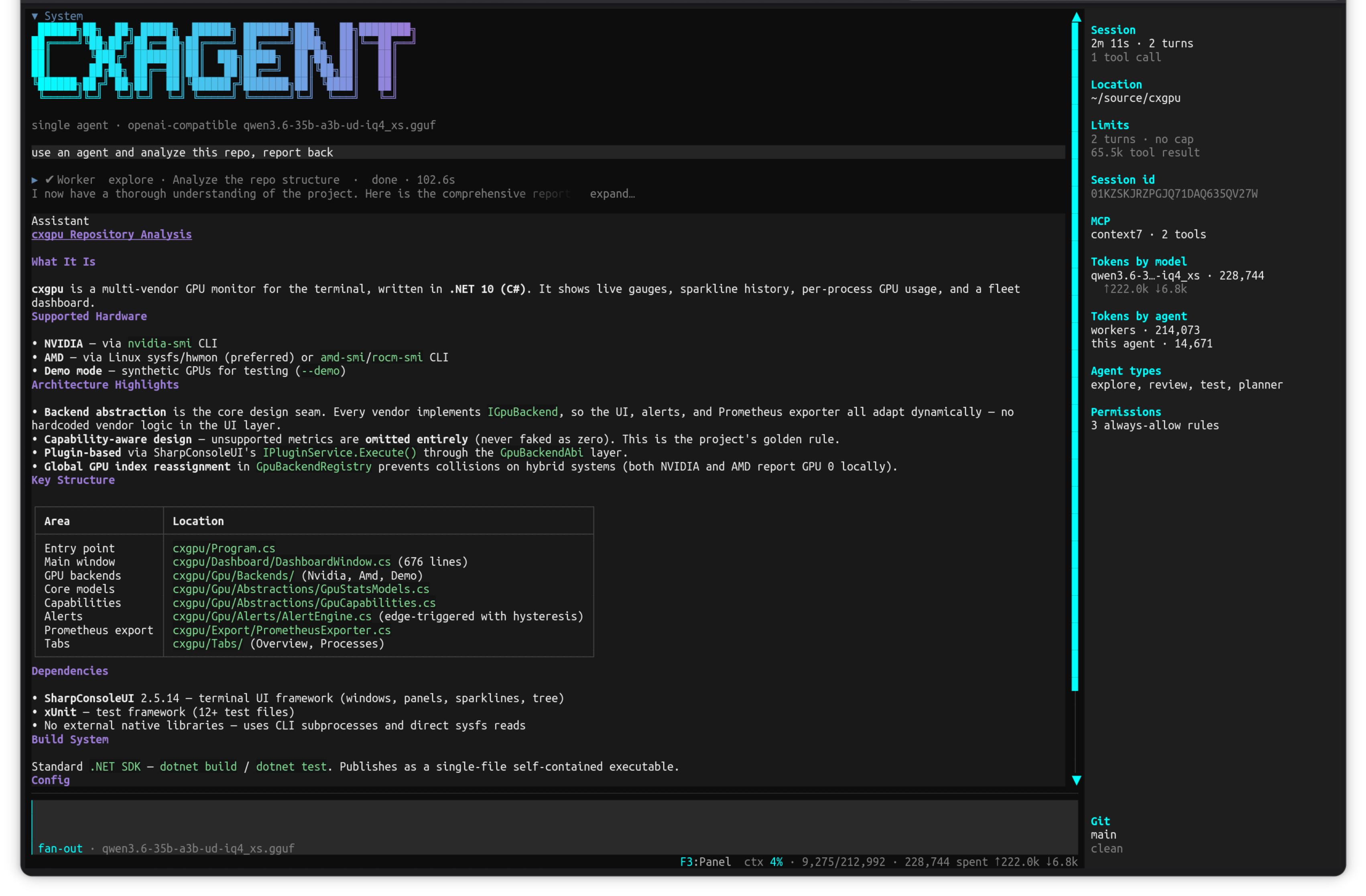
cxagent
A terminal AI coding agent — say what you want, watch it work.
Give it a goal in plain language and it reads your files, works out what to change, and changes them — in one context, with the real bytes in front of it. Anything outside the working folder asks permission first. Bring your own model: Ollama, any OpenAI-compatible endpoint, or Anthropic.
What it shows off
- A transcript of collapsible tool-call rows (expand…) beside a sticky live status panel
- Modal permission prompts with Allow once / Always allow / Deny buttons over the running transcript
- Markdown rendered inline in the transcript — headings, bullet lists, tables and syntax-colored code
- FigletControl banner, horizontal bar charts, and a status bar carrying live context percentage
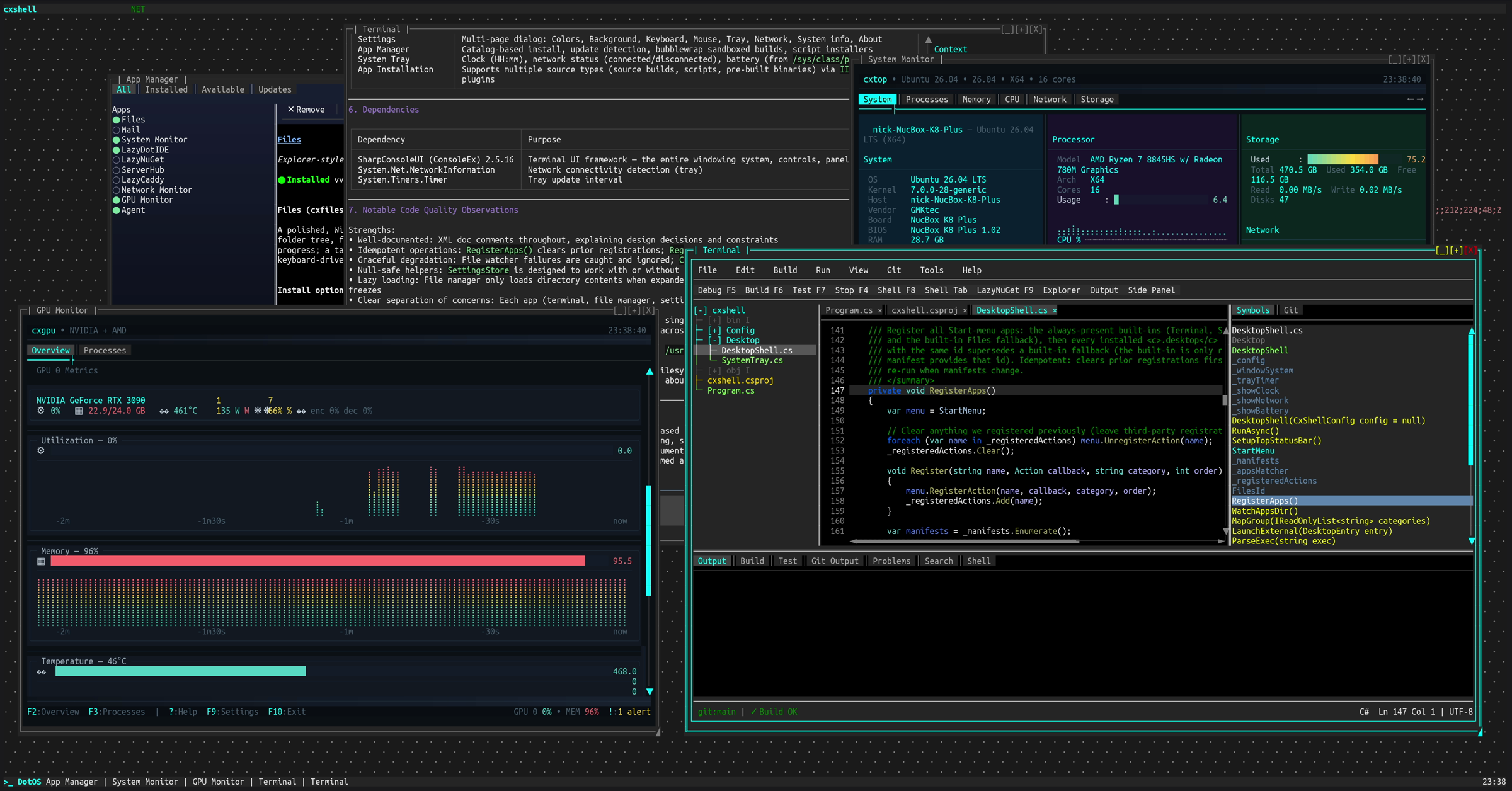
cxshell
A complete desktop environment, running in a terminal.
A Start menu, taskbar, system tray and movable windows, with an app manager that installs and updates terminal applications. Other TUI apps run inside its windows — the screenshot above has LazyDotIDE, cxtop and cxgpu each hosted in their own draggable window, live at the same time. Made for SSH: a real desktop on a remote machine without a single pixel of X11.
What it shows off
- The window manager itself: overlapping windows with drag, resize, minimize, maximize and z-order
- TerminalControl hosting full external TUI applications inside a window, each with its own PTY
- Independent async render loops per window — several live monitors updating at once without blocking each other
- Portal flyouts for the Start menu and tray, and modal dialogs over the running desktop
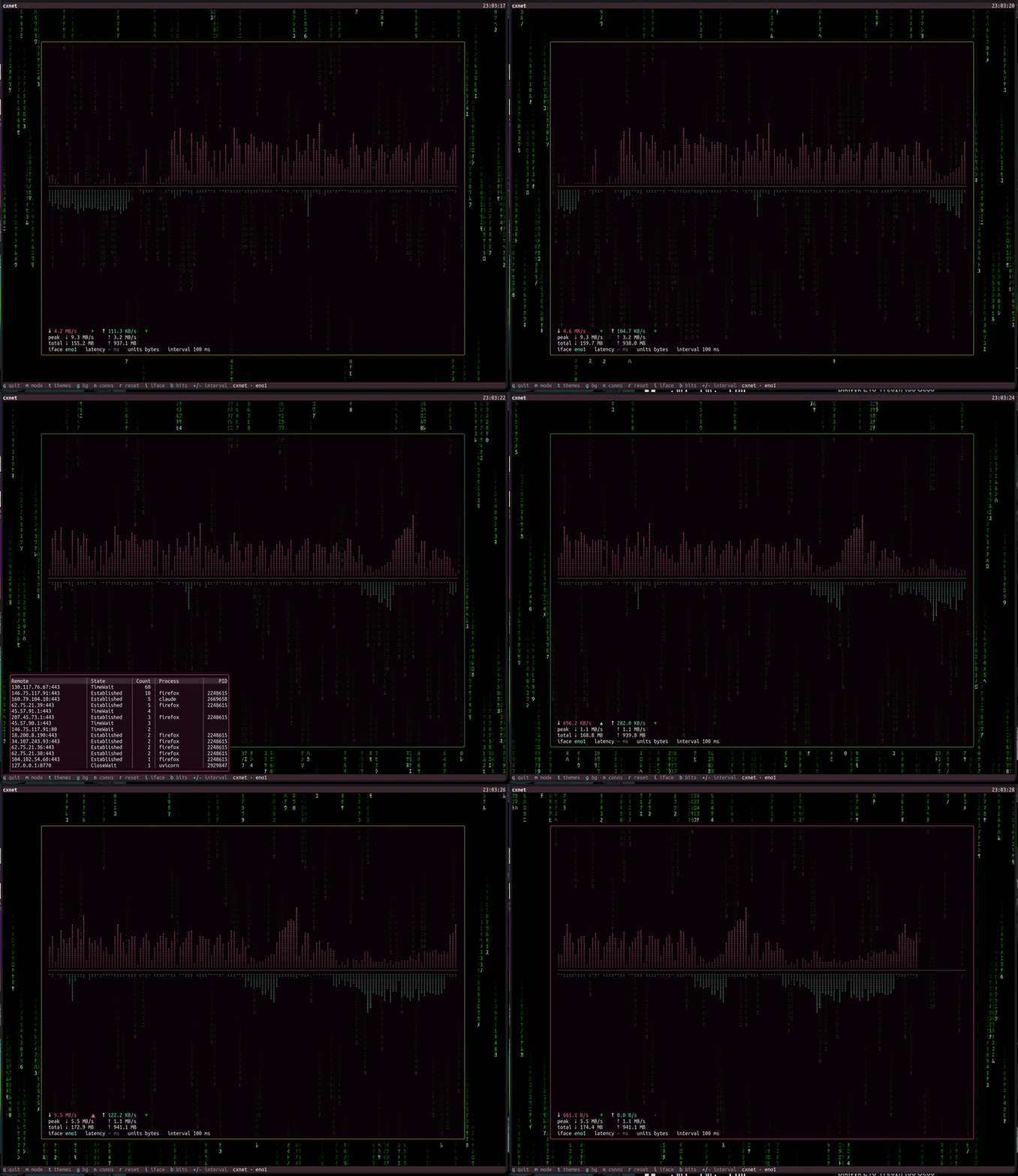
cxnet
Real-time network throughput monitor for the terminal.
Live download/upload throughput rendered as Braille waveforms, with session peaks, daily totals, per-interface selection, and a border that pulses with your transfer speed — over an alpha-blended, animated desktop background.
What it shows off
- Overlapping windows with a real compositor and a per-cell alpha-blended desktop background (the Matrix rain shows through the translucent monitor window)
- Bordered pop-over pickers (portals) for themes, connections, and interfaces
- A per-interface TableControl with columns, separators, and a scrollbar
- A live sparkline/waveform driven by an async per-window render loop
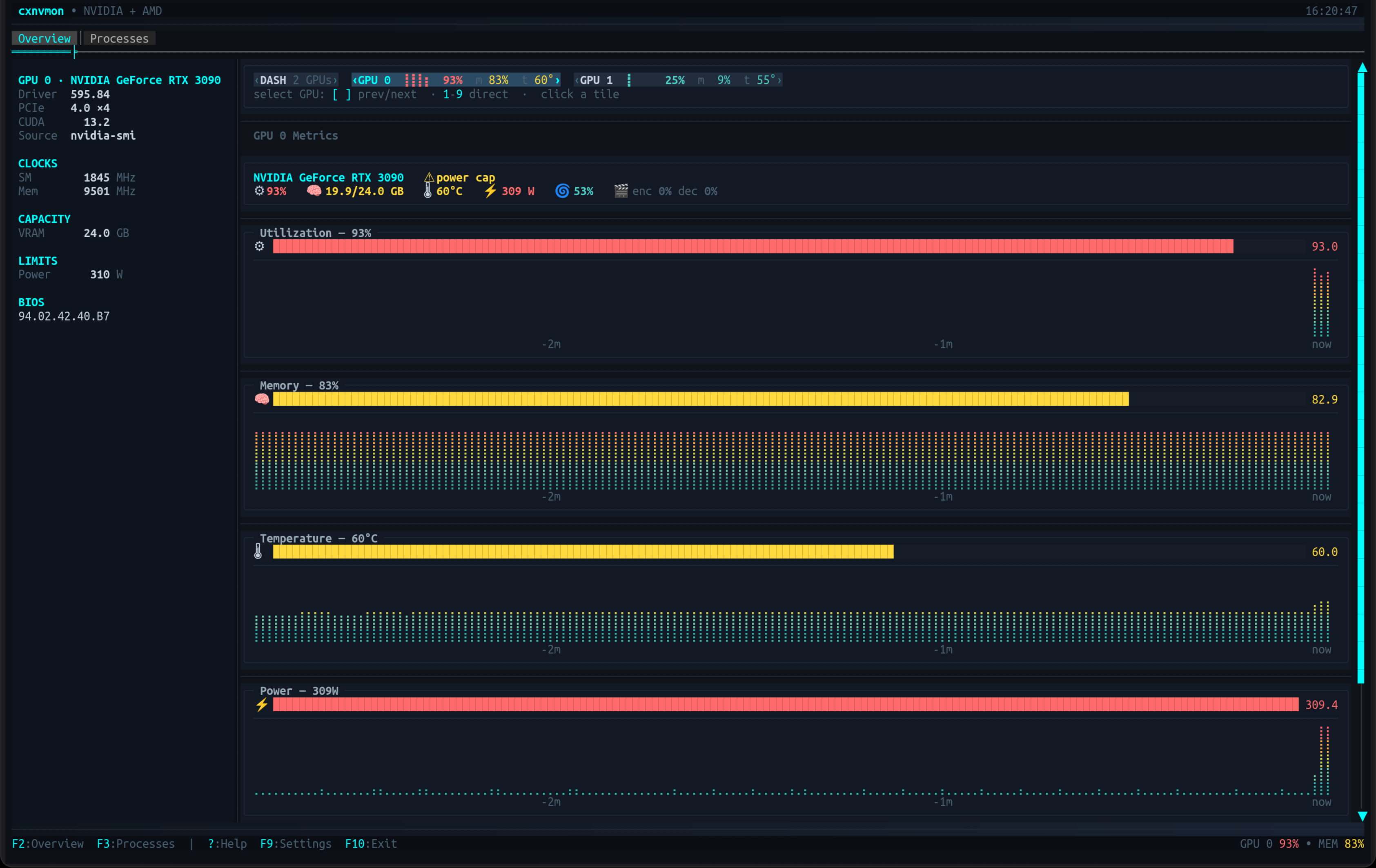
cxgpu
Multi-vendor GPU monitor for the terminal — NVIDIA and AMD in one view.
Live gauges and Braille sparkline history for utilization, memory, temperature, power and fan; a fleet dashboard for multi-GPU boxes; and a per-process tree with signal actions. Each backend declares what it can measure, so unsupported metrics are omitted rather than faked as zero.
What it shows off
- BarGraphControl gauges and Braille sparkline history driven by an async per-window render loop
- TreeControl with expandable rows for per-process detail, plus a filter/sort toolbar
- A responsive panel grid that reflows side-by-side or stacked with terminal width
- Toasts, a status-bar badge, and a portal flyout for alert history
cxtop
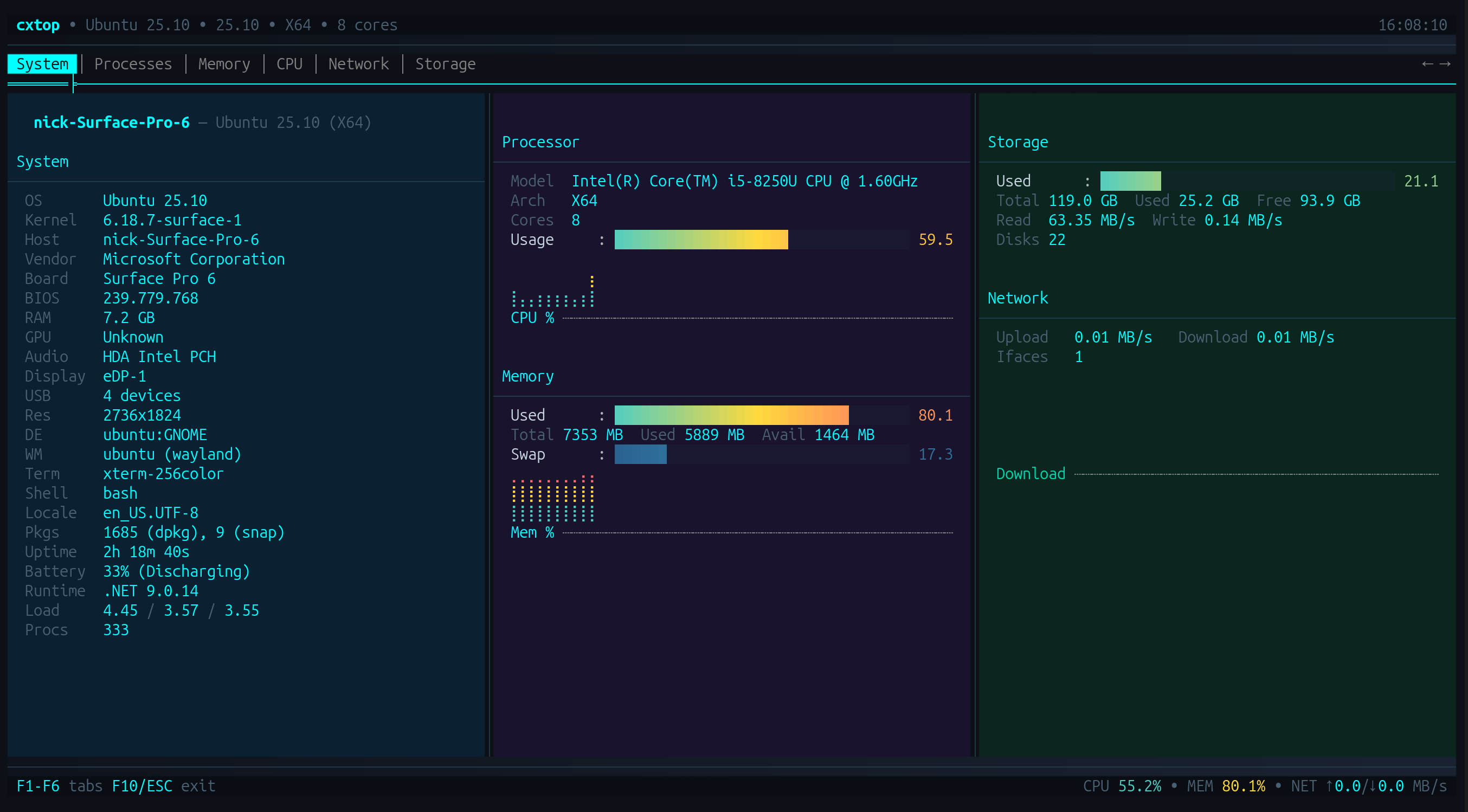
htop/btop-inspired system monitor for the terminal.
Live CPU, memory, network and storage metrics with a hardware identity dashboard, sparkline history, and a sortable process list with per-process actions. Cross-platform.
What it shows off
- Tabbed views (Processes, Memory, CPU, Network, Storage) over a shared header of live gauges
- A sortable, mouse-selectable process table with a detail pane beside it
- Sparkline history driven by an async per-window render loop
- Double-click actions and a status bar carrying live system totals
CXFiles
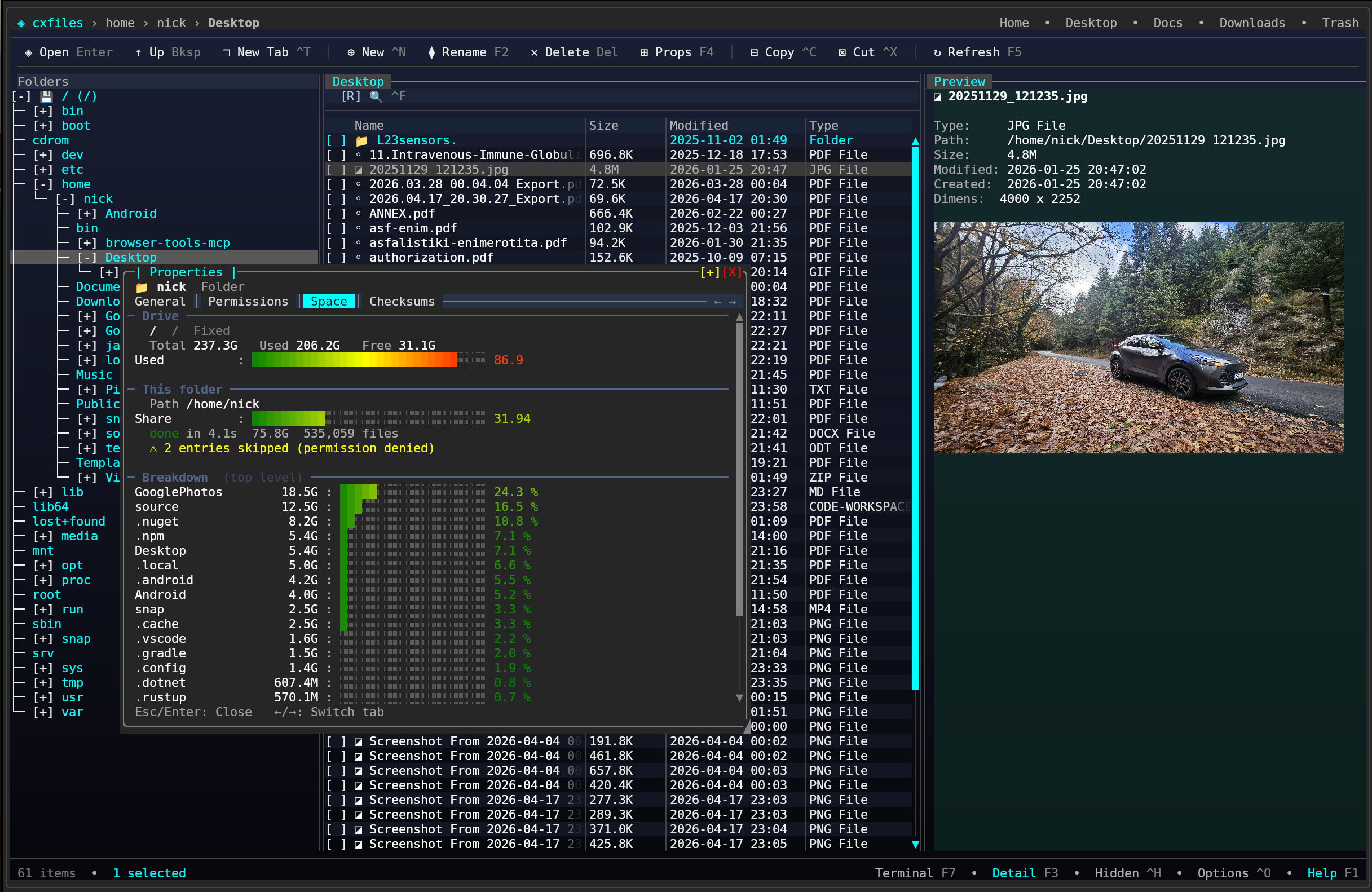
Explorer-style terminal file manager.
Three-pane layout with a folder tree, file list and detail panel, plus tabs, image preview through the Kitty graphics protocol, a properties dialog and trash support.
What it shows off
- TreeControl folder tree beside a TableControl file list, split by draggable splitters
- Tabs for multiple locations open at once
- Inline image preview via the Kitty graphics protocol
- Modal properties and confirmation dialogs
CXPost
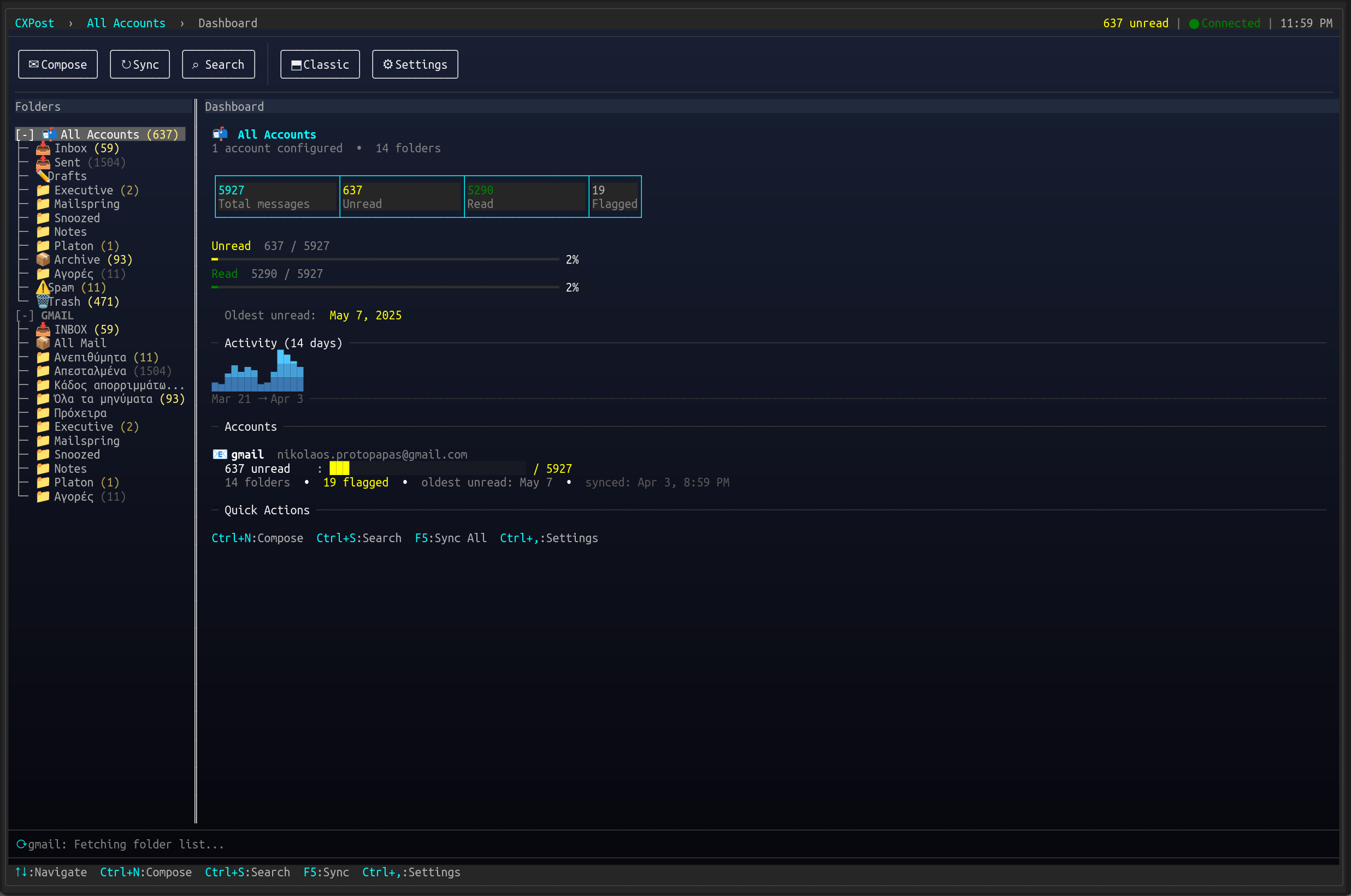
Terminal email client.
Multi-account IMAP/SMTP with conversation threading, HTML message rendering, attachment handling and an offline cache.
What it shows off
- Threaded conversation view built on TreeControl, beside a scrollable message pane
- HTML email rendered into terminal cells
- Multi-account switching through portal flyouts
- Compose and attachment dialogs over the running mailbox
ServerHub
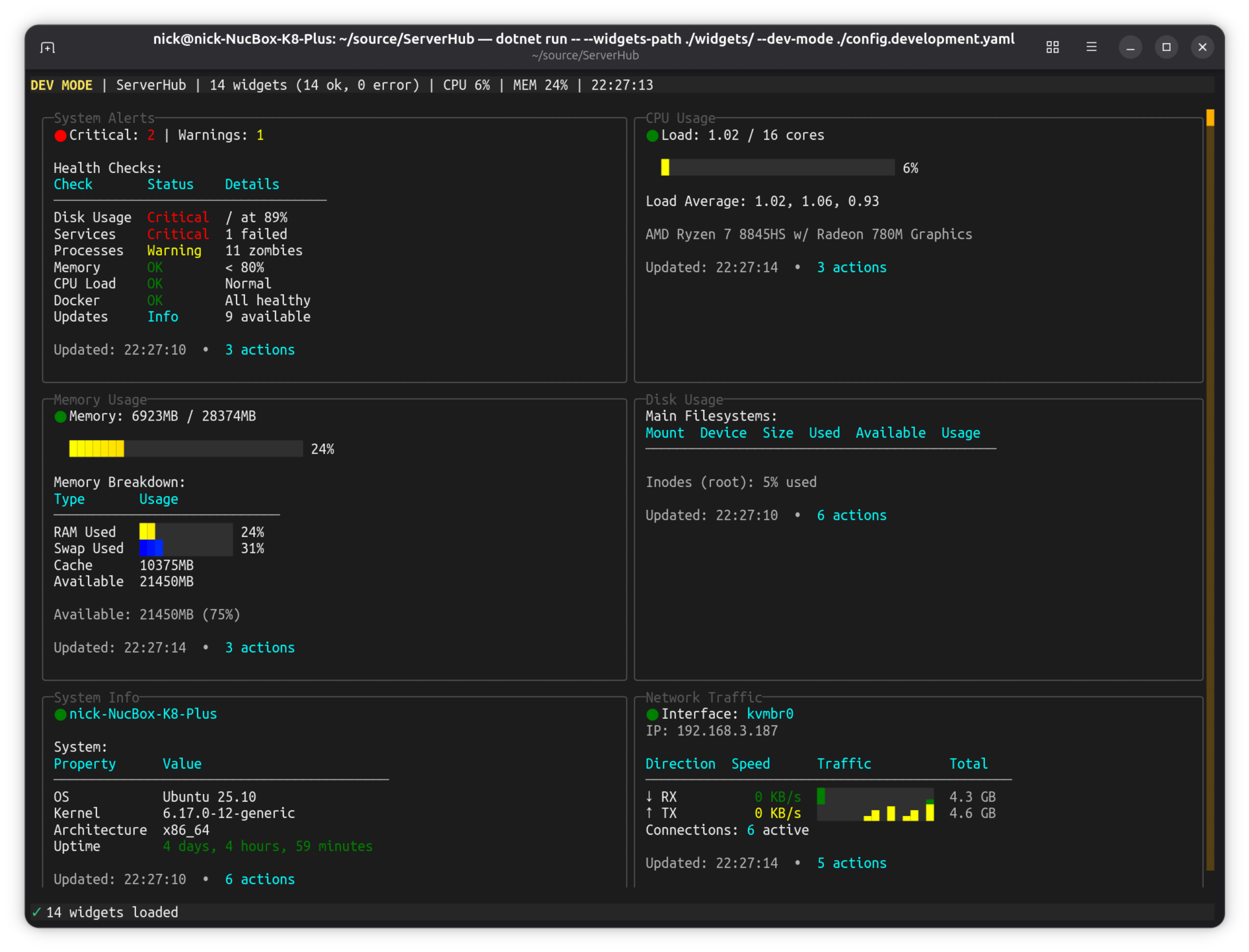
Production-ready Linux server control panel.
Terminal-based control panel for Linux servers and homelabs with 14 bundled widgets for monitoring CPU, memory, disk, network, Docker containers, systemd services, and more.
What it shows off
- SparklineControl and LineGraphControl history across the monitoring widgets
- A widget grid that reflows with terminal width, each widget its own composed panel
- Modal dialogs throughout, for widget config, actions and confirmations
- PromptControl and DropdownControl inputs in the widget browser's search and filters
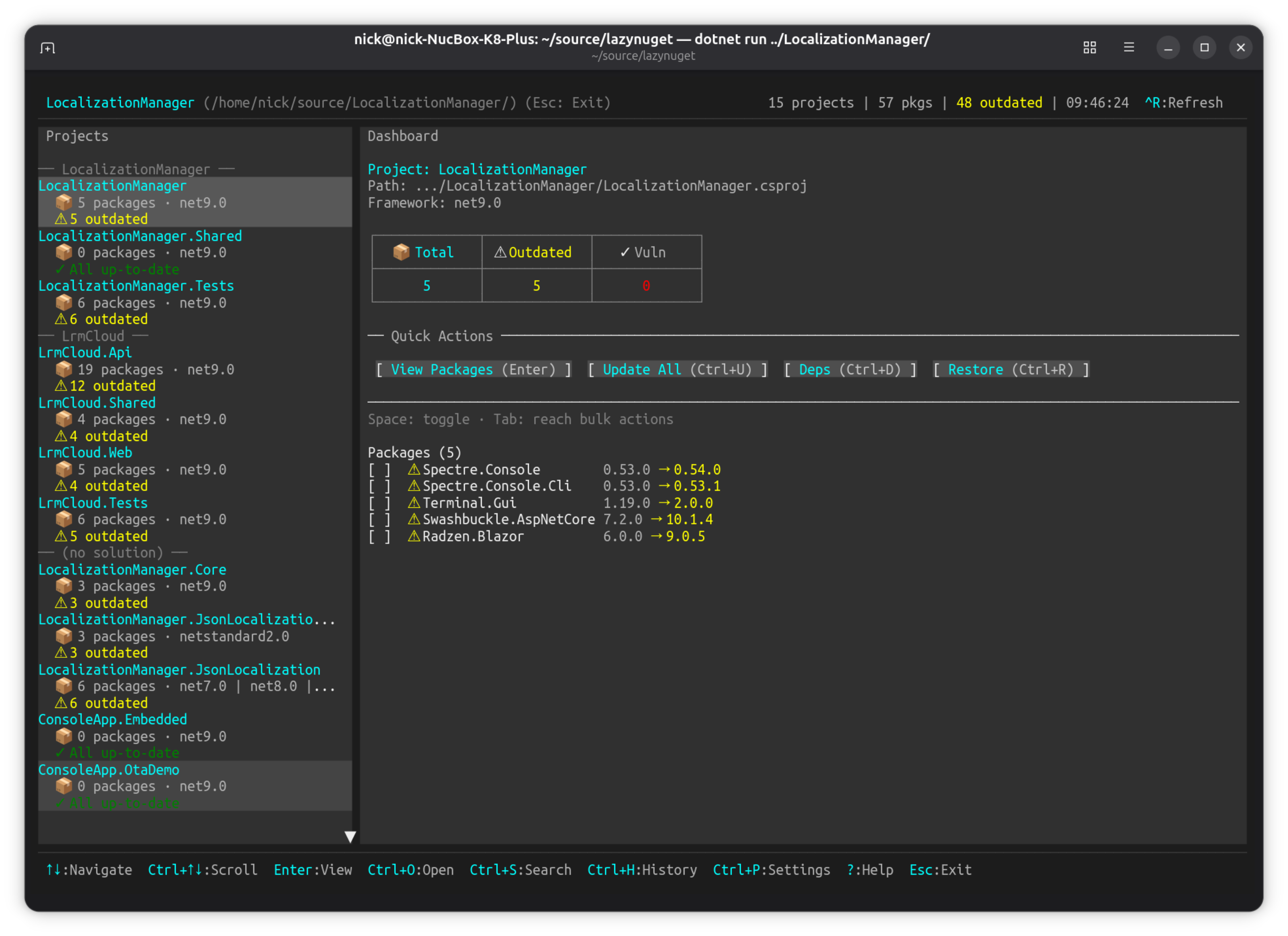
LazyNuGet
A lazygit-inspired terminal UI for managing NuGet packages across .NET solutions.
Keyboard-driven TUI for browsing projects, checking for updates, installing/removing/updating packages, searching NuGet.org, and managing multiple package sources. Cross-platform (Windows, Linux, macOS).
What it shows off
- TabControl views over a ScrollablePanelControl package list, with a ToolbarControl and a status bar
- DropdownControl pickers for sources and update strategies, in portal flyouts
- Modal dialogs (AsModal) for confirmations and the CPM wizard, plus the built-in folder picker
- Toast notifications and a ProgressBarControl for restore/update operations
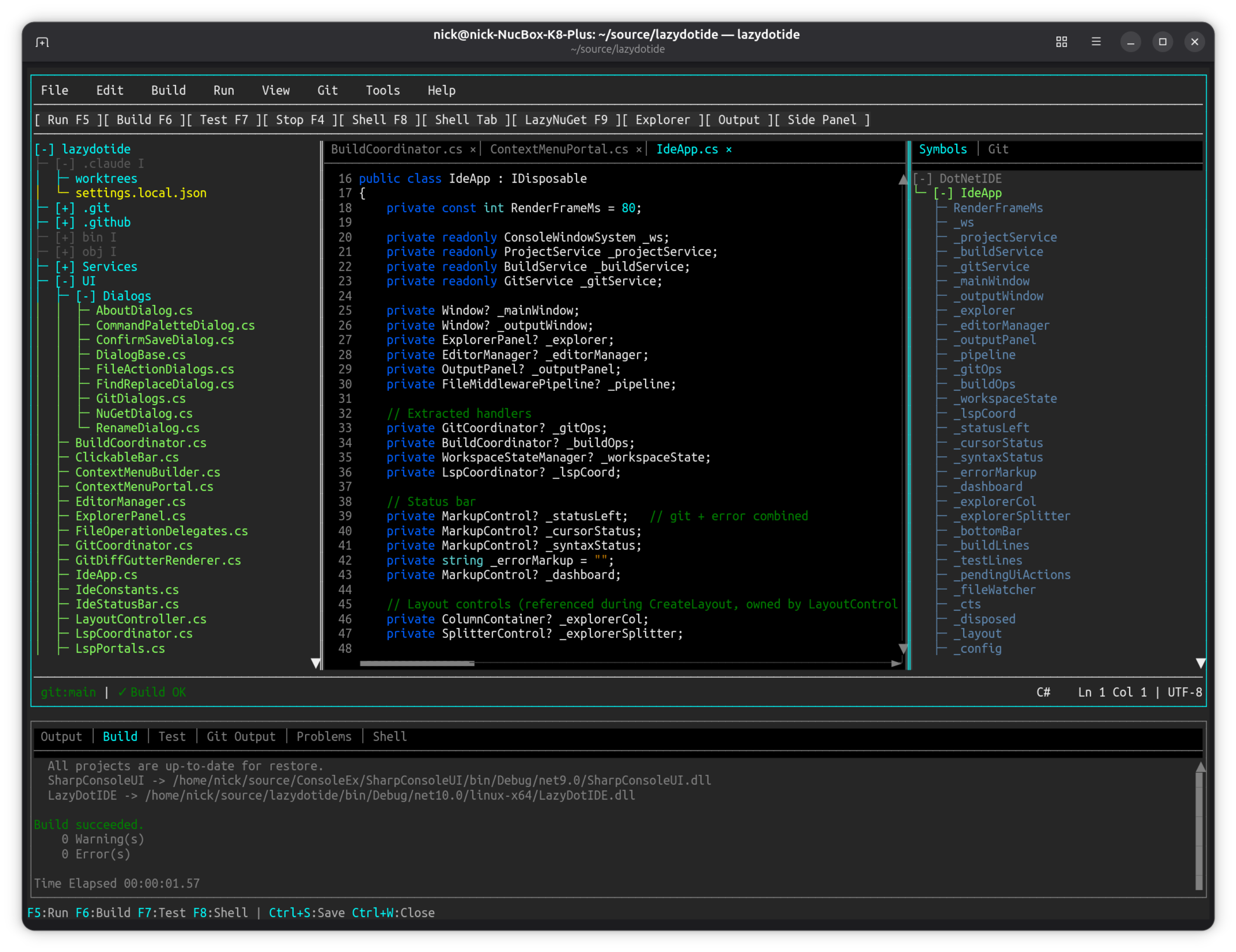
LazyDotIDE
A lightweight console-based .NET IDE with LSP IntelliSense.
Console-based .NET IDE with LSP-powered IntelliSense, built-in terminal, and git integration. Works over SSH, in containers, anywhere you have a console.
What it shows off
- MultilineEditControl driven by ISyntaxHighlighter implementations — the framework's syntax-highlighting seam
- TerminalControl, the PTY-backed terminal emulator, hosted as a panel inside the IDE
- TreeControl file explorer beside the editor, split by draggable SplitterControls
- LSP completion surfaced through portal overlays; TabControl for open files
Examples in this repository
Each one runs with dotnet run --project Examples/<name>.
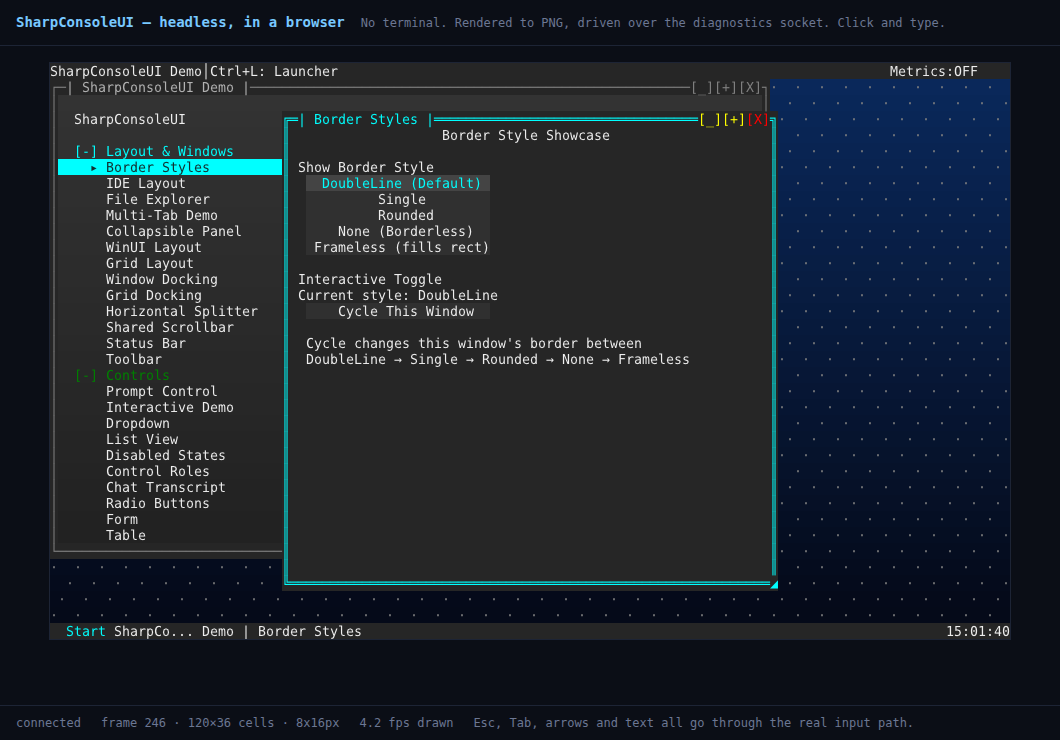
WebHost
a terminal UI in a browser, with no terminal
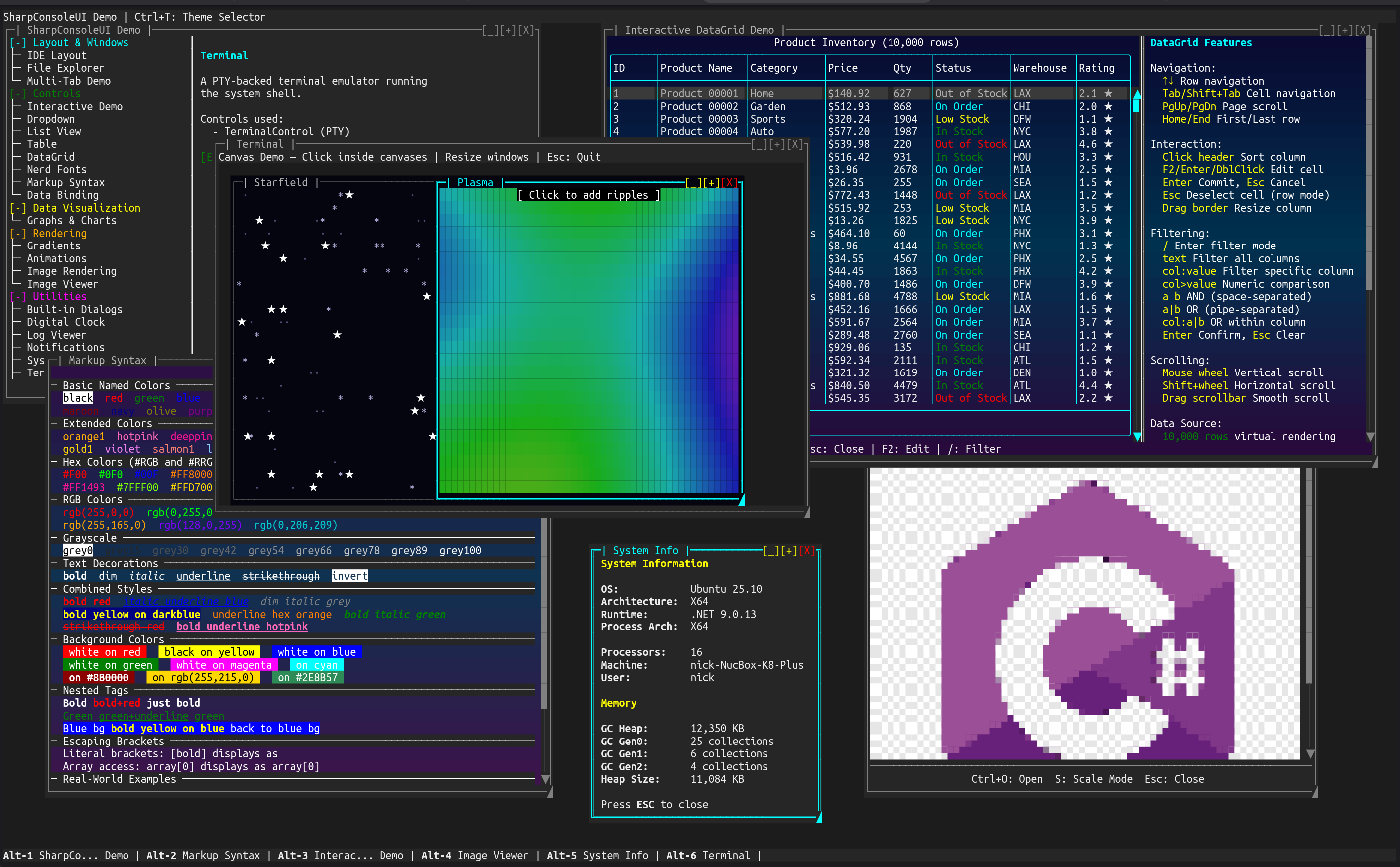
DemoApp
The flagship demo — six independent windows running simultaneously.
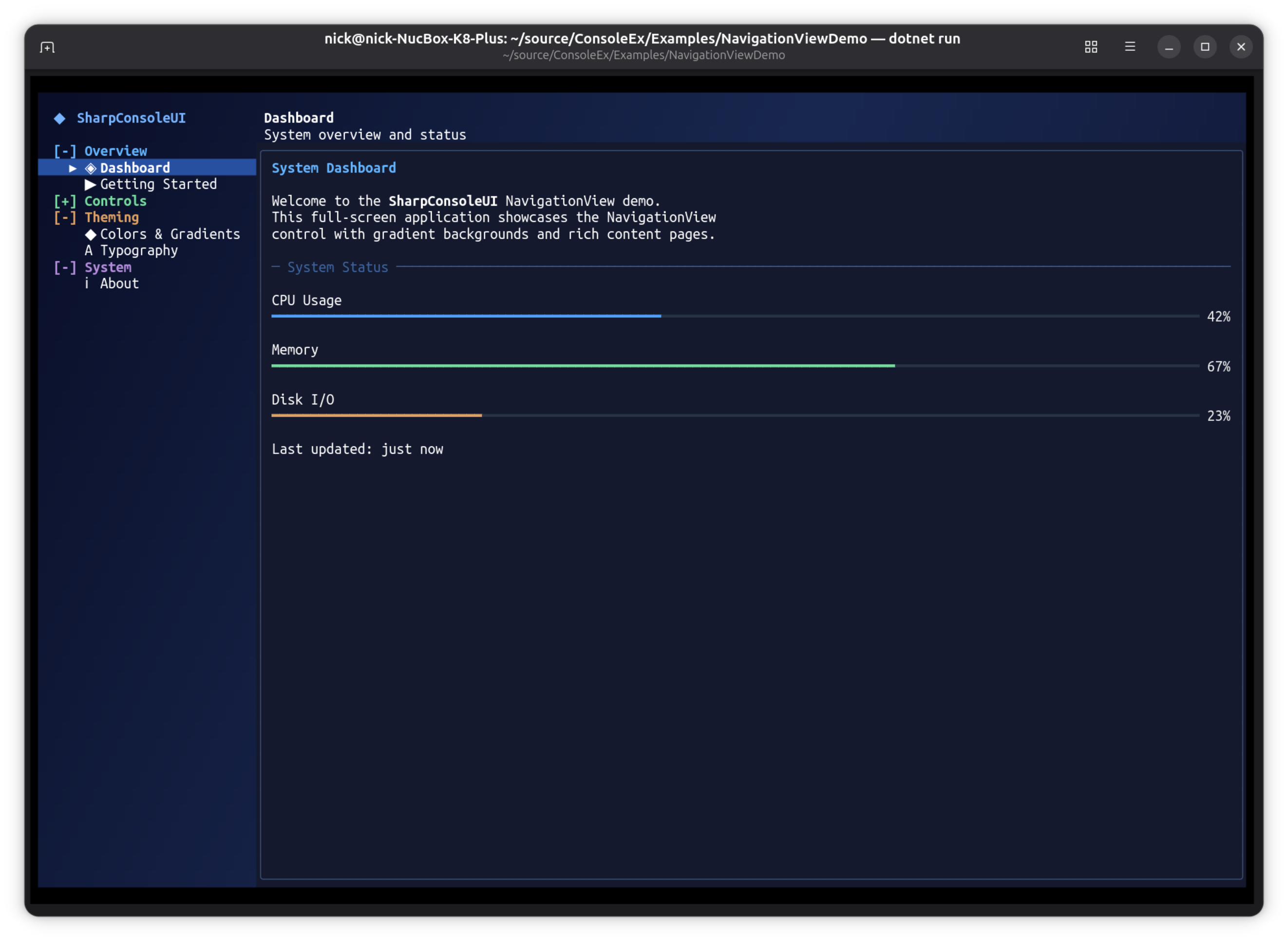
NavigationViewDemo
Full-screen desktop-style application using the NavigationView pattern — the same sidebar + content layout found in native GUI frameworks like WinUI, GTK, and Qt.
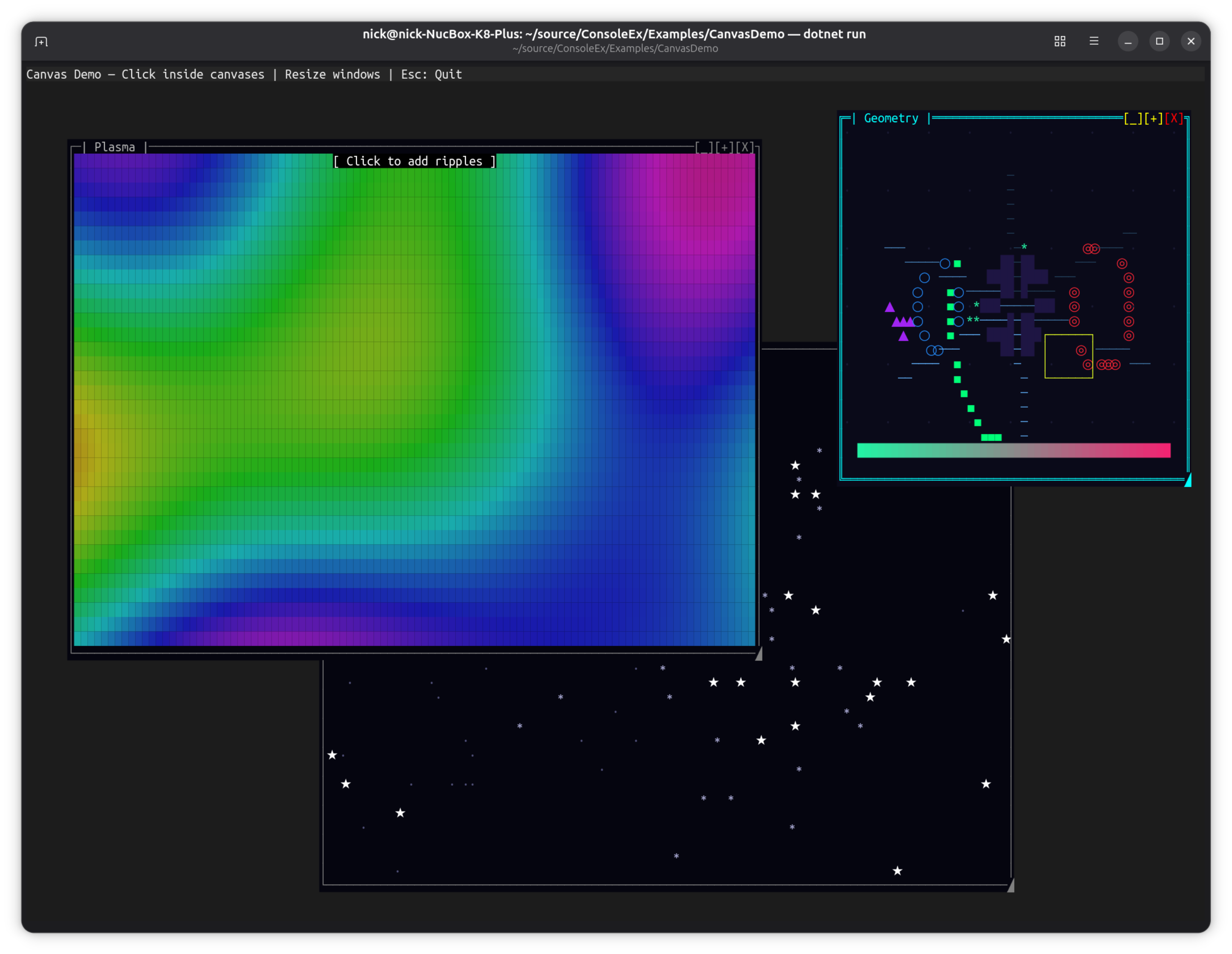
CanvasDemo
Three animated windows showcasing the CanvasControl drawing surface with real-time graphics.
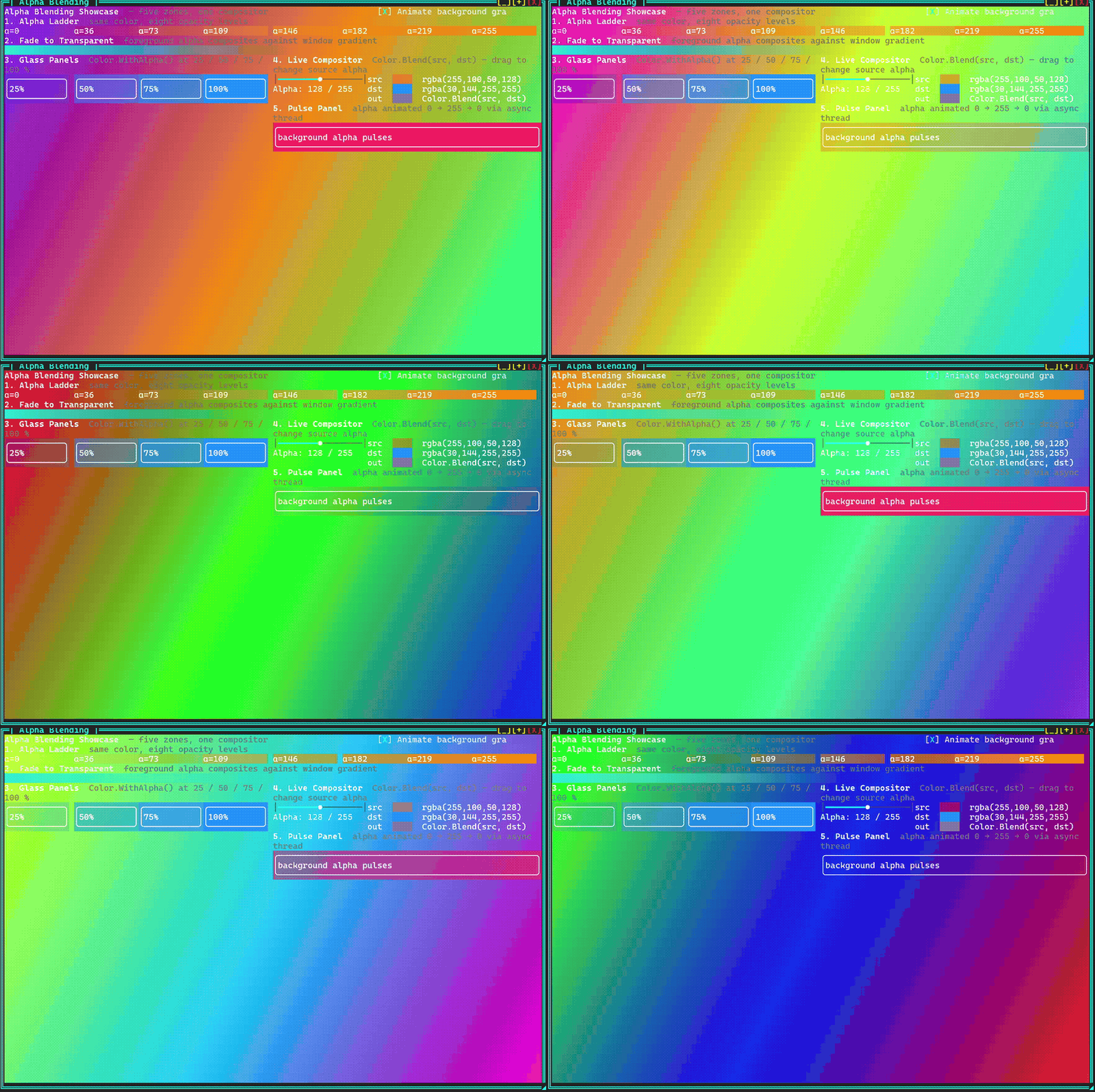
Alpha Blending Demo
Real-time Porter-Duff alpha compositing showcase with a live cycling gradient background.
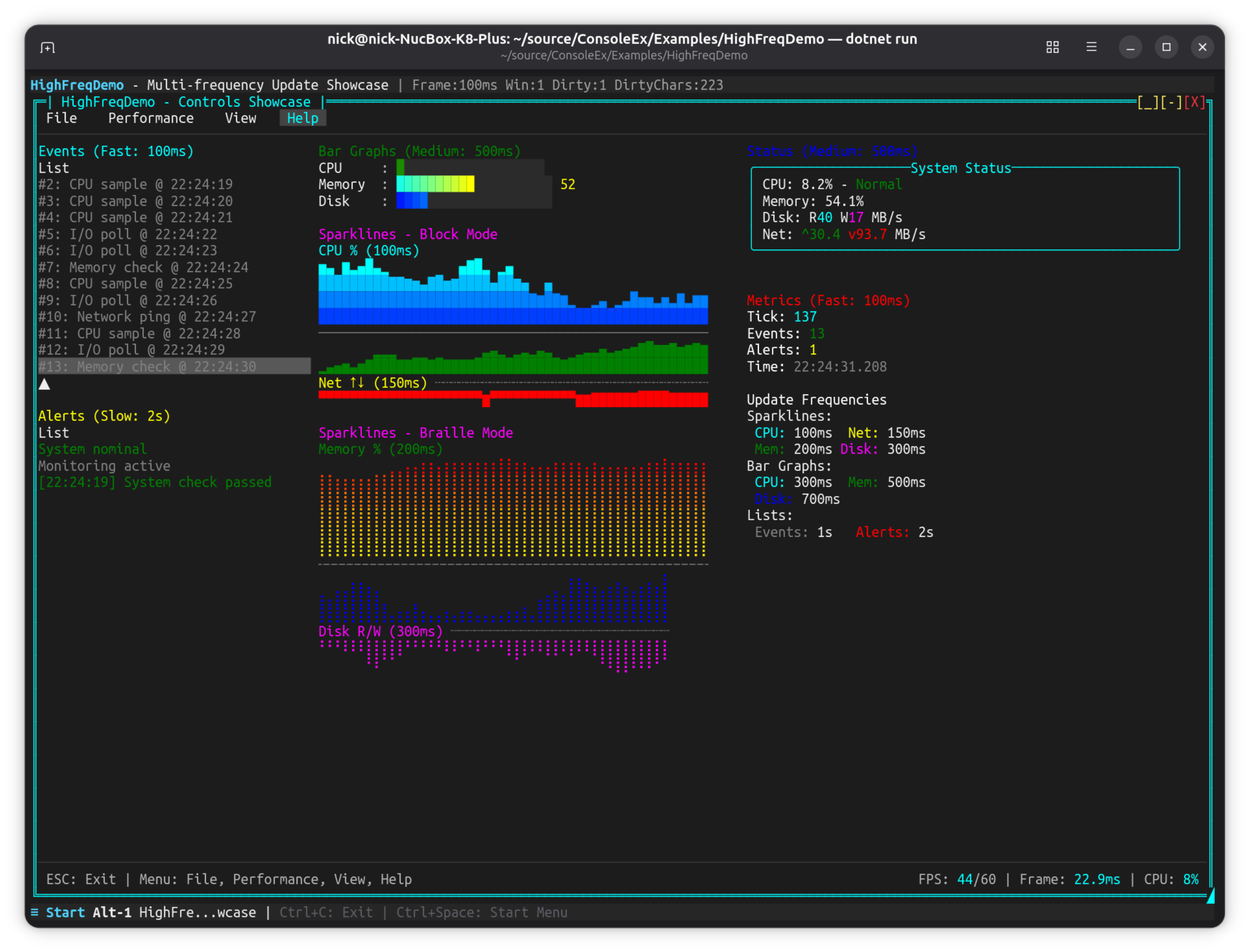
HighFreqDemo
Multi-frequency update showcase with various control update rates.
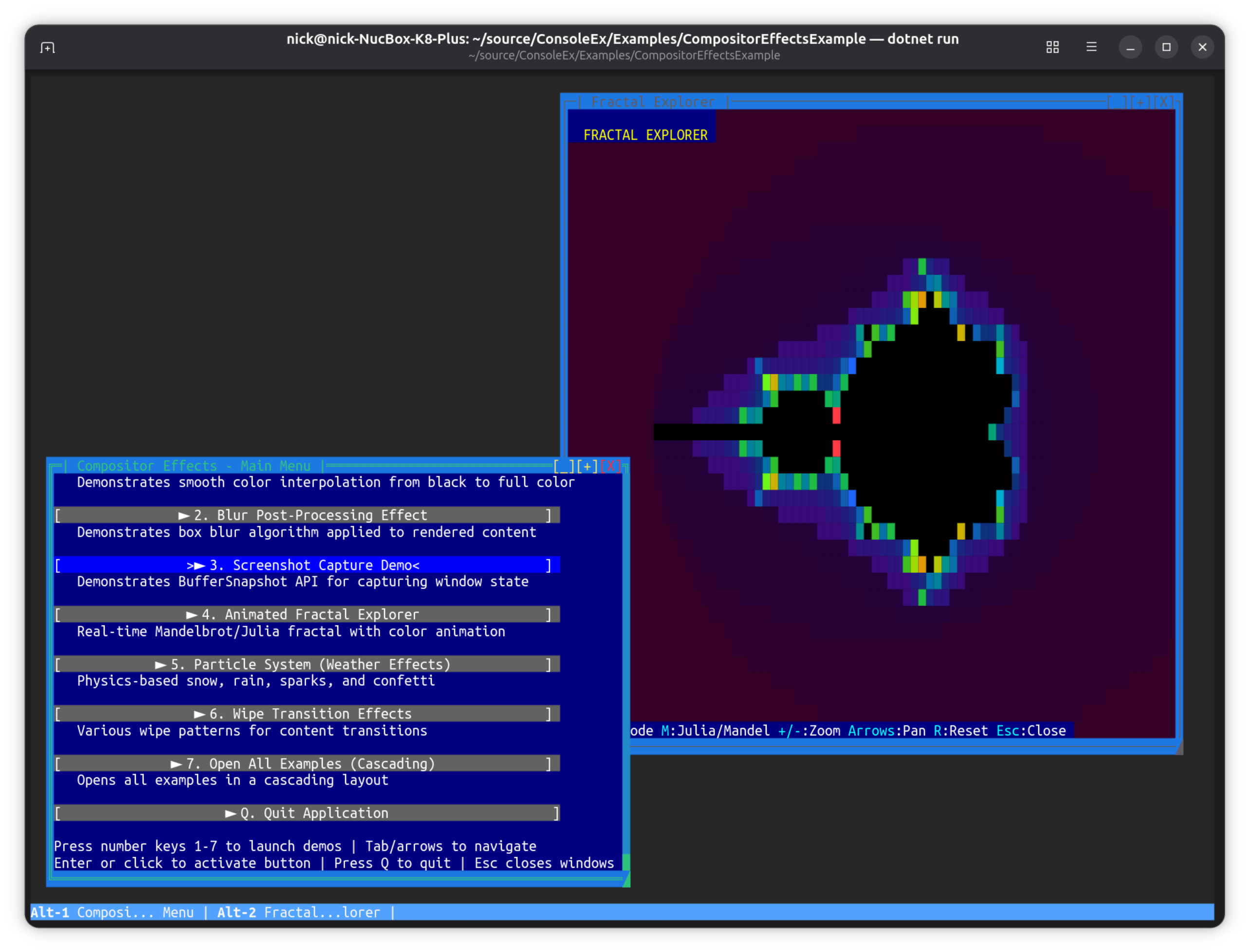
CompositorEffectsExample
Compositor-style buffer manipulation — fractals, blur, particles, and wipe transitions.
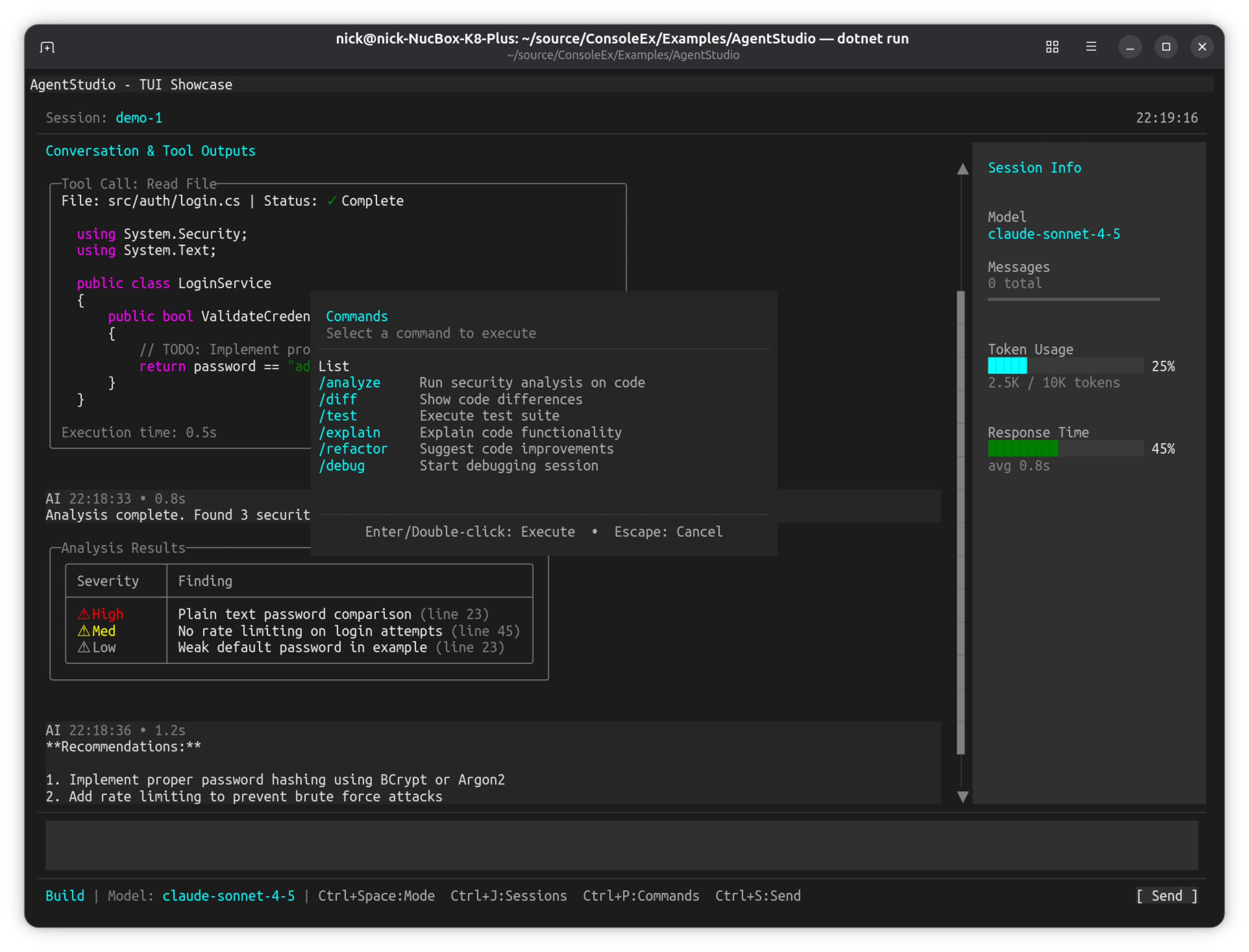
AgentStudio
OpenCode-inspired TUI showcase demonstrating an AI coding agent interface aesthetic.
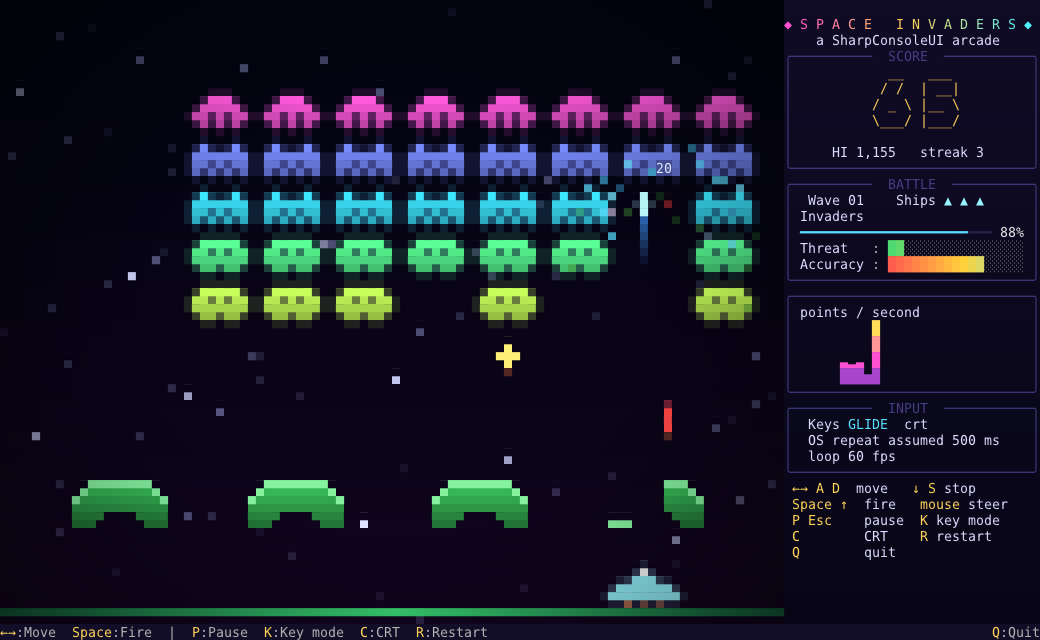
SpaceInvaders
A polished arcade remake built only from SharpConsoleUI parts: half-block pixel art, particles, screen shake and a data-bound HUD.
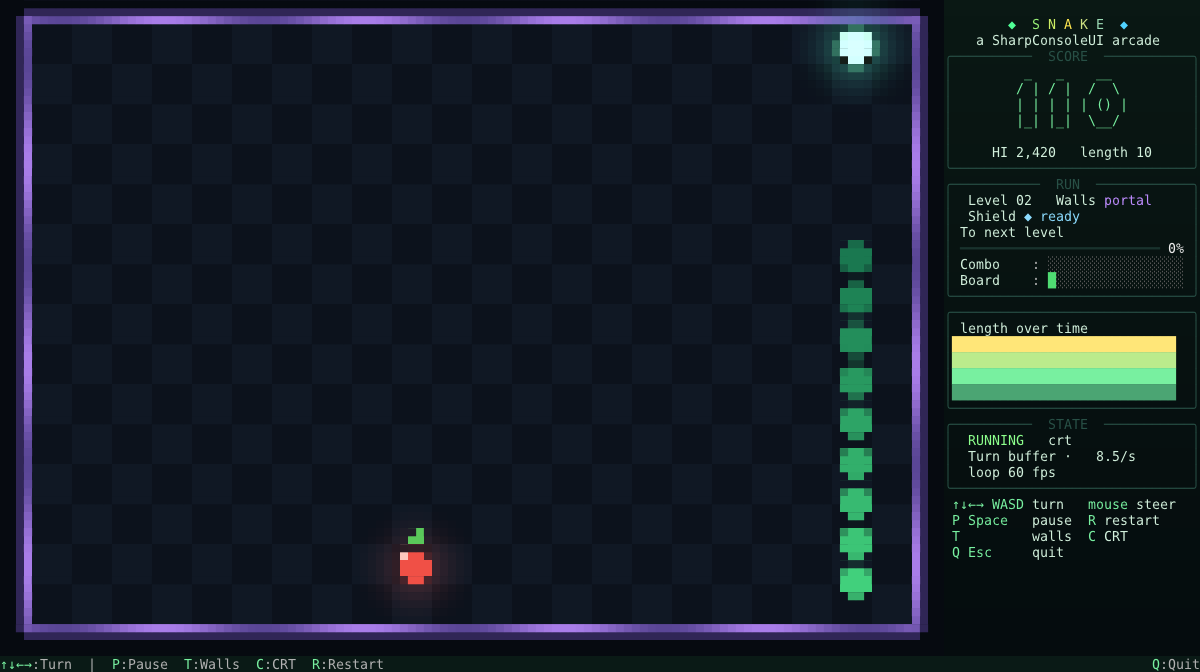
SnakeGame
Snake rebuilt the way SpaceInvaders is: half-block pixel art, interpolated motion, particles and a data-bound HUD.
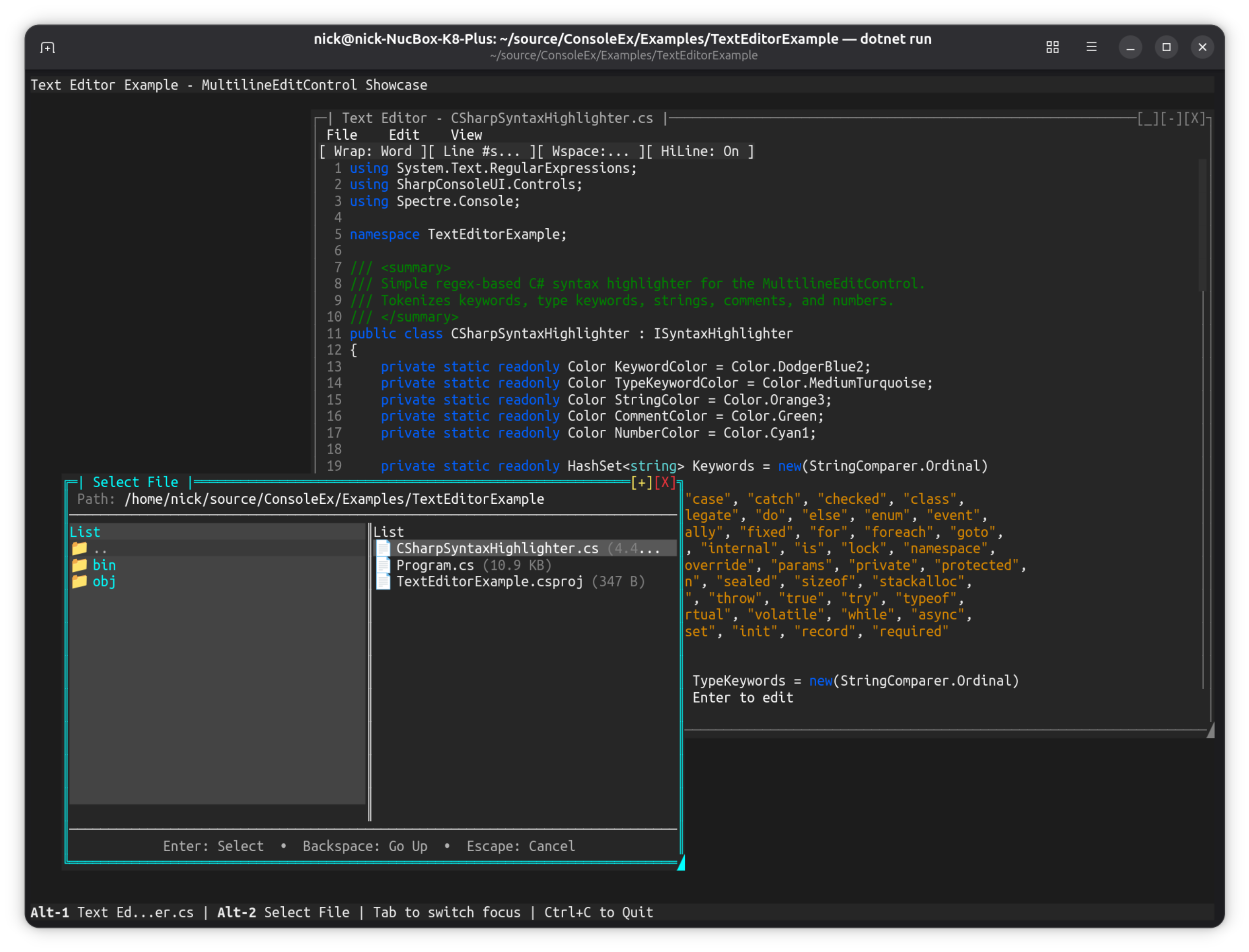
TextEditorExample
Multiline text editor with syntax highlighting and file browser.
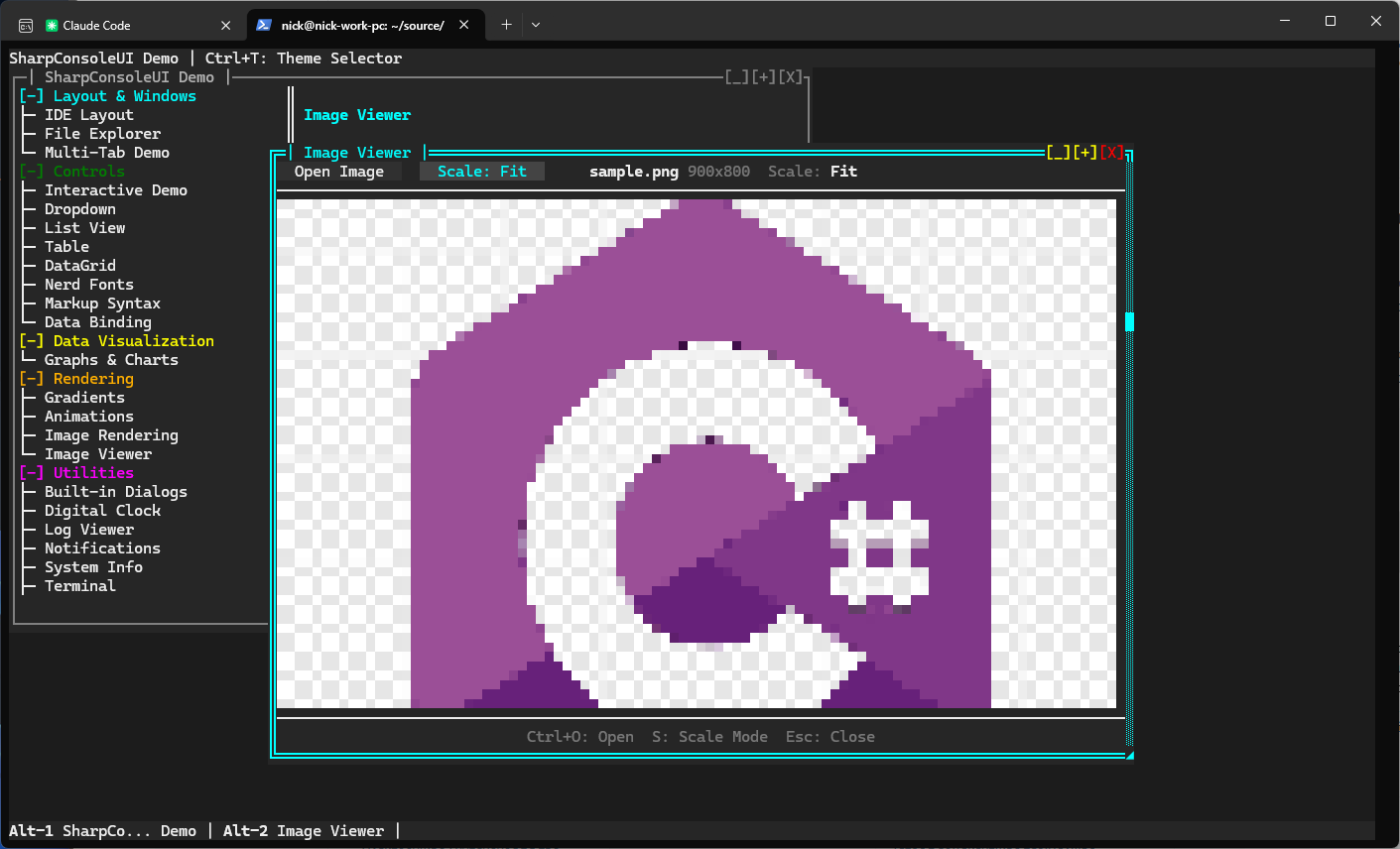
Image Viewer (DemoApp)
Load and display real image files in the terminal using half-block Unicode rendering.
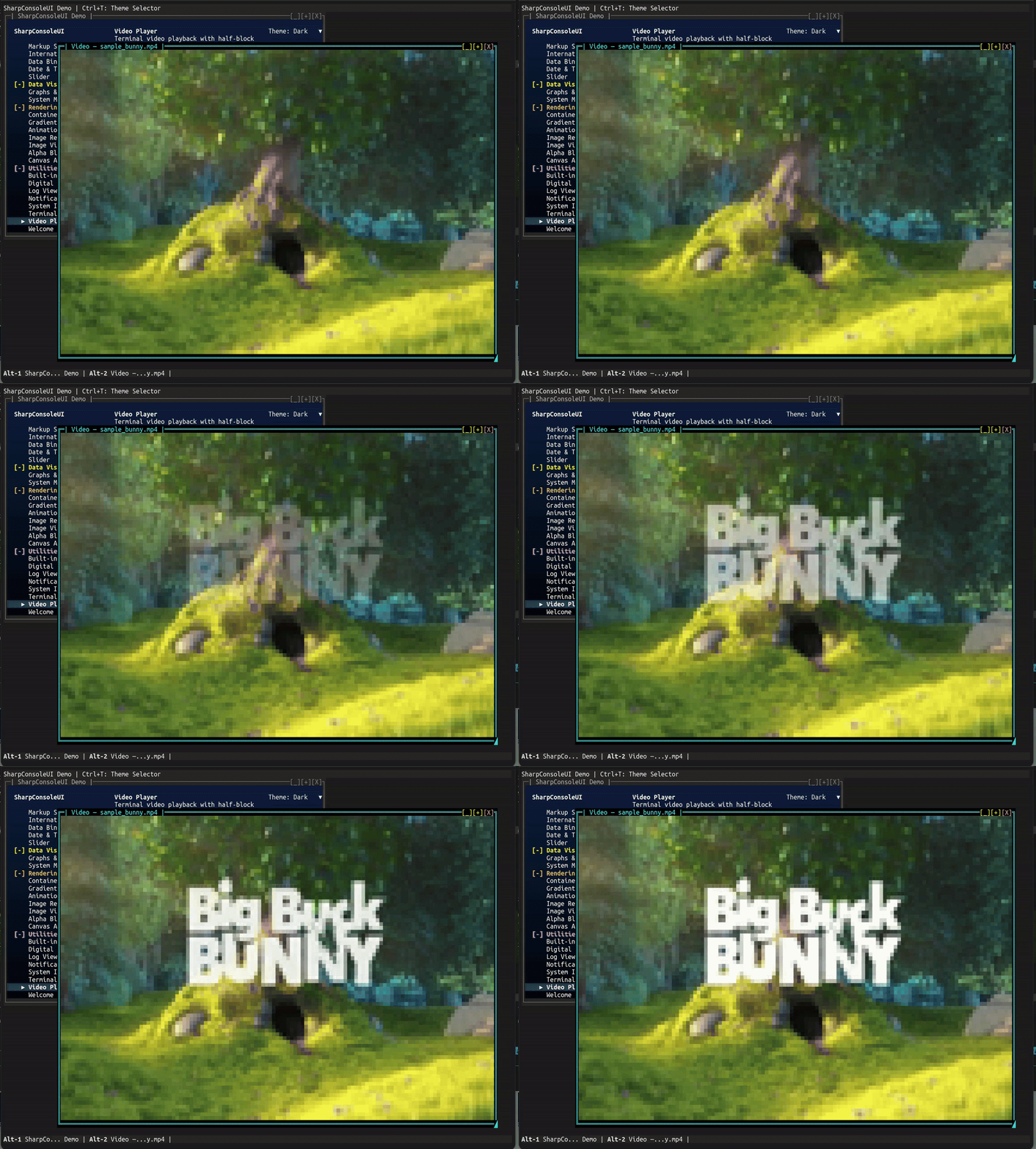
Video Player (DemoApp)
Play video files directly in the terminal. Kitty graphics for pixel-accurate playback on supporting terminals, with automatic fallback to cell-based rendering elsewhere.
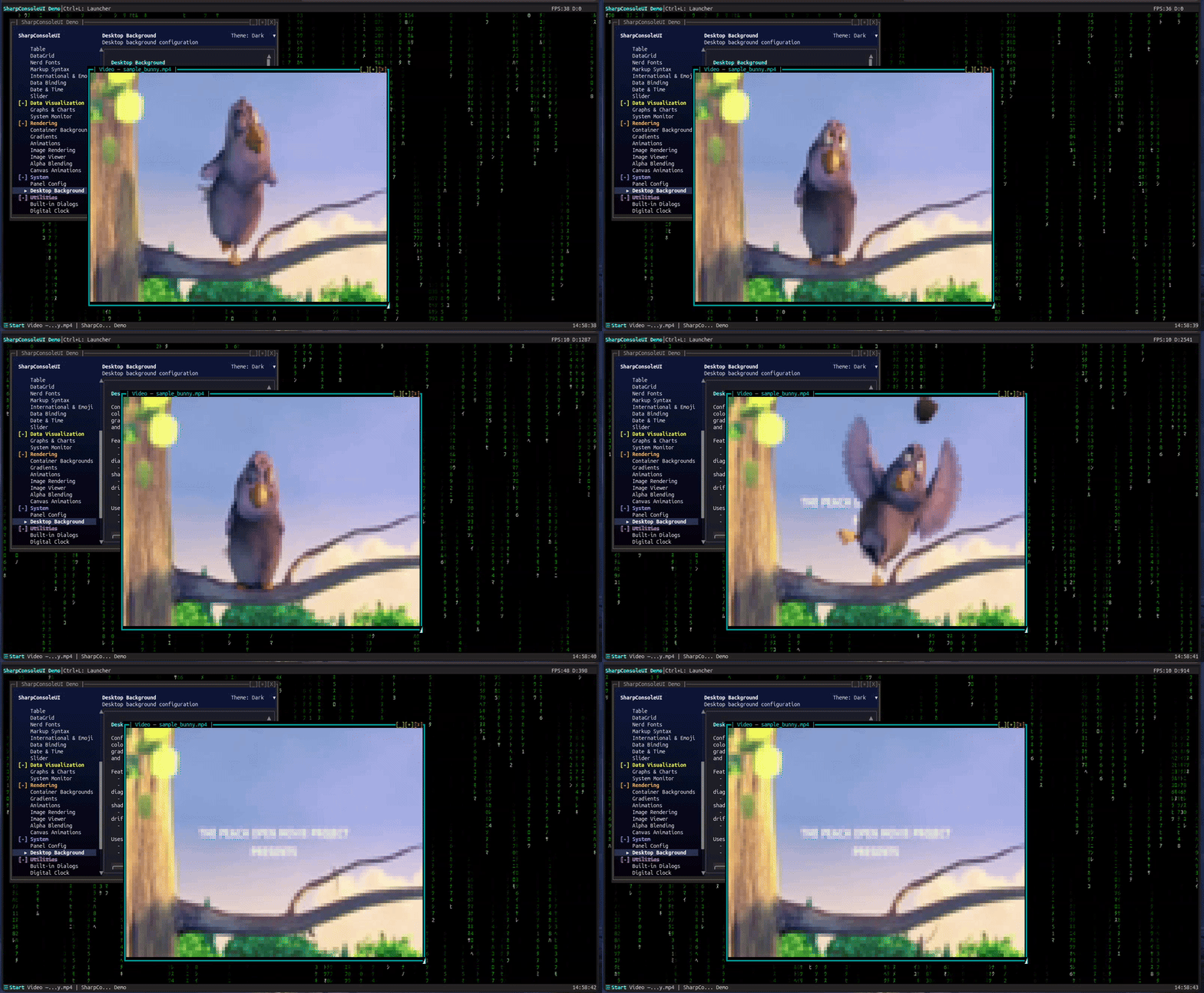
Desktop Background (DemoApp)
Configurable desktop backgrounds with solid colors, gradients, patterns, and animated effects.
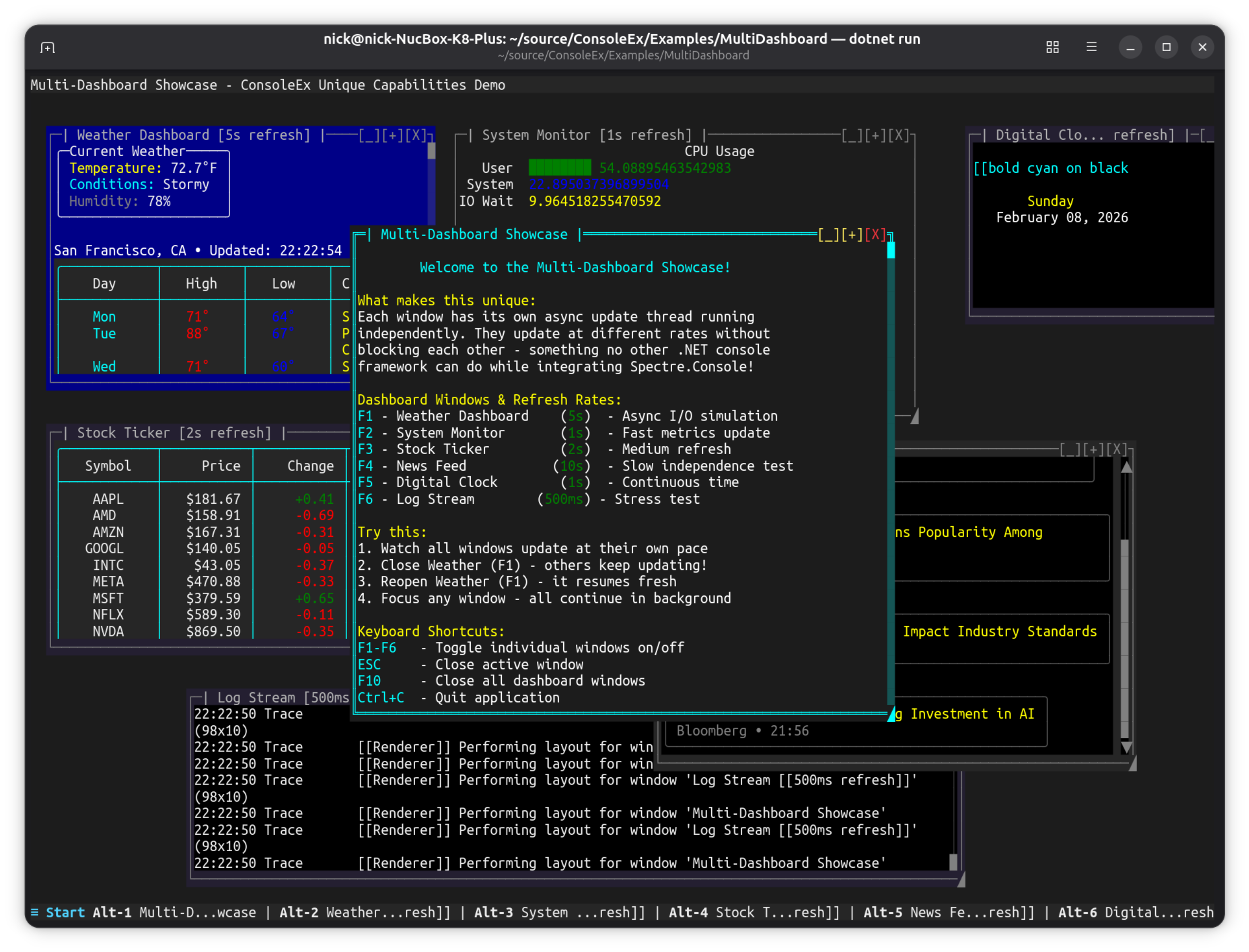
MultiDashboard
A flagship multi-window desktop: a Control Center hub that opens live dashboard windows on a gradient "Ocean Dots" desktop, each fed by its own async update thread.
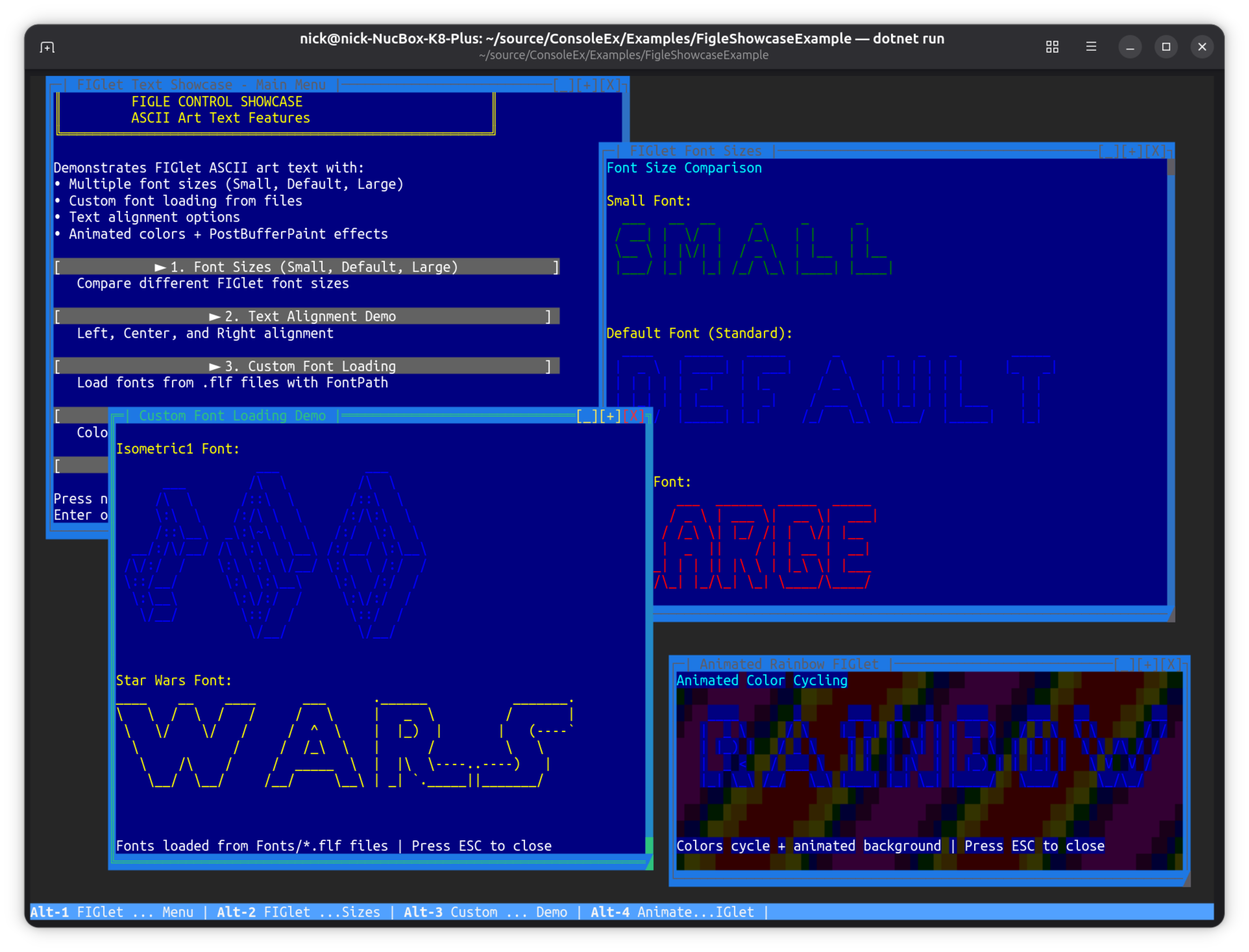
FigletShowcaseExample
ASCII art font showcase demonstrating Figlet font rendering.
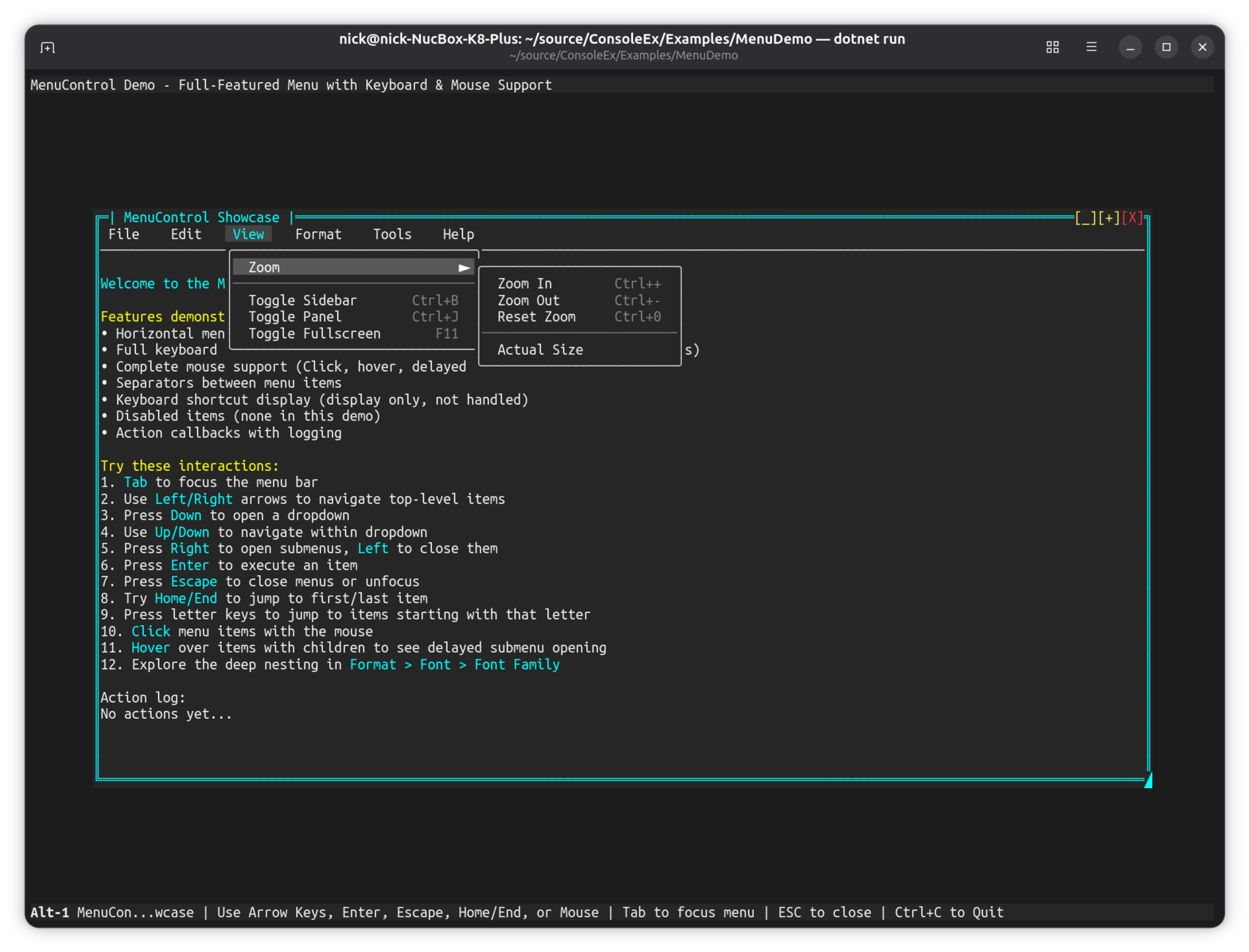
MenuDemo
Full-featured horizontal menu bar with keyboard and mouse support.
The full examples guide, with install lines and feature matrix →