SliderControl
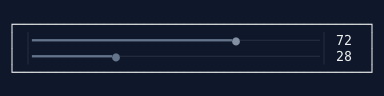
A single-value slider control that allows users to select a value from a range by dragging a thumb along a track. Supports horizontal and vertical orientations, keyboard and mouse interaction, and optional value and min/max labels.
Properties#
| Property | Type | Default | Description |
|---|---|---|---|
Value |
double |
0 |
Current value, clamped to [MinValue, MaxValue] and snapped to Step |
MinValue |
double |
0 |
Minimum value of the range |
MaxValue |
double |
100 |
Maximum value of the range |
Step |
double |
1 |
Step increment for arrow keys |
LargeStep |
double |
10 |
Large step for Page Up/Down and Shift+Arrow |
Orientation |
SliderOrientation |
Horizontal |
Slider orientation |
ShowValueLabel |
bool |
false |
Show current value label |
ShowMinMaxLabels |
bool |
false |
Show min/max labels at track ends |
ValueLabelFormat |
string |
"F0" |
Format string for value labels |
TrackColor |
Color? |
Theme | Unfilled track color |
FilledTrackColor |
Color? |
Theme | Filled track color |
ThumbColor |
Color? |
Theme | Thumb indicator color |
FocusedThumbColor |
Color? |
Theme | Thumb color when focused |
BackgroundColor |
Color? |
Inherited | Background color |
IsEnabled |
bool |
true |
Whether the slider accepts input |
Events#
| Event | Type | Description |
|---|---|---|
ValueChanged |
EventHandler<double> |
Fires when the value changes |
GotFocus |
EventHandler |
Fires when the slider receives focus |
LostFocus |
EventHandler |
Fires when the slider loses focus |
Creating with Builder#
// Basic slider
var slider = Controls.Slider()
    .WithValue(50)
    .ShowValueLabel()
    .Build();

// Slider with range and step
var brightness = Controls.Slider()
    .WithRange(0, 100)
    .WithStep(5)
    .ShowMinMaxLabels()
    .OnValueChanged((s, v) => label.SetLines($"Brightness: {v}"))
    .Build();

// Vertical slider
var volume = Controls.Slider()
    .Vertical()
    .WithRange(0, 100)
    .ShowValueLabel()
    .Build();

// Custom colors
var custom = Controls.Slider()
    .WithTrackColor(Color.Green)
    .WithFilledTrackColor(Color.Red)
    .WithThumbColor(Color.Magenta1)
    .Build();
Keyboard Shortcuts#
Horizontal Mode#
| Key | Action |
|---|---|
| Right Arrow | Increase by Step |
| Left Arrow | Decrease by Step |
| Shift+Right | Increase by LargeStep |
| Shift+Left | Decrease by LargeStep |
| Page Up | Increase by LargeStep |
| Page Down | Decrease by LargeStep |
| Home | Set to MinValue |
| End | Set to MaxValue |
Vertical Mode#
| Key | Action |
|---|---|
| Up Arrow | Increase by Step |
| Down Arrow | Decrease by Step |
| Shift+Up | Increase by LargeStep |
| Shift+Down | Decrease by LargeStep |
Mouse Interaction#
- Click on thumb: Start dragging
- Click on track: Jump to clicked position, then start dragging
- Drag: Continuously update value based on mouse movement
Visual Layout#
Horizontal#
[0] │━━━━━●───────│ [100]  50
    ^cap  ^thumb   ^cap     ^value label
Vertical#
100   ← max label
 ─    ← top end-cap
 │    ← unfilled
 ●    ← thumb (value label appears next to it)
 ┃    ← filled
 ─    ← bottom end-cap
 0    ← min label
Related Controls#
- RangeSliderControl - Dual-thumb range slider
- ProgressBarControl - Non-interactive progress display